

Key takeaways
- Home server or NAS: low-power chips such as the i7-4790S or i3-4170 work well with Linux and network storage, and idle power is reasonable.
- Retro gaming: a Z97 board and an i7-4790K can run Windows 7 or 10 era games, with a mid-range older graphics card.
- Office and school PC: light browsing and documents are fine under Linux, which supports this hardware well.
- Media center: the i7-5775C’s integrated graphics handle high-resolution video playback in a compact case.
LGA 1150 supports Intel’s 4th generation Haswell (including the Haswell Refresh and Devil’s Canyon revisions) and 5th generation Broadwell desktop processors, plus matching Pentium, Celeron and Xeon E3 v3 chips. The strongest chips for the socket are the Core i7-4790K for raw speed, the Core i5-4690K for value and the Core i7-5775C for integrated graphics. Everything on this socket needs DDR3 memory and an 8-series or 9-series chipset board, and BIOS updates decide whether a particular chip will boot on an older board.
Our top picks



As an Amazon Associate we earn from qualifying purchases at no extra cost to you.
LGA 1150 Basics
LGA 1150, also called Socket H3, launched in 2013 with Haswell and was Intel’s mainstream desktop socket until Skylake moved to LGA 1151 in 2015. It has 1150 contacts and a 37.5 mm by 37.5 mm processor package. It supports DDR3 memory only, which means a platform upgrade is required to use DDR4 or DDR5. The four heatsink mounting holes sit on a 75 mm square, the same spacing used by LGA 1156, 1155, 1151 and 1200, so most coolers from those sockets fit without a special bracket.
The socket arrived in two chipset waves. The 8-series from 2013 includes the H81, B85, H87, Q85, Q87 and Z87, along with workstation C222, C224 and C226. The 9-series from 2014 added the H97 and Z97 and brought official support for Broadwell. A 9-series board with the latest BIOS is the safest foundation for any chip on this list.
Complete LGA 1150 CPU List by Family
Intel sold well over a hundred LGA 1150 SKUs, but most buyers care about a few dozen. The table groups the main desktop Core chips. Figures follow Intel’s published specifications and cross-checked guides such as Old Rig Revive.
| Model | Family | Cores / threads | Base / turbo GHz | L3 cache | TDP |
|---|---|---|---|---|---|
| Core i7-5775C | Broadwell | 4 / 8 | 3.3 / 3.7 | 6 MB (plus 128 MB eDRAM) | 65 W |
| Core i7-4790K | Devil’s Canyon | 4 / 8 | 4.0 / 4.4 | 8 MB | 88 W |
| Core i7-4790 | Haswell Refresh | 4 / 8 | 3.6 / 4.0 | 8 MB | 84 W |
| Core i7-4790S | Haswell Refresh | 4 / 8 | 3.2 / 4.0 | 8 MB | 65 W |
| Core i7-4770K | Haswell | 4 / 8 | 3.5 / 3.9 | 8 MB | 84 W |
| Core i5-5675C | Broadwell | 4 / 4 | 3.1 / 3.6 | 4 MB (plus 128 MB eDRAM) | 65 W |
| Core i5-4690K | Devil’s Canyon | 4 / 4 | 3.5 / 3.9 | 6 MB | 88 W |
| Core i5-4690 | Haswell Refresh | 4 / 4 | 3.5 / 3.9 | 6 MB | 84 W |
| Core i5-4670K | Haswell | 4 / 4 | 3.4 / 3.8 | 6 MB | 84 W |
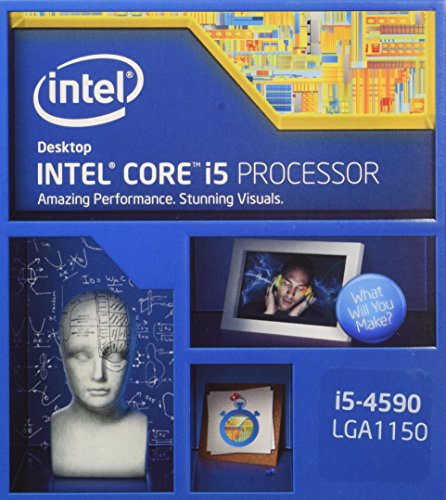
| Core i5-4590 | Haswell Refresh | 4 / 4 | 3.3 / 3.7 | 6 MB | 84 W |
| Core i5-4460 | Haswell Refresh | 4 / 4 | 3.2 / 3.4 | 6 MB | 84 W |
| Core i3-4170 | Haswell Refresh | 2 / 4 | 3.7 (no turbo) | 3 MB | 54 W |
| Pentium G3258 | Haswell (Anniversary) | 2 / 2 | 3.2 (unlocked) | 3 MB | 53 W |
| Xeon E3-1231 v3 | Haswell-WS | 4 / 8 | 3.4 / 3.8 | 8 MB | 80 W |
The Xeon E3 v3 family shares the socket with workstation boards and some consumer boards. These chips have no integrated graphics in most models and are supported officially on C220-series boards, though many Z87 and Z97 boards accept them, so check your board’s CPU support list.
Understanding the Sub-Families
Haswell (4th generation, 2013)
The original chips such as the i7-4770K and i5-4670K run on 22 nm and introduced the LGA 1150 platform with improved integrated graphics and lower idle power than Ivy Bridge. The unlocked K models offered easy overclocking on Z87 boards. These work on every 8-series and 9-series board, though a BIOS update may be required on some.
Haswell Refresh and Devil’s Canyon (2014)
Intel nudged clock speeds up on the Refresh models, such as the i7-4790 and i5-4690. Devil’s Canyon, which means the i7-4790K and i5-4690K, improved the thermal interface material between the die and heat spreader and used better power delivery. Those changes lowered temperatures and allowed higher overclocks. Z87 boards need a BIOS update for these chips. On H81 and B85 boards the 4790K runs at stock speed but cannot be overclocked because those chipsets lack multiplier control.
Broadwell (5th generation, 2015)
Only two desktop Broadwell chips sold widely: the Core i7-5775C and Core i5-5675C. They are built on 14 nm, run at low 65 W TDP and add Iris Pro 6200 graphics with a 128 MB eDRAM cache that acts as a fast level 4 cache. That cache helps in some games and memory-sensitive tasks. They are officially aimed at 9-series boards, where H97 and Z97 need a BIOS update that adds Broadwell support. Some guides say H97 boards work with a BIOS update, while others tell buyers to pick Z97, so check your board maker’s CPU support list before buying.
Pentium, Celeron and Core i3
Budget chips fill out the socket. The Pentium G3258, nicknamed the Anniversary Edition, had an unlocked multiplier and was a favorite among overclockers. Core i3 models offer two cores with Hyper-Threading and are adequate for office use and light media work.
Chipset and Compatibility Matrix
| Chipset | Overclocking | Broadwell support | Native M.2 support | Notes |
|---|---|---|---|---|
| H81 / B85 | No | No | No | Budget boards, limited ports |
| H87 | No | No | No | Mainstream, RAID support |
| Z87 | K-series chips | No | No | Needs BIOS update for Devil’s Canyon |
| H97 | No | Yes, with BIOS update | Often | Mainstream 9-series |
| Z97 | K-series and Broadwell C chips | Yes | Often | Best platform for LGA 1150 |
| C226 | No | Xeon v4 only | No | Workstation boards |
The easiest rule is this: a Z97 board with the newest BIOS runs every Core chip on this list. An older board runs everything except Broadwell, and only after the BIOS reflects support for the specific processor. If a used board arrives with an old BIOS and an unsupported CPU, it may not post, and you would need a compatible older chip to update it. Many boards also have a BIOS flashback feature, which is worth looking for.
Best LGA 1150 CPUs by Use
Best overall: Core i7-4790K
With 4 cores, 8 threads, a 4.0 GHz base and 4.4 GHz boost, the i7-4790K is the fastest mainstream chip for the socket. It handles older games, web browsing, office work and light video editing, and it overclocks well on a Z97 board. The trade-off is heat: the 88 W TDP requires a good tower cooler, and an overclock needs a stronger one.
Best value: Core i5-4690K
This chip delivers four unlocked cores with a 3.5 GHz base and 3.9 GHz turbo. It lacks Hyper-Threading, which limits heavy multitasking, but for gaming and general work it is close to the i7 and is usually easier to find at a low price.
Best integrated graphics: Core i7-5775C
Its Iris Pro 6200 with 128 MB eDRAM makes this the only LGA 1150 chip that can play light esports titles without a discrete card. It runs at a 65 W TDP, so a small cooler works, and it suits quiet or compact builds. Drawbacks include limited availability and the need for a 9-series board.
Best low-power pick: Core i7-4790S
The 4790S keeps 4 cores and 8 threads at a 65 W rating with a 4.0 GHz turbo, which suits small cases and office PCs where noise and heat matter more than overclocking.
Best budget pick: Core i3-4170
Two cores and four threads at 3.7 GHz in a 54 W envelope are enough for an office machine, a media player or a basic home server.
Best for workstation use: Xeon E3-1231 v3
This Xeon provides 4 cores and 8 threads at 3.4 GHz base and 3.8 GHz turbo and costs less than a comparable i7 on the used market. It has no overclocking and no integrated graphics, so it needs a discrete GPU, but it offers the thread count of an i7 for rendering and virtual machines.
Is LGA 1150 Still Worth Using in 2026?
For most people the answer is no for a new build, and yes only to extend an existing machine. These processors lack many features of modern chips. They do not support Windows 11’s official hardware requirements, since Microsoft requires an 8th generation Intel Core chip or newer. Windows 10 reached the end of support in October 2025, so a Haswell PC is increasingly limited to Linux, extended security updates or offline use. Single-thread performance is far below a modern budget chip, and DDR3 memory, SATA-heavy storage and limited USB 3.0 ports hold the platform back.
It still makes sense in three cases. First, if you already own a working LGA 1150 system, upgrading the CPU from a Core i3 or a Pentium to an i7-4790K can double the multi-thread performance cheaply. Second, if you run a home server, retro gaming machine or a Linux workstation, the combination of low cost and mature drivers is attractive. Third, if you repair or maintain older office machines, a supply of compatible parts is easy to find.
Upgrade Worked Example
Suppose your PC has a Core i3-4130, which has 2 cores and 4 threads at 3.4 GHz, on a Z87 board. Swapping to an i7-4770K gives 4 cores and 8 threads at 3.5 GHz base, so multi-thread throughput roughly doubles. If the board is Z97, you could instead pick an i7-4790K for an extra 14 percent clock speed. An upgrade of this kind costs far less than a new platform, but it still leaves you with DDR3 and no Windows 11 support. Compare that against a modern budget chip: a current entry-level processor with 6 cores will beat the i7-4790K in most workloads while using about half the power. If you game or work daily, replacing the platform pays back through speed and reliability.
Buying Used: What to Check
- Inspect the pins on the motherboard socket. Bent pins in the LGA socket are the most common cause of failure on used boards. Photos should show an even grid.
- Confirm the CPU model. Fake and relabeled chips exist. The marking on the heat spreader should match the sellers’ listing, and a benchmark run should confirm the clock speed.
- Verify BIOS version. Ask for the version, or buy a board that is known to support your chip.
- Test memory. Run a memory test, since DDR3 modules often fail with age.
- Plan the cooler. The stock cooler is not included with K-series chips, so budget for a tower air cooler or an all-in-one.
- Check the power supply. Older supplies lose capacity over years, and a quality unit is a cheap way to protect the system.
Memory, Cooling and Power for LGA 1150
Memory
Haswell chips officially support DDR3-1333 and DDR3-1600, and many Z87 and Z97 boards accept faster overclocked kits through XMP profiles. Two 8 GB modules in dual-channel mode is the sweet spot for most builds, giving 16 GB, and the platform tops out at 32 GB on most boards. Use matched pairs, and keep the voltage at the standard 1.5 V unless your board and kit are rated otherwise, since DDR3 modules that run hotter wear faster. Low-voltage DDR3L is supported on most boards but only worth using if the board is designed for it.
Cooling
The 65 W chips such as the i7-5775C, i7-4790S and i5-5675C run happily with a small tower cooler or the boxed cooler. The 84 W and 88 W chips benefit from a mid-size tower cooler, and an overclocked i7-4790K can approach 130 W, which calls for a large tower or a 240 mm liquid cooler. Since the mounting holes follow the same 75 mm spacing as several later sockets, an old cooler from a LGA 1155 or 1151 build will usually fit. Replace dried thermal paste on used systems, because paste that has been on for years can raise temperatures by 10 degrees Celsius or more.
Power
These platforms are modest by modern standards. A system with an i7-4790K and a mid-range graphics card draws roughly 150 to 300 W at the wall under gaming load, and a 450 to 550 W power supply from a reputable brand is enough. If the original supply is ten years old, replacing it is a cheap way to protect the board, memory and drives.
Overclocking the K Chips
Only the K-series chips and the Broadwell C models allow multiplier overclocking, and only on Z87 and Z97 boards. A cautious approach works best. Raise the multiplier in small steps, such as 100 MHz at a time, run a stress test for at least 30 minutes, and watch temperatures. Most i7-4790K samples reach 4.6 to 4.7 GHz with reasonable voltage, while going much higher raises heat quickly. Keep core temperatures under about 85 degrees Celsius during stress tests, and back off if the system crashes or shows errors. The gains are worth roughly 5 to 15 percent in CPU-bound tasks, so decide whether the extra cooling and noise are justified on a chip this old. Many owners get excellent results by leaving the chip at stock and simply improving the cooler.
How to Update the BIOS for a New CPU
- Identify the board model and current BIOS version. The model is printed on the board, and the version appears in the setup screen or in Windows system information.
- Check the CPU support list. Manufacturers publish a table of processors with the minimum BIOS version required, for example the ASRock CPU support page.
- Download the right BIOS file. Use the manufacturer’s site only and read the release notes for warnings about updating in steps.
- Flash with the old CPU installed. Use the board’s built-in flash utility or a USB flash drive, and do not interrupt power during the process.
- Install the new processor and reset the BIOS settings. Load defaults, then enable XMP or other options again.
If you do not have an older CPU available to flash with, look for a board with a USB BIOS flashback button or ask a local repair shop to flash it for you.
Practical Uses for an LGA 1150 PC Today
- Home server or NAS: low-power chips such as the i7-4790S or i3-4170 work well with Linux and network storage, and idle power is reasonable.
- Retro gaming: a Z97 board and an i7-4790K can run Windows 7 or 10 era games, with a mid-range older graphics card.
- Office and school PC: light browsing and documents are fine under Linux, which supports this hardware well.
- Media center: the i7-5775C’s integrated graphics handle high-resolution video playback in a compact case.
Frequently Asked Questions
What CPUs are compatible with LGA 1150?
The socket takes 4th generation Haswell, Haswell Refresh and Devil’s Canyon chips, 5th generation Broadwell desktop chips, and selected Pentium, Celeron and Xeon E3 v3 models. Broadwell chips need a 9-series board with updated BIOS.
What is the best CPU for LGA 1150?
The Core i7-4790K is the fastest mainstream option, with 4 cores, 8 threads and a 4.4 GHz boost. The Core i7-5775C is better when you need strong integrated graphics, and the i5-4690K is the best value for gaming.
Does LGA 1150 support DDR4?
No. Every LGA 1150 board uses DDR3 or DDR3L memory. Moving to DDR4 or DDR5 requires a different socket and a new motherboard.
Can I use an LGA 1151 or LGA 1155 CPU on an LGA 1150 board?
No. The sockets are physically similar but electrically incompatible, and the key notch positions differ. Only chips made for LGA 1150 will fit and work.
Will an old LGA 1150 board run Devil’s Canyon chips?
Z87 boards need a BIOS update. On H81 and B85 boards the i7-4790K works but cannot be overclocked. Always check your board’s support list before buying the chip.
Can an LGA 1150 PC run Windows 11?
Not officially. Microsoft’s requirements call for an 8th generation Intel Core or newer, so Haswell and Broadwell machines are unsupported. Some users run it with workarounds, but updates may not be guaranteed, so Linux or a platform upgrade is the safer path.





Write Your Review
No reviews yet. Be the first to share your experience!