

Key takeaways
- Output quality: DAC class and the manufacturer’s stated signal-to-noise or dynamic range figure.
- Headphone drive: stated impedance support of the built-in amplifier, because this is the main reason to buy a card.
- Connection: internal PCIe x1 card versus external USB unit, and any extra power connector requirement.
- Features: desktop control module, optical output, surround processing, microphone processing, lighting.
- Software and drivers: whether the control app is mature and the operating-system support is current.
The best sound card for most PC owners is the Creative Sound Blaster AE-7, with the Creative Sound Blaster AE-9 as the flagship upgrade, the Creative Sound Blaster AE-X as the newest spec-per-dollar pick, and the Creative Sound BlasterX G6 as the best plug-in-over-USB choice. Budget builders get the most from the ASUS Xonar SE or the Creative Sound Blaster Audigy FX Pro. Everything below explains which spec actually matters, which ones are marketing, and who should skip a dedicated card entirely.
A sound card in 2026 is a narrower purchase than it was a decade ago. Motherboard audio has improved, and many boards ship with a decent codec and a headphone amplifier. A dedicated card only earns its slot when you own headphones that onboard audio cannot drive properly, when you want cleaner analog output away from the electrical noise inside the case, or when you need extra inputs, surround processing, or a desktop control box. This guide sorts the field by those real needs and gives concrete thresholds so you can match a card to your headphones, your slot situation and your budget tier.
How we chose
This is a research-based guide, not a lab review. We compared manufacturer specification sheets, driver and platform support notes, and the buyer criteria that come up repeatedly in enthusiast discussions of PC audio. We kept only models that are currently sold or that remain widely available and supported, and we flagged cards whose drivers lag behind current Windows releases. Where a manufacturer states a figure, we report it as the manufacturer’s claim. Where sources disagreed or we could not confirm a number, we describe the card by spec class instead of quoting a figure. Price is expressed as tiers: entry-level, mid-range and premium.
- Output quality: DAC class and the manufacturer’s stated signal-to-noise or dynamic range figure.
- Headphone drive: stated impedance support of the built-in amplifier, because this is the main reason to buy a card.
- Connection: internal PCIe x1 card versus external USB unit, and any extra power connector requirement.
- Features: desktop control module, optical output, surround processing, microphone processing, lighting.
- Software and drivers: whether the control app is mature and the operating-system support is current.
Quick comparison of the top sound cards
| Model | Type | DAC class | Stated SNR / DNR | Headphone amp | Price tier | Best for |
|---|---|---|---|---|---|---|
| Creative Sound Blaster AE-7 | PCIe x1 + desktop module | ESS Sabre | 127 dB | Discrete amp, up to 600 ohm | Premium | All-round headphone users |
| Creative Sound Blaster AE-9 | PCIe x1 + control module | ESS Sabre class | 129 dB | Bi-amplified discrete amp | Premium | Enthusiasts, streamers |
| Creative Sound Blaster AE-X | PCIe x1 | Dual ESS ES9039Q2M | 130 dB | Discrete amp, up to 600 ohm | Mid-range to premium | Music-first listeners |
| Creative Sound BlasterX AE-5 Plus | PCIe x1 | Sabre32 class | 122 dB | Discrete amp, up to 600 ohm | Mid-range | Gaming builds with lighting |
| Creative Sound Blaster Audigy FX Pro | PCIe x1 | Not specified by sources | About 120 dB class | Discrete amp | Entry-level | Budget and compact builds |
| ASUS Xonar SE | PCIe x1 | Not specified by sources | 116 dB | Up to 300 ohm | Entry-level | Cost-conscious upgrade from onboard |
| Creative Sound BlasterX G6 | External USB | 32-bit/384 kHz class | 130 dB | Discrete amp | Mid-range | Laptops, consoles, no free slot |
| Creative Sound Blaster X5 | External USB-C | Dual Cirrus Logic CS43198 | Premium class | Strong amp, balanced 4.4 mm out | Premium | Desktop hi-fi listening |
What to look for in a sound card
Signal-to-noise ratio and dynamic range
Manufacturers lead with a number such as 116 dB, 122 dB or 130 dB. It describes how far below the loudest signal the noise floor sits. Higher is better, but the gains beyond roughly 115 dB are small in real listening. Treat this figure as a tie-breaker, not as the main criterion. Different makers measure it differently, so a 127 dB claim from one brand and a 122 dB claim from another are not strictly comparable without the measurement method.
Worked example: does 127 dB really beat 116 dB?
Here is the logic. Suppose you listen at loud peaks of 100 dB SPL at the ear, which is already uncomfortable for long sessions. A card with a 116 dB signal-to-noise ratio puts its noise floor 116 dB below full output. If full output corresponds to that 100 dB peak, the noise floor sits at about minus 16 dB SPL. A card with 127 dB puts it at about minus 27 dB SPL. Normal human hearing threshold in quiet is around 0 dB SPL, and room noise in a typical home is 30 dB SPL or higher. Both noise floors are far below anything you can hear. At more moderate listening levels the gap becomes even less relevant. The practical conclusion: the extra 11 dB is real on paper, but it will not change what you hear. What does change what you hear is whether the amplifier can drive your headphones cleanly, which is the next section.
Headphone amplifier and impedance
This is the most meaningful reason to buy a card. Headphones fall into three loose classes. Low-impedance models up to roughly 32 ohm, including most gaming headsets and in-ears, work fine on almost any onboard output. Mid-impedance models around 80 to 150 ohm are where onboard audio often runs out of voltage and sounds thin or quiet at normal volume. High-impedance models at 250 to 600 ohm, common in studio and open-back audiophile designs, usually need a dedicated amplifier. Cards that state support up to 600 ohm, such as the Sound Blaster AE-7 and AE-X, cover the full range. The ASUS Xonar SE states 300 ohm support, which is enough for most 250 ohm designs but not for the hardest-to-drive 600 ohm models.
PCIe card or external USB unit
An internal PCIe x1 card plugs into a motherboard slot and is a fixed part of the build. It costs less for a given spec and keeps the desk clear, but electrical noise from the graphics card and power supply can leak into the analog stage if the layout is poor. Premium internal cards reduce this with shielding. An external USB unit sits outside the case, so it is naturally isolated from that noise, works on laptops, and moves between machines. The trade is desk space and a cable. If you have no free slot, a small case with a large graphics card covering the slots, or a laptop, an external unit is the logical choice. Some premium cards such as the AE-9 also require an internal power connector from the power supply, so check your cable availability.
Outputs, inputs and the desktop module
Count what you actually plug in. Most buyers need one headphone output and one microphone input. If you also want speakers, check for analog line out and an optical digital output. If you use a headset with a separate microphone plug, make sure the card provides both. Cards that include an external module, such as the AE-7 and AE-9, put a volume knob and headphone jack on your desk, which matters more in daily use than any lab figure. Cheap cards usually offer only rear jacks that you must reach behind the case to use.
Software and driver support
Creative’s control app offers equalizer, surround, and microphone processing options. Some enthusiasts dislike background software, which is why it helps to know that the card works in a basic mode without extras. Older cards such as the ASUS Xonar line have not had meaningful driver updates for years, so confirm compatibility with your version of Windows before buying. Linux support is more limited across the board, and macOS support is generally poor for internal cards, so non-Windows users should lean toward class-compliant USB devices.
Best sound cards by buyer need
1. Creative Sound Blaster AE-7: best overall
Specs: PCIe x1 · ESS Sabre DAC · 127 dB stated SNR · up to 32-bit/384 kHz · discrete headphone amplifier up to 600 ohm · external desktop module · optical output
The AE-7 is the card most guides settle on because it hits the sweet spot of the range. It brings the headphone amplifier class and the desk-mounted control module of the flagship at a lower tier. It suits anyone with mid- or high-impedance headphones who also games and listens to music.
Best for: single-PC owners who want one card to handle gaming, music and calls with a knob on the desk.
Skip if: you only use a low-impedance headset, or you have no spare PCIe slot and power connector.
- Pros: strong amplifier, desk module, wide headphone support, mature software.
- Cons: needs an internal power connection, more expensive than basic cards, app is Windows-centered.
As an Amazon Associate we earn from qualifying purchases at no extra cost to you.
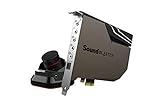
2. Creative Sound Blaster AE-9: best flagship
Specs: PCIe x1 · ESS Sabre-class DAC · 129 dB stated SNR · 32-bit/384 kHz · bi-amplified discrete amplifier · external audio control module · optical and analog outputs
The AE-9 adds a more elaborate amplifier stage and extra connectivity. It is aimed at streamers and creators who want physical microphone and headphone control on the desk, and at listeners with demanding headphones.
Best for: enthusiasts and streamers who value hardware controls and want the highest-spec Creative internal card.
Skip if: your headphones are easy to drive. The practical benefit over the AE-7 is small for most people, as the worked example above shows.
- Pros: top-tier amp, extensive connections, premium module.
- Cons: premium tier, power connector required, needs a free slot.
3. Creative Sound Blaster AE-X: best new spec per dollar
Specs: PCIe x1 · dual ESS ES9039Q2M DACs · 130 dB stated SNR · native DSD256 playback · discrete amplifier up to 600 ohm · optical in and out
The AE-X is Creative’s first new internal card in roughly five years according to current coverage. It prioritizes DAC quality and music playback, and it skips some of the gaming extras and the large desk module of the AE-9.
Best for: music listeners who want the best DAC stage in a standard internal card.
Skip if: you want a desktop knob module or heavy gaming features, since confirmed details on those are thinner than on the AE-7.
- Pros: highest stated SNR of the internal cards, native DSD, optical input and output.
- Cons: newer product with less long-term driver history, fewer accessories.

4. Creative Sound BlasterX AE-5 Plus: best for lit gaming builds
Specs: PCIe x1 · Sabre32-class DAC · 122 dB stated DNR · 32-bit/384 kHz · discrete amplifier up to 600 ohm · RGB lighting · optical output
The AE-5 Plus puts a quality headphone amplifier on a card that is designed to be seen. It is a sensible upgrade from onboard audio for gamers who like a matching lighting scheme.
Best for: mid-range gaming builds with a glass side panel.
Skip if: you want a desktop control module or the highest output quality.
- Pros: good amplifier, lighting, lower tier than AE-7.
- Cons: no external module, lighting adds nothing to sound.

5. Creative Sound Blaster Audigy FX Pro: best budget internal card
Specs: PCIe x1 · 7.1-channel discrete output · discrete headphone amp · optical-capable · low-profile friendly (class details; exact DAC chip not confirmed)
This is the card for small builds and home theater PCs where a basic but clean upgrade is enough and a premium amplifier is not needed.
Best for: budget builds and compact cases.
Skip if: you own headphones above about 100 ohm. The amplifier is for convenience, not for hard-to-drive models.
- Pros: entry-level tier, multi-channel output, widely supported.
- Cons: fewer premium features, less headroom for demanding headphones.

6. ASUS Xonar SE: best value upgrade from onboard
Specs: PCIe x1 · 5.1 output · 116 dB stated SNR · headphone amplifier up to 300 ohm · low-profile bracket option
The Xonar SE is the lowest-cost route to a separate audio stage with a real amplifier. It is a long-running design, so check driver support for your version of Windows before buying.
Best for: cost-conscious users who want a cleaner output than onboard audio.
Skip if: you need modern driver updates, lighting, a desktop module, or support for 600 ohm headphones.
- Pros: entry-level tier, 300 ohm amplifier, small footprint.
- Cons: aging drivers, basic feature set, no external module.
7. Creative Sound BlasterX G6: best external pick
Specs: external USB · 130 dB stated DNR · 32-bit/384 kHz · discrete headphone amplifier · 7.1 virtual surround · optical input and output · works with PC and consoles
The G6 is the card to buy when you cannot or do not want to open a case. It is small, bus-powered over USB, and it is portable between a desktop, a laptop and a console.
Best for: laptop users, console players, and desktops with no free slot.
Skip if: you want physical balanced output or the highest music-focused DAC stage. Some reviewers also note the older USB connector style.
- Pros: no installation, portable, console compatible, strong stated specs.
- Cons: older connector style, smaller controls than a full desktop module.

8. Creative Sound Blaster X5: best for desktop hi-fi
Specs: external USB-C · dual Cirrus Logic CS43198 DACs · balanced 4.4 mm headphone output · strong headphone amplifier · desktop-box form factor
The X5 treats the PC as a music source. It is meant to sit beside a monitor and power demanding headphones through a balanced connection.
Best for: listeners who want a desktop DAC and amplifier that doubles as a PC sound device.
Skip if: you mainly play games with a gaming headset. A cheaper card or the G6 will do the same job.
- Pros: balanced output, dual DACs, premium build.
- Cons: premium tier, takes desk space.

All fourteen sound cards at a glance
This table adds the six extra models to the original eight so you can compare internal cards, external boxes and desktop amplifiers in one place. Price is shown as a tier because street prices move.
| Model | Type | Headphone drive | Price tier | Best for |
|---|---|---|---|---|
| Sound Blaster AE-7 | PCIe + desk module | Up to 600 ohm | Premium | All-round headphone users |
| Sound Blaster AE-9 | PCIe + control module | Bi-amplified discrete | Premium | Streamers, enthusiasts |
| Sound Blaster AE-X | PCIe | Up to 600 ohm | Mid-range to premium | Music-first listeners |
| Sound BlasterX AE-5 Plus | PCIe | Up to 600 ohm | Mid-range | Lit gaming builds |
| Audigy FX Pro | PCIe | Discrete amp | Entry-level | Budget, compact builds |
| ASUS Xonar SE | PCIe | Up to 300 ohm | Entry-level | Upgrade from onboard |
| Sound BlasterX G6 | External USB | Discrete amp | Mid-range | Laptops, consoles |
| Sound Blaster X5 | External USB-C | Balanced 4.4 mm | Premium | Desktop hi-fi |
| Sound Blaster Z SE | PCIe | Up to 600 ohm | Entry-level | Low-cost high-impedance drive |
| GLOTRENDS ST113 | PCIe | Basic output | Entry-level | Driver-free DAC, optical out |
| GLOTRENDS ST115 | PCIe | Dedicated amp, line out | Entry-level to mid-range | Headphones plus speakers |
| Sound Blaster X4 | External USB | Discrete amp | Mid-range | Compact desk controls |
| FiiO K11 | Desktop DAC/amp | 1400 mW, balanced | Mid-range | Balanced headphones |
| Fosi Audio K5 Pro | Desktop DAC/amp | 1000 mW | Entry-level | Budget amp with mic jack |
Decision matrix: match your situation to a card
| Your situation | Threshold | Pick |
|---|---|---|
| Gaming headset, 32 ohm or below | Onboard is often enough | Keep onboard, or Audigy FX Pro if you want separate output |
| Headphones 80 to 150 ohm | Needs a real amp | Xonar SE or AE-5 Plus |
| Headphones 250 to 600 ohm | Needs 600 ohm support | AE-7, AE-X, AE-9 or X5 |
| No free PCIe slot or laptop | USB only | G6 or X5 |
| Stream with a desk-mounted mic knob | Control module wanted | AE-9 or AE-7 |
| Music-first, balanced headphones | 4.4 mm balanced out | X5 |
Quick thresholds: slot, headphone impedance and budget
Use these cut-offs before you compare brand names.
- Headphones at or below 32 ohm: skip a dedicated card unless you need extra inputs or a desk knob.
- Headphones from 33 to 150 ohm: an entry-level card or a Fosi K5 Pro class box is enough.
- Headphones from 150 to 300 ohm: choose a card with a stated 300 ohm or higher amplifier, such as the Xonar SE or Z SE.
- Headphones above 300 ohm or balanced cables: move to the AE-7, AE-X, X5 or FiiO K11 class.
- No free x1 slot, or a laptop: buy an external unit, not a PCIe card.
- Small case: confirm a spare power connector before buying a card that needs one.
- Need a microphone input: avoid desktop boxes without a mic jack.
If two cards meet these thresholds, pick the one with the better driver support for your operating system.
Common mistakes when buying a sound card
- Chasing the biggest decibel number. As the worked example shows, differences above about 115 dB are inaudible in practice. Choose on amplifier support and connections instead.
- Ignoring slot and power needs. Confirm a free PCIe x1 slot (a x16 slot also works physically) and, for premium cards, a spare power cable from the power supply.
- Skipping driver checks. Cards from older lines can have limited support for current Windows builds.
- Buying surround processing for stereo headphones. Virtual surround is a taste feature. If you do not like it, it is useless.
- Expecting speakers to improve dramatically. Powered speakers often have their own DAC. A card helps most with headphones and noisy onboard output.
Installation and setup tips
Switch off and unplug the PC before opening the case. Seat the card in a PCIe slot that is not directly under a hot graphics card if you can, as this reduces heat and electrical interference. Connect the internal power cable if the card requires it, then install the driver package before choosing the card as the default playback device. In the operating system sound settings, set the card as the default output, match the sample rate to the content you use most, and disable the motherboard audio device in the BIOS if you want to avoid accidental switching. If you hear crackling or pops, update the driver, try a different slot, and check that no power-saving feature on the USB or PCIe port is interrupting the device.
More sound cards and desktop DACs worth considering
The eight picks above cover the mainstream Creative and ASUS range. These six additions fill the gaps: a second budget internal card, two lower-cost PCIe alternatives from a smaller maker, a compact external unit, and two desktop DAC and amplifier boxes for builders with no free slot or a preference for balanced outputs.
9. Creative Sound Blaster Z SE: best older-generation value
Specs: PCIe x1 · 24-bit/192 kHz · 116 dB stated SNR · headphone amplifier rated for 600 ohm · ASIO support · discrete 5.1 or virtual 7.1 · microphone EQ
The Z SE is the previous-generation entry point to the Creative control app. It keeps the 116 dB class noise figure and the high-impedance headphone amplifier at a lower tier than the AE series, but it has no desktop control module, so volume changes happen in software or on the headset.
Best for: owners of 250 ohm class headphones who want a stronger amplifier than onboard audio without paying premium-tier prices.
Skip if: you want a desk knob, the newest DAC generation or long-term driver updates.
Pros: 600 ohm amplifier rating, ASIO low-latency driver, wide surround support.
Cons: no external module, older design, stock can be uneven.

10. GLOTRENDS ST113: best low-cost PCIe card with an isolated optical output
Specs: PCIe card · ESS SABRE32 ES9018K2M DAC · driver-free setup · isolated optical output
The ST113 is aimed at listeners who care about a clean digital hand-off and do not want a control app running in the background. Because it works without a vendor driver, it avoids the software complaints that follow larger brands, but it also offers none of the surround or microphone processing that gaming cards add.
Best for: music-first builders who want a dedicated DAC chip and an optical output to a receiver or amplifier.
Skip if: you need surround processing, microphone effects or a desktop module.
Pros: driver-free setup, recognizable DAC chip, entry-level tier.
Cons: no gaming features, limited published detail on amplifier power, small-brand support.

11. GLOTRENDS ST115: best low-cost card for line out plus headphone amp
Specs: PCIe card · ESS ES9038Q2M DAC · driver-free setup · dedicated headphone amplifier · line out · optical and coaxial S/PDIF
The ST115 steps up from the ST113 by adding a dedicated headphone amplifier and a true line output, with the optical and coaxial digital outputs available at the same time. That makes it practical for a desk that has headphones on one path and powered speakers or an amplifier on another.
Best for: listeners who switch between headphones and speakers and want all four outputs active without a software toggle.
Skip if: you want published high-impedance amplifier ratings or a vendor control suite.
Pros: four simultaneous outputs, newer DAC chip class, driver-free.
Cons: amplifier headroom not specified in the sources, no desk module.

12. Creative Sound Blaster X4: best compact external with hardware controls
Specs: external USB unit · DAC with headphone amplifier · virtual 7.1 surround · Dolby audio decoding · hardware audio control · multi-device use
For builders who read the first eight picks and realize they have no free slot, the X4 is the middle step between the G6 and the X5. It sits on the desk, keeps analog circuitry away from the case, and suits a headset-plus-speaker setup that moves between a desktop and a laptop.
Best for: buyers who want physical controls and surround processing without opening the case.
Skip if: you need the balanced output of the premium external model or want the lowest cost.
Pros: no slot needed, desk controls, works with several host devices.
Cons: extra cable on the desk, mid-range tier, Windows-focused app.
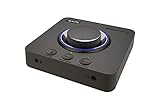
13. FiiO K11: best desktop DAC and amp for balanced headphones
Specs: USB, optical and coaxial inputs · 6.35 mm and balanced 4.4 mm headphone outputs · RCA out · 1400 mW stated power · 384 kHz/24-bit with DSD256
The K11 is not a gaming card. It is a desktop DAC and amplifier for people who want strong drive power and a balanced 4.4 mm connection. It has no microphone input and no surround processing, so it pairs with a separate headset microphone or a desk mic.
Best for: high-impedance or balanced-cable headphone owners who mainly listen to music and play stereo games.
Skip if: you need a microphone input, surround processing or a cheap solution.
Pros: high stated output power, balanced and single-ended jacks, multiple digital inputs.
Cons: no mic path, mid-range tier, takes desk space.

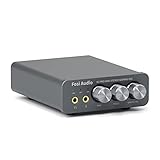
14. Fosi Audio K5 Pro: best budget desktop DAC with a mic input
Specs: USB-C, optical and coaxial inputs · RCA and 3.5 mm outputs · 1000 mW stated headphone power · microphone input · bass and treble knobs · 24-bit/192 kHz
The K5 Pro covers the common mid-impedance case at entry-level cost: a small box with a headphone amplifier, a microphone jack and simple tone knobs. It works as a plug-and-play alternative when you want a separate analog stage but cannot use a PCIe slot.
Best for: gamers and listeners with 80 to 250 ohm headphones who need a mic jack and a low-cost external amplifier.
Skip if: you need balanced outputs or the cleanest possible measured performance.
Pros: mic input, tone controls, plug-and-play, entry-level tier.
Cons: no balanced output, knob-based tone controls only, limited software.
Frequently asked questions
Do I need a sound card in 2026?
Most people do not. A dedicated card helps mainly when you use demanding headphones, want cleaner analog output, or need extra inputs and controls that your motherboard lacks.
If your onboard output sounds clean at normal volume with your current headphones, a card is an optional upgrade, not a fix.
Is a PCIe sound card better than a USB one?
Neither is automatically better. PCIe cards are cheaper per spec and tidy, while USB units are isolated from case noise and portable between devices.
Pick by your slot availability and whether you need laptop or console support.
Which sound card is best for high-impedance headphones?
Cards that state 600 ohm support, such as the Sound Blaster AE-7, AE-X and the X5 external unit, are the safest choices for headphones from 250 to 600 ohm.
The ASUS Xonar SE reaches 300 ohm, which suits most 250 ohm models but not the hardest loads.
Does a higher SNR make audio sound better?
Not noticeably beyond about 115 dB. The difference between 116 dB and 127 dB falls far below normal hearing thresholds and room noise.
Amplifier quality and clean connections matter more than the printed number.
Can I use a sound card with a laptop?
Yes, but only an external USB model such as the Sound BlasterX G6 or Sound Blaster X5. Internal PCIe cards need a desktop motherboard.
Confirm the cable and port type match your laptop.
Will a sound card improve my microphone?
Sometimes. Cards with microphone processing can reduce noise and improve gain handling, but a poor microphone stays poor.
For a better voice, upgrade the microphone first and use the card for clean preamp and monitoring.
Do I need to disable my onboard audio?
You do not have to, but it helps. Disabling it in the BIOS or in the device list prevents the system from switching to it by mistake.
Keep it enabled only if you want a second output for a different device.
Are older sound cards still worth buying?
Only with care. Discontinued lines can be scarce and drivers may not match current Windows versions, so check support before you buy a used or old-stock card.
Current-generation Creative cards or external USB units are safer choices.
Bottom line
Choose by headphones first. Low-impedance headset owners can usually skip a card. Mid- and high-impedance headphone owners should pick the AE-7 for balance, the AE-X for the newest DAC stage, or the AE-9 for the full desk-module experience. If a slot is unavailable, go with the G6 for gaming and consoles or the X5 for desktop music listening. Budget buyers will find the Audigy FX Pro and the ASUS Xonar SE the lowest-risk way to get a separate audio stage, as long as they accept aging drivers and limited extras.
More from Amazon
Programs that pair well with the guide above. Offers and eligibility are set by Amazon and may change.
Free shipping on eligible items, Prime Video and more. Eligible new members can start with a free trial.
Start a Prime free trialAd-free music streaming. Eligible new subscribers can start with a free trial.
Try Music Unlimited freeA Prime membership for ages 18-24 with a trial period. Eligibility is set by Amazon.
See Prime for Young AdultsAudiobooks and podcasts to listen to on the go. Eligible new members can start with a free trial.
Try Audible freeAs an Amazon Associate we earn from qualifying purchases.






Write Your Review
No reviews yet. Be the first to share your experience!