

Key takeaways
- 3.5 mm headset or lavalier mic input. Good for calls, chat and games. Uses a small bias voltage and a modest preamp.
- Line input. For a mixer, a synth or a console. No preamp gain for a mic.
- XLR mic preamp with phantom power. Needed for studio condenser microphones and low-output dynamic microphones. This is where audio interfaces beat every gaming sound card.
The best USB sound cards in 2026 are the Creative Sound BlasterX G6 for gaming and high-impedance headphones, the Creative Sound Blaster X3 for a 7.1 setup with a mic jack, the FiiO E10K for simple desktop listening, the Fosi Audio K5 Pro for a speaker-plus-headphone desk, and the Focusrite Scarlett Solo (4th Gen) when you need a real XLR microphone input. The right pick depends on one question: do you need better playback, a better microphone path, or both?
A “USB sound card” is an overloaded term. Some products are tiny dongle adapters that replace a broken motherboard jack. Others are gaming DAC and amplifier boxes with surround processing. Others are audio interfaces built for microphones and instruments. This guide separates those three classes, gives concrete thresholds for each, and names the models worth comparing, along with who should skip each one.
Quick answer: which class of USB sound card do you need?
| Your situation | Class to buy | Model examples |
|---|---|---|
| Motherboard jack is noisy, dead, or missing | Basic USB adapter | UGREEN USB sound card adapter, StarTech 7.1 USB sound card |
| Headphones above 80 ohms, desktop listening | USB DAC and headphone amp | FiiO E10K, Fosi Audio K5 Pro |
| Gaming with a headset and a mic, want surround and EQ software | Gaming USB sound card | Sound BlasterX G6, Sound Blaster X3, Sound Blaster Play! 3 |
| XLR condenser or dynamic microphone, guitar, podcasting | USB audio interface | Focusrite Scarlett Solo (4th Gen) |
How we chose
This is a research-based shortlist built from manufacturer specification sheets and the comparisons that buyers read when they search for USB sound cards. Nothing here is a bench result. We kept a model only if it is a current or widely sold product, if its core specifications are published by the maker, and if it fills a distinct role. Where a spec could not be confirmed, we describe the class of the product instead of quoting a number.
The criteria, in order of importance for most buyers:
- Output impedance and headphone drive. A low output impedance keeps the frequency response of the headphones intact. A good guide is an output impedance no higher than one eighth of the headphone impedance.
- Input path. A 3.5 mm headset microphone input, a line input, and a balanced XLR preamp are three very different things.
- Sample rate and bit depth. 16-bit/48 kHz is enough for calls and ordinary video. 24-bit/96 kHz or higher matters mainly for headroom when recording and for lossless music libraries.
- Dynamic range or signal-to-noise ratio. Published figures above 110 dB are common on current products. The audible difference between 110 dB and 130 dB on a headphone output is small in a normal room.
- Connectors and driver support. USB audio class compliance means plug-and-play on Windows, macOS and Linux, with extra software only for surround, EQ and profiles.
- Digital outputs. Optical or coaxial outputs matter if you want to feed a soundbar, an AV receiver or active speakers.
Spec comparison table
| Model | Class | Max playback format | Published dynamic range / SNR | Mic input | Headphone range |
|---|---|---|---|---|---|
| Sound BlasterX G6 | Gaming DAC/amp | 32-bit/384 kHz | 130 dB (DAC) | 3.5 mm mic in | 16 to 600 ohm, 1 ohm output impedance |
| Sound Blaster X3 | Gaming sound card | 32-bit/192 kHz | 115 dB (DAC SNR) | 3.5 mm mic in | Up to 600 ohm |
| Sound Blaster Play! 3 | Entry adapter | 24-bit/96 kHz | Not verified | 3.5 mm mic in | Standard headsets and earphones |
| FiiO E10K | Desktop DAC/amp | 24-bit/96 kHz | 105 dB (SNR) | None | Gain switch for demanding headphones |
| Fosi Audio K5 Pro | Desktop DAC/amp | High-resolution PCM | Not verified | Mic input present | Headphone output with gain |
| UGREEN USB adapter | Basic adapter | 16-bit/48 kHz | Not published | 3.5 mm combo | Standard headsets |
| StarTech 7.1 USB sound card | Multichannel adapter | 16-bit/48 kHz | Not published | Mic inputs | Standard headsets |
| Focusrite Scarlett Solo (4th Gen) | Audio interface | 24-bit/192 kHz | Published by the maker per channel | XLR mic plus instrument input | Full-size headphone output |
Criteria with concrete thresholds
Headphone impedance: the number most buyers ignore
Headphones are rated in ohms. Below about 32 ohms, almost any output will drive them to a comfortable volume. Between 32 and 80 ohms, a decent dedicated amplifier helps. From 80 to 250 ohms, you need a real headphone amplifier, because the output must swing more voltage. Above 250 ohms, you need either a high-gain amplifier or a gain switch.
The second number is the output impedance of the sound card. When it is high compared with the headphone, the headphone’s own impedance curve changes the tone, which shows up as bass bloom or a boosted treble. The one-eighth rule keeps that effect inaudible. With a 1 ohm output impedance, such as the figure published for the Sound BlasterX G6, even a 16 ohm in-ear monitor passes the rule with room to spare.
Microphone path: three levels of seriousness
- 3.5 mm headset or lavalier mic input. Good for calls, chat and games. Uses a small bias voltage and a modest preamp.
- Line input. For a mixer, a synth or a console. No preamp gain for a mic.
- XLR mic preamp with phantom power. Needed for studio condenser microphones and low-output dynamic microphones. This is where audio interfaces beat every gaming sound card.
Latency and drivers
Class-compliant USB devices work with the operating system’s built-in driver. That is plenty for games, calls and music playback. If you are recording while monitoring through software, look for a device that offers direct hardware monitoring, which sends the mic signal straight to the headphones with effectively no delay. Audio interfaces such as the Scarlett Solo include it. Gaming sound cards typically do not need it.
Information-gain element: a worked headphone-matching check
Use this three-step test before you pay for any DAC or amplifier. It takes two minutes and prevents the most common wrong purchase.
- Find the headphone impedance. Example: a pair rated at 250 ohms.
- Divide by eight to get the maximum output impedance you should accept. 250 divided by 8 is about 31 ohms. A source at 1 ohm passes with a wide margin. A source at 10 ohms still passes. A typical weak onboard jack that measures 30 ohms or more fails.
- Check the drive. If the headphone is 250 ohms and its sensitivity is moderate, look for an amplifier with a gain switch or a published support for up to 600 ohms. The Sound BlasterX G6 and the Sound Blaster X3 both state support up to 600 ohms. The FiiO E10K lists a gain switch.
The result of this check separates three buyers. If your headphones are 32 ohms or below and sensitive, you can choose by features and ignore amplifier power. If they are 80 to 250 ohms, you need one of the DAC/amp products. If they are 300 ohms or higher, only the products that state high-impedance support belong on your list.
Best USB sound cards: the shortlist
Best overall for gaming and demanding headphones: Creative Sound BlasterX G6
Spec line: Cirrus Logic CS43131 DAC · up to 32-bit/384 kHz · 130 dB published dynamic range · Xamp headphone amplifier · 1 ohm output impedance · 16 to 600 ohm headphones · mic input, line input, line output, headphone output.
The G6 is a pocket-sized box that combines a high-resolution DAC, a dual-mono discrete headphone amplifier and software-based virtual surround. It is the easiest recommendation for a gamer with 250 ohm or 300 ohm headphones, because it is built to drive them. It also has a headset mic input and a line input, so a single USB connection covers chat and playback.
Best for: players who want one device for headphones, headset mic and surround processing on a PC or console.
Skip if: you need an XLR microphone input, or you only listen to music at low volume on easy-to-drive earphones. A figure of 130 dB is also the published number, and independent commenters question whether real-world dynamic range reaches it, so treat it as a ceiling rather than a promise.
- Pros: very low output impedance; supports a wide impedance range; mic and line input on one box; compact.
- Cons: relies on vendor software for surround; no balanced outputs; overkill for basic headsets.
As an Amazon Associate we earn from qualifying purchases at no extra cost to you.

Best for a 7.1 desktop setup with a mic: Creative Sound Blaster X3
Spec line: 32-bit playback up to 192 kHz · 115 dB DAC SNR · 0.0004% published THD · dedicated mic input and line input · analog multichannel outputs · supports headphones up to 600 ohm · recording up to 24-bit/192 kHz.
The X3 is a larger external card that adds multichannel analog outputs, which makes it a better match for a 5.1 or 7.1 speaker system than a pocket DAC. It still handles headphones up to 600 ohms and adds a dedicated mic input. It does not use a premium reference DAC chip, and it has no DTS decoding.
Best for: desktops with multichannel speakers, and players who want a single hub for speakers, headphones and mic.
Skip if: you use stereo headphones only. The G6 has a higher published dynamic range in a smaller package.
- Pros: multichannel outputs; headphone support to 600 ohm; recording to 24-bit/192 kHz.
- Cons: bulkier; lower published dynamic range than the G6; depends on the vendor control panel.
Best simple upgrade: Creative Sound Blaster Play! 3
Spec line: external USB adapter · up to 24-bit/96 kHz playback · headphone jack and mic jack · plug-and-play on common operating systems.
The Play! 3 is the entry point of the Sound Blaster family. It is a dongle-sized adapter that gives a laptop or desktop clean analog output without any extra software. It suits typical headsets and earphones rather than studio headphones.
Best for: anyone replacing a failing front-panel jack or adding a second headphone output.
Skip if: you own high-impedance headphones or want multi-speaker output. Check the maker’s sheet for the exact format limits before purchase.
- Pros: tiny; inexpensive tier; works immediately.
- Cons: limited drive power; no digital outputs; limited tuning options.
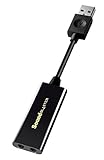
Best budget DAC for music: FiiO E10K
Spec line: USB DAC and headphone amp · 24-bit/96 kHz · 105 dB SNR · headphone output, line output and coaxial digital output · gain switch · bass boost.
The E10K is built for listening. It has no microphone input, which is the trade-off for a clean signal path. The gain switch lets it handle both sensitive earphones and mid-impedance headphones, and the line and coaxial outputs let you feed active speakers or an external DAC.
Best for: music listening on a PC with 32 to 150 ohm headphones.
Skip if: you need to speak into a microphone, or you want surround sound. It cannot do either.
- Pros: low entry price tier; useful outputs; real gain control.
- Cons: no mic input; 96 kHz ceiling; limited to stereo.
Best desktop hub for speakers and headphones: Fosi Audio K5 Pro
Spec line: desktop DAC and headphone amplifier · USB and digital inputs · analog line outputs for powered speakers · headphone output with gain selection · mic input for chat.
The K5 Pro sits between a pocket DAC and a full desktop stack. It is recommended in several 2026 roundups for buyers who want a volume knob on the desk, speaker outputs, and a mic input for gaming chat. Because specific converter figures could not be confirmed, base your decision on its class and connector layout rather than any single headline number.
Best for: a desk with powered speakers and a headset, where one knob should control both.
Skip if: you travel with your sound card, or you need an XLR mic preamp.
- Pros: desktop controls; speaker and headphone outputs; mic input for chat.
- Cons: not portable; converter figures vary by source; larger footprint.
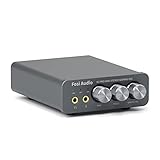
Best budget fix for a broken jack: UGREEN USB sound card adapter
Spec line: USB-A dongle · built-in DAC · 16-bit/48 kHz · 3.5 mm combo jack for headset.
This is the cheapest fix class. It plugs into a USB port, uses the operating system driver, and gives you a working headphone and mic connection when the motherboard jack is dead or noisy. 16-bit/48 kHz covers calls, videos and streaming music without issue.
Best for: office PCs, laptops without a good jack, and travel bags.
Skip if: you own studio headphones or want audio better than the motherboard on a good day.
- Pros: cheapest tier; zero setup; small.
- Cons: no real amplification; limited resolution; single analog connection.
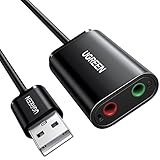
Best for old multichannel speaker sets: StarTech 7.1 USB sound card
Spec line: C-Media CM6206 chipset · 16-bit/48 kHz · 7.1 analog output · microphone input.
This adapter exists mainly for legacy multichannel speaker systems. It provides 7.1 analog outputs from a USB port. The audio quality is basic, but it solves a connection problem that no pocket DAC can.
Best for: connecting a 5.1 or 7.1 analog speaker set to a computer that has no multichannel outputs.
Skip if: you care about fidelity or headphone drive.
- Pros: multichannel output; inexpensive tier; broad compatibility.
- Cons: 16-bit/48 kHz limit; basic converters; no headphone amplifier of note.
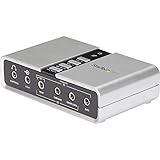
Best USB sound card for a real microphone: Focusrite Scarlett Solo (4th Gen)
Spec line: 1 XLR mic input · 1 instrument input · 24-bit/192 kHz · USB-C bus power · Air mode · stereo headphone output.
The Scarlett Solo is technically an audio interface, not a gaming card, but it is what buyers who search for a USB sound card to record a voice should actually buy. It adds a clean preamp, phantom power for condenser microphones, direct monitoring and a guitar input. It does not offer surround, EQ presets or game profiles.
Best for: streamers, podcasters, voice-over work and singer-songwriters with one microphone.
Skip if: you only need headphone playback or a headset mic. Pay for what you will use.
- Pros: real preamp; phantom power; 24-bit/192 kHz; direct monitoring.
- Cons: no virtual surround; the headphone amp is modest for 300 ohm headphones; one mic input only.

All fourteen USB sound cards compared
This table joins the original eight with the six additions. Price is shown as a tier.
| Model | Class | Mic path | Amplifier class | Price tier |
|---|---|---|---|---|
| Sound BlasterX G6 | Gaming DAC | Yes | Strong | Mid-range |
| Sound Blaster X3 | Gaming DAC | Yes | Mid | Mid-range |
| Sound Blaster Play! 3 | Dongle | 3.5 mm | Basic | Entry-level |
| FiiO E10K | Desktop DAC | No | Mid | Entry-level |
| Fosi Audio K5 Pro | Desktop DAC/amp | Yes | 1000 mW stated | Entry-level |
| UGREEN USB adapter | Dongle | 3.5 mm | Basic | Entry-level |
| StarTech 7.1 USB | Multichannel adapter | 3.5 mm | Basic | Entry-level |
| Focusrite Scarlett Solo (4th Gen) | Interface | XLR | Interface class | Mid-range |
| Sound Blaster X4 | Compact DAC | Yes | Strong | Mid-range |
| EPOS GSX 300 | Surround adapter | Headset mic | Headset class | Entry-level |
| Plugable USB Audio Adapter | Dongle | 3.5 mm | Basic | Entry-level |
| SABRENT USB Stereo Sound Card | Dongle | 3.5 mm | Basic | Entry-level |
| Cubilux 7.1 USB | Surround adapter | Stereo mic | Basic | Entry-level |
| FiiO K11 | Desktop DAC/amp | No | 1400 mW stated | Mid-range |
How to choose by buyer type
You game with a headset
Choose between the G6 and the X3. The G6 is the better pick for headphones, and the X3 is the better pick if multichannel speakers are part of the setup. If you only need a clean headset connection, the Play! 3 is enough.
You listen to music at a desk
If your headphones are below 80 ohms, the FiiO E10K is sufficient. If you want speaker outputs and a knob, move up to the Fosi Audio K5 Pro class. If you have studio headphones at 250 ohms or more, check for 600 ohm support, as on the G6 or the X3.
You record or stream with a mic
Buy for the microphone first. A 3.5 mm headset mic works with any gaming card. An XLR microphone requires an audio interface such as the Scarlett Solo. Remember phantom power: condenser microphones need it, but many ribbon microphones can be damaged by it if wiring is wrong. Switch it off before plugging or unplugging an XLR cable, and read your microphone manual first.
You just need the sound to work
Pick the UGREEN class. Do not pay extra for resolution you cannot use through a laptop speaker or a pair of earbuds.
Quick buying thresholds
- Headphones at or below 32 ohm: a dongle is enough.
- Headphones from 33 to 150 ohm: choose a unit with a headphone amplifier, such as the X4 or K5 Pro class.
- Headphones above 150 ohm: choose the G6 or K11 class.
- Need an XLR microphone: choose an interface class device, not a dongle.
- Need line-in or surround: Cubilux, StarTech or EPOS class adapters fit.
- Console use: confirm console support is listed before ordering.
- Cable length: the short attached cable on small adapters can strain ports, so use a short extension if needed.
Decide on jacks and microphone needs first, then amplifier class, then price tier.
Common mistakes to avoid
- Buying by the biggest number. A 32-bit/384 kHz badge helps with processing headroom, not with sound at normal listening volume. Prioritize output impedance, drive and connectors.
- Using a DAC without a mic when you need one. The E10K class cannot take a microphone. Plan the input path first.
- Expecting an XLR preamp from a gaming card. Gaming sound cards provide 3.5 mm mic inputs only.
- Ignoring USB port placement. A rear motherboard USB port usually has less electrical noise than a front hub port or an unpowered hub.
- Leaving every enhancement on. Bass boost, virtual surround and loudness processing can change the tone. Switch them off for music and compare.
More USB sound cards worth a look
The shortlist above is heavy on Creative and generic adapters. These six extras add a compact hardware-control unit, a surround adapter with a volume dial, three small plug-in adapters with different strengths, and a desktop DAC for people with demanding headphones.
Best compact unit with controls: Creative Sound Blaster X4
Specs: external USB DAC and headphone amplifier · virtual 7.1 surround · Dolby audio decoding · hardware audio control · multi-device use
The X4 sits between the G6 and the plug-in dongles. It brings physical controls and an amplifier stage to a small desk unit, so changing volume or switching modes does not depend on software. It works best with a headset plus an optional pair of speakers.
Best for: gamers and desk users who want hardware knobs and surround modes in a compact box.
Skip if: you only need a basic jack replacement or you want a balanced output.
Pros: desk controls, amplifier stage, multiple device support.
Cons: mid-range tier, more cable clutter than a dongle.
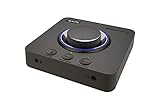
Best simple surround adapter: EPOS GSX 300
Specs: external USB sound card · stereo and 7.1 virtual surround · LED volume dial · customizable smart button · high-resolution audio class
The GSX 300 is for headset users who want a volume dial on the desk and a quick way to switch surround on and off. It does not target high-impedance headphones, so check the headset class before buying.
Best for: headset gamers on Windows who want a dial and a one-touch surround toggle.
Skip if: your headphones are 150 ohm or higher.
Pros: volume dial, customizable button, simple surround switch.
Cons: headset-class amplifier only, entry-level feature set.

Best plug-and-play for any laptop: Plugable USB Audio Adapter
Specs: external USB adapter · 3.5 mm speaker and mic ports · plug-and-play on Windows, Mac and Linux
The Plugable adapter is for people whose laptop lacks an audio jack or has a damaged one. It is a small converter, not an amplifier, and its value is broad operating-system support without drivers.
Best for: laptop and mini PC owners across Windows, macOS and Linux.
Skip if: you want amplification, surround or knobs.
Pros: broad OS support, small, entry-level tier.
Cons: stereo output only, no controls, basic noise class.

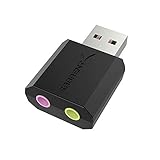
Best bare-minimum fix: SABRENT USB External Stereo Sound Card
Specs: external USB adapter · no drivers needed · Windows and Mac · 3.5 mm headphone and mic jacks
The Sabrent adapter is a pocket-size backup for a failed jack. It does one thing: it gives a computer a stereo headphone output and a microphone input over USB.
Best for: keeping a spare for a dead jack, a travel bag or a classroom PC.
Skip if: you care about amplifier power or want any controls.
Pros: tiny, no drivers, entry-level tier.
Cons: stereo only, no extras, basic converter class.
Best budget line-in and surround adapter: Cubilux 7.1 USB Surround Sound Card
Specs: external USB-A · aluminum body · 48 kHz to 384 kHz sample-rate class · line-in · stereo mic input · virtual 7.1 surround
This adapter adds line-in and a stereo microphone jack in a metal shell. The surround mode is virtual, meaning it mixes channels for headphones. Treat it as a flexible utility rather than a high-end amplifier.
Best for: desk users who need headphone out, line-in and mic jacks on one cheap adapter.
Skip if: you need real multichannel speaker outputs.
Pros: line-in plus mic, metal shell, wide sample-rate class.
Cons: virtual surround only, limited amplifier power.

Best desktop DAC with balanced output: FiiO K11
Specs: USB, optical and coaxial inputs · 6.35 mm and balanced 4.4 mm headphone outputs · RCA out · 1400 mW stated power · 384 kHz/24-bit with DSD256
The K11 is the strongest listening box in this list for demanding headphones. It has no microphone input, so it is for music and stereo gaming with a separate microphone.
Best for: owners of 250 ohm headphones and balanced cables who want strong drive power.
Skip if: you need a microphone jack or surround processing.
Pros: high stated power, balanced jack, many inputs.
Cons: no mic, mid-range tier, desk space.

Frequently asked questions
Is a USB sound card better than my motherboard audio?
Often yes, but only if your motherboard jack is noisy or underpowered. A USB sound card moves the conversion outside the computer, away from electrical noise, and usually adds a stronger headphone amplifier.
Do I need a USB sound card for gaming?
No. A USB sound card helps with high-impedance headphones, a noisy motherboard jack, virtual surround and headset mic quality. Standard headsets already work with onboard audio.
What is the difference between a USB DAC and a USB sound card?
A DAC converts digital audio to analog for playback only. A sound card also includes input, usually a mic jack, and often adds processing. Many products, such as the G6, combine both roles.
Can a USB sound card improve microphone quality?
It can reduce noise if your motherboard mic input is poor, but it cannot make a cheap mic sound like a studio microphone. For XLR microphones, you need an audio interface such as the Scarlett Solo.
What bit depth and sample rate do I need?
For calls, games and streaming, 16-bit/48 kHz is enough. For recording and lossless music, 24-bit/96 kHz is a practical target. Higher rates add file size and processing load without a clear audible gain for most listeners.
Will a USB sound card work with consoles?
Many Sound Blaster models support consoles through USB or optical connections, but support varies by model and console. Check the maker’s compatibility table before you buy.
Do I need drivers?
Most of these devices are class compliant and work without drivers for basic playback. Surround, equalizer and profile features typically need the vendor’s control software.
Why does my USB sound card hum or buzz?
Common causes are a ground loop, a front-panel USB port with electrical noise, or an unpowered hub. Move the device to a rear motherboard port, use a short cable, and keep it away from power bricks and monitors.
Bottom line
For gaming and demanding headphones, the Sound BlasterX G6 is the safest choice. For a multichannel speaker setup, the Sound Blaster X3 fits better. For music listening on a budget, the FiiO E10K covers the basics. For a desk with powered speakers, the Fosi Audio K5 Pro class makes sense. For a broken jack, an inexpensive adapter like the UGREEN does the job. And if your priority is a real microphone, skip the gaming cards and buy the Focusrite Scarlett Solo (4th Gen).
More from Amazon
Programs that pair well with the guide above. Offers and eligibility are set by Amazon and may change.
Free shipping on eligible items, Prime Video and more. Eligible new members can start with a free trial.
Start a Prime free trialAd-free music streaming. Eligible new subscribers can start with a free trial.
Try Music Unlimited freeA Prime membership for ages 18-24 with a trial period. Eligibility is set by Amazon.
See Prime for Young AdultsAudiobooks and podcasts to listen to on the go. Eligible new members can start with a free trial.
Try Audible freeAs an Amazon Associate we earn from qualifying purchases.





Write Your Review
No reviews yet. Be the first to share your experience!