

Key takeaways
- AM3 processors work in AM3+ boards. A Phenom II X6 1100T installs in an AM3+ motherboard, but a BIOS update may be needed so it is recognised. Check the board maker’s CPU support list.
- AM3+ processors (FX series) do not officially work in AM3 boards. Some boards gained BIOS support, and reports exist of an 890FX board running FX chips, but many OEM and budget boards never received it. One HP owner was told an FX chip would fit physically but the BIOS would not recognise it.
- 125 W chips need a board that supports 125 W. The Phenom II X4 965 BE and X6 1090T and 1100T require a motherboard rated for that wattage.
- Voltage regulators matter as much as the socket. Boards with a basic 4+1 phase design may overheat or throttle with an 8-core FX, so look for a decent heatsink on the VRM.
The best AM3-socket upgrade is the Phenom II X6 1100T for a true AM3 board and the FX-8350 for an AM3+ board. Both are the fastest practical chips for their sockets, but in 2026 they only make sense as budget fixes for an existing machine, not as the base for a new build.
Socket AM3 launched in 2009 and AM3+ followed in 2011. Both use DDR3 memory and old chipsets, and neither supports modern features like PCIe 4.0 or NVMe boot on stock firmware. If you own one of these boards and want to squeeze out more life, the right processor can double the performance of an old dual-core. This guide ranks seven options, explains the compatibility traps between AM3 and AM3+, and shows when it is smarter to stop and replace the platform. Specifications are drawn from published processor databases and AMD’s original figures, and prices are given only as general tiers because used-market pricing is erratic.
Our top picks
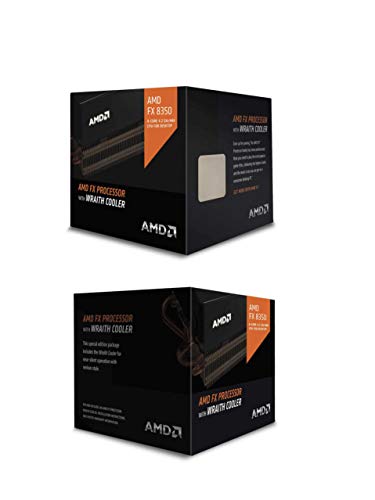

As an Amazon Associate we earn from qualifying purchases at no extra cost to you.
Quick comparison of the AM3 and AM3+ picks
| Processor | Socket | Best for | Cores / threads | Clock (base / boost) | TDP | Used price tier |
|---|---|---|---|---|---|---|
| AMD FX-8350 | AM3+ | Best overall on AM3+ | 8 / 8 | 4.0 / 4.2 GHz | 125 W | Low |
| AMD Phenom II X6 1100T | AM3 | Best on a true AM3 board | 6 / 6 | 3.3 / 3.7 GHz | 125 W | Low to mid |
| AMD Phenom II X6 1090T | AM3 | Slightly cheaper X6 | 6 / 6 | 3.2 / 3.6 GHz | 125 W | Low |
| AMD FX-6300 | AM3+ | Cheap and cool AM3+ option | 6 / 6 | 3.5 / 4.1 GHz | 95 W | Very low |
| AMD Phenom II X4 965 Black Edition | AM3 | Fast quad core, unlocked | 4 / 4 | 3.4 GHz | 125 W (some 140 W) | Low |
| AMD Phenom II X4 955 Black Edition | AM3 | Budget overclocker | 4 / 4 | 3.2 GHz | 125 W (95 W version exists) | Very low |
| AMD Athlon II X4 640 | AM3 | Cheapest low-power quad | 4 / 4 | 3.0 GHz | 95 W | Very low |
AM3 versus AM3+: the compatibility rules that save you money
The sockets look similar and the processors share a lot, so mistakes are common. The core rules are:
- AM3 processors work in AM3+ boards. A Phenom II X6 1100T installs in an AM3+ motherboard, but a BIOS update may be needed so it is recognised. Check the board maker’s CPU support list.
- AM3+ processors (FX series) do not officially work in AM3 boards. Some boards gained BIOS support, and reports exist of an 890FX board running FX chips, but many OEM and budget boards never received it. One HP owner was told an FX chip would fit physically but the BIOS would not recognise it.
- 125 W chips need a board that supports 125 W. The Phenom II X4 965 BE and X6 1090T and 1100T require a motherboard rated for that wattage.
- Voltage regulators matter as much as the socket. Boards with a basic 4+1 phase design may overheat or throttle with an 8-core FX, so look for a decent heatsink on the VRM.
Before buying a processor, identify the exact motherboard model and revision, open the manufacturer’s CPU support page, and confirm the processor name and the minimum BIOS version.
Best overall for AM3+ boards: AMD FX-8350
The FX-8350 (Piledriver) is the classic final AM3+ upgrade. It has eight integer cores arranged as four modules, a 4.0 GHz base clock and 4.2 GHz turbo, plus 8 MB of L2 and 8 MB of L3 cache. It supports DDR3-1866 and has an unlocked multiplier. Its 125 W TDP means it needs a proper tower cooler and a board with strong power delivery.
For multi-threaded tasks such as video encoding, file compression and background apps, it beats every other chip here. In older games it holds up reasonably well, although per-core speed is lower than the Phenom II X6 in some single-thread cases. Guides across the web agree that it offers the best balance of performance, price and availability on AM3+.
- Pros: Eight cores, high clocks, unlocked, widely available used.
- Cons: High power draw and heat, weak per-core performance compared with modern chips, needs a good VRM.
- Who it suits: Owners of AM3+ boards with decent power phases who want the largest boost without changing platform.
Best on a true AM3 board: Phenom II X6 1100T Black Edition
The 1100T is the fastest CPU for plain AM3 boards. It has six cores running at 3.3 GHz with turbo to 3.7 GHz, a 125 W TDP and an unlocked multiplier. Its per-core speed is higher than the FX series in many tasks, which is why a few guides report it matching or slightly beating the FX-8350 in games that depend on single-thread performance. Overall, the FX-8350 is faster in heavily threaded work, but only if your board supports it.
Because AM3 boards cannot officially run FX chips, the 1100T is the logical ceiling. Used prices are higher than the FX-8350 because supply is smaller, so check price against value.
- Pros: Top AM3 performance, six cores, unlocked, strong per-core speed.
- Cons: 125 W TDP needs a compatible board and good cooling, limited availability.
- Who it suits: Owners of true AM3 boards (such as 770, 785G or 890 series) with 125 W support.
Slightly cheaper X6: Phenom II X6 1090T Black Edition
The 1090T is the 1100T’s slightly slower sibling: six cores at 3.2 GHz with a 3.6 GHz turbo, 125 W TDP and an unlocked multiplier. The performance difference is small, and an easy overclock narrows it further. Because it is usually cheaper, it is a good alternative if an 1100T is overpriced. The same board restrictions apply: the motherboard must support 125 W processors.
- Pros: Six cores, unlocked, good overclocking potential.
- Cons: High heat output, requires a board rated for 125 W.
- Who it suits: Budget upgraders on AM3 who find a good used deal.
Cheap and cool on AM3+: AMD FX-6300
The FX-6300 has six cores, a 3.5 GHz base clock and a 4.1 GHz turbo according to Puget Systems’ listing (another database shows a lower maximum, so the boost figure varies by source). Its TDP is 95 W, which makes it far easier on weak voltage regulators than the FX-8350. It carries 6 MB of L2 and 8 MB of L3 cache, supports DDR3-1866, has no integrated graphics and was released in October 2012. Unlocked multiplier support makes it a decent overclocker.
It is a better fit than the FX-8350 for budget AM3+ boards that struggle with 125 W. For typical office, browsing and older gaming workloads, the performance difference is modest.
- Pros: Low cost, 95 W TDP, runs on more boards, unlocked.
- Cons: Slower in multi-threaded jobs than the FX-8350, no integrated graphics.
- Who it suits: Budget AM3+ builds and boards with limited power phases.
Fast unlocked quad: Phenom II X4 965 Black Edition
The 965 BE has four cores at 3.4 GHz, 6 MB of L3 cache, an unlocked multiplier and a 125 W TDP (CPU-World also lists a 140 W revision). It was long considered the fastest quad-core on AM3 and still holds its own in older games that rarely use more than four threads. It is a good choice if your board supports 125 W but cannot take an X6.
- Pros: High clock speed, unlocked, good for older games.
- Cons: Power hungry for four cores, runs hot, some revisions need a 140 W board rating.
- Who it suits: Gamers using older titles on AM3 boards.
Budget overclocker: Phenom II X4 955 Black Edition
The 955 BE runs at 3.2 GHz with four cores and 6 MB of L3 cache. It is the Phenom II X4 that many enthusiasts used for overclocking, thanks to its unlocked multiplier. PassMark ranks it ahead of the Athlon II X4 640 in multi-threaded work, and it draws about 27 percent more power. A 95 W revision exists alongside the 125 W version, so check the label before pairing it with a board that has a 95 W limit.
- Pros: Unlocked, 6 MB of L3 cache, cheap, easy to find.
- Cons: Older and slower than the 965, higher power draw than the Athlon II.
- Who it suits: Cost-conscious tinkerers who enjoy overclocking.
Cheapest low-power quad: Athlon II X4 640
The Athlon II X4 640 is a four-core 3.0 GHz chip on a 45 nm process with a 95 W TDP, 2 MB of total L2 cache and no L3 cache. The multiplier is locked. It is the most affordable way to get four real cores on AM3, and its lower TDP suits modest boards and quiet builds. PassMark scores it about 11 percent lower than the Phenom II X4 955 in multi-threaded testing, which is an acceptable trade for the lower power draw and price.
- Pros: Very cheap, 95 W TDP, plentiful supply.
- Cons: No L3 cache, locked multiplier, slower than Phenom II X4 chips.
- Who it suits: Basic desktops, retro or low-power builds and office machines.
Decision matrix: which chip for which board
| Your board | Best chip | Alternative | Key check |
|---|---|---|---|
| AM3+ with strong VRM (8+ phases) | FX-8350 | FX-6300 | Heatsink on the VRM |
| AM3+ with 4+1 phase VRM | FX-6300 | Phenom II X6 1090T | 95 W support in the BIOS |
| True AM3, 125 W supported | Phenom II X6 1100T | Phenom II X6 1090T | BIOS version in the support list |
| True AM3, 95 W limit | Athlon II X4 640 | Phenom II X4 955 (95 W) | TDP label on the chip |
| OEM board with a locked BIOS | Keep the factory CPU family | None | Check the maker’s list first |
Worked example: is the upgrade worth it?
Take an AM3 desktop with a Phenom II X4 955 at 3.2 GHz. Swapping in a Phenom II X6 1100T adds two cores and about 100 MHz of base clock. In a task that uses all cores, such as video encoding, the gain is often in the range of 40 to 50 percent. In a game that loads only one or two cores, the gain is closer to five percent. If the 1100T costs roughly the same as a basic new low-end modern processor and motherboard combination, the upgrade only makes sense when you already have good DDR3 memory and a compatible board.
The cost comparison matters. Used FX and Phenom parts are cheap, but a brand-new entry-level processor and board from a current platform offers far higher single-thread speed, lower power use and a warranty. As a rule of thumb, if the upgrade path costs more than about half of a minimal new platform, stop and replace instead.
Cooling, power and installation tips
- Use a decent tower cooler. 125 W chips overwhelm stock coolers. An older tower with an AM2/AM3 bracket often fits, since AM3 and AM3+ share the same mounting pattern.
- Clean the old thermal paste. Dried compound cuts cooling efficiency, so wipe with isopropyl alcohol and apply fresh paste.
- Update the BIOS before swapping the chip. Do this while the old processor is still installed, because a board that does not recognise the new chip cannot post.
- Check the PSU. A 125 W CPU plus an older graphics card needs a healthy 12 V rail, so replace a failing power supply at the same time.
- Do not rely on heavy overclocking. Unlocked chips look tempting, but old capacitors and VRMs limit safe voltage.
- Keep RAM at supported speeds. DDR3-1333 to 1866 is typical, depending on the chip.
What wears out first on an old AM3 system
Used processors rarely fail, since silicon lasts for decades. The weak points are around it. Electrolytic capacitors on old motherboards dry out, VRM heatsinks can have dried thermal pads, and stock CPU fans develop bearing noise. Hard drives from that era are also at the end of their life, and a cheap SATA SSD is often the best single upgrade for an AM3 desktop, bigger than any processor change. Memory is another limit: DDR3 modules are cheap, but boards typically top out at 16 GB or 32 GB depending on chipset.
Software support is also shrinking. Current operating systems and some modern games require instruction sets that Phenom II chips lack, and Windows 11 officially does not support them. Linux distributions generally still run well, which makes these machines a decent choice for file servers, retro gaming or learning projects.
Common mistakes to avoid
- Buying an FX chip for a true AM3 board without checking the BIOS support list.
- Assuming that “AM3+” in a listing means the board can take a 125 W processor; VRM quality varies widely.
- Ignoring TDP versions: the Phenom II X4 955 and 965 have both 125 W and lower-wattage revisions.
- Overpaying for a rare chip like the FX-9590, which has a 220 W TDP and needs special board and cooling support.
- Forgetting that 8 FX “cores” share resources in modules, so real-world performance differs from eight independent cores.
What to expect in games and everyday use
Set expectations before spending anything. Even the best AM3 and AM3+ processors are more than a decade old, and their per-core speed sits far below that of current entry-level chips. They remain usable for browsing, office work, media playback, older and esports-style games at modest settings, and light content tasks. They struggle with modern open-world titles, which often want fast cores, more than 16 GB of memory and a recent graphics card.
- Older games (roughly 2008 to 2016): A Phenom II X6 or FX-8350 paired with a mid-range older graphics card plays most of these well at 1080p.
- Esports titles: Playable on medium settings, but frame-rate dips appear when the game leans on one or two fast threads.
- Video and file work: The FX-8350 and the X6 chips handle batch conversion and compression acceptably, though slowly compared with modern processors.
- Everyday browsing: Fine with enough memory and an SSD; the storage drive makes a bigger difference than the processor in this case.
When to replace the platform instead
Three signs suggest that a processor upgrade is the wrong move. First, the board is in poor condition, with bulging capacitors or unstable power. Second, you want a modern graphics card, which tends to be limited by PCIe 2.0 and by the slow processor. Third, you need current operating system support or modern security features. In those cases a small, new platform is a better use of the same money, and the old parts can become a spare machine.
If you keep the system, the best-value order is usually: a SATA SSD first, extra DDR3 memory second, a fresh cooler and thermal paste third, and the processor last. That order gives the most noticeable gain per unit of spending in daily use.
Frequently Asked Questions
What is the best CPU for socket AM3?
The Phenom II X6 1100T Black Edition is the fastest practical option for a true AM3 board. It has six cores at 3.3 GHz with a 3.7 GHz turbo, but the board must support 125 W and have an up-to-date BIOS.
Can I use an FX processor in an AM3 motherboard?
Only if the manufacturer added BIOS support, and many boards never did. Check the CPU support list for the exact board and revision before buying, because an unsupported FX chip will not boot.
Can I put a Phenom II X6 in an AM3+ board?
Usually yes, because AM3+ boards are designed to accept AM3 processors. A BIOS update may be needed for proper recognition, so verify against the board’s support page.
Is the FX-8350 still worth buying?
Only as a cheap upgrade for an existing AM3+ system. For a new build, a current entry-level platform gives much better performance per watt and a longer upgrade path.
Do AM3 processors work with DDR3 only?
Yes. AM3 and AM3+ chips use DDR3 memory, and the supported speed depends on the processor and board. Older AM2+ boards used DDR2 and are a different case.
How much cooling does a 125 W AM3 chip need?
A quality tower air cooler with heat pipes is the minimum for a 125 W processor. An all-in-one liquid cooler is also an option on AM3+ cases that support it, and the same AM3-style brackets usually fit both sockets.




Write Your Review
No reviews yet. Be the first to share your experience!