

Key takeaways
- Drivers: Blackwell drivers have matured since launch. Install the latest Game Ready driver from NVIDIA’s site rather than relying on what ships with a prebuilt PC.
- Power connector: Check the specific partner model. Many RTX 5060 boards use a single 8-pin connector; some use the 12V-2×6 connector. Confirm that your power supply has the cable you need.
- Case clearance: Compact dual-fan models are often under 250 mm, but partner designs vary, so measure before buying.
- Noise: At 145W, fans spin slowly under typical gaming loads. Fan stop at idle is common on partner cards.
- Resale: Entry cards hold value less reliably than flagship models, so plan to use the card through its useful life rather than upgrade yearly.
The GeForce RTX 5060 is NVIDIA’s entry-level Blackwell desktop card: 3,840 CUDA cores, 8GB of GDDR7 on a 128-bit bus, a 145W total graphics power rating and a PCIe 5.0 x8 interface. It launched in May 2025 as the budget way into DLSS 4 and Multi Frame Generation, and in 2026 it remains a sensible 1080p card with one clear limit: the 8GB frame buffer.
This guide recaps how the launch played out, lays out the verified specifications, explains where the card fits against its siblings, and gives a practical way to decide whether 8GB is enough for the games you actually play.
Our top picks


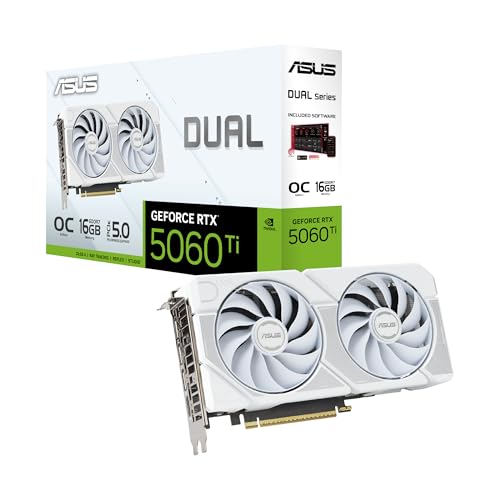
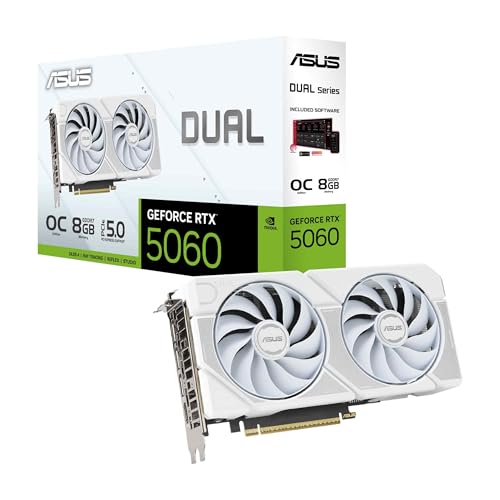
As an Amazon Associate we earn from qualifying purchases at no extra cost to you.
RTX 5060 Specs at a Glance
Per NVIDIA’s published specification sheet, the RTX 5060 is built on the GB206 die. Compared with the RTX 4060 it moves from GDDR6 to GDDR7, which lifts memory bandwidth considerably even though the bus stays at 128 bits.
| Specification | GeForce RTX 5060 |
|---|---|
| Architecture / die | Blackwell / GB206 |
| CUDA cores | 3,840 (30 SMs) |
| Tensor cores | 120 (5th generation) |
| RT cores | 30 (4th generation) |
| ROPs | 48 |
| Boost clock | about 2.50 GHz |
| Memory | 8GB GDDR7, 28 Gbps |
| Memory bus / bandwidth | 128-bit / 448 GB/s |
| Total graphics power | 145W |
| Recommended system PSU | 550W |
| PCIe interface | PCIe 5.0 x8 |
| Announced / released | April 15, 2025 / May 2025 |
Pre-launch leaks had pointed to roughly 150W; the final rating landed at 145W. That small difference matters mostly for small-form-factor builders, because 145W means partner cards can use compact dual-fan coolers and, in many designs, a single 8-pin connector.
How the Launch Played Out
NVIDIA announced the card in mid-April 2025 alongside the RTX 5060 Ti, then released it in the second half of May. The launch was notable for what happened around reviews rather than the silicon itself. Review drivers reached outlets later than usual and the card was not widely seeded in advance, so many independent write-ups appeared on or after release day instead of ahead of it. Coverage at the time, including a Club386 review headlined about needing a bigger buffer, centered on one theme: the GPU is competent, the memory capacity is the compromise.
The practical lesson for shoppers is that a late-arriving review embargo does not change the hardware. The card behaves the same on day one and today, and the numbers in this guide reflect the final specification rather than the early leaks.
What the Specs Mean in Practice
Core count and clocks
With 3,840 CUDA cores the RTX 5060 sits about 17 percent below the RTX 5060 Ti’s 4,608 cores. Raw shader counts are not the whole performance story, because GDDR7 bandwidth and the fast clocks narrow part of the gap in bandwidth-limited scenes. As a rule, expect a generational step up over the RTX 4060 at 1080p, with larger gains in titles that use heavy upscaling or frame generation.
GDDR7 and the 128-bit bus
The move to 28 Gbps GDDR7 gives 448 GB/s of bandwidth. That is a healthy increase over the previous generation’s 128-bit GDDR6 configuration, and it helps at 1440p where textures and render targets stream constantly. It does not add capacity, though. Bandwidth speeds up moving data; capacity decides whether the data fits at all.
PCIe 5.0 x8
The card uses eight PCIe lanes, running at PCIe 5.0 speed on supporting boards. On a PCIe 4.0 motherboard it drops to PCIe 4.0 x8 bandwidth, which is fine while the 8GB buffer holds. Problems appear when a game overflows VRAM into system memory: a narrower link makes those spills more costly. Anyone pairing this GPU with an older PCIe 3.0 platform should be more cautious about 8GB limits.
Power and cooling
At 145W the card is easy to feed and easy to cool. NVIDIA’s recommended 550W power supply leaves comfortable headroom for a mainstream CPU, and most quality units from the last several years are adequate.
Where the RTX 5060 Fits in the RTX 50 Lineup
| Card | CUDA cores | VRAM | Bus | TGP | Tier |
|---|---|---|---|---|---|
| RTX 5060 | 3,840 | 8GB GDDR7 | 128-bit | 145W | Entry |
| RTX 5060 Ti | 4,608 | 8GB or 16GB GDDR7 | 128-bit | 180W | Lower mid-range |
| RTX 5070 | 6,144 | 12GB GDDR7 | 192-bit | 250W | Mid-range |
| RTX 5070 Ti | 8,960 | 16GB GDDR7 | 256-bit | 300W | Upper mid-range |
| RTX 5080 | 10,752 | 16GB GDDR7 | 256-bit | 360W | High-end |
| RTX 5090 | 21,760 | 32GB GDDR7 | 512-bit | 575W | Flagship |
The jump from the RTX 5060 to the RTX 5070 is the most meaningful in the stack for a gamer on a budget: 60 percent more CUDA cores, 50 percent more memory, and a 192-bit bus. The step to the 16GB RTX 5060 Ti is smaller in shader terms but removes the capacity ceiling, which is why that card suits buyers who plan to keep a GPU for four or five years.
Is 8GB Enough in 2026?
The honest answer depends on resolution, texture settings and the games on your list. Use the matrix below as a starting point.
| Your situation | Is the RTX 5060 a good fit? | Why |
|---|---|---|
| 1080p, esports and older titles | Yes | Frame rates are high and VRAM use is modest |
| 1080p, recent AAA at High settings | Usually | Lower texture quality may be needed in the heaviest games |
| 1440p, mixed library | Marginal | Texture settings and ray tracing push past 8GB in newer releases |
| 4K or heavy ray tracing | No | Frame buffer and shader throughput are both limiting |
| Small-form-factor or low-power build | Yes | 145W and a modest PSU requirement |
| Keeping the card for 5 or more years | Consider 16GB instead | Game VRAM demands keep rising |
A worked VRAM budget
Modern games rarely report a single VRAM number. A rough budget at 1080p with high textures might look like this: around 1.5GB for render targets and frame buffers, 3 to 4.5GB for textures, 0.5 to 1GB for geometry and acceleration structures, and up to 1GB if ray tracing is enabled. Add the operating system, browser and overlay software, which can claim another 0.5 to 1GB on the same GPU, and a heavy title can approach the 8GB limit even at 1080p. Turning textures down one notch, or disabling ray tracing, usually restores smooth frame times without a visible quality loss on a 1080p monitor.
Frame generation also consumes memory. Multi Frame Generation needs extra buffers for generated frames, so enabling it in a title that is already near the ceiling can make things worse rather than better. Watch the in-game VRAM meter before assuming it is a free win.
DLSS 4 and Frame Generation on the RTX 5060
As a Blackwell card, the RTX 5060 supports DLSS 4 Multi Frame Generation, which can generate up to three additional frames per rendered frame, along with the transformer-based Super Resolution model. NVIDIA’s DLSS 4.5 update later added a second-generation transformer model for upscaling to GeForce RTX GPUs broadly, while the higher multiplier modes are positioned for the RTX 50 family. For a budget card this matters: upscaling from a 720p or 960p internal resolution recovers the performance lost to a modest core count, and frame generation can lift a 50 to 60 fps experience toward a fluid display refresh rate.
Frame generation is not a cure for low base performance. It works best when the game already runs near 50 to 60 fps before generation, because latency tracks the rendered frame rate, not the displayed one. On an 8GB card, aim for stable native performance first and treat frame generation as polish.
RTX 5060 Compared With Neighbouring Choices
RTX 5060 vs RTX 5060 Ti 8GB
If you are comparing the two 8GB options, the Ti brings 20 percent more CUDA cores and a higher power limit but shares the same capacity ceiling. Paying for extra shaders without extra memory only helps in games that are compute-bound rather than memory-bound.
RTX 5060 vs RTX 5060 Ti 16GB
The 16GB Ti is the safer long-term buy at a higher market tier. If your budget stretches, it addresses the single biggest criticism of the RTX 5060.
RTX 5060 vs RTX 4060
Owners of the previous generation will see a measurable but not dramatic uplift in plain raster games. The upgrade case rests on DLSS 4 Multi Frame Generation, faster memory and PCIe 5.0, so it is rarely worth it for someone who already has an RTX 4060 and plays at 1080p.
RTX 5060 vs competing mid-range cards from AMD
Radeon cards in this class generally offer more VRAM at similar market tiers, which appeals to texture-heavy games, while the GeForce side counts on DLSS support and ray tracing efficiency. Choose based on the specific games you play and the features you value.
Ownership Realities
- Drivers: Blackwell drivers have matured since launch. Install the latest Game Ready driver from NVIDIA’s site rather than relying on what ships with a prebuilt PC.
- Power connector: Check the specific partner model. Many RTX 5060 boards use a single 8-pin connector; some use the 12V-2×6 connector. Confirm that your power supply has the cable you need.
- Case clearance: Compact dual-fan models are often under 250 mm, but partner designs vary, so measure before buying.
- Noise: At 145W, fans spin slowly under typical gaming loads. Fan stop at idle is common on partner cards.
- Resale: Entry cards hold value less reliably than flagship models, so plan to use the card through its useful life rather than upgrade yearly.
Who Should Buy the RTX 5060
- First-time builders on a tight budget who play at 1080p.
- Esports players chasing high refresh rates in competitive shooters, where VRAM use is low.
- Small-form-factor builders who need a cool, quiet 145W card.
- Upgraders from GTX 10-series or RTX 20-series cards who gain DLSS and ray tracing support for the first time.
It is a weaker choice for anyone planning a 1440p monitor, streaming plus gaming on one GPU, or a card that must stay relevant for many years.
How to Choose Using Numbers
Start from the monitor you already own. If your display is 1080p at 144 Hz, the RTX 5060 can drive it comfortably in most games, and spending more yields diminishing returns. If you own a 1440p 165 Hz display, the extra 4 to 8GB of VRAM on higher-tier cards turns from a luxury into a requirement for new releases at high settings. A simple rule: moving from 1080p to 1440p, plan for at least 12GB of VRAM; for 4K, plan for 16GB or more.
Next, count your refresh-rate target. A 60 Hz display needs only about 60 fps, so the RTX 5060 has headroom in nearly every title. A 240 Hz esports panel is easy to saturate in lightweight shooters but not in the newest open-world releases, where frame generation becomes the tool that closes the gap.
Building Around the RTX 5060
Matching a processor
A 145W graphics card does not need a flagship CPU. A modern six-core processor from either AMD or Intel keeps the GPU fed at 1080p, and spending the saved budget on a faster SSD or a better monitor improves daily experience more than extra CPU cores. The exception is esports play at very high frame rates, where single-thread speed and cache size matter, and a stronger gaming-focused processor can lift the minimum frame rates the GPU is capable of delivering.
Choosing a power supply
A quality 550W unit meets NVIDIA’s recommendation, and a 650W unit leaves room for a later GPU upgrade without replacing the supply. Look for an 80 Plus Bronze or better rating, a recognised manufacturer warranty of at least five years, and the correct PCIe power cables for your chosen card. Avoid unbranded budget units, because the PSU is the one component whose failure can damage others.
Pairing a monitor
The card is best matched with a 1080p panel running between 144 and 180 Hz. A 1440p monitor is possible if you accept lower texture settings and lean on DLSS upscaling, but this is where the 8GB limit begins to show. Variable refresh rate support, whether G-Sync Compatible or FreeSync, smooths the experience when frame rates fluctuate between 70 and 110 fps.
Settings That Protect 8GB
If you already own an 8GB card, or decide to buy one, a few habits keep it comfortable for years.
- Lower the texture setting before anything else. It is the single largest VRAM consumer, and the visual difference between High and Ultra on a 1080p screen is small.
- Use DLSS Quality or Balanced. Rendering at a lower internal resolution reduces render target memory, and the transformer model keeps image quality close to native.
- Be selective with ray tracing. Reflections and global illumination add acceleration-structure memory. Turn on one effect at a time and watch the VRAM meter.
- Close background applications. Browsers with hardware acceleration and capture overlays quietly hold several hundred megabytes of GPU memory.
- Keep drivers current. Game Ready releases regularly include memory-management fixes for newly released titles.
Durability and Upgrade Path
Cards at this level rarely fail from wear; the realistic reasons to replace one are rising VRAM requirements and new feature generations. Fans are the first mechanical part to age, typically after several years of heavy use, and most partner designs allow replacement or cleaning. Refresh thermal pads and paste only if temperatures climb noticeably, and only if the warranty terms permit opening the cooler.
For upgrade planning, a good rule is to keep a GPU until a new card offers at least 50 percent more performance at the same market tier. Buying the RTX 5060 now and moving to a mid-range or higher RTX 50 or later-generation card in a few years is a reasonable path, particularly because a PCIe 5.0 motherboard and a quality PSU carry over unchanged.
Frequently Asked Questions
When did the RTX 5060 launch?
NVIDIA announced it on April 15, 2025 and released it in May 2025, following the RTX 5060 Ti. It is part of the Blackwell generation that began with the RTX 5090 and RTX 5080 in January 2025.
Does the RTX 5060 support Multi Frame Generation?
Yes. All RTX 50 Series cards support DLSS 4 Multi Frame Generation, including the RTX 5060. Results depend on how much VRAM and base performance the game leaves available.
How much power does the RTX 5060 need?
Its total graphics power is 145W and NVIDIA recommends a 550W system power supply. Many partner cards use a single 8-pin power connector.
Is 8GB of VRAM a problem for 1080p gaming?
For most games at 1080p it is fine, but a growing number of recent releases can exceed 8GB at maximum texture and ray tracing settings. Reducing texture quality one step typically resolves the issue.
Will the RTX 5060 work in a PCIe 4.0 motherboard?
Yes. The card is backward compatible and will run at PCIe 4.0 x8 speed on such boards. The performance loss in normal gaming is small as long as the game stays within the card’s VRAM.
Should I wait for a refreshed card instead?
Refresh cards with larger memory have been rumoured for the higher tiers, but nothing has been announced for the entry segment. If you need a GPU now, buy for the games you play today rather than waiting on rumours.





Write Your Review
No reviews yet. Be the first to share your experience!