

Key takeaways
- Not the best for gamers alone. The 9800X3D delivers the same frame rates for a lower purchase price, lower power draw and simpler scheduling.
- Not always the best for creators. Intel’s 285K edges it in some rendering and editing applications, and workstation platforms with more cores beat both for large render farms.
- Not the best for efficiency. It runs at a 170W default TDP and draws roughly 50 percent more power than the 9800X3D in gaming.
- Not the final word in the line. AMD later announced a higher-end 9950X3D2, which places 3D V-Cache on both chiplets and was reported to reach stores in April 2026, so the original 9950X3D is no longer the top of AMD’s desktop range.
AMD marketed the Ryzen 9 9950X3D as the best processor for gamers and creators, and independent reviews mostly back the claim with a caveat. It is the fastest chip you can buy when one PC has to game and handle heavy multithreaded work, but for pure gaming the cheaper Ryzen 7 9800X3D matches it in average frame rates. The title is real for the mixed-use case and overstated for anyone who only plays games.
Our top picks
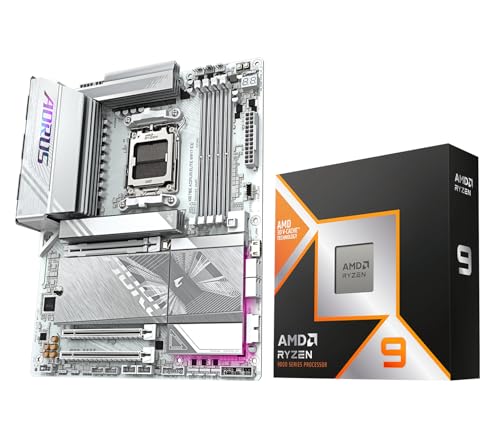

As an Amazon Associate we earn from qualifying purchases at no extra cost to you.
What AMD Actually Claimed
The Ryzen 9 9950X3D was announced at CES in January 2025 and went on sale on March 12, 2025, with reviews published the day before. AMD positioned it as the first 16-core desktop processor to combine its second-generation 3D V-Cache with the Zen 5 architecture, aimed at people who want top gaming speed and top productivity in a single socket. In its launch material AMD claimed an average gaming uplift of roughly 8 percent over the previous-generation Ryzen 9 7950X3D, and described the chip as the fastest 16-core processor for games.
Those are manufacturer claims, so they are best read as a starting point. The useful question is how the chip compares with its two obvious rivals: AMD’s own Ryzen 7 9800X3D, and Intel’s flagship Core Ultra 9 285K.
Spec Comparison of the Contenders
| Spec | Ryzen 9 9950X3D | Ryzen 7 9800X3D | Ryzen 9 9950X | Core Ultra 9 285K |
|---|---|---|---|---|
| Cores / threads | 16 / 32 | 8 / 16 | 16 / 32 | 24 (8 P + 16 E) / 24 |
| Max boost clock | 5.7 GHz | 5.2 GHz | 5.7 GHz | 5.7 GHz |
| Cache | 144MB (128MB L3 + 16MB L2) | 104MB (96MB L3 + 8MB L2) | 80MB (64MB L3 + 16MB L2) | 36MB L3 + 40MB L2 |
| Default TDP | 170W | 120W | 170W | 125W base, 250W max turbo |
| Socket | AM5 | AM5 | AM5 | LGA 1851 |
| 3D V-Cache | Yes, on one of two chiplets | Yes, on its single chiplet | No | No |
The 9950X3D’s trick is that only one of its two core complex dies carries the stacked cache. The other die runs at higher clocks without it. That design is why the chip can post very strong gaming numbers on the cache-equipped cores and still behave like a regular 16-core part in rendering and compiling.
Gaming: A Tie With a Cheaper Chip
This is where the world’s-best claim gets complicated. According to GamersNexus, the Ryzen 7 9800X3D led the 9950X3D by about 2 percent in one gaming comparison, which is within the noise of the measurement, while in other titles such as Starfield the 9950X3D finished roughly 3 percent ahead. Tom’s Hardware reached the same conclusion, noting that the 9800X3D equals the 9950X3D in average frame rate. It also reported lower power use for the cheaper chip: about 79.4W under load for the 9800X3D versus about 120.9W for the 9950X3D.
Against Intel, the margin is much larger. Tom’s Hardware found the 9950X3D almost 35 percent faster than the Core Ultra 9 285K in average frame rates and about 30 percent faster in 1 percent lows, and other roundups report 25 to 35 percent leads for AMD’s cache-equipped chips across game suites. In pure gaming, then, the 9950X3D beats Intel convincingly and ties AMD’s own 8-core.
| Gaming result | 9950X3D vs 9800X3D | 9950X3D vs 285K |
|---|---|---|
| Average frame rate | Roughly equal, within 2 to 3 percent either way | Around 25 to 35 percent faster |
| 1 percent lows | Roughly equal | Around 30 percent faster |
| Power under gaming load | About 120.9W vs 79.4W | Lower than the 285K in most reported results |
Productivity: Where the Extra Cores Pay Off
The picture reverses in multithreaded work, where the 9800X3D’s eight cores run out of road. Tom’s Hardware measured a multithreaded geomean of 635 for the 9950X3D against 367 for the 9800X3D, a gap of about 42 percent in the 9950X3D’s favour. TechRadar reported an even bigger multi-core advantage of around 61 percent. For tasks such as 3D rendering, video encoding, code compilation and scientific computing, the 16 cores deliver a real, measurable benefit.
Against the Core Ultra 9 285K the contest is closer. Tom’s Hardware found the 9950X3D ahead in multithreaded work by only around 3 percent, and TechRadar put the two within about 2 percent in multi-core tests. The Intel chip still wins in some workloads: it beat the 9950X3D by about 31 percent in POV-Ray, and TechRadar judged it the better processor for video editing. Single-thread comparisons vary between publications, so treat them as roughly even.
| Workload type | Best of the three | Margin |
|---|---|---|
| Gaming at 1080p and 1440p | 9800X3D or 9950X3D | Effectively tied |
| Heavy multithreaded rendering | 9950X3D or 285K | Within a few percent, varies by app |
| Video editing and some ray-traced renderers | 285K | Up to about 30 percent in specific tests |
| Efficiency per watt | 9800X3D | Clear lead |
| Mixed gaming and workstation use | 9950X3D | Best combined result |
Is It the “World’s Best Processor”?
That depends entirely on what you ask the processor to do. The definition that fits the evidence is narrow but real: the 9950X3D is the best single desktop processor for someone who games seriously and also does demanding work on the same machine. It is not the best for every user, and the reasons are specific.
- Not the best for gamers alone. The 9800X3D delivers the same frame rates for a lower purchase price, lower power draw and simpler scheduling.
- Not always the best for creators. Intel’s 285K edges it in some rendering and editing applications, and workstation platforms with more cores beat both for large render farms.
- Not the best for efficiency. It runs at a 170W default TDP and draws roughly 50 percent more power than the 9800X3D in gaming.
- Not the final word in the line. AMD later announced a higher-end 9950X3D2, which places 3D V-Cache on both chiplets and was reported to reach stores in April 2026, so the original 9950X3D is no longer the top of AMD’s desktop range.
A fairer summary is that the chip earns its title only in the mixed-use category. As a marketing phrase, “best processor” works because that category is what a large share of enthusiast buyers actually need.
Who Should Buy the Ryzen 9 9950X3D?
Use the following decision matrix to decide whether the flagship fits your situation.
| Your main use | Best choice | Reason |
|---|---|---|
| Gaming only, any resolution | Ryzen 7 9800X3D | Same frame rates, lower cost and power |
| Gaming plus streaming and editing | Ryzen 9 9950X3D | Extra cores handle encoding and background work |
| Professional rendering and compiling | Ryzen 9 9950X or 9950X3D | 16 cores; the cache adds less value outside games |
| Video editing in Adobe or DaVinci | Core Ultra 9 285K or 9950X3D | Intel’s media features help; compare your specific apps |
| Quiet small-form-factor build | Ryzen 7 9800X3D | Easier to cool at about 120W |
Cooling, Power and Setup Notes
Owning the 9950X3D means paying attention to a few details that lower-tier chips let you ignore:
- Cooling: a 170W processor benefits from a 280mm or 360mm liquid cooler or a large dual-tower air cooler. A budget cooler will cause the chip to drop its boost clocks.
- Chipset and BIOS: the chip fits any AM5 board, but older boards may need a BIOS update before the system will start. Check the board maker’s supported-CPU list first.
- Chipset drivers: install AMD’s current chipset driver. It includes the 3D V-Cache driver that helps Windows send games to the cache-equipped cores.
- Windows game detection: the scheduler relies on Xbox Game Bar to recognise games. Keep Game Bar enabled so the system parks the non-cache cores correctly during play.
- Memory: DDR5-6000 with low latency is the usual sweet spot for AM5 processors. Going much faster rarely helps and can reduce stability.
Common Mistakes When Choosing a High-End CPU
Buyers lose value in predictable ways. The most common mistake is paying extra for cores they will never use: a game rarely scales beyond eight cores, so a 16-core chip does nothing for frame rates in most titles. The second mistake is ignoring the rest of the platform. A flagship processor on a weak power-delivery board, slow memory or a modest cooler will not reach the benchmark numbers that justify its purchase. The third is chasing the newest chip when the previous generation, or a lower tier in the same generation, already meets the need. If you game at 4K, for example, the graphics card dominates the result and the gap between processors shrinks to almost nothing.
How 3D V-Cache Works and Why It Helps Games
Modern games spend much of their time waiting for data. When a processor needs a value that is not already in its fast on-chip cache, it must fetch it from main memory, which takes far longer. 3D V-Cache addresses that by stacking an extra layer of L3 cache directly on top of the compute chiplet, adding 64MB to the 32MB already on the die. A bigger cache means more of a game’s working set, such as physics data, AI state and draw-call information, stays close to the cores, so frame times become more consistent and 1 percent lows improve.
Earlier X3D chips put the extra cache underneath a hot compute die, which forced AMD to lower clock speeds. Starting with the Ryzen 7 9800X3D, the cache sits below the cores instead, so the cores contact the cooler directly and can reach clock speeds close to the non-cache models. The 9950X3D inherits that design on one of its two chiplets, which is why its 5.7 GHz boost is the same as the standard 9950X.
The Scheduling Question on a Dual-Chiplet X3D Chip
The one real complication with the 9950X3D is that it contains two chiplets with different strengths. One has the extra cache and suits games; the other has no stacked cache and can run slightly faster in lightly threaded work. Windows has to decide which chiplet receives which task, and a wrong choice costs performance.
AMD handles this with a combination of its chipset driver and a Windows feature that detects games. When a game is running, the system favours the cache chiplet and parks the other cores. When you start a rendering job, both chiplets are used. In everyday use this works without user intervention, but several steps keep it reliable:
- Keep Windows and the AMD chipset driver up to date, since both contain scheduling fixes.
- Leave Xbox Game Bar enabled, because the game-detection path depends on it.
- If a game runs poorly, check in Task Manager whether its threads are landing on the non-cache cores, and consider setting core affinity manually as a workaround.
- Avoid third-party “core parking” tweaks that conflict with AMD’s own driver.
The 9800X3D avoids this issue entirely because it has one chiplet, which is another reason some gamers prefer it for a simple, trouble-free setup.
Energy Costs: A Worked Example
Efficiency is an overlooked part of the “best processor” argument. Using the figures reported by Tom’s Hardware, the 9800X3D drew about 79.4W under gaming load and the 9950X3D about 120.9W. The difference is 41.5W. Suppose you game for four hours a day for 365 days:
- 41.5W multiplied by 4 hours is 166 watt-hours per day, or 0.166 kWh.
- Over a year that adds up to about 60.6 kWh of extra electricity.
- At a typical rate of 0.15 per kWh, that is roughly 9 in extra annual running cost.
The sum is small, so energy cost alone would not change the buying decision. The heat output matters more: 40 extra watts means more fan speed and noise in a compact case, and a cooler that must be one tier larger to keep the chip comfortable.
Upgrade Paths and Platform Longevity
The 9950X3D uses the AM5 socket, which AMD has committed to supporting for several generations. That gives it a longer platform life than Intel’s LGA 1851 socket, where the Core Ultra 200S generation has been described as a short-lived platform. For buyers who upgrade every few years, being able to drop in a future Ryzen processor without replacing the motherboard is a real saving. Memory is DDR5 only on AM5, so existing DDR4 kits will not carry over.
Consider also the PCIe lanes the platform provides. AM5 boards offer PCIe 5.0 for the graphics card and at least one storage slot, which matters for the newest GPUs and fast NVMe drives. Higher-end X870E and X870 boards add extra PCIe 5.0 storage slots and USB4 support, but a mainstream B650 or B850 board is enough for nearly all gaming builds. Spending extra on the board rarely improves frame rates, so most buyers are better off investing the saving in a better graphics card or cooler.
What to Check Before You Pay for the Flagship
Use this short list to decide whether the 9950X3D belongs in your build rather than a cheaper alternative:
- List your heaviest tasks. If none of them can use more than eight cores, the extra cores are wasted.
- Look at your graphics card. At 4K, or with a mid-range GPU, the processor is seldom the limit and a cheaper chip will give the same frame rates.
- Price the full build. The saving from choosing an 8-core X3D chip can pay for a graphics card one tier higher, which boosts gaming performance more than any processor change.
- Account for cooling. A 170W chip needs a proper cooler, and that cost is part of the total.
- Check availability. New chip releases can leave older models in short supply, so confirm stock and return policies.
The Bottom Line on the Claim
Marketing phrases like “world’s best” always depend on the yardstick. Measured by combined gaming and multithreaded performance on a single mainstream socket, the 9950X3D has a strong case and the benchmark evidence supports it. Measured by gaming value, efficiency or specific creative applications, other chips equal or beat it. If you need both halves of that combination, the 9950X3D is a justified purchase. If you need only one, a cheaper processor will serve you just as well.
Frequently Asked Questions
Is the Ryzen 9 9950X3D better than the 9800X3D for gaming?
Not in a meaningful way. Independent reviews show the two within about 2 to 3 percent of each other in average frame rates, with the lead flipping between games. The 9800X3D uses less power and is much easier to cool.
How many cores and how much cache does the 9950X3D have?
It has 16 cores and 32 threads, with a boost clock up to 5.7 GHz. The total cache is 144MB, made up of 128MB of L3 and 16MB of L2, and the stacked 3D V-Cache sits on one of its two chiplets.
Does the 9950X3D beat Intel’s Core Ultra 9 285K?
In games it does by a wide margin, roughly 25 to 35 percent in published comparisons. In productivity the two are close, and Intel wins certain workloads such as POV-Ray and some video editing tasks.
What cooler does the 9950X3D need?
A strong one. With a 170W default TDP, a 280mm or 360mm all-in-one liquid cooler or a high-end dual-tower air cooler keeps boost clocks stable. Entry-level coolers will limit performance.
Does it work on any AM5 motherboard?
It uses the AM5 socket and is compatible with 600-series and 800-series boards, though older boards may need a BIOS update. Check the manufacturer’s CPU support list before buying.
Is there anything faster from AMD now?
Yes. AMD announced the Ryzen 9 9950X3D2 with stacked cache on both chiplets, and reports say it reached the market in April 2026. For most buyers the original 9950X3D remains the more practical choice because of its lower power requirements.





Write Your Review
No reviews yet. Be the first to share your experience!