

Our Short List of 3

- Best for: one desk where a gaming PC and a work laptop share a single fast screen.
- Size and resolution: 27-inch, 2560 x 1440 (QHD)
- Refresh rate: 180Hz
- Panel: Fast IPS, 1ms GTG response
- HDR: DisplayHDR 400

- Best for: competitive players whose desk also has to host a full workday.
- Size and resolution: 27-inch, 2560 x 1440 (QHD)
- Refresh rate: 240Hz
- Panel: IPS, 1ms response
- HDR: DisplayHDR 400

- Best for: a work laptop and gaming PC sharing one screen and one set of peripherals.
- Size and resolution: 27-inch, 2560 x 1440 (QHD)
- Refresh rate: 170Hz (overclocked), 0.5ms MPRT response
- Panel: SuperSpeed IPS
- Sync: AMD FreeSync Premium
All 4 Picks at a Glance
| Product | Specs | Action |
|---|---|---|
| ASUS ROG Strix XG27ACS |
| Check price on Amazon |
| LG 27GR83Q-B |
| Check price on Amazon |
| Gigabyte M27Q |
| Check price on Amazon |
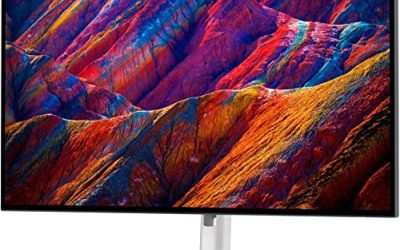
 Dell U2724D UltraSharp |
| Check price on Amazon |
Key takeaways
- Monitors that genuinely do both jobs, compared by listing: ASUS XG27ACS and LG 27GR83Q-B for speed, Gigabyte M27Q for its KVM, Dell U2724D for office polish.
A monitor that is good at games and good at work is not two spec sheets averaged together — it is a short list of non-negotiables on both sides. For gaming, the listing has to state a genuinely high refresh rate. For work, it has to offer the things an eight-hour day exposes: enough resolution to keep text crisp, an ergonomic stand, and ideally a USB-C connection or hub so a laptop docks without a nest of cables. Every pick below clears both bars using specs printed on its Amazon listing, not marketing categories.
This guide is for hybrid workers who game at the same desk, laptop users who want one screen for the office day and the evening, and anyone replacing two mediocre monitors with one good one. The four picks split by emphasis: two speed-first models that still behave at a desk, one KVM-equipped all-rounder, and one office-grade panel whose 120Hz refresh makes it a credible casual gaming screen.
Quick Picks
As an Amazon Associate we earn from qualifying purchases.
| Product | Best for | Key spec from title |
|---|---|---|
| ASUS ROG Strix XG27ACS | Balanced speed with USB-C video | 27-inch QHD, 180Hz, Fast IPS, USB-C |
| LG 27GR83Q-B | Competitive gaming, tidy desk | 27-inch QHD IPS, 240Hz, HDMI 2.1 |
| Gigabyte M27Q | Two computers, one desk | 27-inch QHD, 170Hz, KVM switch, USB-C |
| Dell U2724D UltraSharp | Work-first desk, casual gaming | 27-inch QHD IPS Black, 120Hz, USB hub |
How to Choose
Set a refresh-rate floor, then stop chasing it
For the gaming half of the brief, the listing should state at least 120Hz, and 144Hz to 180Hz is the comfortable zone for fast-paced titles at 1440p. Above that, returns shrink for mixed use: the 240Hz pick here is for players who genuinely compete, not a requirement for a dual-purpose desk. What matters more for most people is that the panel is IPS-class, so the same screen that renders motion well also holds color and contrast at the off-angles a workday involves, instead of the washed-out look of cheap gaming panels.
Resolution and size decide the workday
At 27 inches, 2560 x 1440 is the practical sweet spot for a shared desk: text stays sharp at normal viewing distance, documents and spreadsheets get real space, and a mid-range graphics card can still drive games at native resolution. Going 4K at this size buys crisper text but taxes the GPU in games; staying at 1080p makes work feel cramped within a week. All four picks sit at 27-inch QHD for that reason — it is the one specification that serves both halves of the brief without compromise.
USB-C and hubs are the work features that matter
The difference between a gaming monitor borrowed for work and a monitor designed for both is usually on the back panel. A USB-C input with DisplayPort Alt Mode lets a laptop connect with one cable for video, and a built-in USB hub or KVM switch lets a keyboard and mouse follow whichever computer is active. Read the listing carefully here: some USB-C ports carry video but no charging, and some hubs are data-only. The right answer depends on whether your desk runs one machine or two.
Stand ergonomics are not a luxury
Height adjustment is the line between a monitor you tolerate and one you forget about. For full workdays, look for height, tilt and pivot adjustment in the listing, plus VESA mounting if an arm is in your future. Fixed-tilt stands are the classic place gaming monitors cut cost, and no refresh rate compensates for a screen that sits two inches too low for eight hours a day. Every pick here includes a properly adjustable stand, which is part of why they made a dual-purpose list at all.
The 4 Best Options
ASUS ROG Strix XG27ACS
- Best for: one desk where a gaming PC and a work laptop share a single fast screen.
- Size and resolution: 27-inch, 2560 x 1440 (QHD)
- Refresh rate: 180Hz
- Panel: Fast IPS, 1ms GTG response
- HDR: DisplayHDR 400
one desk where a gaming PC and a work laptop share a single fast screen.
the USB-C input carries video but is not a laptop charging dock, so the laptop still needs its own power supply.
The XG27ACS is the most natural fit for the brief: a 27-inch QHD Fast IPS panel at 180Hz for games, with a USB Type-C input that accepts a laptop’s video signal for work. The listing’s color figures are work-friendly too, and the fully adjustable stand with a tripod socket shows ASUS designed it for desks that do more than game. It lacks a full docking feature set — the USB-C is about video, not charging a laptop — but as a single screen that a gaming PC and a work laptop take turns driving, it is the balanced default.
LG 27GR83Q-B
- Best for: competitive players whose desk also has to host a full workday.
- Size and resolution: 27-inch, 2560 x 1440 (QHD)
- Refresh rate: 240Hz
- Panel: IPS, 1ms response
- HDR: DisplayHDR 400
competitive players whose desk also has to host a full workday.
no USB-C input, so single-cable laptop docking is off the table.
The 27GR83Q-B is the pick when gaming comes first and work has to fit around it. Its 240Hz QHD IPS panel is the fastest here, with HDMI 2.1 for consoles as well as PC play, yet LG kept the workday essentials: a tilt, height and pivot stand, a borderless design that suits multi-monitor desks, and USB ports for peripherals. There is no USB-C input, so laptop users connect over HDMI or DisplayPort and dock separately. For a desktop-PC desk that works all day and competes at night, that is an acceptable trade.
Gigabyte M27Q
- Best for: a work laptop and gaming PC sharing one screen and one set of peripherals.
- Size and resolution: 27-inch, 2560 x 1440 (QHD)
- Refresh rate: 170Hz (overclocked), 0.5ms MPRT response
- Panel: SuperSpeed IPS
- Sync: AMD FreeSync Premium
a work laptop and gaming PC sharing one screen and one set of peripherals.
this is an earlier-generation model, so confirm the listing is for the standard M27Q and that stock is current before ordering.
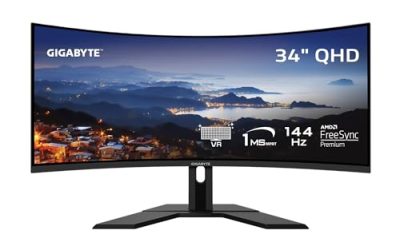
The M27Q exists for the two-computer desk. Its built-in KVM switch is the headline: one keyboard and mouse serve both a work laptop and a gaming PC, switching with the display input, and the USB Type-C port covers the laptop connection. The gaming side is properly served as well — a 27-inch QHD SuperSpeed IPS panel at up to 170Hz with FreeSync Premium — so neither machine gets a compromised screen. It is an older model than the others here, which is worth a stock check, but the feature mix remains unusually well aimed at this exact brief.
Dell U2724D UltraSharp
- Best for: work-first buyers who game casually and value hub connectivity and contrast.
- Size and resolution: 27-inch, 2560 x 1440 (QHD)
- Refresh rate: 120Hz
- Panel: IPS Black, 2000:1 native contrast
- Color: 98 percent DCI-P3 coverage
work-first buyers who game casually and value hub connectivity and contrast.
no FreeSync or G-Sync, and the USB-C upstream port is data-only — a laptop still needs a separate video cable and charger.
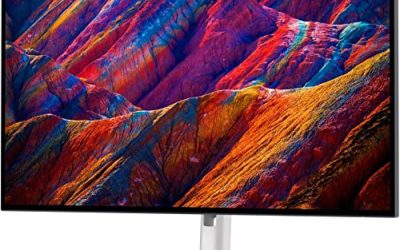
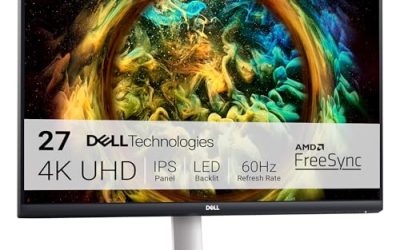
The U2724D inverts the brief: it is an office monitor first, built around an IPS Black panel with a 2000:1 contrast ratio, a full USB hub and a height, tilt, swivel and pivot stand — but its 120Hz refresh rate is double the office standard and makes casual and mid-paced gaming genuinely smooth. There is no adaptive sync and no gaming branding, so competitive players should look at the other three. For someone whose day is documents, calls and creative work, with gaming as the evening’s second shift, it is the most polished desk citizen here.
Which One Fits Your Situation
One gaming PC, one work laptop, one screen
Choose the ASUS XG27ACS. The gaming PC gets 180Hz over DisplayPort and the laptop gets a clean USB-C video connection, with an ergonomic stand serving both. If the two machines must also share a keyboard and mouse rather than taking turns, step sideways to the Gigabyte M27Q and its KVM instead.
Your desk is a desktop PC that works all day and games all night
Choose the LG 27GR83Q-B. A desktop does not need USB-C docking, so you give up nothing that matters and gain the fastest panel here for competitive titles, plus HDMI 2.1 if a console joins the desk. The full ergonomic stand keeps the long work hours comfortable.
Two computers live on the desk permanently
Choose the Gigabyte M27Q. The KVM switch is the feature that removes daily friction: one keyboard, one mouse, one screen, and switching machines is a button press rather than a cable swap. Its 170Hz QHD panel means the gaming PC is not the one making sacrifices in the arrangement.
Work quality is the priority and gaming is occasional
Choose the Dell U2724D. The IPS Black contrast, hub connectivity and stand are the best here for long workdays, and 120Hz is a real upgrade over a standard office screen for smoother games after hours. Only skip it if fast competitive titles are a serious part of your week.
Common Mistakes
- Buying a 240Hz TN or VA gaming panel for a shared desk, then spending the workday looking at shifted colors and washed-out text.
- Assuming every USB-C port on a monitor charges a laptop; several here carry video or data only, as their listings state.
- Choosing 1080p at 27 inches for a work desk, where the low pixel density makes text fuzzy all day.
- Ignoring the stand: a fixed-tilt gaming stand is the most common reason a dual-purpose setup fails in practice.
- Forgetting the second machine: if two computers share the desk, a KVM or hub belongs on the requirements list from the start.
Frequently Asked Questions
Is 1440p really better than 4K for a gaming and work monitor?
At 27 inches, usually yes for this brief. QHD keeps text sharp for work while leaving a mid-range graphics card enough headroom to use the high refresh rate in games. A 4K panel at this size improves fine text rendering slightly but forces lower frame rates or upscaling in games, which undercuts the gaming half of a dual-purpose purchase.
Can one monitor really serve a work laptop and a gaming PC?
Yes, and two of the picks are built for it. The ASUS takes turns via its USB-C and DisplayPort inputs, while the Gigabyte M27Q adds a KVM switch so peripherals follow the active machine. The practical limits are cable management and remembering that USB-C on these models does not necessarily charge the laptop.
How much refresh rate do I need if I mostly work?
If gaming is casual, 120Hz — the Dell’s figure — already feels dramatically smoother than a 60Hz office monitor in both games and desktop scrolling. Players of fast competitive titles should look at 180Hz and above. There is no work task that needs more than 120Hz, so the decision rests entirely on the games you play.
Does HDR400 matter for a dual-purpose monitor?
Only mildly. DisplayHDR 400, listed on three picks here, is an entry-level HDR tier that adds some punch to games and video without transforming them. It should never be the deciding factor for a work-and-gaming screen; panel type, resolution, refresh rate and connectivity all matter more to how the monitor performs across a whole day.
More from Amazon
Programs that pair well with the guide above. Offers and eligibility are set by Amazon and may change.
Free shipping on eligible items, Prime Video and more. Eligible new members can start with a free trial.
Start a Prime free trialAd-free music streaming. Eligible new subscribers can start with a free trial.
Try Music Unlimited freeA Prime membership for ages 18-24 with a trial period. Eligibility is set by Amazon.
See Prime for Young AdultsAudiobooks and podcasts to listen to on the go. Eligible new members can start with a free trial.
Try Audible freeAs an Amazon Associate we earn from qualifying purchases.
Write Your Review
No reviews yet. Be the first to share your experience!