

Key takeaways
- Compare the best business monitors for office work: 4K panels, USB-C docking hubs, KVM switches and eye-care features for real desks before you buy.
A business monitor is a decision about your working day, not about frame rates. The panel you stare at for eight hours shapes how spreadsheets read, how video calls look, how many cables sit on your desk, and whether your laptop charges through one cord or three. Sharp text, honest color, a hub that replaces a dock, and a stand that adjusts to your posture matter far more than any gaming badge. This guide is for office workers building a home desk, managers setting up shared workstations, and creative professionals who need accurate color without a gaming panel. We picked five monitors from Amazon listings and maker specifications: a 32-inch Thunderbolt hub flagship, three 27-inch 4K panels at different price tiers, and a 34-inch curved ultrawide for people who live in two windows at once.


Quick Picks
As an Amazon Associate we earn from qualifying purchases
| Product | Best for | Key spec from title |
|---|---|---|
| Dell UltraSharp U3225QE 32″ 4K Thunderbolt Hub | One-cable laptop docking | 31.5″ 4K, 140W Thunderbolt 4, KVM |
| ASUS ProArt PA279CRV 27″ 4K | Color-accurate creative work | 27″ 4K, 99 percent DCI-P3, 96W USB-C |
| BenQ PD2705U 27″ 4K Designer | Design work with a KVM switch | 27″ 4K, 65W USB-C, KVM, Hotkey Puck |
| LG 27UP850K-W 27″ UltraFine 4K | Bright 4K office work on a budget | 27″ 4K, 90W USB-C, DisplayHDR 400 |
| Dell UltraSharp U3425WE 34″ Curved Ultrawide | Replacing two monitors with one | 34.1″ WQHD ultrawide, 90W Thunderbolt 4 |
How to Choose
Match the USB-C Power to Your Laptop
USB-C power delivery is the first number to check, because the wattage is different on every model here and it cannot be swapped between them. The Dell U3225QE delivers 140W through Thunderbolt 4, enough for a 16-inch performance laptop under load. The ASUS PA279CRV gives 96W and the LG 27UP850K-W gives 90W, both fine for most ultrabooks and 14-inch machines. The BenQ PD2705U gives only 65W, which suits a MacBook Air or a light ultrabook but will slowly lose ground against a 14-inch or 16-inch MacBook Pro running hard. Match the number to your laptop before anything else, because a monitor that cannot keep your machine charged is a dock that fails at its main job.
Count the Ports You Actually Use
A business monitor earns its desk space by replacing a docking station, so count ports like outlets. The two Dell models carry Thunderbolt 4 downstream ports, DisplayPort output for daisy-chaining a second screen, and a 2.5GbE Ethernet jack, which means one cable can carry video, data, charging, and a wired network. The ASUS and BenQ models offer a USB hub and DisplayPort or HDMI inputs but no Ethernet, while the LG keeps its hub minimal with just two USB-A ports. If your office runs on wired networking or you drive two screens, the Dell hub monitors are the only picks here that cover both. If you work from a single laptop on Wi-Fi, the simpler hubs are enough.
Treat Color Accuracy as a Work Tool
Color accuracy is not decoration for office work; it decides whether a client sees the same presentation you built. The ASUS PA279CRV covers 99 percent DCI-P3 and 99 percent Adobe RGB with a factory calibration report and a Delta E under 2, the strongest color pick here. The BenQ PD2705U covers 99 percent sRGB and 99 percent Rec.709 with its own calibration report, a better fit for web and video work than for print. Both Dell models cover 98 to 99 percent DCI-P3 on IPS Black panels with much deeper contrast than standard IPS. Check which color space your work uses, then pick the monitor that covers it, rather than paying for coverage you will never open.
Read Eye-Care Features Honestly
Every monitor here carries some eye-care branding, from Dell’s ComfortView Plus to BenQ’s Low Blue Light mode and LG’s Reader Mode, and all of them are maker features rather than medical guarantees. Flicker-free backlights and low blue light modes are designed to reduce visual fatigue during long sessions, but no monitor prevents eye strain on its own. What matters in practice is the combination: a flicker-free panel, a matte anti-glare coating, and a stand that lets you set the screen at eye level so you are not looking up or down all day. All five picks adjust height, tilt, and pivot, and all five mount to a standard VESA 100×100 arm if the included stand does not suit your desk.
The 5 Best Options
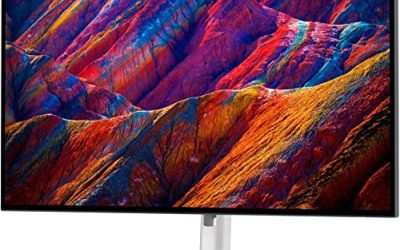
Dell UltraSharp U3225QE 32″ 4K Thunderbolt Hub
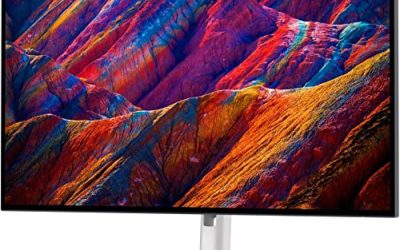
The Dell U3225QE is the most complete office monitor in this roundup because it behaves like a docking station that happens to have a screen. Its 31.5-inch 4K IPS Black panel runs at 120Hz for smooth scrolling, holds 99 percent DCI-P3, and reaches 450 nits typical brightness with DisplayHDR 600. A single Thunderbolt 4 cable charges a laptop at 140W while a second Thunderbolt port and a DisplayPort output daisy-chain another display, and the built-in KVM switches one keyboard and mouse between two computers. Ethernet, five USB-A ports, and a three-year Advanced Exchange warranty round out a monitor built for a permanent desk.
- Specs: 31.5-inch 4K UHD 3840×2160 IPS Black, 120Hz, 5ms GtG, 3000:1 contrast, 99 percent DCI-P3, DisplayHDR 600, 450 nits typical, anti-glare
- Specs: Thunderbolt 4 upstream with 140W power delivery, Thunderbolt 4 downstream, DisplayPort 1.4 in and out, HDMI 2.1, 2.5GbE RJ45, 4x USB-A plus 1 front USB-A, 2x USB-C downstream, KVM switch
- Specs: TUV Rheinland Eye Comfort 5-star with ComfortView Plus, flicker-free, VESA 100×100, 3-year Advanced Exchange warranty, no speakers
- Best for: A permanent desk where one cable should charge a laptop, drive a second screen, and connect the network.
- Watch out for: Check the live listing before ordering, because several ASINs circulate for this model and only B0FDCLPZC6 is the plain monitor listing. Update the firmware to M2T102 A01 on day one, which fixes documented Mac wake-from-sleep and USB-speed issues, and remember DisplayHDR 600 is edge-lit with no local dimming.
ASUS ProArt Display PA279CRV 27″ 4K
The ASUS PA279CRV is the color-first pick for anyone whose work is judged by how it looks on screen. Its 27-inch 4K IPS panel covers 99 percent DCI-P3 and 99 percent Adobe RGB, ships factory calibrated with a Delta E under 2, and carries Calman Verified status, so photos and layouts look right without a separate calibration session. USB-C delivers 96W of power, two DisplayPort 1.4 inputs support daisy-chaining a second monitor, and the ergonomic stand adjusts height, tilt, swivel, and pivot. It has no KVM switch, no Ethernet, and no speakers, so it suits a single-computer creative desk better than a shared workstation.
- Specs: 27-inch 4K UHD 3840×2160 IPS, 60Hz, 5ms, 99 percent DCI-P3, 99 percent Adobe RGB, factory calibrated Delta E under 2, Calman Verified, DisplayHDR 400, 400 nits
- Specs: USB-C with 96W power delivery, 2x DisplayPort 1.4, 2x HDMI 2.0, USB hub with 3x USB-A and 1x USB-C downstream, headphone jack
- Specs: ASUS Eye Care with flicker-free and low blue light, TUV Rheinland certified, ergonomic stand, VESA 100×100, 3-year warranty, no speakers, no camera
- Best for: Photo editing, layout, and video work where accurate color matters more than extra ports.
- Watch out for: The daisy-chain in the Amazon title means DisplayPort daisy-chaining, not Thunderbolt. Do not expect a KVM switch or Ethernet here, and note the panel is 60Hz only, so it is built for steady office work rather than smooth-motion use.
BenQ PD2705U 27″ 4K Designer
The BenQ PD2705U is the designer monitor for people who switch between two computers at one desk. Its 27-inch 4K IPS panel covers 99 percent sRGB and 99 percent Rec.709 with a factory calibration report and a Delta E of 3 or better, which fits web design and video editing more than print work. The built-in KVM switch moves one keyboard and mouse between two machines, and the Hotkey Puck puts display modes and input switching within reach. Built-in speakers and BenQ Eye-Care round out a monitor that has been a steady office pick since 2022, though its 65W USB-C charging is the lowest in this roundup.
- Specs: 27-inch 4K UHD 3840×2160 IPS, 60Hz, 5ms GtG, 99 percent sRGB, 99 percent Rec.709, Delta E 3 or better, factory calibration report, AQCOLOR, HDR10, 250 nits typical, 1200:1 contrast
- Specs: USB-C with 65W power delivery, 1x DisplayPort 1.4, 1x HDMI 2.0, USB-C downstream, 2x USB-B upstream, 3x USB 3.2 downstream, KVM switch, Hotkey Puck
- Specs: Built-in speakers 2.5W x2, BenQ Eye-Care with flicker-free and Low Blue Light mode, VESA 100×100, no DisplayPort out, no Ethernet, no Thunderbolt
- Best for: Designers and editors who work across two computers and want a KVM switch and a physical control puck.
- Watch out for: The 65W charging suits a MacBook Air or a light ultrabook, but a 14-inch or 16-inch MacBook Pro under sustained load will drain faster than this port can refill it. There is no daisy-chain output, and this model has no ambient light sensor, so do not expect automatic brightness adjustment.
LG 27UP850K-W 27″ UltraFine 4K
The LG 27UP850K-W is the straightforward 4K office monitor for buyers who want a bright, sharp panel without paying for a full docking hub. Its 27-inch 4K IPS display covers 95 percent DCI-P3, reaches 400 nits, and carries VESA DisplayHDR 400, enough for documents, spreadsheets, and video calls. USB-C delivers 90W of power and carries video and data over one cable, while the height, tilt, and pivot stand adjusts to a comfortable eye level. The USB hub is minimal at two USB-A ports, and there is no KVM, no daisy-chain, and no Ethernet, so this is a monitor for a single laptop rather than a multi-machine desk.
- Specs: 27-inch 4K UHD 3840×2160 IPS, 60Hz, 5ms, 95 percent DCI-P3 typical, VESA DisplayHDR 400, 400 nits, 3-side virtually borderless, white finish
- Specs: USB-C with 90W power delivery, DisplayPort, 2x HDMI, 2x USB 3.0, headphone jack, built-in speaker
- Specs: LG Reader Mode and Flicker Safe eye care, height, tilt, and pivot adjustable stand, VESA 100×100, no KVM, no daisy-chain, no Ethernet, no Thunderbolt
- Best for: A single-laptop home office where a bright 4K panel and one-cable charging matter most.
- Watch out for: Do not confuse this model with the older 27UP850-W, which charges at 96W and uses a different ASIN. The 90W figure here belongs to the 27UP850K-W only, and the two-port USB hub will not replace a real dock if you run several peripherals.
Dell UltraSharp U3425WE 34″ Curved Ultrawide
The Dell U3425WE replaces a two-monitor setup with one wide curved panel, and it is the only ultrawide in this roundup. Its 34.1-inch screen shows 3440×1440 WQHD across a 21:9 aspect ratio with a gentle 1900R curve, so a spreadsheet and a document sit side by side with no bezel between them. Thunderbolt 4 charges a laptop at 90W, a second Thunderbolt port and a DisplayPort output daisy-chain another screen, and the KVM switches one set of peripherals between two computers. Picture-by-picture mode, dual 5W speakers, and a 2.5GbE Ethernet jack suit multitaskers, though its pixel density is lower than any 4K pick here.
- Specs: 34.1-inch curved ultrawide 3440×1440 WQHD, 21:9, 120Hz over DisplayPort and Thunderbolt 4, 100Hz over HDMI, IPS Black, 2000:1 contrast, 98 percent DCI-P3, 300 nits, 1900R curve, 110 PPI
- Specs: Thunderbolt 4 upstream with 90W power delivery, Thunderbolt 4 downstream, DisplayPort 1.4 in and out, HDMI, 2.5GbE RJ45, 5x USB-A, 3x USB-C, KVM switch, dual 5W speakers, PBP and PIP modes
- Specs: 5-star Eye Comfort with ComfortView Plus, TUV Rheinland, factory calibrated, VESA 100×100, 3-year warranty, no HDR certification
- Best for: Multitaskers who want one wide screen instead of two monitors, with docking and a KVM built in.
- Watch out for: This is WQHD at 3440×1440, not 4K, and its 110 PPI is lower than every other monitor here, so text is less crisp than on the 27-inch 4K picks. The 120Hz refresh runs over DisplayPort and Thunderbolt only, while HDMI caps at 100Hz. Check the live listing before ordering, because one recent check found this ASIN unavailable even though a newer live price signal exists.
Which One Fits Your Situation
One Laptop, One Cable, No Extra Dock
Pick the Dell U3225QE if your desk should run on a single Thunderbolt cable. Its 140W charging covers even a 16-inch laptop, the downstream Thunderbolt and DisplayPort outputs feed a second screen, and the KVM lets one keyboard and mouse serve a work laptop and a personal machine. Ethernet built into the monitor means the wired network comes through the same cable, so the desk stays clean and the setup survives a laptop swap without replugging a dock.
Color Work on a Single Computer
Pick the ASUS PA279CRV if accurate color is the job. Its 99 percent DCI-P3 and 99 percent Adobe RGB coverage with a factory calibration report suits photo editing, layout, and video grading, and the 96W USB-C port charges most laptops while carrying the signal. It has no KVM or Ethernet, so it fits a one-computer creative desk better than a shared workstation, but for pure image quality at 27 inches it is the strongest pick in this roundup.
Two Computers, One Desk
Pick the BenQ PD2705U if you switch between two machines all day. Its KVM switch and Hotkey Puck move the keyboard, mouse, and display between computers without reaching for cables, and its 99 percent sRGB and 99 percent Rec.709 coverage suits web and video work. The 65W charging is enough for a light ultrabook, so pair it with a MacBook Air or a similar machine rather than a heavy workstation laptop that needs more power.
Replacing Two Monitors With One Screen
Pick the Dell U3425WE if your work lives in two windows at once. The 34-inch curved ultrawide fits a spreadsheet beside a document, a code editor beside a preview, or a video call beside your notes, all without a bezel splitting the view. Thunderbolt docking at 90W, a KVM switch, and picture-by-picture mode cover the multitasking setup, though the lower pixel density means text is softer than on the 4K panels here.
Common Mistakes
- Buying a 65W USB-C monitor for a 16-inch performance laptop, then finding the battery drains under load.
- Calling the Dell ultrawide a 4K monitor when it is 3440×1440 WQHD with about 110 PPI.
- Expecting a KVM switch on the ASUS or LG picks, which have a USB hub only.
- Assuming every monitor here daisy-chains a second screen, when the BenQ and LG have no DisplayPort output.
- Treating eye-care branding as a medical promise instead of a maker feature designed to reduce fatigue.
Frequently Asked Questions
Is a 4K monitor worth it for office work?
Yes, for most office work a 4K panel is worth it because text stays sharp at normal viewing distances and you can fit more windows on screen without scaling everything up. The 27-inch 4K picks here render small text cleanly, while the 34-inch ultrawide trades some sharpness for width. If your work is mostly email and documents, the difference is comfort rather than necessity, but it is a real one.
How much USB-C power delivery do I need?
Match the wattage to your laptop. A MacBook Air or light ultrabook runs fine on 65W, most 14-inch laptops need 90W or 96W, and a 16-inch performance laptop under sustained load needs the 140W that only the Dell U3225QE offers here. Charging below your laptop’s draw does not damage the machine, but the battery will slowly drain during heavy work, so check the number before you buy.
Do I need a KVM switch on a business monitor?
You need one only if two computers share a single desk. A KVM lets one keyboard, mouse, and monitor serve a work laptop and a personal machine, or a desktop and a laptop, without replugging cables. The Dell U3225QE, BenQ PD2705U, and Dell U3425WE have one built in, while the ASUS and LG picks have a USB hub only and cannot switch between computers.
Can a business monitor replace a docking station?
Yes, if its hub matches your setup. The two Dell monitors carry Thunderbolt 4, a second display output, Ethernet, and several USB ports, so one cable can replace a dock for most office desks. The ASUS, BenQ, and LG models offer a USB hub and charging but no Ethernet, so they suit a Wi-Fi desk with few peripherals. Count your ports before deciding.
More from Amazon
Programs that pair well with the guide above. Offers and eligibility are set by Amazon and may change.
Free shipping on eligible items, Prime Video and more. Eligible new members can start with a free trial.
Start a Prime free trialAd-free music streaming. Eligible new subscribers can start with a free trial.
Try Music Unlimited freeA Prime membership for ages 18-24 with a trial period. Eligibility is set by Amazon.
See Prime for Young AdultsAudiobooks and podcasts to listen to on the go. Eligible new members can start with a free trial.
Try Audible freeAs an Amazon Associate we earn from qualifying purchases.

Write Your Review
No reviews yet. Be the first to share your experience!