

Key takeaways
- Compare five G-Sync gaming monitors for PC, from a native G-SYNC 240Hz panel to bright 165Hz QHD screens, with refresh, panel, and port guidance.
A G-Sync monitor buys smooth motion, but the label hides a real choice. Native G-SYNC monitors carry a dedicated hardware module with the widest variable refresh range, while G-SYNC Compatible screens are tested and validated by NVIDIA to work without tearing. Picking the wrong one means paying for hardware you never use, or pairing a fast panel with a graphics card that cannot feed it. Resolution, refresh rate, and panel type matter just as much as the sync badge.
This guide fits competitive players chasing the fastest response, everyday PC gamers who want tear-free 1440p play, and buyers who mix games with photo edits or office work. The five monitors below were chosen from their names and specifications on Amazon product pages, with G-Sync support confirmed for each model, so you can match the panel to your graphics card and your desk.
Quick Picks
As an Amazon Associate we earn from qualifying purchases
| Product | Best for | Key spec from title |
|---|---|---|
| ASUS ROG Swift PG279QM | Competitive play at the highest refresh rate | 27-inch QHD 240Hz native G-SYNC |
| LG UltraGear 27GP850-B | Balanced 1440p gaming with vivid color | 27-inch QHD Nano IPS 165Hz |
| Alienware AW2723DF | Fast play with bright color and creative modes | 27-inch QHD 240Hz |
| ASUS TUF Gaming VG27AQ | Smooth play with blur reduction | 27-inch QHD 165Hz ELMB SYNC |
| Dell S2721DGF | Everyday gaming with a fully adjustable stand | 27-inch QHD 165Hz G-SYNC Compatible |
How to Choose
Native G-SYNC or G-SYNC Compatible
A native G-SYNC monitor uses a dedicated module built into the display. That module gives the widest variable refresh range and variable overdrive, so motion stays clean even when frame rates swing widely. A G-SYNC Compatible monitor has no module; NVIDIA tested it and validated that it syncs without tearing over its stated range. For most players the Compatible badge is enough, and it usually costs less. Choose native G-SYNC when you play fast shooters at high refresh rates and want the smoothest low-frame-rate behavior. Check the exact wording on the listing, since some sellers shorten the badge and hide the difference.
Refresh Rate and Resolution
Refresh rate decides how many frames the screen can show each second, and resolution decides how sharp each frame looks. A 240Hz panel shows motion more clearly than a 165Hz panel, but only when your graphics card can push that many frames in the games you play. At 1440p, a mid-range card can hold high frame rates in competitive titles, while demanding open-world games may run slower. A 4K panel looks sharper but needs a much stronger card to stay smooth. Match the monitor to the frame rates your card already reaches, not to the numbers on the box.
Panel Type and Color
Most G-Sync gaming monitors use IPS panels, which keep colors steady when you view the screen from the side and show wide color ranges for games and photo edits. VA panels give deeper blacks and stronger contrast, which suits dark scenes, but their response times can smear fast motion. A Nano IPS or Fast IPS panel answers faster and suits competitive play. Color coverage matters when you also edit photos: wide DCI-P3 coverage shows richer reds and greens than a basic sRGB screen. Brightness and HDR support matter too, since a dim panel washes out bright scenes even when the colors are accurate.
Ports, Stand, and Desk Fit
G-Sync needs the right connection. DisplayPort carries the full refresh rate and the variable refresh range on nearly every gaming monitor, while HDMI often caps the refresh rate lower, so check the listing for the maximum rate on each input. Count the ports you need for a console, a second PC, or a laptop dock. The stand matters as much as the screen: height, tilt, swivel, and pivot adjustments let you set eye level without stacking books under the base. Measure your desk depth too, since wide gaming stands and deep bases crowd small desks fast.
The 5 Best Options
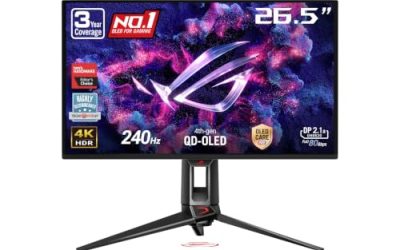
ASUS ROG Swift PG279QM

The PG279QM is the only monitor here with a native G-SYNC module, and it shows in fast play. Its 27-inch Fast IPS panel runs at 240Hz with a 1ms response time, so rapid turns stay sharp and the picture never tears when frame rates jump around. A built-in Reflex Latency Analyzer helps competitive players measure input delay, and the DisplayHDR 400 panel keeps bright scenes readable. Eye Care features cut flicker and blue light for long sessions.
Specs
- 27-inch QHD (2560 x 1440) Fast IPS panel
- 240Hz refresh rate, 1ms response time
- Native NVIDIA G-SYNC module
- DisplayHDR 400
- NVIDIA Reflex Latency Analyzer
- DisplayPort, HDMI, and USB ports
- Height adjustable stand
Best for: Competitive players who want the fastest, tear-free 1440p panel.
Watch out for: The top refresh rate runs over DisplayPort, so confirm your graphics card has a DisplayPort output before you buy.
ASIN: B08LCNWQWL
LG UltraGear 27GP850-B

The 27GP850-B is the balanced pick of the five. Its 27-inch Nano IPS panel shows 1440p at 165Hz with a 1ms response time, and the G-SYNC Compatible badge keeps frames smooth on NVIDIA cards while FreeSync Premium covers AMD cards. The stand tilts, lifts, and pivots, so the screen fits a shared desk as well as a dedicated gaming corner. DisplayHDR 400 support lifts bright scenes, and the matte screen cuts glare from a window behind you.
Specs
- 27-inch QHD (2560 x 1440) Nano IPS panel
- 165Hz refresh rate, 1ms response time
- NVIDIA G-SYNC Compatible, AMD FreeSync Premium
- DisplayHDR 400, wide DCI-P3 color
- 178-degree viewing angles, matte anti-glare screen
- HDMI x2, DisplayPort, USB-C x2, headphone out
- Tilt, height, and pivot adjustable stand
Best for: Everyday gamers who want sharp 1440p color and smooth motion in one screen.
Watch out for: The fastest mode runs over DisplayPort, so use the DisplayPort cable for the top refresh rate.
ASIN: B093MTSTKD
Alienware AW2723DF

The AW2723DF pairs a 240Hz refresh rate with a bright, color-rich panel. Its 27-inch Fast IPS Nano Color screen shows 1440p at 240Hz, so fast shooters stay crisp even in chaotic fights. Bright 450-nit output and wide color make bright scenes pop, while Creator Mode lets you switch between native color and sRGB for photo work. A slide-out headset hanger keeps the desk tidy, and the stand adjusts for height, tilt, swivel, and pivot.
Specs
- 27-inch QHD (2560 x 1440) Fast IPS Nano Color panel
- 240Hz refresh rate, 1ms response time
- NVIDIA G-Sync, AMD FreeSync Premium Pro
- 450 nits brightness, 1000:1 contrast
- Creator Mode with native and sRGB color spaces
- Picture-in-picture and picture-by-picture
- Slide-out headset hanger
- 2 HDMI ports, DisplayPort 1.4, 5 USB ports
- 3-year manufacturer warranty
Best for: Fast-paced players who also want bright color for creative work.
Watch out for: The screen is heavy for its size, so set the stand on a sturdy desk and leave room behind it for the deep base.
ASIN: B0BCXJ7XXM
ASUS TUF Gaming VG27AQ

The VG27AQ is the value pick of the group. Its 27-inch IPS panel shows 1440p at 165Hz with a 1ms response time, and ELMB SYNC runs motion-blur reduction at the same time as G-SYNC Compatible, so fast scenes stay sharp without tearing. Built-in speakers save desk space when you do not want a headset on all day, and HDR10 support lifts bright scenes. The stand adjusts for height and pivot, which suits shared desks and small rooms.
Specs
- 27-inch QHD (2560 x 1440) IPS panel
- 165Hz refresh rate, 1ms response time
- G-SYNC Compatible, ELMB SYNC
- HDR10, wide sRGB color
- Built-in speakers
- DisplayPort 1.2, HDMI 2.0
- Height and pivot adjustable stand
- 3-year manufacturer warranty
Best for: Gamers who want smooth 1440p play and blur reduction without a flagship panel.
Watch out for: The listed 165Hz mode supports 144Hz on some connections, so check the refresh rate your input actually delivers after setup.
ASIN: B07WQ4FXY9
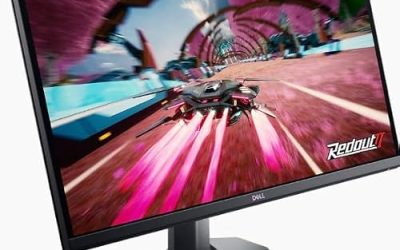
Dell S2721DGF

The S2721DGF is the quiet all-rounder of the five. Its 27-inch IPS panel shows 1440p at 165Hz with a 1ms response time, and G-SYNC Compatible certification keeps frames smooth on NVIDIA cards while FreeSync Premium Pro covers AMD cards. HDR support makes games and video look vivid, and the fully adjustable stand tilts, swivels, pivots, and lifts to fit a shared desk or a small room. The wide stand footprint suits a deep desk, so measure your workspace before the monitor arrives.
Specs
- 27-inch QHD 1440p IPS panel
- 165Hz refresh rate, 1ms response time
- NVIDIA G-SYNC Compatible certification
- AMD FreeSync Premium Pro
- HDR IPS LED panel
- HDMI 2.0 and DisplayPort 1.2
- Height, tilt, swivel, and pivot adjustable stand
Best for: Mixed gaming and everyday work on one screen.
Watch out for: Dell sells near-identical revisions under similar names, so confirm the exact part number at checkout.
ASIN: B08T1X513P
Which One Fits Your Situation
You Play Fast Shooters and Want Every Edge
Pick the ASUS ROG Swift PG279QM. The native G-SYNC module and 240Hz Fast IPS panel keep motion clean when frame rates swing, and the Reflex Latency Analyzer helps you measure input delay. Pair it with a graphics card that can push high frame rates at 1440p over DisplayPort, and the panel does the rest.
You Want One Screen for Games and Everyday Work
Pick the LG UltraGear 27GP850-B or the Dell S2721DGF. Both show sharp 1440p at 165Hz with G-SYNC Compatible support, and both stands adjust for height, tilt, and pivot. The LG adds vivid Nano IPS color, while the Dell adds a fully adjustable stand and an understated look that suits an office desk.
You Edit Photos as Well as Play Games
Pick the Alienware AW2723DF. Creator Mode switches between native color and sRGB, so photo edits stay accurate while games stay vivid. The bright panel and wide color show detail in shadows and highlights alike. Keep in mind the screen is heavy, so give the stand a sturdy desk and room behind it.
You Want Smooth Play Without a Flagship Panel
Pick the ASUS TUF Gaming VG27AQ. Its 165Hz IPS panel pairs G-SYNC Compatible with ELMB SYNC, so motion stays sharp and tear-free in fast games. Built-in speakers save desk space, and the height and pivot adjustments fit shared desks. Check the refresh rate your input delivers after setup, since some connections run slower than the headline number.
Common Mistakes
- Buying a 240Hz monitor for a graphics card that only reaches 60 frames per second in your games.
- Using HDMI and wondering why the top refresh rate never appears.
- Assuming every monitor labeled G-Sync has a native hardware module.
- Skipping the variable refresh range, then blaming the monitor when slow scenes tear.
- Forgetting to measure desk depth for a wide gaming stand.
Frequently Asked Questions
Do I need an NVIDIA graphics card to use G-Sync?
Yes, G-Sync works with NVIDIA graphics cards. A native G-SYNC monitor needs an NVIDIA card and a DisplayPort connection for the full variable refresh range. A G-SYNC Compatible monitor also needs an NVIDIA card for G-Sync, but the same screen usually runs FreeSync with an AMD card. Check your card model before you buy.
Does G-Sync work over HDMI?
On most monitors in this guide, the full G-Sync range runs over DisplayPort. HDMI often caps the refresh rate lower, and some older HDMI versions do not carry variable refresh at all. Use the DisplayPort cable that comes in the box when you want the fastest, tear-free mode, and check the listing for the maximum rate on each input.
Is 1440p the right resolution for a G-Sync monitor?
For most PC gamers, yes. A 1440p panel looks much sharper than 1080p, and a mid-range graphics card can still hold high frame rates in competitive games. A 4K panel looks sharper still, but it needs a far stronger card to keep G-Sync smooth. If your card already struggles at 1440p, a faster 1080p screen may serve you better.
What refresh rate do I actually need?
Match the rate to your games and your card. Competitive shooters benefit from 240Hz when your card can push that many frames, while story games and everyday play feel smooth at 144Hz or 165Hz. A higher number never hurts, but paying for 240Hz makes little sense when your card holds 60 frames per second in the games you play most.
More from Amazon
Programs that pair well with the guide above. Offers and eligibility are set by Amazon and may change.
Free shipping on eligible items, Prime Video and more. Eligible new members can start with a free trial.
Start a Prime free trialAd-free music streaming. Eligible new subscribers can start with a free trial.
Try Music Unlimited freeA Prime membership for ages 18-24 with a trial period. Eligibility is set by Amazon.
See Prime for Young AdultsAudiobooks and podcasts to listen to on the go. Eligible new members can start with a free trial.
Try Audible freeAs an Amazon Associate we earn from qualifying purchases.
Write Your Review
No reviews yet. Be the first to share your experience!