

Key takeaways
- B860: the usual partner for the 245, 235, 225F and even the 250K Plus. It offers PCIe 5.0 for the graphics slot on many models and enough M.2 slots for most users.
- Z890: choose it for K-series overclocking, higher memory speeds and extra connectivity. For a locked chip it is rarely worth the premium.
- H810: a cost-focused option with fewer features, suitable for a 225F or 235 office-gaming build.
- Memory: DDR5-6000 to DDR5-6400 in a 2 x 16 GB kit is a good target. The 250K Plus officially supports speeds up to DDR5-7200, but high-end kits add cost for small game gains.
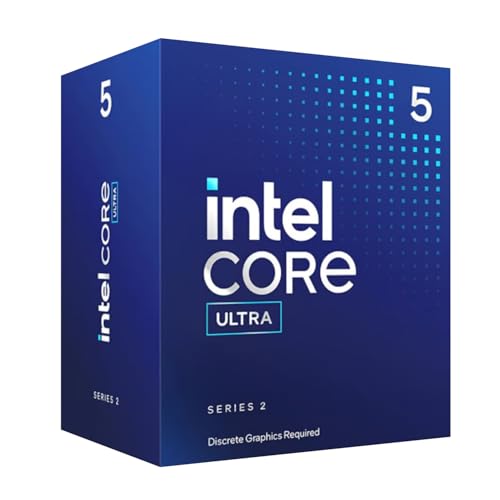
The best Intel Core Ultra 5 processor in 2026 is the Core Ultra 5 250K Plus, an 18-core LGA 1851 chip that adds four efficient cores and 10 MB of cache over the 245K it replaces. If you want a locked, cooler-running chip for a quiet build, the Core Ultra 5 245 or 235 are better matches, and the Core Ultra 5 225F is the cheapest way onto the platform. This guide compares the Core Ultra 5 desktop lineup by core layout, power rating and the kind of PC each one suits.
Core Ultra 5 is Intel’s mid-range tier for the Core Ultra 200S desktop family. Every chip uses the LGA 1851 socket, works with 800-series motherboards, supports DDR5 only and drops Hyper-Threading, so the thread count equals the core count. The differences that matter are the number of efficient cores, the cache size, whether the multiplier is unlocked and whether the chip carries integrated graphics.
Our top picks


As an Amazon Associate we earn from qualifying purchases at no extra cost to you.
Quick Comparison of the Core Ultra 5 Lineup
| Model | Best for | Cores (P + E) | P-core boost | L3 cache | Power rating | Unlocked |
|---|---|---|---|---|---|---|
| Core Ultra 5 250K Plus | Best overall | 18 (6 + 12) | 5.3 GHz | 30 MB | 125 W base, 159 W turbo | Yes |
| Core Ultra 5 245K | Efficient tuner | 14 (6 + 8) | 5.2 GHz | 24 MB | 125 W base | Yes |
| Core Ultra 5 245 | Quiet 65 W gaming | 14 (6 + 8) | 5.1 GHz | 24 MB | 65 W base, 121 W turbo | No |
| Core Ultra 5 235 | Mid-range balance | 14 (6 + 8) | 5.0 GHz | 24 MB | 65 W base, 121 W turbo | No |
| Core Ultra 5 225F | Lowest entry | 10 (6 + 4) | 4.9 GHz | 20 MB | 65 W base, 121 W turbo | No |
Best Overall: Core Ultra 5 250K Plus
Intel launched the Core Ultra 5 250K Plus in March 2026 as part of the Arrow Lake Refresh. It has 6 performance cores and 12 efficient cores, so 18 cores and 18 threads, a performance-core boost of 5.3 GHz and an efficient-core boost of 4.6 GHz. The listed power figures are a 125 W base rating and a maximum turbo power of 159 W, and official memory support rises to DDR5-7200. Intel also states that the refresh includes a faster die-to-die interconnect and a new wafer revision, and that the chip works with the Binary Optimization Tool, which tunes selected games.
Who it suits: gamers on a mid-range budget who want a platform with PCIe 5.0, current memory and room to upgrade to a Core Ultra 7 or 9 later. A variant called the 250KF Plus has the same layout and clocks but no integrated graphics, which suits anyone who always uses a discrete card.
Main trade-off: platform cost. A new motherboard and DDR5 memory are required, and a few boards need a BIOS update before they boot with the chip. The listed figures also vary slightly between sources, for example for base clock, so rely on Intel’s own specification page when you verify details.
Best for Tuning: Core Ultra 5 245K
The Core Ultra 5 245K has 14 cores (6 performance and 8 efficient), a boost up to 5.2 GHz, 24 MB of L3 cache, DDR5 support and an unlocked multiplier. It runs cooler than comparable Raptor Lake chips, which makes it appealing in small cases.
Who it suits: tinkerers who want to adjust memory speed and power limits, and anyone who finds it at a discount relative to the 250K Plus. The KF version removes integrated graphics for a lower price.
Main trade-off: reviewers described its launch-era gaming performance as underwhelming, and the 250K Plus now offers more cores and cache for a modest step up. Choose it only when the discount is meaningful.
Best Quiet Gaming Chip: Core Ultra 5 245
The non-K 245 uses the same 14-core layout as the 245K but with a 65 W base rating, turbo power up to 121 W and a boost near 5.1 GHz. Intel did not give it an unlocked multiplier, and it pairs naturally with B860 motherboards. Notebookcheck and early leaks list slightly different base clocks, so check Intel’s page if the exact figure matters to you.
Who it suits: living-room gaming PCs, small-form-factor builds and quiet office-gaming hybrids. A modest tower cooler is enough, and the lower heat output lets you run slower case fans.
Main trade-off: with no overclocking and lower sustained power, it will trail the K chips in heavy all-core work such as rendering, though the difference in games is small at 1440p and above.
Best Mid-Range Balance: Core Ultra 5 235
Intel lists the Core Ultra 5 235 with 14 cores (6 performance and 8 efficient), a 3.4 GHz P-core base clock, a 5.0 GHz maximum turbo, 24 MB of cache and a 65 W rating with turbo up to 121 W. It sits between the 225F and the 245, with the same 14-core layout as the 245 at slightly lower clocks.
Who it suits: buyers who want a 14-core chip at a lower cost than the 245 and who value silence. Gaming with a mid-range graphics card will feel nearly the same as with the 245.
Main trade-off: it is a small step down from the 245 and the price difference is often narrow, so compare both before buying.
Best Entry Point: Core Ultra 5 225F
The Core Ultra 5 225F has 10 cores (6 performance and 4 efficient), 10 threads, a 4.9 GHz P-core boost, a 4.4 GHz E-core boost, 20 MB of L3 and 22 MB of L2 cache, a 65 W rating and no integrated graphics. It is built on a 3 nm process and supports up to 24 PCIe lanes. The 225 is the same silicon with a small two-core integrated GPU.
Who it suits: budget builders pairing the chip with an RTX 4060-class card for 1080p gaming, or office users who want the newer socket. A benchmark reported by Wccftech indicated the 225F performs close to the 14-core Ultra 5 235 in some tests, which shows how little the extra efficient cores matter for light workloads.
Main trade-off: only 10 threads limit heavy multitasking and rendering, and you need a discrete graphics card because the F version has no video output.
Core Ultra 5 Versus Core Ultra 7 and Raptor Lake i5
| Comparison | Core Ultra 5 250K Plus | Alternative |
|---|---|---|
| Cores | 18 | Core Ultra 7 265K has 20, Core i5-14600K has 14 |
| Hyper-Threading | No | i5-14600K has it (20 threads) |
| Memory | DDR5 only, up to 7200 MT/s | i5-14600K can use DDR4 or DDR5 |
| Upgrade path | LGA 1851, newer chips possible | LGA 1700 is at the end of its life |
| Power under load | Up to 159 W | 14600K draws more under heavy load |
The newest Ultra 5 gives you the most future flexibility, while the older i5-14600K gives the lowest platform cost if you already own a compatible board and memory. If you do a lot of creator work, stepping up to the Ultra 7 tier adds eight or more cores.
How to Choose Among the Five
Pick by use case
| Your situation | Choose | Reason |
|---|---|---|
| Gaming with a mid or high-end card | 250K Plus or 250KF Plus | Most cores and cache in the tier |
| Small case, quiet fans | 245 or 235 | 65 W rating |
| Overclocking memory and power | 245K | Unlocked, cooler than Raptor Lake |
| Cheapest possible LGA 1851 build | 225F | Lowest cost, same platform |
| Troubleshooting without a GPU | 225, 245, 235 or K models | Integrated graphics included |
Worked example of platform cost
Imagine two builds with the same graphics card and storage. Build A uses the Core Ultra 5 250K Plus on a B860 board with 32 GB of DDR5. Build B uses an i5-14600K on a B760 board with 32 GB of DDR4. Build B often costs noticeably less on the memory and board, but it has no upgrade path, while Build A can accept a Core Ultra 7 or 9 later without a new board. If you keep a PC for five or more years and plan a mid-life CPU upgrade, Build A repays the premium. If you replace the whole machine every three years, Build B is the more economical choice.
Motherboards and Memory for Core Ultra 5
- B860: the usual partner for the 245, 235, 225F and even the 250K Plus. It offers PCIe 5.0 for the graphics slot on many models and enough M.2 slots for most users.
- Z890: choose it for K-series overclocking, higher memory speeds and extra connectivity. For a locked chip it is rarely worth the premium.
- H810: a cost-focused option with fewer features, suitable for a 225F or 235 office-gaming build.
- Memory: DDR5-6000 to DDR5-6400 in a 2 x 16 GB kit is a good target. The 250K Plus officially supports speeds up to DDR5-7200, but high-end kits add cost for small game gains.
Thermals and Power Supplies
A 65 W chip rarely exceeds roughly 121 W even in heavy bursts, so a tower cooler with a single 120 mm fan is enough for the 225F, 235 and 245. The 245K and 250K Plus benefit from a dual-tower air cooler or a 240 mm AIO, particularly if you lift power limits. For power supplies, a good 550 W to 650 W unit covers any Core Ultra 5 with a mid-range graphics card, and 750 W suits a high-end card. Calculate by adding the CPU turbo figure (159 W for the 250K Plus), the graphics card board power and about 75 to 100 W for the rest of the system, then keep 15 percent headroom.
Ownership Realities and Software
- BIOS updates: Arrow Lake had early performance and stability updates. Flash the latest firmware before installing Windows.
- Binary Optimization Tool: it improves selected games on the 200S Plus chips. Reviewers reported average gains in the high single digits, and Intel claims a larger improvement in supported titles, so gains vary by game.
- Windows scheduling: keep Windows 11 updated so the scheduler places game threads on performance cores.
- NPU and AI features: desktop Core Ultra chips carry limited AI hardware compared with laptop parts, so do not buy a desktop chip for NPU features.
What Binary Optimization Means for Your Games
Intel’s Binary Optimization Tool rewrites how certain game executables are scheduled on the chip’s cores, so the game’s most demanding instructions run in a more efficient order. It is available for the 200S Plus chips and affects only titles on Intel’s supported list. For a game on the list, the benefit can be noticeable; for a game that is not, you get the plain hardware result. When you read a review, check whether the benchmark numbers include the tool, because results with and without it can differ by several percent in the same title. Buy the chip for its cores and cache first, and treat the tool as a bonus.
First-Boot Setup Checklist for an LGA 1851 Build
- Update the motherboard BIOS before installing the operating system, using the flash-back button if your board has one and the chip is not yet supported out of the box.
- Enable the memory profile (XMP or its equivalent) so the DDR5 kit runs at its rated speed instead of the slower default.
- Turn on Resizable BAR in the BIOS so the graphics card can access its whole memory pool at once.
- Install the chipset driver, then the graphics driver, then run Windows Update to pick up scheduler improvements.
- Check temperatures with a monitoring tool during a ten-minute stress run, and adjust fan curves if the CPU settles above the low 80s Celsius.
- Keep power limits at the default Intel profile for the first week, and only then experiment with tuning.
Memory Capacity and Speed Guidance
| Use | Capacity | Suggested speed | Notes |
|---|---|---|---|
| Pure 1080p gaming | 16 GB (2 x 8 GB) | DDR5-5600 to 6000 | Adequate today, limited headroom |
| Modern gaming plus background apps | 32 GB (2 x 16 GB) | DDR5-6000 to 6400 | Best balance for most builds |
| Video editing, streaming, VMs | 64 GB (2 x 32 GB) | DDR5-6000 | Prioritize capacity over speed |
Two modules are more reliable than four on most consumer boards, because four DDR5 sticks put more strain on the memory controller and often force lower speeds. If you need 64 GB, buy two 32 GB modules rather than four 16 GB modules.
Which Resolution Is Each Ultra 5 Best At?
- 1080p high refresh: the CPU matters most here. The 250K Plus is the safest choice, and the 245K is a sound second.
- 1440p: the 245, 235 and 250K Plus all keep up with an upper-mid graphics card, so choose by power and noise preferences.
- 4K: the graphics card dictates the frame rate. Even the 225F is rarely the limiting part, though background tasks will be easier on a chip with more cores.
Mistakes to Avoid With Core Ultra 5
- Buying DDR4 memory out of habit and discovering the board and chip need DDR5.
- Choosing a Z890 board for a locked 65 W chip when a B860 board would give the same gaming result.
- Skipping a BIOS update, which can leave the chip running below its intended performance.
- Expecting the NPU to matter on desktop, when laptop Core Ultra chips are where that hardware is emphasized.
- Buying an F chip and forgetting that the system will not display anything without a graphics card installed.
Reading Core Ultra Names Correctly
Intel’s naming can confuse shoppers. The “Ultra 5” part is the tier, the “2” in “200S” marks the second Core Ultra generation, and the “S” marks desktop parts. A “Plus” suffix, as in 250K Plus, identifies the March 2026 refresh with extra cores and cache. A trailing K means unlocked, F means no integrated graphics, and KF means both. Because laptop chips share the Core Ultra 5 branding, make sure a listing says LGA 1851 or “desktop processor” before you buy, since a laptop part cannot be installed in a desktop socket.
When you compare two listings, look at four fields in order: socket, core layout, power rating and suffix. Those four fields explain nearly every difference you will see in price and performance across the whole Ultra 5 family, and they stop you from paying a premium for a feature you will never use.
Frequently Asked Questions
Is the Core Ultra 5 250K Plus good for gaming?
Yes. It is the strongest Core Ultra 5 for gaming and reviewers describe it as a leading value on the LGA 1851 platform. With a mid-range or upper-mid graphics card it performs well at 1080p, 1440p and 4K.
What is the difference between the Core Ultra 5 250K Plus and the 245K?
The 250K Plus has 18 cores against 14, 30 MB of L3 cache against 24 MB, faster official memory support and a boost of 5.3 GHz against 5.2 GHz. It also benefits from a faster die-to-die link.
Do Core Ultra 5 processors support DDR4?
No. All Core Ultra 200S processors, including the Ultra 5 line, require DDR5 memory and an 800-series motherboard.
Does the Core Ultra 5 225F have integrated graphics?
No. The F suffix means the integrated GPU is disabled or absent, so you need a discrete graphics card. The Core Ultra 5 225 without the F suffix includes a small integrated GPU.
Which Core Ultra 5 is best for a quiet PC?
The 245 and 235 are the best choices because their 65 W ratings allow smaller coolers and slower fans. They give up some peak performance compared with the K models.
Is Core Ultra 5 worth it over an older Core i5?
If you are building a new system and want a platform that can accept later Intel chips, yes. If you already own an LGA 1700 board with DDR4, an i5-14600K can be the better value.




Write Your Review
No reviews yet. Be the first to share your experience!