

Key takeaways
- Who it suits: builders who want one CPU for gaming, streaming and light creative work, and who accept buying a new motherboard.
- Pros: large core count for the tier, more cache than the 245K, strong multi-threaded performance, unlocked multiplier.
- Cons: reviewers describe LGA 1851 as a dead-end platform, it still trails AMD’s X3D chips in pure gaming, and power draw is higher than the 245K.
The best Core i5 for a new build in 2026 is the Core Ultra 5 250K Plus, because it pairs 18 cores with 30 MB of cache on the same LGA 1851 socket as the cheaper Ultra 5 chips. If you already own an LGA 1700 board, the Core i5-14600K or the i5-14400F gives you most of the performance without a platform swap. This guide ranks seven Core i5-class processors by what they actually do well, with core counts, clocks and power figures taken from Intel’s published specifications and the review data cited in each section.
Our top picks


As an Amazon Associate we earn from qualifying purchases at no extra cost to you.
Quick comparison of the best Core i5 CPUs
| Pick | Best for | Cores / threads | Max boost | Socket | Price tier |
|---|---|---|---|---|---|
| Core Ultra 5 250K Plus | Best overall for a new build | 18 / 18 | 5.3 GHz | LGA 1851 | Mid-range |
| Core Ultra 5 245K | Unlocked Arrow Lake on a tighter budget | 14 / 14 | 5.2 GHz | LGA 1851 | Mid-range |
| Core Ultra 5 225F | Best budget new-platform pick | 10 / 10 | 4.9 GHz | LGA 1851 | Budget |
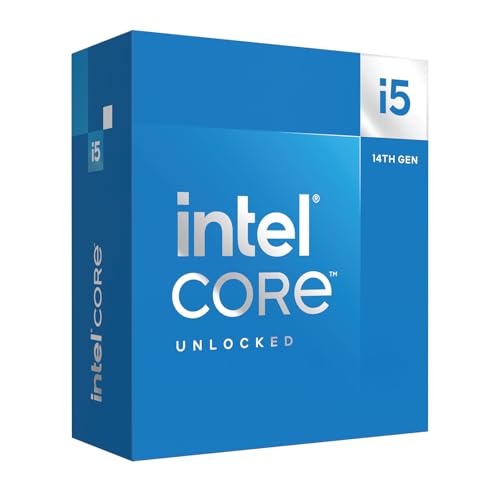
| Core i5-14600K | Best for existing LGA 1700 boards | 14 / 20 | 5.3 GHz | LGA 1700 | Mid-range |
| Core i5-13600K | Best used or discounted value | 14 / 20 | 5.1 GHz | LGA 1700 | Mid-range |
| Core i5-14400F | Best budget gaming chip on LGA 1700 | 10 / 16 | 4.7 GHz | LGA 1700 | Budget |
| Core i5-12400F | Cheapest sensible entry point | 6 / 12 | 4.4 GHz | LGA 1700 | Budget |
One naming note before the picks. On desktop, Intel moved from the “Core i5” label to “Core Ultra 5” with the Arrow Lake generation, so the modern successor to a Core i5 is a Core Ultra 5. Shoppers searching for a Core i5 in 2026 therefore see both families on shelves, and this list covers both so you can compare like with like. Cores and threads differ because the Ultra 5 chips dropped Hyper-Threading, which is why a 14-core Ultra 5 245K shows 14 threads while a 14-core Core i5-14600K shows 20.
Best overall: Intel Core Ultra 5 250K Plus
The Core Ultra 5 250K Plus is the strongest Core i5-class processor you can buy new. According to TechPowerUp’s specification table it has 18 cores, a 5.3 GHz boost clock, 30 MB of cache and a maximum turbo power of 159 W, on the LGA 1851 socket. It supports DDR5 memory up to 7,200 MHz, which matters if you plan to run a faster kit later.
Review data puts it close to the Ryzen 5 9600X in games and well ahead in multi-threaded work. Tom’s Hardware found it only about 1 percent faster than the 9600X in gaming, while TechSpot measured roughly 2 to 3 percent in its 14-game average. In rendering the gap is much larger, with TechSpot reporting an 86 percent lead over the 9600X in Blender. Compared with the Core Ultra 5 245K, Tom’s Hardware measured about a 9 percent gaming gain, though the chip draws roughly 22 percent more power in games.
The practical meaning is simple. If your day mixes gaming with video exports, streaming software, virtual machines or large code builds, the extra efficiency cores do real work, and the 250K Plus keeps responsiveness high when several heavy applications run at once. If you only play games on a graphics card that is already the bottleneck, you will not see a large difference from the cheaper chips below it.
- Who it suits: builders who want one CPU for gaming, streaming and light creative work, and who accept buying a new motherboard.
- Pros: large core count for the tier, more cache than the 245K, strong multi-threaded performance, unlocked multiplier.
- Cons: reviewers describe LGA 1851 as a dead-end platform, it still trails AMD’s X3D chips in pure gaming, and power draw is higher than the 245K.
Pair it with a B860 motherboard to keep the platform cost sensible. A decent dual-tower air cooler is enough at stock settings, and a 240 mm all-in-one is the comfortable choice if you intend to overclock or run long sustained renders.
Best unlocked Ultra 5 for a tighter budget: Intel Core Ultra 5 245K
The Core Ultra 5 245K has 14 cores, a 5.2 GHz boost clock, 24 MB of cache and a 159 W maximum turbo power, built on a 3 nm process for LGA 1851. It has no Hyper-Threading, so threads equal cores at 14.
Tom’s Hardware’s performance hierarchy, as summarized by iTechGuides, places it ahead of the Core i5-14600K, with a gaming score of 92.5 percent against 85.8 percent and a multi-threaded score of 55.8 against 53.9 percent. CPU-Monkey shows a similar picture, with the 245K around 8 percent ahead in single-core and 7 percent ahead in multi-core work. The 250K Plus has since overtaken it at a similar launch tier, so the 245K makes the most sense when it is discounted or bundled with a board.
Its main appeal is efficiency. In game loads it uses noticeably less power than the 250K Plus, which lowers heat and fan noise. That makes it a better match for small cases with limited airflow.
- Who it suits: gamers who want an unlocked chip and DDR5 support without paying for the extra cores of the 250K Plus.
- Pros: strong single-thread speed, efficient in games, modern platform features.
- Cons: no Hyper-Threading, fewer cores than the 250K Plus, and the same dead-end socket.
Best budget new-platform pick: Intel Core Ultra 5 225F
The Core Ultra 5 225F has 10 cores (6 performance and 4 efficiency), a 4.9 GHz performance-core turbo, 20 MB of L3 cache and a 65 W base power with a 121 W maximum turbo, according to the comparison tables on Nanoreview and Technical City. The F suffix means no integrated graphics, so you need a discrete graphics card. The Ultra 5 225 is the same part with the integrated GPU enabled.
CPU-Monkey measures it about 27 percent faster in single-core and 46 percent faster in multi-core than the Core i5-12400F. PassMark shows it roughly 16 percent ahead of the Core i5-14400F in single-thread. It is a locked chip, so it suits builders who want a cool, quiet system rather than an overclock.
The trade-off is thread count. With only 10 threads it can fall behind the older 14400F, which keeps Hyper-Threading, in workloads that scale across many threads.
- Who it suits: first-time builders pairing it with a budget or mid-range graphics card on a B860 or H810 board.
- Pros: low power, current platform, DDR5 only, easy to cool.
- Cons: only 10 threads, locked multiplier, no upgrade path beyond this socket generation.
Best for existing LGA 1700 boards: Intel Core i5-14600K
The Core i5-14600K is a Raptor Lake Refresh chip with 6 performance cores and 8 efficiency cores for 20 threads, a 5.3 GHz boost clock, 24 MB of cache and a 125 W base power with a 181 W maximum turbo, per TechPowerUp’s table. It sits on LGA 1700, so it drops into most Z690, B660, Z790 and B760 boards after a BIOS update.
For anyone who already owns a compatible board, this is the least expensive route to a large upgrade. Hyper-Threading gives it a thread count that the newer 245K does not match, which helps in video encoding and multitasking. The cost is heat. At full turbo power it needs a quality tower cooler or a 240 mm all-in-one, and a basic stock cooler will throttle under sustained load.
- Who it suits: upgraders with a working LGA 1700 board and DDR4 or DDR5 memory they want to keep.
- Pros: 20 threads, high boost clock, no new motherboard needed, memory flexibility depending on the board.
- Cons: high power draw, end-of-line socket, and the new Ultra 5 chips beat it in efficiency.
Best used or discounted value: Intel Core i5-13600K
The Core i5-13600K has 14 cores (6 performance and 8 efficiency), 20 threads and a 5.1 GHz boost clock, with 24 MB of L3 cache and a 125 W base and 181 W maximum turbo power, as listed by TechSpot and CPU-Monkey. Memory support is DDR4-3200 or DDR5-5600 depending on the board, and it includes UHD Graphics 770 for troubleshooting without a graphics card. It launched in late 2022.
Performance is within a few percent of the 14600K in most applications because the two share the same core layout, with the 14600K gaining a small clock bump. When the 13600K is available at a clear discount, it is the better value of the pair. Buying new stock is increasingly rare, so check the seller and the warranty terms carefully if you shop secondhand.
- Who it suits: bargain hunters and anyone refreshing an older Intel system.
- Pros: strong multi-threaded output, integrated graphics, wide board support.
- Cons: used units may have no warranty, and it has the same cooling demands as the 14600K.
Best budget gaming chip on LGA 1700: Intel Core i5-14400F
The Core i5-14400F has 10 cores (6 performance and 4 efficiency), 16 threads, a 4.7 GHz turbo and 20 MB of L3 cache, with a 65 W base power and 148 W maximum turbo, based on the Nanoreview and PassMark comparison pages. It has no integrated graphics. Because it keeps Hyper-Threading, it runs 16 threads against the 225F’s 10, which still helps in background-heavy workloads.
For 1080p and 1440p gaming with a mid-range graphics card, this processor rarely limits frame rates. It is locked, runs cool on an inexpensive tower cooler, and works on affordable B660 and B760 boards.
- Who it suits: budget builders and anyone upgrading from an older system onto a low-cost LGA 1700 board.
- Pros: excellent efficiency, strong thread count for the tier, cheap boards.
- Cons: no integrated GPU, no overclocking, and the platform will not receive a next-generation upgrade.
Cheapest sensible entry point: Intel Core i5-12400F
The Core i5-12400F is an Alder Lake chip with 6 performance cores, 12 threads, a 4.4 GHz turbo, 18 MB of L3 cache and a 65 W TDP. It has no efficiency cores and no integrated graphics. The Ultra 5 225F is faster by a wide margin, but the 12400F remains a workable option when the budget is the main constraint and the target is 1080p gaming.
- Who it suits: very tight budgets and office-plus-gaming machines.
- Pros: low cost, low heat, a modest cooler is often sufficient.
- Cons: only six cores, so it ages quickly in modern games that use more threads.
How to choose a Core i5 in 2026
Decision matrix by situation
| Your situation | Best choice | Reason |
|---|---|---|
| New build, mid-range budget, gaming plus creative work | Core Ultra 5 250K Plus | Most cores and cache for the tier |
| New build, tight budget | Core Ultra 5 225F | Cheap board, low power, current platform |
| Owns an LGA 1700 board, wants a big upgrade | Core i5-14600K | No board change, 20 threads |
| Owns an LGA 1700 board, small budget | Core i5-14400F | Efficient, cool, enough for 1440p gaming |
| Wants overclocking headroom | 250K Plus, 245K, 14600K or 13600K | Unlocked multiplier |
| Needs integrated graphics | 13600K or 14600K | Intel UHD 770 included on the non-F versions |
Understand the suffixes
A K suffix means the multiplier is unlocked. An F suffix means the processor has no integrated graphics, which saves a little money but leaves you without a display output if your graphics card fails. Chips without a suffix are locked but keep the integrated GPU. KF combines both traits: unlocked and no iGPU.
Platform and memory matter as much as the chip
LGA 1851 boards use DDR5 only, while LGA 1700 boards come in DDR4 and DDR5 versions, so check the board before you buy memory. If you are moving from DDR4, factor in the cost of a new kit when you compare platforms. Longevity also differs. Reviewers at PCGamesN highlight LGA 1851 as a dead-end socket, and LGA 1700 has already reached its final generation, so neither gives you a future upgrade path inside Intel’s lineup. AMD has committed to supporting AM5 through 2027 and beyond, which is an advantage for people who upgrade the CPU every few years.
Worked example: power and cooling budget
Take a 125 W base processor such as the 14600K. Suppose it averages 150 W of package power under a mixed workload for 3 hours a day. That is 0.45 kWh per day. Over a year that is roughly 164 kWh for the CPU alone. A 65 W part like the 14400F averaging 60 W over the same 3 hours uses 0.18 kWh per day, or about 66 kWh per year, so the unlocked chip draws more than twice as much energy. The yearly difference is modest, but heat output also decides cooler size. As a rule of thumb, choose a cooler rated for roughly twice the chip’s base power for locked parts, and a cooler rated for at least the maximum turbo power for unlocked parts you plan to push.
Compare against AMD before you commit
The Ryzen 5 9600X is the natural rival to the Core Ultra 5 250K Plus. Reviews show the two close in gaming, with Ryzen leading by 9 to 22 percent in some titles such as Rainbow Six Siege and Battlefield 6, and Intel winning by around 14 percent in others such as The Last of Us Part II. AM5 is a mature platform with affordable boards and a longer upgrade path, which counts for more than a one or two percent difference in average frame rate. If you want the longest-lived system, check the AMD alternative first.
Pairing guide: board, memory, graphics and cooler
| CPU | Suggested board class | Memory | Graphics card tier | Cooler class |
|---|---|---|---|---|
| Core Ultra 5 250K Plus | B860 or Z890 | DDR5-6000 to 7200 | Mid-range to high-end | Dual tower or 240 mm AIO |
| Core Ultra 5 245K | B860 | DDR5-6000 | Mid-range to high-end | Single or dual tower |
| Core Ultra 5 225F | B860 or H810 | DDR5-5600 to 6000 | Budget to mid-range | Entry tower |
| Core i5-14600K | B760 or Z790 | DDR4-3200 or DDR5-5600 | Mid-range to high-end | Dual tower or 240 mm AIO |
| Core i5-13600K | B760 or Z690 | DDR4-3200 or DDR5-5600 | Mid-range | Dual tower or 240 mm AIO |
| Core i5-14400F | B760 | DDR4-3200 or DDR5-5200 | Budget to mid-range | Entry tower |
| Core i5-12400F | B660 or H610 | DDR4-3200 | Budget | Stock or entry tower |
The graphics tier column is a rule of thumb. A processor in the budget row will still run a high-end graphics card, but you may be CPU-limited in esports titles at 1080p. Conversely, putting a 250K Plus with an entry-level graphics card wastes the extra cores unless you also edit video or compile code.
Cooling and power supply guidance
Match the cooler to the chip’s turbo limit, not just its base power. The locked 65 W chips (225F, 14400F, 12400F) run comfortably on a mid-range single-tower air cooler. The unlocked parts with a turbo power from 159 W to 181 W benefit from a dual-tower cooler or a 240 mm liquid cooler, especially if the case has limited airflow. For power supplies, a quality 550 W to 650 W unit covers a build with a mid-range graphics card and any chip on this list. Step up to 750 W or more if you plan to pair a K-series processor with a high-end graphics card.
Update the motherboard BIOS before installing a 14th generation processor on an older LGA 1700 board, and enable the XMP or EXPO memory profile after the first boot, because memory frequently defaults to a conservative speed. On Intel boards, also check the power limit settings: many boards ship with unlimited turbo power, which raises temperatures without a matching gain in everyday speed. Setting a sensible power limit can cut heat noticeably while keeping most of the performance.
Upgrade scenarios in practice
From a 10th or 11th generation Core i5
These chips use the older LGA 1200 socket, so any move to a modern Core i5 means a new motherboard and, in most cases, new memory. At that point the decision is really between the LGA 1700 route, where used and discounted parts are cheap, and the LGA 1851 route, which is newer but has a shorter remaining life. If the budget allows, the Core Ultra 5 250K Plus gives the biggest generational jump.
From a 12th generation Core i5
If you already own an i5-12400F or i5-12600K on a B660 or Z690 board, upgrading within the socket to a 14600K or 14400F is the sensible move. You keep the board, memory and cooler, and you gain more efficiency cores. Check that the motherboard maker offers a BIOS that supports the 14th generation before buying.
From an older Ryzen system
Switching vendors always means a new board and memory. Treat it as a fresh build and compare the 250K Plus directly against Ryzen alternatives rather than assuming Intel is the cheaper path.
Common mistakes when buying a Core i5
- Buying an F-series chip without a spare graphics output for troubleshooting.
- Pairing a 181 W turbo chip with the box cooler or a very small tower cooler.
- Choosing an LGA 1851 board and then discovering the memory kit is DDR4.
- Paying extra for a K-series chip and then pairing it with an entry-level board that has weak power delivery.
- Ignoring thread count: the Ultra 5 chips do not have Hyper-Threading, so a 14-core 245K shows 14 threads while the older 14600K reports 20.
- Skipping the BIOS update on a used LGA 1700 board and then wondering why a newer chip will not boot.
Frequently Asked Questions
What is the best Core i5 CPU in 2026?
For a new build, the Core Ultra 5 250K Plus is the best Core i5-class processor thanks to its 18 cores, 5.3 GHz boost and 30 MB of cache. For an existing LGA 1700 system, the Core i5-14600K is the top pick because it needs no new motherboard.
Is Core i5 still worth buying in 2026?
Yes, for gaming and general use. Intel has renamed the desktop line to Core Ultra 5, but the older 13th and 14th generation Core i5 chips still deliver strong performance when bought at a discount for an LGA 1700 board.
Do I need an aftermarket cooler for a Core i5?
For locked 65 W chips such as the 14400F, a basic tower cooler is usually enough. For unlocked chips with a turbo power near 160 to 181 W, an aftermarket tower cooler or a 240 mm all-in-one is recommended to avoid throttling under sustained loads.
Is the Core i5-14600K better than the Core Ultra 5 245K?
It depends on the task. The 245K is faster in single-core and gaming scores according to Tom’s Hardware, while the 14600K has 20 threads against the 245K’s 14, which helps in multi-threaded work. The 14600K also saves you a motherboard if you already have an LGA 1700 board.
Which is better for gaming, Core i5 or Ryzen 5?
The two are very close at the same tier. Reviews of the Core Ultra 5 250K Plus show roughly a tie with the Ryzen 5 9600X in gaming, with results swinging by title, so the decision usually comes down to platform cost and upgrade path.





Write Your Review
No reviews yet. Be the first to share your experience!