

Key takeaways
- Discover the best economy tablets for streaming, reading and study, comparing screen, battery, storage and app access to help you choose with confidence.
An economy tablet is not meant to replace a laptop or compete with a flagship slate. Its job is simpler and, for many households, more useful: stream video in the kitchen, keep a child entertained on a long drive, handle reading and browsing on the sofa, join video calls, and run everyday apps without feeling frustrating. The best economy tablets succeed because they focus spending on the parts you notice every day — a clear screen, enough memory to keep apps responsive, speakers you can hear, and battery life that lasts a full day of mixed use — while cutting back on extras many buyers never use.


As an Amazon Associate we earn from qualifying purchases.
The four tablets below are all general-purpose consumer tablets with different priorities: a large Android all-rounder, an Amazon-services model, a storage-focused study pick, and a compact travel option.
Quick Picks
| Product | ASIN | Best For |
|---|---|---|
| Samsung Galaxy Tab A9+ 64GB | B0CLF3VPMV | Best overall Android value |
| Amazon Fire HD 10 (2023) 32GB | B0BHZT5S12 | Streaming and Amazon services |
| Lenovo Tab M11 128GB with Folio Case | B0CQMGKBK9 | Study, reading, and built-in storage |
| Amazon Fire HD 8 (2024) 64GB | B0CVD9FV99 | Compact travel and reading |
For most buyers who want standard Android with Google Play, the Samsung Galaxy Tab A9+ (B0CLF3VPMV) is the safest starting point. For a household deep into Prime Video, Kindle, and Alexa, the Fire HD 10 (B0BHZT5S12) keeps things simple. The Lenovo Tab M11 (B0CQMGKBK9) appeals when you want more built-in storage from the start and a larger screen for documents. The Fire HD 8 (B0CVD9FV99) is the pick when portability matters more than screen size.
How to Choose
Start with the app ecosystem
This is the most important decision, and it comes before screen size or storage. Android tablets from Samsung and Lenovo use standard Android with Google Play, so apps for school, work, banking, video calling, and streaming are generally available as most people expect. Amazon Fire tablets run Fire OS and use the Amazon Appstore. That works well for Prime Video, Kindle, Audible, Alexa, and many popular entertainment apps, but Google Play is not supported on Fire tablets in the standard setup, and some specific apps may be missing. If a child needs a particular school app, or you need a specific work tool, check that exact app on the platform before buying anything else.
Choose screen size by how you will hold it
Compact tablets around eight inches are easy to hold in one hand, slip into a small bag, and use for reading in bed or on a train. They are less comfortable for split-screen work or watching with another person. Tablets around ten to eleven inches give video more impact, make documents easier to read, and allow two apps side by side in a more usable way. The trade-off is portability: a larger tablet is more likely to live on a sofa or desk than in a coat pocket. Think about where the tablet will spend most of its time, not just the biggest screen in the tier.
Look at resolution, memory, and storage together
For streaming and reading, a resolution of 1920 by 1200 on a ten or eleven inch screen looks noticeably sharper than a basic HD panel, especially for text. A higher refresh rate, such as the 90Hz panel listed for the Galaxy Tab A9+, can make scrolling feel smoother, although it does not change the quality of a film itself. Memory affects how smoothly a tablet switches between apps: three gigabytes is workable for light streaming and reading, while four gigabytes feels more comfortable for everyday multitasking. Storage fills faster than many buyers expect once downloads, games, and photos accumulate. A microSD slot is valuable insurance, but built-in storage is still simpler for apps. If you download a lot for travel, favour larger built-in capacity or plan for a card from the start.
4 Best Options
1. Samsung Galaxy Tab A9+ — Best Overall Android Value
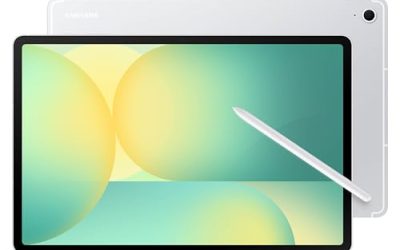
The Galaxy Tab A9+ is the most balanced economy tablet in this group because it combines a large, smooth screen with standard Android, quad speakers, and flexible storage. Its listing describes an 11 inch display with 1920 by 1200 resolution, a 90Hz refresh rate, and 480 nits of brightness, which together suit streaming, browsing, and split-screen use. The listing also highlights Multi Window Display, useful at this size for keeping notes beside a web page or a video beside messages.
Performance comes from a Qualcomm Snapdragon 695 chipset in the listing information, paired in this configuration with 4GB of RAM and 64GB of storage. That combination is aimed at everyday tasks rather than demanding gaming, and expandable storage up to 1TB via microSD gives the tablet room for downloaded films and photos. Battery capacity is listed at 7040 mAh in listing information for this model, and the design is described as slim, light, and durable in graphite.
Specs
- Display: 11 inches, 1920 x 1200, 90Hz, 480 nits, TFT LCD
- Processor: Qualcomm Snapdragon 695
- Memory: 4GB RAM
- Storage: 64GB, expandable up to 1TB via microSD
- Speakers: Quad speakers with Dolby Atmos
- Model: SM-X210NZAAXAR, Galaxy Tab A9+
- ASIN: B0CLF3VPMV
Best for: Families and general buyers who want a large Android tablet for streaming, browsing, light multitasking, and shared viewing without stepping into a higher tier.
Watch out for: This configuration has 64GB of built-in storage, so heavy downloaders should add a microSD card or choose a larger variant carefully, confirming the ASIN still matches. There is no stylus focus here, so dedicated note-takers should check accessory support closely.
2. Amazon Fire HD 10 (2023) — Best for Streaming and Amazon Services
The Fire HD 10 is built for relaxation inside Amazon’s ecosystem. Its Amazon listing describes a 10.1 inch Full HD display with 1920 by 1200 resolution, an octa-core processor, and 3GB of RAM, with performance described by Amazon as faster than the previous generation. The size hits a sweet spot: large enough for comfortable video and reading, small enough to remain a casual household tablet.
Storage in this configuration is 32GB, with the listing noting 64GB variants and expansion up to 1TB with a microSD card sold separately. Battery life is listed at up to 13 hours for reading, browsing, watching video, and listening to music, and charging is via USB-C. Front and rear cameras are both listed at 5MP with 1080p HD video recording. The tablet runs Fire OS 8, includes Alexa, and some listings are for a version with lockscreen ads, so check the exact variant at checkout.
Specs
- Display: 10.1 inches, 1920 x 1200, strengthened aluminosilicate glass
- Processor: Octa-core, up to 2.05 GHz on the performance cores as listed
- Memory: 3GB RAM
- Storage: 32GB, expandable up to 1TB via microSD
- Battery life: Up to 13 hours as listed
- Cameras: 5MP front and rear, 1080p HD video recording
- Operating system: Fire OS 8
- ASIN: B0BHZT5S12
Best for: Prime Video, Kindle, Audible, and Alexa households that want a simple, larger tablet mainly for entertainment, reading, and video calls.
Watch out for: Fire OS uses the Amazon Appstore and Google Play is not supported in the standard setup, so confirm any must-have app first. The 32GB capacity fills quickly with downloaded video, and some versions include lockscreen ads unless a different variant is selected.
If your viewing and reading already live inside Amazon services, the Fire HD 10 (B0BHZT5S12) removes friction that a standard Android tablet cannot, and that convenience is its real value.
3. Lenovo Tab M11 — Best for Study, Reading, and Built-In Storage
The Lenovo Tab M11 listing pairs an 11 inch display with more built-in storage than the other large picks in their listed configurations. The listing title describes a MediaTek Helio G88 octa-core processor, 4GB of RAM, 128GB of storage, a 1920 by 1200 display, an ambient light sensor, up to 10 hours of battery life, and a folio case included with this offer. That bundle matters for students and families because a case is often a necessary extra, and having it in the box simplifies the purchase.
The tablet runs Android 13 in its technical details, weighs 1.03 pounds, and carries model number ZADA0043US. The screen suits PDFs and study, and the storage holds more offline material. Confirm the configuration for B0CQMGKBK9, because Tab M11 bundles vary by offer.
Specs
- Display: 11 inches, 1920 x 1200
- Processor: MediaTek Helio G88 octa-core, 2 GHz as listed
- Memory: 4GB RAM
- Storage: 128GB as described in the listing title
- Battery life: Up to 10 hours as listed
- Operating system: Android 13
- Model: ZADA0043US, Tab M11, Luna Grey
- Included in this listing: Folio case
- ASIN: B0CQMGKBK9
Best for: Students and readers who want a large screen, generous built-in storage for documents and downloads, standard Android with Google Play, and a case included in the listed bundle.
Watch out for: Pen inclusion varies across Tab M11 offers, so do not assume a stylus is in the box for this ASIN unless the listing states it clearly. The Helio G88 is an everyday performance chip, not a gaming-focused one, so keep expectations set for study, media, and light games.
For a study-leaning household, the Lenovo Tab M11 (B0CQMGKBK9) makes a practical case on storage and screen size alone, provided you verify bundle contents for that exact listing before ordering.
4. Amazon Fire HD 8 (2024) — Best Compact Travel and Reading Pick
The Fire HD 8 is the small, simple option. Its Amazon listing describes an 8 inch HD display with 1280 by 800 resolution and IPS technology, a hexa-core 2.0 GHz processor, and in this 64GB configuration, 4GB of RAM. That memory helps the tablet feel more responsive for streaming, browsing, and light apps, while the compact body is easy to hold for long reading sessions and easy to pack for travel.
Battery life is listed at up to 13 hours, storage expands up to 1TB via microSD, and charging is via USB-C with a 5W adapter listed, so charging is slow. Like the Fire HD 10, it uses Fire OS and the Amazon Appstore rather than Google Play.
Specs
- Display: 8 inches, 1280 x 800 at 189 ppi, IPS, strengthened aluminosilicate glass
- Processor: Hexa-core 2.0 GHz
- Memory: 4GB RAM in the 64GB configuration
- Storage: 64GB, expandable up to 1TB via microSD
- Battery life: Up to 13 hours as listed
- Size: 7.94 x 5.40 x 0.37 inches as listed
- Generation: 12th generation, 2024 release
- ASIN: B0CVD9FV99
Best for: Travellers, readers, and anyone who wants a second, highly portable tablet for streaming, books, and casual browsing around the house or on the move.
Watch out for: The HD resolution is noticeably softer for small text than the Full HD screens above, and Fire OS app limits apply just as they do on the Fire HD 10. Confirm the configuration, because Fire HD 8 versions differ in memory and storage and the ASIN changes with them.
Which One Fits
Choose the Samsung Galaxy Tab A9+ if you want one tablet to do a bit of everything for the whole family, with standard Android, a large smooth screen, and strong speakers for shared viewing. It is the default recommendation when no single ecosystem or special need dominates.
Choose the Amazon Fire HD 10 if your household watches Prime Video, reads Kindle books, and uses Alexa every day, and you have confirmed the apps you need are available on Fire OS. Its larger screen makes it a better living-room and kitchen tablet than the compact Fire model.
Choose the Lenovo Tab M11 if study and reading are the main jobs, you want more built-in storage from the start, and a folio case in the listed bundle appeals to you. It suits a student who works with documents and downloads material for offline use.
Common Mistakes
The most common mistake is buying by screen size alone and discovering the app store problem later. A Fire tablet is excellent inside Amazon services and frustrating if a required school, work, or Google app is missing. Always check your three most important apps on the platform before anything else.
A third mistake is assuming every variant of the same tablet name is identical. Memory, storage, lockscreen ads, pen or case inclusion, and even colour can change the ASIN. Use the ASIN in the Quick Picks table to land on the intended configuration, then re-check the options selected on the page before ordering.
FAQ
What is the difference between an economy tablet and a flagship tablet?
Economy tablets focus on everyday jobs such as streaming, reading, browsing, and video calls, using simpler processors and LCD screens to stay in a lower tier. Flagship tablets add faster chips, higher quality displays, and richer stylus and keyboard ecosystems. For media and light use, the everyday experience can be close, while demanding games, creative work, and heavy multitasking show the gap most clearly.
Can economy tablets run school and work apps?
Standard Android tablets such as the Samsung and Lenovo picks here run Google Play apps, so most school and productivity apps are available, subject to specific app requirements. Fire tablets use the Amazon Appstore, and some school or work apps may be missing, so a Fire tablet should only be chosen for study or work after checking that exact app. In all cases, confirm the app name and tablet model before buying for a required use.
How much storage do I need in a budget tablet?
For streaming only, a smaller capacity with a microSD slot can be enough, because little is stored permanently. For downloading films for travel, keeping games, or storing school material offline, larger built-in capacity is more comfortable and simpler to manage. Choose more built-in storage if several people share the tablet or if you travel often without reliable Wi-Fi, and add a card for media either way.
Do these economy tablets support styluses and keyboards?
Support varies by model and bundle. Some Lenovo Tab M11 offers are sold with a pen, while others are not, and the Samsung Galaxy Tab A9+ should not be assumed to support a specific stylus unless its listing states it. Bluetooth keyboards generally pair with Android and Fire tablets for typing, but dedicated keyboard cases are model specific. Check the exact ASIN listing for included accessories rather than relying on the tablet family name.
Closing Verdict
The best economy tablet is the one whose compromises you will never notice in daily use. For most buyers, that is the Samsung Galaxy Tab A9+ (B0CLF3VPMV), with its large smooth screen, standard Android, quad speakers, and expandable storage. Households centred on Amazon services will be happier with the Fire HD 10 (B0BHZT5S12) for a big screen or the Fire HD 8 (B0CVD9FV99) for travel, while students and readers who want generous built-in storage should look closely at the Lenovo Tab M11 (B0CQMGKBK9). Decide on the app ecosystem first, then screen size, then storage, and any of these four will feel like money spent in the right places rather than money saved in the wrong ones.
More from Amazon
Programs that pair well with the guide above. Offers and eligibility are set by Amazon and may change.
Free shipping on eligible items, Prime Video and more. Eligible new members can start with a free trial.
Start a Prime free trialAd-free music streaming. Eligible new subscribers can start with a free trial.
Try Music Unlimited freeA Prime membership for ages 18-24 with a trial period. Eligibility is set by Amazon.
See Prime for Young AdultsAudiobooks and podcasts to listen to on the go. Eligible new members can start with a free trial.
Try Audible freeAs an Amazon Associate we earn from qualifying purchases.

Write Your Review
No reviews yet. Be the first to share your experience!