

Key takeaways
- Compare five new 2025 tablets for work, notes, movies, and play, with screen, memory, battery, pen support, and chip details to help you pick one.
A tablet can replace a notebook, a second screen, a reading device, and a portable movie screen, yet the wrong choice leaves you with a screen that feels cramped, a pen that lags, or storage that fills up after a few large apps and files. The decision matters because tablets now handle documents, video calls, drawing, note taking, and games, so size, chip, memory, and battery shape how well each job runs.
Students, office workers, artists, travelers, and families all shop this group for different reasons, and the five tablets below cover those needs with names and details taken from their Amazon pages. You will find a light everyday iPad, a stronger iPad Air, two Samsung tablets in different sizes, and a large OnePlus tablet built around a flagship chip and a big battery.
Quick Picks
As an Amazon Associate we earn from qualifying purchases
| Product | Best for | Key spec from title |
|---|---|---|
| Apple iPad 11-inch A16 | Everyday use and school | A16 chip, 11-inch Liquid Retina display, 128GB |
| Apple iPad Air 11-inch M3 | Work and creative apps | M3 chip, 11-inch Liquid Retina display, 128GB |
| Samsung Galaxy Tab S11 | Notes and media on the move | 11-inch Dynamic AMOLED 2X display, 256GB |
| Samsung Galaxy Tab S11 Ultra | Large-screen work and drawing | 14.6-inch display, 256GB, 12GB RAM |
| OnePlus Pad 3 | Games and long viewing sessions | Snapdragon 8 Elite, 13.2-inch display, 256GB |
How to Choose
Match the Screen to Your Main Job
Screen size changes how a tablet feels in daily use, so match it to the job you will do most often. An 11-inch screen slips into a small bag, rests well on a lap, and suits reading, notes, email, and video calls without adding much weight. A 13.2-inch or 14.6-inch screen gives documents, timelines, and drawing apps more room, and it makes split-screen work far easier, though it needs a larger bag and two hands more often. Hold the size in mind alongside weight, because a big screen that stays at home helps no one on a busy day.
Weigh Chip Power Against Everyday Needs
Chip power decides how smoothly apps open, how quickly large files load, and how well games and editing tools run. A modern chip such as the A16, M3, Snapdragon 8 Elite, or Dimensity 9400+ handles browsing, streaming, documents, and drawing with ease, while a stronger chip adds headroom for video editing, layered art, and demanding games. Buyers who mainly read, watch, and write can favor battery life and screen quality over raw power. Buyers who edit, draw, or play heavy games should put the chip near the top of the list.
Check Memory, Storage, and Pen Support
Memory and storage decide how many apps stay ready and how much room remains for photos, videos, and downloads. Look for at least 128GB of storage if you keep media offline, and choose 256GB when you store large games, course files, or edited video. A pen in the box adds real value for handwriting, sketching, and marking up documents, so check whether one comes with the tablet or must be bought apart. Also confirm the pen charges with the tablet, because a pen that needs a separate cable or battery soon gets left behind.
Think About Battery, Sound, and Ports
Battery life, sound, and ports shape long days away from a desk, so weigh them before you settle on a model. A large battery suits flights, lectures, and workdays without a charger nearby, while strong speakers make movies and calls sound fuller without headphones. A USB-C port covers charging and many accessories, and it also links the tablet to a display or a drive when needed. Check the number of speakers, the battery capacity on the listing, and whether the tablet supports a keyboard, because those details affect comfort far more than a single headline feature.
The 5 Best Options
1. Apple iPad 11-inch A16
This iPad suits buyers who want a simple, light tablet for school, home, and office tasks without a long list of extras to learn. Its 11-inch Liquid Retina display keeps text sharp and colors vivid for reading, browsing, and streaming, while the A16 chip moves through everyday apps with ease. Touch ID unlocks the tablet quickly, USB-C covers charging and accessories, and the slim body fits easily in a bag beside a notebook. It handles notes, email, video calls, and light photo work well, and it pairs with an Apple Pencil for handwriting and sketching.
Specs
- A16 chip with 5-core CPU, 4-core GPU, and 16-core Neural Engine
- 11-inch Liquid Retina display with 2360-by-1640 resolution at 264 ppi
- 128GB storage
- Wi-Fi 6
- 12MP front camera and 12MP back camera
- Touch ID
- All-day battery life
- USB-C connector
Best for: Everyday use, school, reading, and light office work.
Watch out for: Storage stays at 128GB on this model, so heavy media libraries need cloud space or a larger model.
ASIN: B0DZ7871B8
2. Apple iPad Air 11-inch M3
The iPad Air M3 adds a stronger chip and faster wireless to the same handy 11-inch size, which makes it a better pick for buyers who run creative apps or juggle many tasks at once. Its M3 chip handles photo editing, drawing, and large documents with room to spare, while the Liquid Retina display keeps fine detail clear. Wi-Fi 6E supports quick wireless links where networks allow it, Touch ID keeps sign-in simple, and the light body still travels well. It also works with Apple Pencil models for notes and art, and its all-day battery suits long work sessions.
Specs
- Apple M3 chip
- 11-inch Liquid Retina display
- 128GB storage
- Wi-Fi 6E
- 12MP front camera and 12MP back camera
- Touch ID
- All-day battery life
Best for: Creative work, multitasking, and buyers who want more power in a portable size.
Watch out for: A keyboard and a pencil come apart from the tablet, so plan for those extras if you need them.
ASIN: B0DZ76BN5D
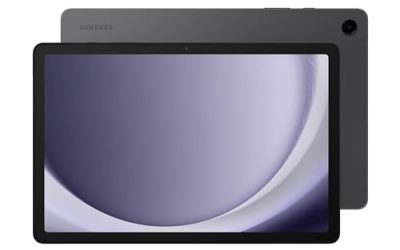
3. Samsung Galaxy Tab S11

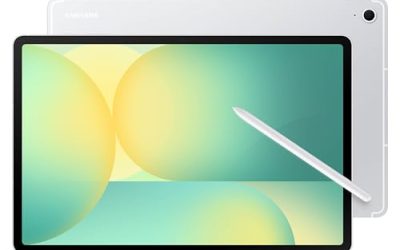
The Galaxy Tab S11 pairs a vivid 11-inch AMOLED screen with an S Pen in the box, a mix that suits note taking, drawing, and media in a portable frame. Its Dynamic AMOLED 2X display shows deep blacks and rich color for movies and photos, while the 120Hz refresh keeps scrolling and pen strokes smooth. The Dimensity 9400+ chip runs demanding apps without fuss, 12GB of memory keeps many apps ready, and 256GB of storage leaves room for games and downloads. Its IP68 seal adds protection against dust and water, which helps when the tablet travels to class, work, or outdoors.
Specs
- 11-inch Dynamic AMOLED 2X display, 2560 x 1600, up to 120Hz
- MediaTek Dimensity 9400+ processor
- 12GB RAM
- 256GB storage
- S Pen included
- IP68 dust and water resistance
- Galaxy AI features
Best for: Handwritten notes, drawing, and vivid media in a portable tablet.
Watch out for: A keyboard cover comes apart from the tablet, so buyers who type a lot should add one.
ASIN: B0FGKN976K
4. Samsung Galaxy Tab S11 Ultra
The Galaxy Tab S11 Ultra turns a tablet into a large workspace, with a 14.6-inch screen that suits drawing, document work, and split-screen apps. Its Dynamic AMOLED 2X display keeps text and images crisp across the wide panel, while the S Pen gives artists and note takers a natural tool for fine lines. With 12GB of memory and 256GB of storage, it holds large apps and files with ease, and its 11,600 mAh battery supports long sessions away from a charger. The big screen also makes movies feel closer to a small television, though the tablet needs a roomy bag and a steady surface.
Specs
- 14.6-inch Dynamic AMOLED 2X display, up to 120Hz
- 12GB RAM
- 256GB storage
- 11,600 mAh battery
- 13MP rear camera
- S Pen included
- Model SM-X930
Best for: Large-screen drawing, document work, and split-screen multitasking.
Watch out for: Its size and weight suit a desk or a large bag more than a coat pocket or a small purse.
ASIN: B0FQKSCX2D
5. OnePlus Pad 3
The OnePlus Pad 3 centers on a large 13.2-inch screen, a flagship Snapdragon 8 Elite chip, and a 12,140 mAh battery, a mix that favors games, movies, and long work sessions. Its 144Hz display keeps motion smooth, Dolby Vision support adds depth to video, and eight speakers fill a room with fuller sound. With 12GB of memory and 256GB of storage, it runs heavy games and many apps at once, while 80W charging refills the large battery more quickly than slower chargers. The slim aluminum body stays under 6 mm thick, so the big screen still feels sleek in hand.
Specs
- Qualcomm Snapdragon 8 Elite processor
- 13.2-inch IPS LCD, 2400 x 3392, 144Hz refresh rate
- 12GB RAM
- 256GB storage
- 12,140 mAh battery with 80W charging
- 13MP rear camera and 8MP front camera
- 8-speaker setup with Dolby Atmos
- Wi-Fi only, Storm Blue
- Aluminum body, 675 grams, 6 mm thick
Best for: Games, movies, and long sessions where a large smooth screen matters.
Watch out for: It uses an LCD panel rather than AMOLED, so blacks look less deep than on the Samsung tablets here.
ASIN: B0FC2HCN1Q
Which One Fits Your Situation
You Want a Light Tablet for School and Home
Pick the iPad 11-inch A16 when portability and simplicity matter most. Its 11-inch screen, light body, and A16 chip cover notes, reading, browsing, and video calls without fuss, while Touch ID and USB-C keep daily use simple. It also suits younger users and shared family use, because the interface stays easy to learn and the tablet fits in most bags.
You Draw, Edit, or Juggle Many Apps
Pick the iPad Air M3 or the Galaxy Tab S11 Ultra when creative work fills your day. The iPad Air brings M3 power in a portable frame for photo work and drawing, while the Ultra adds a huge canvas and an included S Pen for detailed art and split-screen plans. Both handle layered files and many open apps better than a basic tablet.
You Take Notes by Hand Every Day
Pick the Galaxy Tab S11 when handwriting sits at the heart of your routine. Its S Pen comes in the box, its AMOLED screen keeps ink lines crisp, and its 11-inch size travels well to lectures and meetings. The 256GB of storage also leaves room for years of notebooks, PDFs, and course files.
You Play Games and Watch Movies for Hours
Pick the OnePlus Pad 3 when long entertainment sessions matter most. Its 13.2-inch 144Hz screen, eight speakers, and 12,140 mAh battery suit games and movies, while the Snapdragon 8 Elite chip keeps demanding titles running smoothly. The large display also works well for reading comics and browsing photo collections and short video clips.
Common Mistakes
- Choosing a screen that is too small for drawing or too large for daily travel.
- Buying 128GB of storage when games, video, and course files will fill it quickly.
- Forgetting that a keyboard and a pen may come apart from the tablet.
- Ignoring battery capacity when the tablet must last through long days away from a charger.
- Picking a tablet for one feature while the chip, memory, and screen do not match the main job.
Frequently Asked Questions
Which tablet here suits school use best?
The iPad 11-inch A16 suits most school use because it stays light, runs everyday apps smoothly, and pairs with a pencil for notes. The Galaxy Tab S11 also works well for school, since its S Pen comes in the box and its screen suits handwriting. Choose the iPad for a simple setup, or the Samsung when a pen matters from day one.
Do any of these tablets include a pen in the box?
Yes, both Samsung tablets here include an S Pen in the box, which suits handwriting and drawing without an extra purchase. The iPad models and the OnePlus Pad 3 need a pencil or stylus bought apart. Check the listing for the exact model you choose, because pen support varies by brand and generation.
Which tablet has the largest screen?
The Samsung Galaxy Tab S11 Ultra has the largest screen here at 14.6 inches, ahead of the OnePlus Pad 3 at 13.2 inches. The other three tablets use 11-inch screens, which travel more easily. A larger screen helps drawing and split-screen work, while a smaller screen suits bags, laps, and one-hand use.
Can these tablets replace a laptop for office work?
They can cover many office tasks, such as email, documents, video calls, and notes, especially with a keyboard added. Heavy spreadsheet work, large file editing, and desktop-only apps still favor a laptop. Pick a tablet with a strong chip, enough storage, and a keyboard when office work fills most of your day.
More from Amazon
Programs that pair well with the guide above. Offers and eligibility are set by Amazon and may change.
Free shipping on eligible items, Prime Video and more. Eligible new members can start with a free trial.
Start a Prime free trialAd-free music streaming. Eligible new subscribers can start with a free trial.
Try Music Unlimited freeA Prime membership for ages 18-24 with a trial period. Eligibility is set by Amazon.
See Prime for Young AdultsAudiobooks and podcasts to listen to on the go. Eligible new members can start with a free trial.
Try Audible freeAs an Amazon Associate we earn from qualifying purchases.
Write Your Review
No reviews yet. Be the first to share your experience!