

Key takeaways
- The best tablets for comics and manga, compared by screen shape, resolution, color and storage, with picks for full-page reading, long manga sessions and tight budgets.
A comic page is drawn as one composition, and the wrong screen breaks it in one of two ways: shrink the page to fit and the lettering turns to mush, or zoom in and pan panel to panel and the layout the artist built disappears. The real decision is not processing power. It is how the screen’s size, shape and sharpness present a full page, balanced against the weight your hands hold for an hour at a time.


This guide is for superhero and graphic novel readers who want whole pages without constant zooming, manga readers who burn through volumes in long sessions, and collectors whose libraries live in apps or in files they already own. Every pick below was chosen from the names and specifications on its Amazon product page, with display size, resolution, storage and weight doing most of the sorting.
Quick Picks
As an Amazon Associate we earn from qualifying purchases.
| Product | Best for | Key spec from title |
|---|---|---|
| Samsung Galaxy Tab S10 FE+ 128GB | Full pages and two-page spreads | 13.1-inch display, 2880 x 1800 |
| Apple iPad Air 11-inch (M3) 128GB | Sharp, accurate color in a light body | 11-inch Liquid Retina, M3 chip |
| Apple iPad 11-inch (A16) 128GB | Most readers and most comic apps | 11-inch Liquid Retina, A16 chip |
| BOOX Go Color 7 Gen II | Manga marathons without screen glare | 7-inch Kaleido 3 color E Ink |
| Amazon Fire HD 10 (2023) 32GB | A first comics tablet, kids included | 10.1-inch 1080p Full HD display |
How to Choose
Screen Size and Shape Decide How a Page Fits
A standard comic page is taller than it is wide, so the screen’s proportions matter as much as its diagonal. Squarer screens, closer to the shape of the page itself, show that page larger with less wasted space at the edges, while very wide screens letterbox the art and push you toward landscape spreads or constant zooming. Around 11 inches, a full page stays readable without help. At 13 inches, two-page spreads open the way print readers see them. At 7 inches, plan on panel-by-panel guided reading rather than whole pages.
Resolution and Color Decide Whether the Art Survives
Fine linework and small lettering are the first casualties of a soft screen, so resolution deserves attention before almost anything else. A dense panel keeps captions, sound effects and background detail legible at full-page size, while a coarse one forces you to zoom for text the artist expected you to read at a glance. Color handling splits the field: LCD panels render painted and modern color work at full saturation, while color E Ink trades that punch for a paper-like surface, with color resolution lower than its black-and-white resolution.
Storage and Expansion Decide How Much Library Lives Offline
A comic library grows quietly. Single issues are small, but collected editions, omnibus volumes and high-resolution files add up across a long series, and readers who keep everything offline can fill a modest tablet faster than expected. Tablets with a microSD slot let the library grow on cheap removable storage and move easily between devices. Fixed-storage tablets demand a decision on day one: pick the capacity for the collection you will own in three years, not the one you have today, because there is no adding room later.
Weight and Battery Decide How Long a Session Lasts
Reading is a holding task, not a desk task. A large tablet that feels fine for ten minutes of video can strain one hand across a two-hundred-page graphic novel, and the heaviest models here weigh more than three times the lightest. Battery behaviour shapes sessions too: conventional tablets need charging every day or two of heavy reading, while E Ink sips power and stretches sessions across days. An adjustable front light or a warm night mode matters if most of your reading happens in bed after the room lights go off.
The 5 Best Options
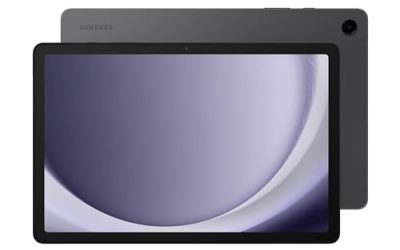
Samsung Galaxy Tab S10 FE+ 128GB
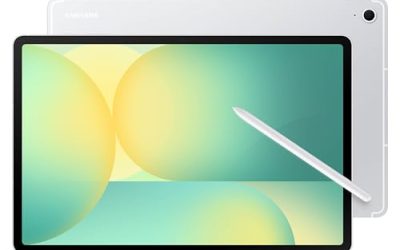
This is the pick for readers who refuse to zoom. The 13.1-inch screen is the largest in this guide, big enough that a full page lands close to the size of a printed trade paperback page and two-page spreads open without squeezing the art into a strip. The 2880 x 1800 resolution keeps lettering clean at that size, the included S Pen suits readers who annotate or sketch in margins, and the microSD slot means a growing library never has to fight the internal storage. It is a two-handed, couch-and-desk tablet rather than a one-handed one.
Specs
- Display: 13.1-inch, 2880 x 1800, up to 90Hz refresh rate
- Processor: Samsung Exynos 1580
- Memory and storage: 8GB RAM, 128GB, microSD expansion
- Pen: S Pen included in the box
- Build: IP68 water and dust resistance
- Color and configuration: Silver, 128GB, Wi-Fi, US Version
Best for: Readers of full issues and graphic novels who want spreads and full pages at near-print size.
Watch out for: The size that makes pages glorious also makes it the heaviest style of tablet here; confirm the exact color and storage variant before ordering, because several configurations share one listing family.
ASIN: B0DVZWJL91
Apple iPad Air 11-inch (M3) 128GB
The iPad Air’s squarer screen is close to the natural shape of a comic page, so pages display larger here than on widescreen tablets of similar size, with slim borders and little wasted space. The Liquid Retina panel renders modern color work accurately, the M3 chip keeps heavy collected-edition files and large libraries responsive, and the body stays light enough for long one-handed stretches. Readers already buying comics through apps on an iPhone will find their library waiting. It is the refined choice for color-first readers who read a bit of everything.
Specs
- Display: 11-inch Liquid Retina, 2360 x 1640
- Processor: Apple M3 chip
- Storage: 128GB
- Connectivity: Wi-Fi 6E
- Security: Touch ID in the top button
- Color and configuration: Space Gray, 128GB, Wi-Fi
Best for: Color comic readers who want the sharpest page shape and a light tablet for long sessions.
Watch out for: Storage is fixed at purchase with no card slot, so size it for your future library; Apple Pencil support is there if you annotate, but no pen is included in the box.
ASIN: B0DZ76BN5D
Apple iPad 11-inch (A16) 128GB
The standard iPad shares the Air’s page-friendly screen shape and the same 2360 x 1640 Liquid Retina resolution, which is what comic reading actually depends on, and pairs it with the A16 chip and a simpler brief: open the app, read the book. For readers whose comics live in subscription apps and store purchases rather than giant local files, it covers the job completely. It also suits households where the same tablet gets handed to kids for their own comics, since the ecosystem’s reading apps and parental controls are well established.
Specs
- Display: 11-inch Liquid Retina, 2360 x 1640
- Processor: Apple A16 chip
- Storage: 128GB
- Connectivity: Wi-Fi 6
- Security: Touch ID in the top button
- Color and configuration: Blue, 128GB, Wi-Fi
Best for: Most readers, especially anyone whose library sits inside reading and subscription apps.
Watch out for: Like the Air, there is no storage expansion, and the base capacity fills if you archive long series offline; this listing is the Blue 128GB Wi-Fi configuration, so check the variant selector carefully.
ASIN: B0DZ75TN5F
BOOX Go Color 7 Gen II
E Ink changes the reading experience more than any spec bump. The 7-inch Kaleido 3 screen shows color covers and color pages without glare, holds a page with almost no power draw, and the warm and cold front light keeps late-night manga sessions easy on the eyes. At about 195 grams with physical page-turn buttons, it disappears in one hand across a whole volume. Because it runs Android 13 with app access, your reading apps live here too. The trade is honest: color is softer and less saturated than print or LCD, and this is a manga-sized screen, not a full-page one.
Specs
- Display: 7-inch Kaleido 3 color E Ink, 1680 x 1264
- Resolution: 300 ppi in black and white, 150 ppi in color
- Memory and storage: 4GB RAM, 64GB, microSD card slot
- System: Android 13, supports reading apps
- Lighting: front light with warm and cold adjustment
- Weight: about 195 g, with physical page-turn buttons
Best for: Manga readers and long-session readers who want paper-like color without backlight glare.
Watch out for: Full-size American comic pages are small at 7 inches, so expect guided panel reading for those; only the BOOX InkSense stylus is supported and it is not included, and EMR pens do not work.
ASIN: B0F58ZHCX2
Amazon Fire HD 10 (2023) 32GB
The Fire HD 10 is the low-risk way into tablet comics: a 10.1-inch Full HD screen that shows a full page at a readable size, an octa-core processor that keeps reading apps moving, and a microSD slot that expands the small internal storage for a growing library. It fits readers who buy through the Kindle store, parents equipping a child with a first tablet, and anyone who wants a device they will not worry about in a bag. The limits are software-shaped rather than screen-shaped, and they are listed plainly below so nobody is surprised after setup.
Specs
- Display: 10.1-inch 1080p Full HD, 1920 x 1200
- Processor: octa-core
- Memory and storage: 3GB RAM, 32GB, microSD up to 1TB
- Battery: up to 13 hours
- Cameras: 5MP front-facing
- Color and configuration: Black, 32GB
Best for: Budget-conscious readers and kids, especially libraries bought through the Kindle store.
Watch out for: Fire OS has no Google Play Store, so check your preferred comic app exists in Amazon’s Appstore before buying; listings come in versions with or without lockscreen ads, so confirm which one you are ordering.
ASIN: B0BHZT5S12
Which One Fits Your Situation
You Read Full Issues and Graphic Novels at Home
Choose between the Galaxy Tab S10 FE+ and the iPad Air. The Samsung’s 13.1-inch screen is the only one here that opens two-page spreads comfortably, and its card slot swallows a big archive. The Air shows a single page larger for its size thanks to its squarer screen and stays lighter in the hand. Either way, prioritize screen area over processor speed; reading apps are not demanding software.
You Read Manga in Long Sessions, Often in Bed
The BOOX Go Color 7 Gen II is built for exactly this. It weighs about a third of the big tablets, its front light adjusts from cool to warm for dark rooms, the battery stretches across days of reading, and page-turn buttons mean no swiping with tired hands. Black-and-white art renders at full 300 ppi sharpness, and color covers still show in color. Just accept panel-by-panel reading for oversized editions.
Your Library Is Files You Own, Not App Purchases
Pick a tablet with a card slot: the Galaxy Tab S10 FE+ or the BOOX Go Color 7 Gen II. A microSD card lets an archive of collected editions live offline, grow cheaply and move to your next device without re-downloading anything. The iPads and the Fire can read owned files through the right apps too, but the iPads cap you at the storage you bought, which long series outgrow quietly.
You Are Buying for a Child or a First-Time Reader
The Fire HD 10 keeps the risk low: a readable Full HD page, expandable storage for an expanding series habit, and a device nobody will mourn if it slides off the couch. Set it up inside the Kindle ecosystem and the reading apps a child needs are the ones already there. If the child graduates to buying comics across several different stores and apps, step up to the standard iPad instead.
Common Mistakes
- Buying on screen size alone and ignoring shape, then wondering why pages look small on a wide 16:10 display with empty bands at the sides.
- Expecting color E Ink to match print or LCD saturation, when Kaleido panels are deliberately muted and render color at lower resolution than black and white.
- Choosing the smallest storage tier for a fixed-storage tablet while planning to archive a long series offline.
- Assuming a Fire tablet runs the same app stores as other Android tablets, and discovering a favorite comic app is missing after setup.
- Judging a tablet by a scanned PDF at full-page zoom, when the same book in a proper reading app with guided view reads perfectly well.
Frequently Asked Questions
Is a 10 or 11 Inch Tablet Big Enough for Comics?
For single pages, yes. An 11-inch tablet with a squarer screen shows a full page at a comfortable reading size with legible lettering, and a 10.1-inch Full HD screen manages it too. What smaller tablets cannot do is open two-page spreads at a useful size, and dense double-page art is where 13-inch models earn their place.
Are E Ink Tablets Good for Color Comics?
They are good for a specific kind of color reading. A Kaleido 3 screen like the BOOX’s shows covers, color inserts and color manga in genuine color, but the palette is muted compared with print or an LCD, and color renders at 150 ppi rather than 300. For black-and-white manga with occasional color, the trade favors E Ink. For painted graphic novels, choose LCD.
How Much Storage Does a Comic Library Need?
It depends on format and habit. App-based libraries can stream or download selectively, so modest storage survives. Readers who archive complete series as local files should think in growth: collected editions are far larger than single issues, and a library measured in hundreds of volumes outgrows 32GB quickly. A microSD slot removes the guesswork entirely.
Can I Read Comics Bought in One Store on a Different Tablet?
Usually, through that store’s own app. The Kindle app, for example, runs on iPads, Android tablets and Fire tablets, and purchases follow your account rather than the device. What does not transfer is a library between rival stores, so readers with books scattered across services should pick the tablet whose app selection covers the stores they already own books in.
More from Amazon
Programs that pair well with the guide above. Offers and eligibility are set by Amazon and may change.
Free shipping on eligible items, Prime Video and more. Eligible new members can start with a free trial.
Start a Prime free trialAd-free music streaming. Eligible new subscribers can start with a free trial.
Try Music Unlimited freeA Prime membership for ages 18-24 with a trial period. Eligibility is set by Amazon.
See Prime for Young AdultsAudiobooks and podcasts to listen to on the go. Eligible new members can start with a free trial.
Try Audible freeAs an Amazon Associate we earn from qualifying purchases.
Write Your Review
No reviews yet. Be the first to share your experience!