

Key takeaways
- The best large tablets with screens from 12.4 to 14.6 inches, compared by display, chip, stylus support and weight, with picks for work, drawing and media.
The real decision with a large tablet is not whether the bigger screen is nicer — it obviously is — but what you give up for it. A 13-inch or 14.6-inch slate stops being a one-handed couch device and becomes something you prop on a stand, carry in a bag and use like a small laptop. Weight, keyboard and stylus support, and how the operating system handles split-screen apps matter more at this size than any benchmark number, because the whole point of going large is doing two things side by side.


This guide is for people replacing an ageing laptop with a tablet-first setup, artists and note-takers who need a wide canvas, and anyone who watches video or reads documents on a tablet for hours. Every pick below has a screen of at least 12.4 inches, and each one was chosen from the names and specifications printed on its Amazon product page.
Quick Picks
As an Amazon Associate we earn from qualifying purchases.
| Product | Best for | Key spec from title |
|---|---|---|
| Apple iPad Pro 13-inch (M5) | Professional creative work and maximum power | 13-inch Ultra Retina XDR display, M5 chip, 256GB |
| Samsung Galaxy Tab S10 Ultra | The biggest screen for media and multitasking | 14.6-inch Dynamic AMOLED 2X display, S Pen included |
| Apple iPad Air 13-inch (M3) | A large Apple screen without the Pro premium | 13-inch Liquid Retina display, M3 chip, 128GB |
| Samsung Galaxy Tab S10+ | Android buyers who want AMOLED in a lighter body | 12.4-inch Dynamic AMOLED 2X display, S Pen included |
| OnePlus Pad 3 | Flagship speed and a fast screen for less | 13.2-inch 3.4K 144Hz display, Snapdragon 8 Elite |
How to Choose
Decide how large is large enough
Screen size changes how you hold and carry a tablet more than any other specification. A 12.4-inch model like the Galaxy Tab S10+ still works propped against your knees, while the 14.6-inch Tab S10 Ultra is closer to a laptop display and really wants a desk, stand or keyboard case. Measure your bag and your usual working spot before ordering, and check the listed weight as well as the diagonal: at this size, a difference of a few hundred grams decides whether the tablet travels with you or stays at home.
Match the chip and memory to the job
Large tablets split into two camps. Pro models such as the iPad Pro with M5 and the OnePlus Pad 3 with Snapdragon 8 Elite handle video editing, layered drawing files and demanding games without slowing down. Mid-tier chips like the M3 in the iPad Air or the Dimensity 9300+ in Samsung’s Tab S10 line still run office apps, split-screen browsing and streaming comfortably. Look at the RAM and storage printed in the listing title, and remember that only the Samsung models here accept a microSD card — on the others, the storage you buy is the storage you keep.
Check the stylus and keyboard story before you buy
Accessories make or break a large tablet used for work. Samsung includes the S Pen in the box with both Tab S10 models, while Apple Pencil and Magic Keyboard are separate purchases for the iPads, and OnePlus sells its stylus and keyboard apart as well. Check the exact accessory names in the listing, because stylus compatibility changes between generations. If you plan to type often, also confirm a keyboard case exists for that specific model and size before assuming the tablet can replace your laptop.
Think about ports, displays and outdoor use
A single USB-C port is standard on every tablet in this guide, so a hub or dock becomes part of the setup if you need external drives and a monitor at once. Panel type matters too: the OLED and AMOLED screens on the iPad Pro and Galaxy Tab models show deeper blacks for films, while the LCD panels on the iPad Air and OnePlus Pad 3 trade some contrast for sharpness and high refresh rates. Only the Samsung tablets list an IP68 rating, which matters if the tablet will live in a kitchen, workshop or school bag.
The 5 Best Options
Apple iPad Pro 13-inch (M5)
The iPad Pro is the pick for people whose work actually pushes a tablet: editing multi-track video, painting on huge canvases or running several demanding apps in Stage Manager. The M5 chip is the fastest processor in this guide, the Ultra Retina XDR tandem OLED panel is the best display here for colour-critical work, and the landscape front camera finally sits where it belongs for desk calls. It is also remarkably thin for its size, though the accessories that turn it into a laptop replacement are all sold separately.
Specs
- Display: 13-inch Ultra Retina XDR, 2752 x 2064 resolution
- Processor: Apple M5 chip
- Storage: 256GB
- Memory: 12GB RAM on this configuration
- Cameras: 12MP landscape front camera, 12MP back camera, LiDAR scanner
- Connectivity: Wi-Fi 7 with Apple N1, Bluetooth, USB-C
- Security: Face ID
- Weight: 1.28 pounds
Best for: Professionals who want the most powerful large tablet and the best pen-and-display combination Apple offers.
Watch out for: Apple Pencil Pro and the Magic Keyboard are separate purchases, and nano-texture glass is limited to the highest storage configurations.
ASIN: B0FWD1MS82
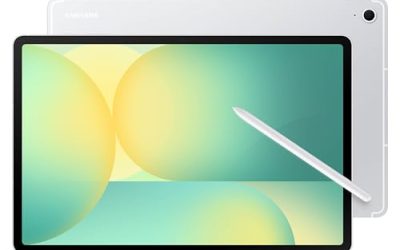
Samsung Galaxy Tab S10 Ultra
Nothing else in this guide gives you a screen this big. At 14.6 inches, the Tab S10 Ultra shows two full apps side by side without either feeling cramped, which makes it the strongest choice for reference documents next to your writing, or films on a tray table. The S Pen is in the box, the microSD slot removes storage anxiety, and Samsung’s DeX mode gives you a windowed, desktop-style layout on the tablet or an external monitor. The trade-off is simple: this is a desk and bag tablet, not one you hold for an hour.
Specs
- Display: 14.6-inch Dynamic AMOLED 2X, 2960 x 1848 resolution
- Processor: MediaTek Dimensity 9300+ (MT6989)
- Storage: 256GB, expandable by microSD up to 1.5TB
- Memory: 12GB RAM
- Cameras: 13MP rear camera, 12MP front camera
- Included accessory: S Pen
- Operating system: Android 14
- Weight: 1.58 pounds
Best for: Buyers who want the largest possible screen for split-screen work, drawing and films, with the stylus already included.
Watch out for: At 1.58 pounds before any case, it is the heaviest tablet here, and the keyboard cover is a separate purchase.
ASIN: B0DLJ6F4DL
Apple iPad Air 13-inch (M3)
The iPad Air 13-inch is the large Apple tablet most people should buy. You get the same 13-inch canvas as the Pro for drawing, documents and side-by-side apps, an M3 chip that stays quick through everyday creative work, and support for the same Apple Pencil Pro. What you give up is the OLED panel, the ProMotion high refresh rate and Face ID, replaced here by Touch ID in the top button. For students, home workers and casual artists, those are sensible things to trade away, and the Air is lighter on the bag as well as the budget.
Specs
- Display: 13-inch Liquid Retina, 2732 x 2048 resolution
- Processor: Apple M3 chip
- Storage: 128GB
- Cameras: 12MP front camera, 12MP back camera
- Connectivity: Wi-Fi 6E, Bluetooth 5.3, USB-C
- Security: Touch ID in the top button
- Model number: MCNH4LL/A
- Weight: 1.36 pounds
Best for: Students and home users who want a big iPad for notes, documents and media without paying for Pro hardware.
Watch out for: Storage starts at 128GB with no card slot, and the display runs at a standard refresh rate rather than ProMotion.
ASIN: B0DZ76QBLQ
Samsung Galaxy Tab S10+
The Tab S10+ is the balanced Android option: a 12.4-inch AMOLED screen that is large enough for split-screen work but noticeably easier to hold and carry than the Ultra. It keeps the important parts of the bigger model — the same Dimensity 9300+ processor family, 12GB of RAM, an S Pen in the box, microSD expansion and an IP68 rating — in a body that weighs about as much as the iPad Air. If you read comics and PDFs, mark up documents by hand or watch a lot of streamed video, this is the size that fits daily life best.
Specs
- Display: 12.4-inch Dynamic AMOLED 2X, 2800 x 1752 resolution
- Processor: MediaTek Dimensity 9300+ (up to 3.4 GHz)
- Storage: 256GB, expandable by microSD
- Memory: 12GB RAM
- Battery: 10,090 mAh
- Included accessory: S Pen
- Durability: IP68 water and dust resistance
- Weight: 1.25 pounds
Best for: Android users who want a premium pen tablet that is still comfortable to hold for reading and notes.
Watch out for: Confirm the listing is the US version (model SM-X820NZAAXAR), since grey-import listings of this tablet also circulate.
ASIN: B0D84MHZX5
OnePlus Pad 3
The OnePlus Pad 3 is the performance bargain of the group. Its Snapdragon 8 Elite chip matches the flagship class, the 13.2-inch LCD runs at 144Hz for smooth scrolling and gaming, and the 12,140 mAh battery is the largest capacity listed here. Eight speakers make it a strong video machine, and the taller 7:5-style screen shape shows documents and web pages well. It skips some premium touches — there is no OLED panel, no fingerprint reader headline feature and no microSD slot — but for raw speed per pound of tablet, it is hard to argue with.
Specs
- Display: 13.2-inch LCD, 3392 x 2400 resolution, 144Hz refresh rate
- Processor: Snapdragon 8 Elite
- Storage: 256GB
- Memory: 12GB RAM
- Battery: 12,140 mAh
- Audio: 8 speakers
- Operating system: Android 15 with OxygenOS 15
- Colour: Storm Blue
Best for: Gamers and power users who want flagship speed, a fast screen and long battery life from an Android tablet.
Watch out for: There is no microSD expansion, and the stylus and keyboard are sold separately; check what the box includes on the listing before ordering.
ASIN: B0FN6WLDMJ
Which One Fits Your Situation
You are replacing a laptop for office work
Start with the ecosystem you already use. If your files and apps live in Apple’s world, the iPad Air 13-inch with a keyboard case covers documents, mail, video calls and light creative work comfortably. If you prefer Android or need a proper windowed desktop mode on an external monitor, the Galaxy Tab S10+ with DeX is the more flexible tool, and its included S Pen handles signatures and markups without another purchase.
You draw, design or take handwritten notes
The iPad Pro 13-inch is the strongest drawing surface here thanks to its OLED panel and Apple Pencil Pro support, and it suits artists who already work in iPad apps. On Android, both Galaxy Tab models include the S Pen in the box, so the choice is about size: the Tab S10 Ultra gives illustrators a canvas closer to a sheet of A4 paper, while the Tab S10+ is easier to hold for long sketching sessions.
You mainly watch films and read
For media, screen quality and speakers matter more than processor speed. The Galaxy Tab S10 Ultra’s 14.6-inch AMOLED panel is the closest thing to a portable television in this guide. If that feels too big to hold, the Tab S10+ keeps the AMOLED picture in a lighter body, and the OnePlus Pad 3 counters with eight speakers and a sharp, fast LCD that suits brighter rooms.
You travel and need battery and durability
Frequent travellers should look at the Tab S10+ first: it is the lightest premium option here, carries an IP68 rating for spills and dust, and expands with a microSD card for offline media. The OnePlus Pad 3 is the other strong travel pick, with the largest battery capacity in the guide for long flights, though you will want a protective case since it has no water-resistance rating in its listing.
Common Mistakes
- Buying the biggest screen without checking the weight, then leaving the tablet at home because it is tiring to hold.
- Forgetting that iPad storage cannot be expanded later, and choosing a small capacity that fills up with video projects within a year.
- Assuming the stylus and keyboard are included, when only the Samsung models in this guide bundle the pen and every keyboard here is separate.
- Ordering an imported or wrong-region listing with a similar name instead of the exact model number shown for your country.
- Judging a large tablet by processor speed alone, when display type, refresh rate and split-screen software shape daily use far more.
Frequently Asked Questions
What size counts as a large tablet?
Most buyers and manufacturers treat anything from about 12 inches upward as large. That is the point where split-screen apps stop feeling cramped and a keyboard case becomes practical. The tablets in this guide run from 12.4 to 14.6 inches, which covers the range from holdable reading devices to full laptop-sized screens.
Is a 14.6-inch tablet too big to hold?
For long reading sessions, yes, for most people. The Galaxy Tab S10 Ultra weighs 1.58 pounds before a case, so it works best on a desk, stand or lap rather than held in two hands. It shines for films, drawing and side-by-side documents. If you read in bed or on a train every day, a 12.4-inch or 13-inch model is the safer size.
Can a large tablet really replace a laptop?
For email, documents, browsing, video calls and light creative work, yes — especially with a keyboard case and, on Samsung models, DeX mode. The limits are desktop-only software, file management and having a single USB-C port for accessories. If your job depends on a specific Windows or macOS program, check for an app or web version before switching.
Should I choose OLED or LCD on a big tablet?
OLED and AMOLED panels, like those on the iPad Pro and Galaxy Tab S10 models, give deeper blacks and better contrast for films and photo work. LCD panels, like those on the iPad Air and OnePlus Pad 3, are still sharp and colour-accurate, and the OnePlus adds a 144Hz refresh rate for smoother motion. Pick by what you watch and where, not by panel name alone.
More from Amazon
Programs that pair well with the guide above. Offers and eligibility are set by Amazon and may change.
Free shipping on eligible items, Prime Video and more. Eligible new members can start with a free trial.
Start a Prime free trialAd-free music streaming. Eligible new subscribers can start with a free trial.
Try Music Unlimited freeA Prime membership for ages 18-24 with a trial period. Eligibility is set by Amazon.
See Prime for Young AdultsAudiobooks and podcasts to listen to on the go. Eligible new members can start with a free trial.
Try Audible freeAs an Amazon Associate we earn from qualifying purchases.

Write Your Review
No reviews yet. Be the first to share your experience!