

Key takeaways
- Compare HDMI switches and KVM switches for a PC desk: what each one actually shares, the resolution and USB details that matter, and five picks to weigh.
An HDMI switch and a KVM switch look alike, but they solve two different desk problems. An HDMI switch takes video from several sources — a PC, a games console, a streaming box — and sends whichever you select to one display. Nothing else changes hands: each source keeps its own keyboard, mouse, controller or remote. A KVM switch goes further, letting two computers share one monitor and the same USB peripherals, so one keyboard, mouse and headset serve both machines.
Choosing the wrong type is a common mistake. A buyer who wants a work laptop and a gaming PC to share one desk often ends up with an HDMI switch, then discovers the keyboard and mouse must still be duplicated; a buyer with three consoles on one TV can pay for KVM features that will never be used. This guide explains the split, then walks through two HDMI switches and three KVM switches.
As an Amazon Associate, we earn from qualifying purchases.
Quick answer
Choose an HDMI switch when several sources share one display and each keeps its own controls; it changes only the picture. Choose a KVM switch when two computers share one monitor plus a keyboard, mouse and other USB peripherals, so a single desk setup serves both machines. Count your inputs, then match resolution and USB speed.
UGREEN HDMI Switch 3 in 1 Out, 4K@30Hz Version

The UGREEN HDMI switch, model 80125, suits a display that has run out of HDMI ports. It takes three HDMI sources, sends one to a single screen, and includes an IR remote for switching from the sofa. The listing confirms support for 4K at 30Hz, 2K at 60Hz and 1080p at 120Hz.
Its limits matter as much as its strengths. It is an HDMI 1.4 and HDCP 1.4 device, and UGREEN itself warns that it does not support HDMI 2.0 or HDCP 2.0 content. That suits older PCs, media players and consoles at 1080p or modest 4K, but not anyone who needs 4K at 60Hz. It also shares video only: with no USB ports, a keyboard and mouse stay tied to one machine.
| Spec | Detail |
|---|---|
| Inputs and output | 3 HDMI in, 1 HDMI out |
| Maximum video | 4K@30Hz, 2K@60Hz, 1080p@120Hz (HDMI 1.4) |
| Content protection | HDCP 1.4; no HDMI 2.0 or HDCP 2.0 |
| Switching | IR remote |
| Extras | HDR, CEC and 3D support |


Kinivo 501BN 5-Port HDMI Switch

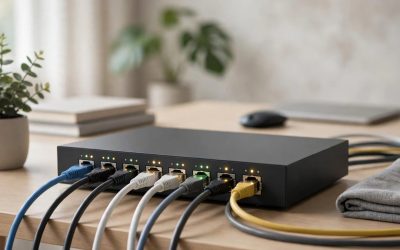
The Kinivo 501BN is the higher-capacity HDMI switch of the pair, with five HDMI inputs feeding one output, which suits a TV or monitor surrounded by consoles, a PC and a streaming device. It supports auto-switching to the input that has just powered on, plus an IR remote for manual control.
One detail needs care: the 501BN has been sold for a long time, and its original manual dates from the HDMI 1.3 and 1080p era. The current listing describes a revised model with 4K at 30Hz, HDR10, HDCP 2.2 and Dolby Vision support; rely on those figures. Even revised, its ceiling is 4K at 30Hz. Like the UGREEN switch, it is video-only. If your problem is too many boxes and too few ports, this solves it; if it is two computers, keep reading.
| Spec | Detail |
|---|---|
| Inputs and output | 5 HDMI in, 1 HDMI out |
| Maximum video | 4K@30Hz (current revision) |
| HDR and protection | HDR10, Dolby Vision, HDCP 2.2 |
| Switching | Auto-switching plus IR remote |
| Warranty | Two years |
UGREEN HDMI KVM Switch, USB 2.0 Version
Now for the KVM switches. The UGREEN USB 2.0 KVM lets two computers share one monitor at up to 4K and 60Hz over HDMI 2.0, plus USB peripherals through four USB 2.0 ports. One keyboard, mouse and other low-bandwidth devices such as a headset dongle or printer serve both machines, and you switch with the button on the unit or the included desktop controller. There is no auto-switching, which many desk users will prefer.
Two HDMI and two USB cables are included, and the switch is bus-powered through the USB A-to-B connections, so no separate power supply is needed. The trade-off is USB speed: 480Mbps is fine for input devices but slow for external drives. Choose it if your shared gear is a keyboard, mouse and similarly light equipment.
| Spec | Detail |
|---|---|
| Computers and displays | 2 computers, 1 monitor |
| Maximum video | 4K@60Hz (HDMI 2.0) |
| USB ports | 4 x USB 2.0, up to 480Mbps |
| Switching | Button or desktop controller; no auto-switching |
| In the box | 2 HDMI cables, 2 USB cables, desktop controller |
| Power | Bus-powered via USB A-to-B cables |
UGREEN HDMI KVM Switch, USB 3.0 Aluminum Version
The aluminum UGREEN KVM covers the same layout as the model above — two computers, one monitor, HDMI 2.0 at up to 4K and 60Hz — and it also carries 1080p at 240Hz for high-refresh gaming monitors. The meaningful upgrade is on the USB side: instead of four USB 2.0 ports, it provides three USB-A ports and one USB-C port at USB 3.0 speeds of 5Gbps, far better for sharing fast storage, capture devices or a busy hub.
It remains bus-powered, with a USB-C port that can accept external DC power when peripherals draw more current than the host connections supply. Keep this model distinct from the USB 2.0 version when ordering; they look similar and share the same headline video specification. Keyboards and mice do not care about the difference; external SSDs and docks do.
| Spec | Detail |
|---|---|
| Computers and displays | 2 computers, 1 monitor |
| Maximum video | 4K@60Hz, 1080p@240Hz (HDMI 2.0) |
| USB ports | 3 x USB-A plus 1 x USB-C, USB 3.0 up to 5Gbps |
| Power | Bus-powered, with USB-C port for external DC power |
UGREEN 8K HDMI DisplayPort KVM Switch, Triple Monitor (AK704)
The UGREEN AK704 is the heavyweight option, built for two computers that each drive three monitors. Its two DisplayPort 1.4 outputs and one HDMI 2.1 output each support up to 8K at 60Hz or 4K at 240Hz. Four USB 3.0 ports share peripherals, and the package includes four DisplayPort cables, two HDMI cables, two USB cables, a power adapter and a controller.
The requirements and omissions matter as much as the headline numbers. Each computer needs two DisplayPort outputs and one HDMI output to feed all three screens, ruling out many laptops and compact PCs unless a dock is involved. There is no EDID emulation, so a computer may rearrange its windows when a display drops, and no hotkey switching, so changes happen through the controller. For anything simpler than a dual-PC, three-monitor desk, this is more switch than the setup needs.
| Spec | Detail |
|---|---|
| Computers and displays | 2 computers, 3 monitors |
| Video outputs | 2 x DisplayPort 1.4 plus 1 x HDMI 2.1, each up to 8K@60Hz or 4K@240Hz |
| USB ports | 4 x USB 3.0 |
| In the box | 4 DisplayPort cables, 2 HDMI cables, 2 USB cables, power adapter, controller |
| Not included | No EDID emulation, no hotkey switching |
| Host requirement | Each PC needs 2 DisplayPort and 1 HDMI outputs |
How to Choose
Start with the question that decides the device type: do you need to share a keyboard and mouse, or only a picture? If several sources take turns on one display and each is controlled separately, an HDMI switch is the right tool. If two computers must share a monitor and the same desk peripherals, only a KVM switch does the job.
Next, count inputs and outputs. Three HDMI sources fit the UGREEN switch; five fit the Kinivo. On the KVM side, count monitors first: one-monitor and three-monitor models are entirely different products. Then match the video specification to your screen: 4K at 30Hz is a hard ceiling on both HDMI switches, while the KVM models reach 4K at 60Hz. Check HDCP support too if streaming devices are involved: the small UGREEN switch stops at HDCP 1.4, the revised Kinivo reaches HDCP 2.2.
Finally, look at the USB side and the switching method. USB 2.0 is enough for input devices; USB 3.0 matters once storage or a capture card joins the shared setup. Decide whether you want auto-switching, a desk controller or hotkeys, and note omissions such as the AK704’s missing EDID emulation. Included cables can swing the comparison too.
Who Should Skip
Skip every KVM switch here if you own one computer and just need more display inputs. Skip both HDMI switches if your goal is sharing a keyboard and mouse between two computers; neither has a USB port. Skip the UGREEN 3-in-1 switch if you need 4K at 60Hz or HDCP 2.0 content, since its listing rules both out. Skip the USB 2.0 KVM if you plan to share fast external storage. And skip the AK704 unless both computers have two DisplayPort and one HDMI output free and you can live without EDID emulation or hotkey switching.
FAQ
What is the real difference between an HDMI switch and a KVM switch?
An HDMI switch routes video from several sources to one display, and nothing else moves. A KVM switch routes video plus USB peripherals, so two computers share a monitor, keyboard, mouse and other USB gear. If you need one set of controls for two computers, you need the KVM.
Can I add a USB hub to an HDMI switch to share a keyboard?
No. An HDMI switch carries no USB data, and a hub plugged into a computer only serves that computer. Sharing peripherals between two machines requires a KVM switch with its own USB ports.
Will a KVM switch limit my resolution or refresh rate?
It can, so match the switch to your monitor. The single-monitor UGREEN KVMs support 4K at 60Hz, the USB 3.0 version also handles 1080p at 240Hz, and the AK704 reaches 8K at 60Hz or 4K at 240Hz per output. A switch with a lower ceiling than your screen becomes the bottleneck.
What should I check before buying a triple-monitor KVM?
Confirm each computer has the outputs the switch expects, which for the AK704 means two DisplayPort and one HDMI output per machine. Also decide whether you can accept no EDID emulation, which can let windows move when a display drops, and plan to switch with the controller rather than keyboard hotkeys.
Final Verdict
The decision comes down to what is being shared. For sources that only need screen time, the Kinivo 501BN offers the most inputs and HDCP 2.2 support. For two computers sharing one desk, the UGREEN USB 2.0 KVM is the balanced default, the USB 3.0 version is better when shared storage matters, and the AK704 stands alone for dual-PC, triple-monitor desks. Pick by the job first, then by the numbers.
More from Amazon
Programs that pair well with the guide above. Offers and eligibility are set by Amazon and may change.
Free shipping on eligible items, Prime Video and more. Eligible new members can start with a free trial.
Start a Prime free trialAd-free music streaming. Eligible new subscribers can start with a free trial.
Try Music Unlimited freeA Prime membership for ages 18-24 with a trial period. Eligibility is set by Amazon.
See Prime for Young AdultsAudiobooks and podcasts to listen to on the go. Eligible new members can start with a free trial.
Try Audible freeAs an Amazon Associate we earn from qualifying purchases.



Write Your Review
No reviews yet. Be the first to share your experience!