

Key takeaways
- Shopping for the best 500 dollar laptop is mostly a lesson in trade-offs. At that budget class, nobody gets a fast processor, a big SSD.
Shopping for the best 500 dollar laptop is mostly a lesson in trade-offs. At that budget class, nobody gets a fast processor, a big SSD, a sharp bright screen, and a metal chassis all at once. The real decision is which one or two of those things matter for your daily use, and which you can live without. A student who writes papers and streams lectures should prioritize differently than a remote worker with forty browser tabs or a parent who needs a shared family computer.
One note on honesty: the product titles used here state specs, not prices, and listing prices move constantly. This guide therefore does not claim that any model sits under a particular figure. Instead, it compares entry-level Windows laptops of the kind that shoppers in this budget class commonly consider, and leaves it to you to confirm the current listing price before buying. In 2026 the entry tier is dominated by Ryzen 3 and Ryzen 5 chips, Intel Core 3 and N-series processors, 8GB of RAM, and 128GB to 512GB of storage, and the differences between those combinations are what the sections below sort out.
Quick Picks
Our top picks




As an Amazon Associate we earn from qualifying purchases at no extra cost to you.
| Product | Best for | Key spec from the title |
|---|---|---|
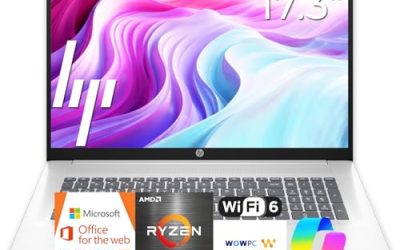
| HP OmniBook 3 17.3-inch | Big-screen family computer | 17.3″ FHD, Ryzen 3, 8GB RAM, 512GB SSD |
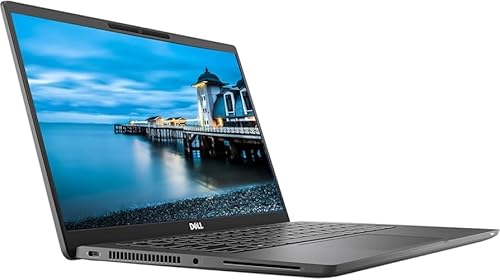
| Dell 15.6-inch Core 3 100U | All-round homework and office use | Core 3 100U, 8GB RAM, 512GB SSD, IPS 250 nits |
| HP 15.6-inch Touchscreen (Ryzen 3 7320U) | Light browsing with touch input | HD touchscreen, 8GB RAM, 128GB SSD, S Mode |
| Dell 15.6-inch Ryzen 5 7520U | Smoother screen and faster chip | FHD 120Hz IPS, LPDDR5, 512GB SSD |
| HP Everyday Student Laptop | Students who want bundled Office and extra storage | 128GB storage plus 500GB external HDD, Office 365 year |
| HP Everyday Slim Laptop | Simple, slim web and document use | Intel N150, 128GB SSD plus 1TB cloud storage |
How to Choose
Memory and storage matter more than the badge
Eight gigabytes of RAM is the working floor for a Windows laptop today; anything less turns a handful of browser tabs into a slideshow. Storage is trickier. A 128GB drive fills quickly once Windows updates and a few apps are installed, so 256GB is a more comfortable minimum, and 512GB gives real breathing room. Be wary of “extra storage” that comes from cloud subscriptions or an external hard drive, because those do not speed anything up.
Screen: resolution, refresh rate, and panel type
Full HD (1920×1080) is the threshold for comfortable reading and multitasking; an HD panel looks coarse on a 15.6-inch screen. IPS panels offer better viewing angles than the cheapest alternatives. A 120Hz refresh rate, which one listing names, makes scrolling feel smoother but is a bonus rather than a necessity. Brightness of 250 nits is adequate indoors and weak near a window. Touchscreens add cost and glare and are only worth it if you will use them.
Processor class and graphics expectations
Ryzen 3, Ryzen 5, Intel Core 3, and N-series chips all cover browsing, video, and office work. Ryzen 5 and Core-branded chips generally have more headroom than N-series chips, which are designed for very light use. Integrated graphics such as a Radeon 610M or Intel UHD handle video and casual games at low settings, not modern titles. If gaming is a priority, this budget class is the wrong place to look.
Windows edition and what to ignore
Windows 11 in S Mode only installs apps from the Microsoft Store, which can be limiting, though it can usually be switched out. Ignore bundles of earphones, mice, and cloud storage that make a listing look generous. Budget laptops typically trim keyboard backlighting, port selection, and build rigidity, so look at the port list and Wi-Fi standard in the title and decide what you cannot live without. A backlit keyboard, a metal lid, and a fingerprint reader are the sort of extras that rarely appear at this tier.
The 6 Best Options
HP OmniBook 3 17.3-Inch
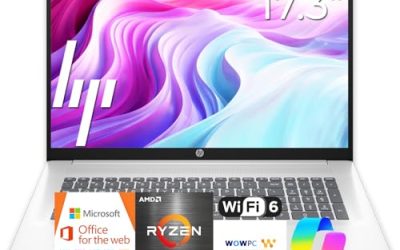
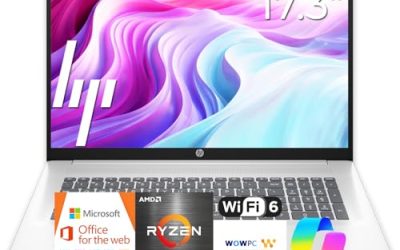
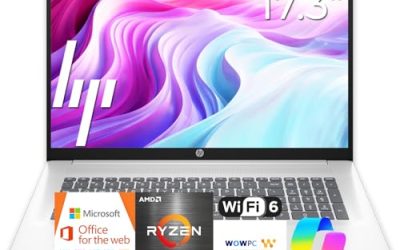
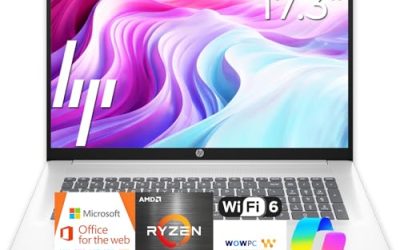
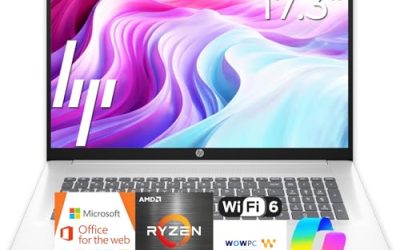
This HP pairs a 17.3-inch FHD display with an AMD Ryzen 3, 8GB RAM, a 512GB SSD, Radeon 610M graphics, and Windows 11 Home. It suits households that want a roomy screen for documents, video calls, and shared use, with enough storage to avoid constant cleanup. The large chassis is the cost of that big display. With a 512GB drive and Windows 11 Home out of the box, it also works as a set-it-and-forget-it family machine where several people store photos and school files side by side. The Ryzen 3 chip is an entry-level part, so expect it to suit documents and streaming rather than heavy editing.
- Strength: 512GB SSD gives ample room for files.
- Strength: large FHD display is comfortable for reading and spreadsheets.
- Trade-off: a 17-inch laptop is awkward to carry daily.
Skip it if you commute with your computer or want the lightest possible machine.
Dell 15.6-Inch Core 3 100U
Dell lists a 15.6″ FHD anti-glare IPS panel at 250 nits, an Intel Core 3 100U, 8GB of RAM, DDR4 memory, a 512GB SSD, and Wi-Fi 6 with Bluetooth. It is the most balanced all-rounder in the group, covering the screen quality, storage, and wireless standard that daily users notice. It suits students and home-office users. Because the listing names an IPS panel with anti-glare treatment, reading long documents is likely to be more comfortable here than on a glossy budget screen, though a 250 nits ceiling means a window-facing desk may still wash it out.
- Strength: FHD IPS anti-glare screen with a 512GB SSD.
- Strength: Wi-Fi 6 support for stable connections.
- Trade-off: 250 nits is modest brightness for sunny rooms.
Skip it if you need a high refresh rate or a touchscreen.
HP 15.6-Inch Touchscreen (Ryzen 3 7320U)
This HP offers an HD touchscreen, an AMD Ryzen 3 7320U, 8GB of RAM, a 128GB SSD, Radeon graphics, and Windows 11 Home in S Mode. It is a fit for casual browsing, streaming, and school basics when touch input is a benefit, such as for a younger user or a shared kitchen computer. The S Mode label deserves attention: it restricts installs to the Microsoft Store unless the owner switches out of it, which is a one-way change on many systems.
- Strength: touchscreen adds easy interaction.
- Strength: 8GB of RAM supports everyday multitasking.
- Trade-off: HD resolution and a 128GB drive are the thinnest specs in the group.
Skip it if you store many files or want sharper text.
Dell 15.6-Inch Ryzen 5 7520U
Dell lists an AMD Ryzen 5 7520U with Radeon 610M, an FHD 120Hz IPS display, LPDDR5 memory, a 512GB SSD, Wi-Fi 5, Bluetooth, and Windows 11 Home in Carbon Black. The 120Hz panel and Ryzen 5 are the standouts, making it the most responsive-feeling option in this lineup on paper. LPDDR5 memory is typically soldered to the board, and the visible title does not state the amount, so confirm the RAM capacity on the full listing because it usually cannot be upgraded later. Gamers on a budget may find the 120Hz panel appealing for smoother motion, though the integrated graphics still limit demanding titles.
- Strength: 120Hz FHD IPS screen is smoother than typical budget panels.
- Strength: Ryzen 5 with a 512GB SSD gives the most headroom here.
- Trade-off: Wi-Fi 5 is one generation behind Wi-Fi 6.
Skip it if wireless speed on a modern router is a priority, or if the unstated RAM amount worries you.
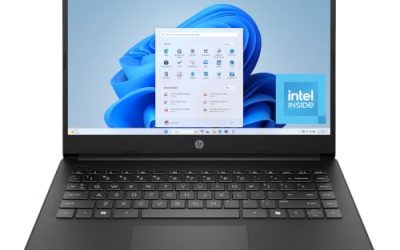
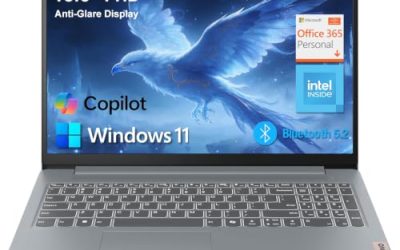
HP Everyday Student Laptop
This HP lists an Intel processor, 128GB of storage plus a 500GB external hard drive, one year of Office 365, Copilot AI branding, and a thin portable design. It targets students who want software bundled in. The extra storage comes from an external drive rather than internal speed, so the base specs are modest. For a student who mostly writes, researches, and submits assignments, the bundled Office year removes one setup step, but the listing leaves RAM unstated, so confirm it before relying on it for heavy multitasking.
- Strength: bundled Office subscription saves a separate purchase.
- Strength: extra 500GB of external storage for backups.
- Trade-off: the processor model and RAM are not visible in the title.
Skip it if you want a fast internal drive or a stated RAM amount up front.
HP Everyday Slim Laptop
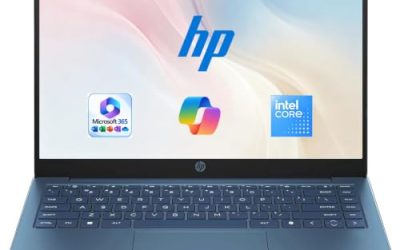
The Everyday Slim lists an Intel N150 CPU, a 128GB SSD with 1TB of cloud storage, a one-year Microsoft Office 365 bundle, and a color option. It is a fit for simple tasks such as email, web browsing, and light documents on a thin machine. The N150 class is built for efficiency over speed, so the pairing with 128GB of local storage suits someone who keeps files online and rarely installs large programs.
- Strength: slim design with an Office bundle included.
- Strength: N-series chip suits light everyday tasks.
- Trade-off: cloud storage is a subscription-style benefit and the local drive is just 128GB.
Skip it if you multitask heavily or keep many large files offline.
Which One Fits Your Situation
You want the most balanced everyday laptop
The Dell Core 3 100U model offers an FHD IPS screen, 512GB SSD, and Wi-Fi 6, which is the best spec mix on paper.
You want the snappiest-feeling screen and chip
Choose the Dell Ryzen 5 7520U with its 120Hz panel and 512GB SSD, after confirming the memory amount on the full listing. It is also the one to shortlist if you sometimes play lighter games.
You need a big shared screen at home
The HP OmniBook 3 17.3-inch is built for that role, with room to spread out documents.
You only need email, web, and streaming
The HP Everyday Slim and the HP touchscreen model cover those light tasks, with the touchscreen the pick if touch input matters.
Common Mistakes
- Assuming any laptop in this class sits under the cap without confirming the live listing price.
- Accepting 4GB of RAM or a 128GB drive and then running out of space within months.
- Counting cloud storage or an external drive as real internal storage.
- Ignoring the screen resolution and buying an HD panel for long reading sessions.
- Forgetting that Windows in S Mode limits which apps can be installed, which can block a work or school program you need on day one.
Related guides
- How To Apply Thermal Paste How Much And Which Pattern
- How To Choose Power Supply Wattage For A Pc Build
- Travel Backpack With Laptop Compartment
Frequently Asked Questions
Is 8GB of RAM enough?
For browsing, video, and office work, yes. If you keep many tabs and apps open at once, 16GB is more comfortable.
Which matters more, SSD size or processor?
At this tier, a 512GB SSD and 8GB of RAM usually improve daily comfort more than a small processor upgrade.
Can these laptops play games?
Only light or older games. Integrated graphics are designed for everyday tasks, not modern demanding titles.
Are bundled Office subscriptions worth it?
They help if you need Office right away, but they usually last a year, so factor in renewal costs later.
Write Your Review
No reviews yet. Be the first to share your experience!