

Key takeaways
- A small business rarely buys one laptop. It buys one for the owner, one for the bookkeeper, one for the new hire.
A small business rarely buys one laptop. It buys one for the owner, one for the bookkeeper, one for the new hire, and then wonders why they all behave differently six months later. The question behind “best laptop for small business” is therefore less about a single champion and more about a repeatable standard: a machine with enough memory for accounting software and video calls, an operating system edition that your IT helper can actually manage, and a price tier that still leaves money for a backup drive and a warranty.
This guide is for owners and office managers outfitting a team of two to twenty, sole proprietors who want a dependable daily machine, and anyone replacing aging staff laptops. Looking ahead to 2026 refresh cycles, the shortlist runs from a premium-tier 16-inch Dell with a Latitude lineage to a renewed 14-inch workhorse and a few entry-level units for light roles such as front-desk email. Every pick is judged only from specs printed in its title, so claims such as “beats” a rival chip are treated as seller statements, and nothing here assumes battery life or durability the listing does not state.
Quick Picks
Our top picks




As an Amazon Associate we earn from qualifying purchases at no extra cost to you.
| Product | Best for | Key spec from the title |
|---|---|---|
| Dell Pro 16 PC16250 | Owners and managers who want a premium tier | Core 5 120U, 16GB DDR5, 512GB SSD, 16″ FHD+ anti-glare |
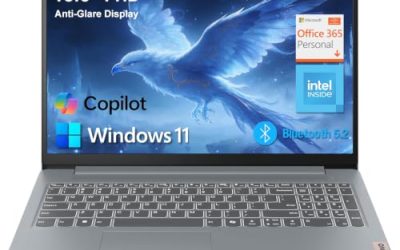
| Lenovo V15 Gen 4 | Offices with wired networks and projectors | Core i5-13420H, HDMI, RJ45, Windows 11 Pro |
| HP 255 G10 | Standardized staff fleet | 16GB RAM, 512GB SSD, W11 Pro, webcam shutter |
| Dell Latitude 5420 (Renewed) | Cost-conscious portable machine | 14″ FHD, i5-1145G7, 16GB DDR4, 256GB SSD |
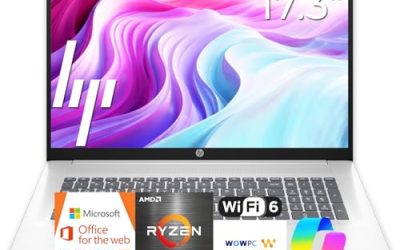
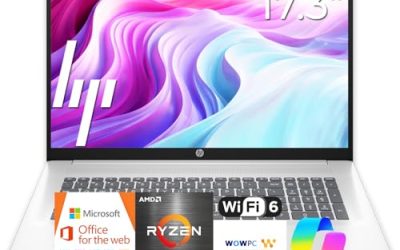
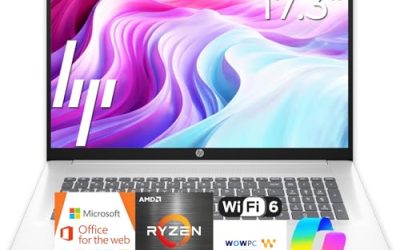
| HP 17-inch Business Laptop (Ryzen 5) | Bookkeeping and spreadsheet seats | 17.3″ FHD, 16GB RAM, 512GB SSD, numeric keypad |
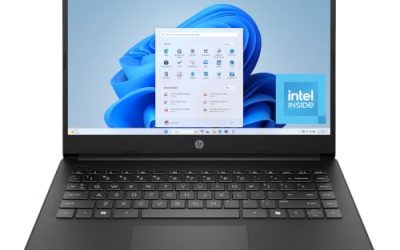
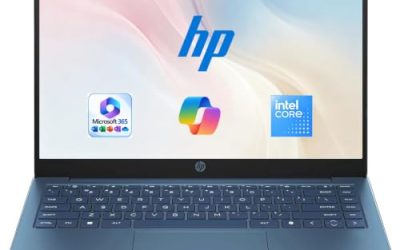
| HP 14-inch Business Laptop (N150) | Light roles such as reception | N150 quad-core, 4GB RAM, 128GB UFS, Office 365 year |
How to Choose
Set one RAM and storage standard for the whole team
Sixteen gigabytes of RAM is the sensible default for anyone running accounting software, a browser with many tabs, and video calls simultaneously. Four or eight gigabytes only fits single-task roles. For storage, 256GB is the lowest practical size for an office image; 512GB gives room for local copies of working files. Buying the same configuration for most seats also makes spare parts and replacement simpler, and it lets you keep one standard setup image for every employee.
Match the Windows edition to how you manage devices
Windows 11 Pro adds device encryption management, remote desktop hosting, and domain or cloud-directory join, which matter once you have more than a handful of machines. Windows 11 Home is acceptable for a solo owner but limits those controls. Titles that mention S Mode or bundled earphones are signals of a consumer-oriented configuration. Ask whoever supports your network which edition they need before ordering, and write the answer into your purchasing checklist so every future seat matches.
Ports and screens that save daily frustration
An RJ45 Ethernet port is valuable if your office runs wired networking, and HDMI covers client presentations. A numeric keypad speeds invoice and ledger entry. For screens, Full HD is the minimum; a 14-inch panel is easy to carry to client sites, while a 16 or 17.3-inch display suits desk-bound bookkeeping. Anti-glare coatings help in bright shops and storefronts.
Condition, tier, and where budget models cut corners
Renewed units can give business-class build quality at a lower tier, but they come with older processors and used batteries. Entry-level models with 4GB of RAM and small eUFS or eMMC-type storage trim performance and expandability, which shows up when accounting files and updates pile up. Ignore headline slogans like “long battery life” unless a number appears on the full listing, and favor a seller that clearly states warranty or return terms.
The 6 Best Options
Dell Pro 16 PC16250
The Dell Pro 16 lists an Intel Core 5 120U, 16GB of DDR5, a 512GB SSD, and a 16″ FHD+ anti-glare screen, and it describes itself as a business AI PC with Latitude 5550 heritage. It suits owners who want a polished, premium-tier machine for management work, with a tall 16-inch display for spreadsheets and presentations. The FHD+ resolution named in the title adds extra vertical room compared with a plain FHD panel, and the anti-glare coating suits an office with overhead lighting. A DDR5 memory platform also means the machine starts on a current standard rather than an aging one.
- Strength: 16GB of DDR5 and a 512GB SSD in a business-oriented model.
- Strength: 16″ FHD+ anti-glare screen gives extra vertical space.
- Trade-off: a 16-inch frame is bigger than a 14-inch client-visit laptop.
Skip it if you want the lightest carry or are fitting out many seats on a tight budget.
Lenovo V15 Gen 4
This Lenovo lists a 15.6″ FHD display, an Intel Core i5-13420H, HDMI, an RJ45 port, a webcam, a numeric keypad, Wi-Fi, and Windows 11 Pro. For a small shop with a wired router and a projector for client meetings, those ports are the main draw. The claim about beating a competing chip is marketing, so lean on the Core i5 model name. Because the V15 line ships in several configurations, an owner buying several should order identical units and verify RAM and storage on the order page, so every employee ends up with the same machine and the same recovery steps.
- Strength: Ethernet and HDMI sit on the same chassis as a Pro edition of Windows.
- Strength: numeric keypad helps with ledger and invoice work.
- Trade-off: RAM and storage are not shown in the visible title.
Skip it if you cannot confirm the memory configuration before buying.
HP 255 G10
The HP 255 G10 lists an AMD quad-core CPU, 16GB of RAM, a 512GB SSD, Windows 11 Pro, a 15.6″ Full HD display, a webcam with shutter, and a numeric keypad. With a straightforward spec sheet, it is a natural candidate for a standard staff laptop that you can buy several of. The Pro edition and shutter make it easy to hand to a new hire with a short setup checklist, and the 15.6-inch screen is the size most office software was designed around.
- Strength: consistent, readable spec sheet that is easy to standardize.
- Strength: webcam shutter adds privacy for client calls.
- Trade-off: the specific processor model is not named in the title.
Skip it if you want a touchscreen or a premium backlit keyboard.
Dell Latitude 5420 (Renewed)
This renewed Latitude pairs a 14″ FHD display with a quad-core Core i5-1145G7, 16GB of DDR4, a 256GB SSD, a camera, HDMI, and Windows 11 Pro. It suits cost-conscious owners who visit clients and need a compact machine with business-class lineage. A used unit is also a sensible way to equip seasonal staff, since you can replace it at low cost if it goes missing, but you should budget for a spare battery or charger.
- Strength: 14-inch size is easy to carry between sites.
- Strength: 16GB of RAM with Windows 11 Pro at a lower spending tier.
- Trade-off: renewed condition means an older platform and unknown battery wear.
Skip it if you need a manufacturer-new device or a long support horizon.
HP 17-Inch Business Laptop (Ryzen 5)
This HP lists a 17.3″ FHD display, a recent AMD Ryzen 5 CPU, 16GB of RAM, a 512GB SSD, and a numeric keypad. It is the one to consider for the person who spends the day in spreadsheets and wants more screen than a typical laptop offers. Seller-style wording such as latest CPU in the title is not a spec, so compare the exact processor model against alternatives before ordering a batch, and keep a docking station in mind if the desk will also host a second monitor.
- Strength: large display and numeric keypad suit data entry.
- Strength: 16GB and 512GB are good office baselines.
- Trade-off: its size makes it a desk machine rather than a traveling one.
Skip it if staff share one laptop between sites.
HP 14-Inch Business Laptop (N150)
The 14-inch HP lists a quad-core Intel N150 processor, 4GB of RAM, 128GB of UFS storage, Windows 11 Home, a one-year Office 365 subscription, and bundled earphones. It is a fit for very light roles such as reception email and web forms, where speed is secondary. Since the title lists UFS storage and Home edition, treat it as a single-purpose terminal rather than a general business workstation, and avoid loading it with security software that was meant for larger machines.
- Strength: compact size with a bundled Office year.
- Strength: the simplest option for single-task roles.
- Trade-off: 4GB of RAM and Windows 11 Home limit growth and management.
Skip it if the user runs accounting software or many tabs.
Which One Fits Your Situation
You are outfitting a small team with one standard
The HP 255 G10 is the logical base, with 16GB, 512GB, and Windows 11 Pro on a clear spec sheet. Add the Dell Pro 16 for the owner’s seat and the 14-inch HP for reception, and the whole office is covered by three well-defined tiers.
Your office runs on wired networking and a projector
The Lenovo V15 Gen 4 covers both ports and the Pro edition, provided you confirm the memory configuration.
You visit clients and need something light
The renewed Dell Latitude 5420 offers a 14-inch carry, with the caveat of used hardware. Pair it with a spare charger kept in the office, because a renewed unit may arrive with a battery that has already seen years of cycles, and ask the seller what condition grade applies.
You want a premium seat for the owner or manager
The Dell Pro 16 has the largest anti-glare display and the most premium positioning of the group.
Common Mistakes
- Buying mixed configurations that complicate support and spare parts, then losing hours when each laptop needs different drivers.
- Choosing 4GB of RAM for a seat that will run accounting software.
- Selecting Windows 11 Home when the business needs managed encryption or domain features.
- Trusting marketing comparisons in titles instead of the processor model number.
- Skipping a warranty or return policy check on renewed units.
Related guides
- How To Apply Thermal Paste How Much And Which Pattern
- How To Choose Power Supply Wattage For A Pc Build
- Travel Backpack With Laptop Compartment
Frequently Asked Questions
How many laptops should a small business standardize on?
One or two configurations is enough for most teams. Fewer variants make support and replacements easier, and they let a single setup checklist cover every new hire.
Is a renewed laptop safe for business use?
It can be, especially a business-line model, but battery wear and older processors are the trade-offs. Confirm the seller’s return terms.
Do I need Windows 11 Pro?
If you plan to manage encryption, remote access, or directory join, yes. A solo owner may be fine with Home.
What screen size suits most small-business roles?
A 14-inch model is best for travel, 15.6-inch is the all-around office size, and 16 to 17-inch screens favor desk-bound work.

Write Your Review
No reviews yet. Be the first to share your experience!