

Key takeaways
- An everyday laptop has a plain job: open a dozen browser tabs, handle email and documents, stream a show at night, and not make you think about it.
An everyday laptop has a plain job: open a dozen browser tabs, handle email and documents, stream a show at night, and not make you think about it. That is a different decision from picking a gaming rig or a creative workstation. The real questions are how much memory keeps tabs from reloading, whether the screen is comfortable for hours, and how much local storage you need when cloud space is bundled in with the purchase.
This guide is for students, retirees, parents, and anyone replacing an aging machine with something that simply works in 2026. The seven laptops below range from budget Windows models to a mid-range Dell with a bigger drive and a Mac with Apple silicon. Each is judged only on the specs in its listing, so where a title is vague, the advice is to read the full listing before you buy.
Quick Picks
Our top picks

 HP 2027 Everyday Laptop
- 💻 EFFICIENT INTEL N150 QUAD-CORE PROCESSOR: Intel N150…
- ⚡ FAST STORAGE & SMOOTH MULTITASKING: 4GB LPDDR5-4800…
- 🎥 CRYSTAL-CLEAR VIDEO CONFERENCING & ALL-DAY BATTERY: HP…


As an Amazon Associate we earn from qualifying purchases at no extra cost to you.
| Product | Best for | Key spec from the title |
|---|---|---|
| HP 14 Inch Everyday Laptop | Compact budget machine for light use | Intel N150, 128GB SSD, 1TB cloud |
| HP Everyday Laptop (Fast Charge) | Office work with quick top-ups | 128GB storage, WiFi 6, Office 365 |
| HP Everyday Slim (AMD) | Buyers who prefer an AMD processor | 4GB DDR5 RAM, 128GB SSD |
| Dell 15.6 FHD Laptop | Roomy screen and larger local storage | Core 3 100U, 8GB RAM, 512GB SSD |
| HP Everyday Laptop (8GB) | Multitasking on a budget | 8GB RAM, 128GB SSD |
| Apple MacBook Neo 13-inch | Mac users wanting an easy, quiet daily driver | A18 Pro chip, 8GB unified memory, 256GB SSD |
| HP Everyday Slim (N150) | Simple browsing and streaming | Intel N150, 128GB SSD + 1TB cloud |
How to Choose
Memory decides how long the laptop feels fast
For daily use, 8GB of RAM is the practical floor today, and 16GB is a comfortable ceiling for most households. A 4GB model can open a browser and a document, but it slows down once you add video calls, a music app, and a few dozen tabs. If a listing shows 4GB, treat it as a secondary or kitchen-table laptop rather than the one you rely on every day. Also check whether the RAM is soldered or upgradeable, because the listing often does not say.
Storage: local space versus bundled cloud
Many budget listings pair a 128GB drive with a year of cloud storage. That works if your files are mostly documents and photos you already sync. Once you keep downloads, video clips, or a large photo library offline, look for 256GB or 512GB of local storage. Remember that Windows and its updates take a large chunk of a 128GB drive before you save a single file, and cloud plans usually need a renewal after the first term.
Screen size and brightness
A 14-inch screen is easier to carry; a 15.6-inch screen is easier on the eyes and often adds a number pad. Look for a full HD panel, written as FHD or 1920 by 1080, because basic HD panels look soft for text. A rating of about 250 to 300 nits is fine indoors; anything dimmer gets hard to read near a window. An anti-glare coating helps in shared rooms with overhead lighting.
What to ignore and where budget models cut corners
Skip marketing phrases such as long battery or stunning color unless the listing gives a real figure, since those words appear on almost every title. Budget machines most often cut RAM, storage speed, and webcam quality, and some ship with Windows 11 in S mode, which only runs apps from the Microsoft Store. Wi-Fi 6 and a USB-C port are the extras worth seeking at this level, and a backlit keyboard is a bonus rather than a requirement.
The 7 Best Options
HP 14 Inch Everyday Laptop
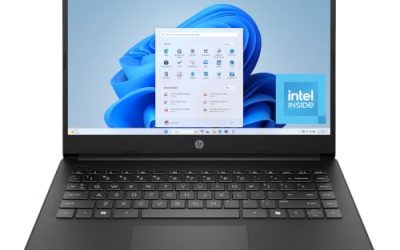
This model targets shoppers who want a small, light computer for email, web pages, and video calls. The title lists an Intel N150 processor, a 128GB SSD, 1TB of cloud storage, Microsoft 365, and Windows 11. It is a sensible first laptop for a teenager or a parent who mostly browses, and the compact size keeps it easy to put away after use.
- Strength: the bundled Office apps and cloud space mean it is ready for documents on day one.
- Strength: the 14-inch format suits a backpack or a small desk.
- Trade-off: RAM is not stated in the visible title, so confirm it before buying.
Skip it if you edit video, keep a large offline library, or run many programs at once.
HP Everyday Laptop with Fast Charge
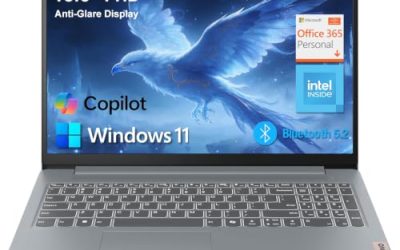
The listing highlights an Intel CPU, 128GB of storage, Copilot AI features, Office 365, Wi-Fi 6, and fast charging. It suits someone who moves between a desk and a couch and wants short charging stops to be enough. For a household that shares a single laptop, quick top-ups can matter more than raw processor speed.
- Strength: Wi-Fi 6 helps on modern home routers and in crowded apartment buildings.
- Strength: fast charging is useful when you forget to plug in overnight.
- Trade-off: the exact processor model and RAM are cut off in the title, so the performance level is unclear.
Skip it if you want a guaranteed spec sheet; read the full listing for memory and screen details first.
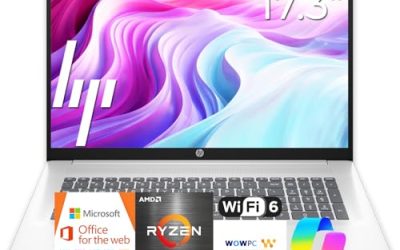
HP Everyday Slim (AMD)
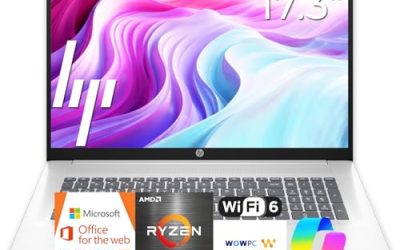
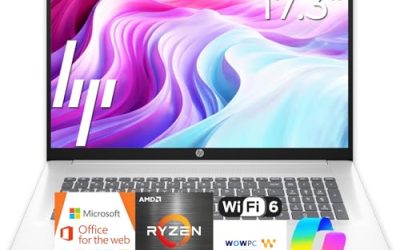
This one is the only HP in the group built around an AMD processor, paired with 4GB of DDR5 RAM and a 128GB SSD, plus 1TB of cloud storage. DDR5 is a newer memory type, which is a nice touch on a budget laptop. It fits a light-duty home machine for recipes, school portals, and streaming rather than a daily work computer.
- Strength: an AMD processor offers an alternative to the many Intel N150 models.
- Strength: the slim design and cloud storage suit light home use.
- Trade-off: 4GB of memory is tight for heavy tab habits, even with DDR5.
Skip it if you plan to keep it for many years or run video calls with other apps open.
Dell 15.6 FHD Laptop
This is the roomiest option here, with a 15.6-inch FHD anti-glare panel rated at 300 nits, an Intel Core 3 100U, 8GB of DDR5 RAM, and a 512GB SSD. It fits a home office or a student who wants a larger display and plenty of local space. The title also lists Wi-Fi 6 and Bluetooth, which covers the wireless basics.
- Strength: 512GB of storage is far more generous than the 128GB models.
- Strength: an anti-glare FHD screen and 8GB of RAM make long sessions more comfortable.
- Trade-off: a 15.6-inch body is less pocketable than the 14-inch picks.
Skip it if you travel daily and want the lightest possible laptop, since the larger chassis and screen add bulk to a commuter bag.
HP Everyday Laptop with 8GB RAM
This listing combines an Intel processor, 8GB of RAM, a 128GB SSD, 1TB of cloud storage, Office 365, and Windows 11. The 8GB figure is the headline: it is the lowest memory capacity that still feels reasonable for modern browsing. It is the better-balanced pick among the budget HP listings for someone who runs a few things at once.
- Strength: 8GB of RAM handles more tabs and calls than the 4GB HP models.
- Strength: fast charge and long battery are both mentioned in the listing.
- Trade-off: only 128GB of local storage fills up quickly.
Skip it if you store lots of downloads and do not want to rely on cloud sync, since the local drive is the smallest tier in this roundup.
Apple MacBook Neo 13-inch
The only non-Windows pick, this 13-inch Mac uses an A18 Pro chip with 8GB of unified memory, a 256GB SSD, and a Liquid Retina display. It is for people already in the Apple ecosystem who want a quiet, simple laptop for school or home, and who like having photos and messages sync with an iPhone without extra setup.
- Strength: 256GB of storage is double the typical budget Windows base.
- Strength: Apple Intelligence support and a Retina-class display are listed.
- Trade-off: it runs macOS, so Windows-only programs will not install.
Skip it if your school or employer requires Windows software, or if you rely on a specific Windows-only program for hobbies or accounting.
HP Everyday Slim (N150)
Another compact HP, this one lists an Intel N150 processor, a 128GB SSD plus 1TB of cloud storage, Microsoft Office 365, and a color-focused design. It is aimed at shoppers who want a simple, attractive machine for web pages and streaming, and who would rather spend little than chase speed.
- Strength: Office and cloud space are bundled in.
- Strength: the slim format is easy to move around the house.
- Trade-off: it overlaps heavily with other N150 HP models, so compare listings for RAM and screen differences.
Skip it if you need a bigger screen or more than basic performance, because the compact design and entry-level chip are built for light chores.
Which One Fits Your Situation
You want one laptop for the whole family
The Dell 15.6 FHD Laptop is the safest shared machine, with 8GB of RAM, 512GB of storage, and an anti-glare screen that holds up in a bright living room. Several people can save files without hitting the storage ceiling.
You live in the Apple ecosystem already
The Apple MacBook Neo 13-inch makes sense if you already own an iPhone and iPad, since the apps and files will feel familiar from the first login.
You are buying for a student on a tight budget
The HP Everyday Laptop with 8GB RAM gives more headroom than the 4GB models, and the bundled Office suite covers homework and group projects.
You want the smallest and lightest option
The HP 14 Inch Everyday Laptop is the easiest to carry, as long as you keep expectations to browsing, email, and streaming.
Common Mistakes
- Buying 4GB of RAM for a main computer and then wondering why browsing stutters.
- Assuming bundled cloud storage replaces a real local drive for offline files.
- Ignoring screen resolution and ending up with a soft, low-detail panel.
- Choosing by phrases like long battery life without checking for a stated battery capacity.
- Forgetting that a Mac will not run Windows-only software your school or job may need.
Related guides
- How To Apply Thermal Paste How Much And Which Pattern
- How To Choose Power Supply Wattage For A Pc Build
- Cpu Coolers For Small Form Factor Cases
Frequently Asked Questions
How much RAM does an everyday laptop need?
Aim for 8GB as a minimum for a main laptop. Sixteen gigabytes gives extra room for years of software updates and heavy tab use, but it usually costs more.
Is 128GB of storage enough?
It can be if you rely on cloud storage and keep few large files. For offline photos, downloads, or video, 256GB to 512GB is much easier to live with.
Do I need an Intel Core processor?
Not for basic tasks. An N150 or similar entry-level chip handles browsing and documents, but a Core-class chip such as the one in the Dell gives smoother multitasking.
Windows or Mac for everyday use?
Either works for browsing, streaming, and documents. Pick Windows for broad software compatibility and lower entry prices, or the Mac if you want tight integration with other Apple devices.
Write Your Review
No reviews yet. Be the first to share your experience!