

Key takeaways
- Most laptop shopping starts with a processor and ends with a screen. Shopping for a large screen laptop works the other way around: the display size.
Most laptop shopping starts with a processor and ends with a screen. Shopping for a large screen laptop works the other way around: the display size decides the shape of your day, and everything else has to fit around it. A 17.3-inch panel means a wider lid, a longer keyboard deck and, in most cases, a dedicated number pad. An 18.5-inch panel pushes further into desktop territory. The question this guide answers is not simply which big laptop has the best chip, but which size and spec combination suits the way you actually sit down to work.
The six machines below were chosen from a larger pool because their titles state enough concrete detail to compare. They cover two clear tiers: a mainstream 17.3-inch group from HP, and a more unusual 18.5-inch group from smaller brands that favors memory, storage and ports. Everything here is judged only from the listed specs, and where a title is cut off or silent, the text says to check the listing. If you are shopping in 2026, the biggest practical divider is whether you need a machine that moves between rooms or one that stays put.
Quick Picks
Our top picks


As an Amazon Associate we earn from qualifying purchases at no extra cost to you.
| Product | Best for | Key spec from the title |
|---|---|---|
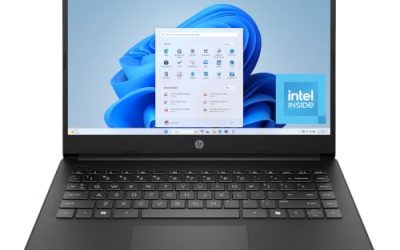
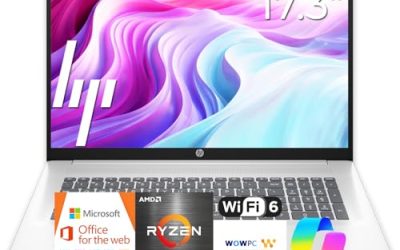
| HP 17 inch Business Laptop | Office work with a number pad | Ryzen 5, 16GB RAM, 512GB SSD, 17.3″ FHD |
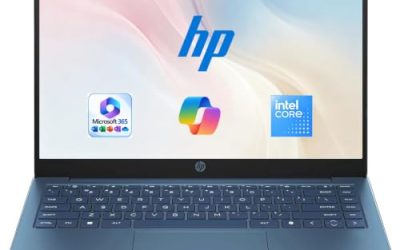
| HP 17.3″ Touchscreen (Core Ultra 7) | Touch, Windows Pro and security | 16GB RAM, Win11 Pro, FP reader |
| HP 17.3 inch (Ryzen 5 7520U) | Plain, dependable 17-inch use | 16 GB RAM, 512 GB SSD, HD+ display |
| HP OmniBook 3 17 (Ryzen 3) | A cheaper way into 17 inches | FHD display, 8 GB RAM, Radeon 610M |
| EKY 18.5 Inch Laptop | A stay-at-home workstation with ports | 16GB RAM, 1TB SSD, RJ45, HDMI |
| 18.5 Inch Core i9 Laptop | Faster processor on a huge panel | Up to 4.8 GHz, 100% sRGB FHD |
How to Choose
Think in terms of footprint, not just inches
Diagonal measurements hide how much space a machine takes. Going from 15.6 to 17.3 inches adds roughly an inch and a half of width, and an 18.5-inch body adds noticeably more. Before buying, lay a sheet of paper cut to the listed dimensions on your desk, and check whether your bag or sleeve can take it. If the product page does not list dimensions, treat that as a reason to look elsewhere. A useful rule is to compare the machine with a full-size keyboard and a 17-inch bag: if either is a squeeze, the laptop will spend its life on one desk. Ergonomics count too, since a wide chassis pushes the touchpad off-center on cramped tables, and a long palm rest changes how far you reach for the keys.
Resolution thresholds that keep text crisp
At this size, Full HD (1920 by 1080) is the baseline, and an HD+ panel at 1600 by 900 will look coarser. Three of the 17.3-inch models here state FHD; the Ryzen 5 7520U model states HD+. Also look for anti-glare coating or brightness figures on the listing, as the titles here rarely mention them.
Match the processor tier to your workload
Entry chips such as a Ryzen 3 are fine for web apps, documents and video calls. Ryzen 5 or Core Ultra 5 class parts handle a heavier mix of tabs and office tools. A Core Ultra 7 or Core i9 matters only if you run larger spreadsheets, creative apps or code builds. Spending on a stronger chip while accepting 8 GB of memory is a common imbalance; for a work machine, put 16 GB of RAM ahead of a faster clock speed.
Ports and battery on a big body
A large chassis should offer HDMI, USB-A and ideally Ethernet. Of the models here, the 18.5-inch group makes the clearest port promises, including RJ45. Battery figures appear only for the EKY (6316mAh), so assume that big panels drain quickly and plan to stay near an outlet. Budget models save money on keyboard backlighting, panel brightness and speaker quality, so read the full listing for those details. Wireless standards deserve a glance as well: Wi-Fi 6 is named on the Core i9 model, while most others leave the standard unstated, and a large machine is likely to sit on a home network all day. If you plan to connect to a docking station or a second monitor, confirm the video output type before you commit.
The 6 Best Options
HP 17 inch Business Laptop
This HP is the most straightforward office pick in the group. The title lists an AMD Ryzen 5 processor, 16GB of RAM, a 512GB SSD, a 17.3-inch Full HD display, a numeric keypad and a note about long battery life. That combination covers the typical needs of an accounting, admin or planning desk: wide spreadsheets, side-by-side windows and a number pad for data entry.
- Strength: Full HD resolution on a 17.3-inch screen with 16GB of memory.
- Strength: A numeric keypad, which speeds up data entry.
- Trade-off: The title does not give a battery capacity, so the long battery claim cannot be verified from the listing text alone.
Skip it if you need touch input or a security reader; the title mentions neither.
HP 17.3″ Touchscreen Laptop (Core Ultra 7)
The upmarket HP in the lineup offers an Intel Core Ultra 7 processor, 16GB of RAM, a touchscreen, Windows 11 Pro and a fingerprint reader. Its 1TB storage figure is split between a 512GB SSD and a 512GB external docking set, so only half the space lives inside the laptop.
- Strength: Windows 11 Pro and a fingerprint reader suit managed work environments.
- Strength: The top processor tier among the HP models.
- Trade-off: The external storage piece must travel with you to be useful.
Skip it if you dislike fingerprints on the screen or prefer a fully internal drive.
HP 17.3 inch Laptop (Ryzen 5 7520U)
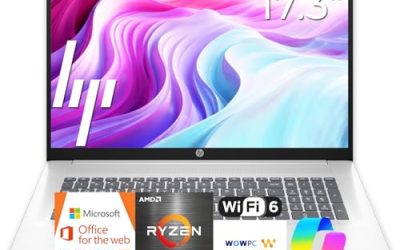
Model 17-cp2199nr offers a Ryzen 5 7520U, 16 GB of RAM, 512 GB of SSD space and Radeon graphics on Windows 11 Home in Natural Silver. It is a fit for households and students who simply want a big screen for documents, streaming and web research.
- Strength: Healthy memory and storage figures for everyday multitasking.
- Strength: Clear model number that simplifies driver and support searches.
- Trade-off: HD+ resolution is less sharp than the FHD panels elsewhere in this group.
Skip it if you read small text for hours or want Windows Pro features.
HP OmniBook 3 17.3 inch (Ryzen 3)
The Mica Silver OmniBook 3 is the entry ticket. It lists an AMD Ryzen 3 chip (the exact number is cut off), Radeon 610M graphics, 8 GB of RAM, a 512 GB SSD and a Full HD display. It will manage office suites and web apps, and the large panel makes them comfortable to use.
- Strength: Full HD panel at the lowest entry point in the group.
- Strength: 512 GB of SSD space despite the modest tier.
- Trade-off: 8 GB of RAM and an entry processor leave limited room for growth.
Skip it if you keep large spreadsheets or many browser tabs open at once.
EKY 18.5 Inch Large Screen Laptop
The EKY is built around the idea of a laptop that behaves like a desktop. It offers an 18.5-inch panel, 16GB of RAM, a 1TB SSD, a processor listed at up to 3.4GHz, a 6316mAh battery, a privacy shutter camera, a TF card slot, RJ45 Ethernet and HDMI.
- Strength: 1TB of internal storage and a card slot for moving files in and out.
- Strength: Wired networking plus a camera shutter for privacy.
- Trade-off: The processor model is not named in the title, so performance cannot be compared with the HP chips.
Skip it if you want a well-known brand name behind the keyboard.
18.5 Inch Laptop with Core i9
The most powerful processor in the roundup sits in this 18.5-inch machine: a Core i9 listed at up to 4.8 GHz, with 16GB of RAM, a 512GB SSD, Wi-Fi 6, Windows 11 Home, a backlit keyboard, a numeric pad and a 100% sRGB Full HD display. A fingerprint feature appears to be cut off in the title, so confirm it on the listing.
- Strength: High-tier processor and a stated sRGB figure for color-sensitive work.
- Strength: Backlit keyboard and Wi-Fi 6 on a roomy chassis.
- Trade-off: Storage is half that of the EKY.
Skip it if you need long unplugged sessions; large panels and fast chips are demanding.
Which One Fits Your Situation
A home office with a fixed desk
The EKY 18.5 Inch gives the most storage and the most connections, which suits a setup where the laptop rarely moves.
A workplace with IT rules
The HP 17.3″ Touchscreen with Windows 11 Pro and a fingerprint reader is the most compatible with managed devices.
A budget family computer
The HP OmniBook 3 with Ryzen 3 offers a Full HD big screen for homework, streaming and bills. Upgrade to the Ryzen 5 7520U model if you want more memory.
Spreadsheet-heavy daily work
The HP 17 inch Business Laptop pairs a number pad with 16GB of RAM and a Full HD display, which is the practical combination for long data sessions. Picture a bookkeeper who keeps a ledger, a bank portal and a PDF open side by side: a 17.3-inch Full HD panel gives each window real room, and the number pad removes the need for an external keypad.
Common Mistakes
- Choosing a size by diagonal alone and ignoring the width of the case.
- Paying for a faster processor while accepting 8 GB of memory.
- Overlooking HD+ in a title and expecting Full HD sharpness.
- Assuming total storage figures are all internal.
- Expecting all-day battery life from a large panel without checking the listed capacity.
Related guides
- How To Apply Thermal Paste How Much And Which Pattern
- How To Choose Power Supply Wattage For A Pc Build
- Cpu Coolers For Small Form Factor Cases
Frequently Asked Questions
Is 17.3 inches the best size for productivity?
It is a sweet spot for people who want a number pad and two comfortable windows side by side. Anything larger starts to behave more like a desktop.
Should I get touch on a big laptop?
Touch helps with annotation, presentations and casual browsing, but it is optional for typing-heavy work. Only one model here lists a touchscreen. Photo and video hobbyists should instead look at the 18.5 Inch Core i9 model, the only one pairing a high-tier processor with a stated sRGB figure; confirm the panel specifics on the listing first.
Are 18.5-inch laptops from lesser-known brands reliable?
The listing details are the best guide: look for a stated processor model, warranty information and return terms. If the title leaves out the chip name, find it in the description before deciding.
Do large laptops need an external monitor?
Not necessarily, but an external display can help if you need a calibrated panel or multiple windows. Most of these models list HDMI for that purpose. A second screen is most useful when you want a vertical document next to your main window, something even an 18.5-inch panel cannot replicate in a single display.

Write Your Review
No reviews yet. Be the first to share your experience!