

Key takeaways
- When a buyer searches for top rated laptops for business, the real question is rarely about speed alone.
When a buyer searches for top rated laptops for business, the real question is rarely about speed alone. It is about whether the machine will survive a workday of video calls, spreadsheets, and a browser with thirty tabs, and whether it ships with an operating system that your IT setup will accept. A consumer laptop dressed up with a business label can leave you without domain join support or a decent webcam. A true work machine tends to show it in the details: a Pro edition of Windows, a wired network port, a numeric keypad, or an anti-glare screen.
This guide is for owners, freelancers, accountants, and office staff who want a dependable work laptop and are comparing models listed with business wording in 2026. Every pick is judged only on what its title states, such as processor, memory, storage, screen size, and operating system. It does not lean on crowd scores. Where the title is silent, for example on battery life or build material, the guide flags it as something to verify rather than guessing.
Quick Picks
Our top picks





As an Amazon Associate we earn from qualifying purchases at no extra cost to you.
| Product | Best for | Key spec from the title |
|---|---|---|
| HP 17-inch Business Laptop (Ryzen 5) | Big-screen spreadsheet work | 17.3″ FHD, 16GB RAM, 512GB SSD, numeric keypad |
| Lenovo V15 Gen 4 | Connected office desks | Core i5-13420H, HDMI, RJ45, Windows 11 Pro |
| Dell Latitude 5420 (Renewed) | Compact travel | 14″ FHD, i5-1145G7, 16GB DDR4, Windows 11 Pro |
| HP Business Laptop with Ryzen 5 7430U | Multitasking on a large screen | 17.3″ FHD, Wi-Fi 6, 16GB RAM, 512GB PCIe |
| Dell Inspiron 15 3530 | Touch input and storage space | 15.6″ FHD touchscreen, i7-1355U, 16GB, 1TB SSD |
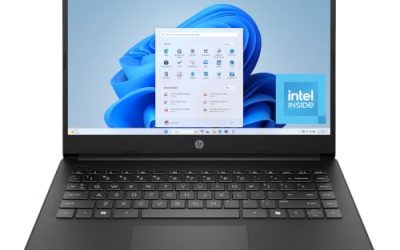
| HP 255 G10 | Managed fleets and privacy | AMD quad-core, 16GB, 512GB SSD, webcam shutter, W11 Pro |
| Dell 15.6 with Core Ultra 5 225U | Newer silicon and bright office rooms | 16GB DDR5, 512GB SSD, 300 nits anti-glare, backlit keyboard |
| Dell Inspiron Touchscreen (Windows 11 Pro) | Large storage plus Pro features | 15.6″ Full HD, 16GB RAM, 1TB SSD, i5-1155G7 |
How to Choose
Memory and storage thresholds for real office work
Sixteen gigabytes of RAM is the practical floor for a laptop you will keep for several years, because browsers, video calls, and accounting software fill eight gigabytes quickly. For storage, 256GB works for cloud-first users, while 512GB or 1TB makes more sense if you keep local files, scans, or a photo library. A quality NVMe or PCIe solid-state drive matters more than the capacity number alone.
Windows edition and security features
Windows 11 Pro adds BitLocker, domain join, and remote desktop hosting, none of which are in Home. If your company uses managed devices, a Pro license saves a paid upgrade later. A webcam shutter or privacy cover is a small but real benefit for anyone on frequent calls. Ignore marketing words such as beats a rival chip, because those comparisons are the seller’s claim, not a measured result.
Ports and screen
Business use leans on connections: HDMI for projectors, a wired Ethernet port for stable meetings, and USB-C for docks. Check the listing for these because many slim consumer models drop Ethernet. For the screen, Full HD at 1920 by 1080 is the baseline, and an anti-glare finish with 300 nits or more stays readable near windows. A numeric keypad helps anyone who types figures all day, but it pushes the laptop to 15.6 inches or larger.
Where budget and renewed models cut corners
Budget business-labeled laptops often skimp on screen brightness, keyboard backlighting, and port variety. Older processor generations can feel slow with newer software, and renewed units raise questions about battery wear and warranty length. Always verify the seller’s return policy and whether the battery is covered. A bigger screen also means a heavier bag, which many commuters underestimate.
The 8 Best Options
HP 17-inch Business Laptop (Ryzen 5)
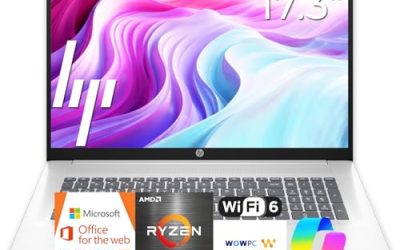
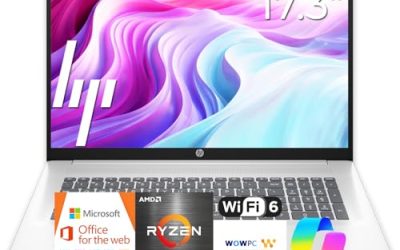
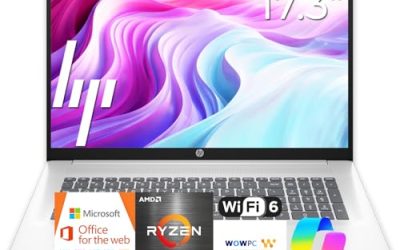
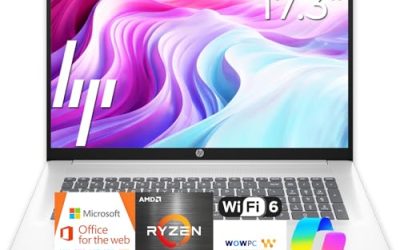
This HP is a large-screen machine with a Ryzen 5 processor, 16GB of RAM, a 512GB SSD, a 17.3-inch FHD display, and a numeric keypad, according to its title. It suits people who spend all day in spreadsheets and want room for two windows side by side.
- Strength: 17.3 inches of screen helps with side-by-side documents.
- Strength: 16GB of memory and a 512GB SSD match the daily-work floor.
- Trade-off: A 17-inch chassis is bulky for frequent travelers.
Skip it if you carry your laptop on foot every day or want an ultraportable. A 17-inch machine also needs a bigger bag and a roomier desk, which small home offices sometimes lack.
Lenovo V15 Gen 4
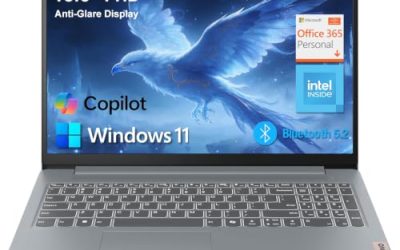
The V15 lists a 15.6-inch FHD display, an Intel Core i5-13420H, HDMI, an RJ45 Ethernet port, a webcam, a numeric keypad, Wi-Fi, and Windows 11 Pro. That ports-first approach fits an office desk that uses wired internet and a monitor.
- Strength: Ethernet and HDMI sit directly on the chassis, which skips dongles.
- Strength: Windows 11 Pro supports business security tools.
- Trade-off: The title does not list RAM or storage, so confirm both on the product page.
Skip it if you need to see exact memory and storage in the title before buying. Treat the comparison to a different Intel chip in the title as a seller claim, and compare the processor model on its own merits instead.
Dell Latitude 5420 (Renewed)
This renewed Latitude pairs a 14-inch FHD display with a quad-core i5-1145G7, 16GB of DDR4 RAM, 256GB of SSD storage, a camera, HDMI, and Windows 11 Pro. It suits a buyer who wants a compact, business-line machine with a smaller outlay.
- Strength: A 14-inch body is easier to carry than 15- and 17-inch rivals.
- Strength: 16GB of RAM and Windows 11 Pro are good for the category.
- Trade-off: Renewed status means battery wear and warranty terms need checking.
Skip it if you want a brand-new unit or more than 256GB of local storage. Its processor generation is older, so it fits steady office work better than heavy multitasking with large files open all day.
HP Business Laptop with Ryzen 5 7430U
Listed with a Ryzen 5 7430U, a 17.3-inch FHD display, Wi-Fi 6, 16GB of RAM, and a 512GB PCIe drive, this model targets multitaskers. The title also mentions long battery life, which is a seller claim rather than a measured number.
- Strength: Wi-Fi 6 helps in busy office networks.
- Strength: PCIe storage and 16GB of RAM suit daily multitasking.
- Trade-off: Comparisons to Intel chips in the title are marketing, not proof.
Skip it if you want a smaller, lighter body than a 17-inch design. The title does not name the Windows edition, so buyers who need Pro features should confirm it on the product page first.
Dell Inspiron 15 3530
The Inspiron 15 3530 offers a 15.6-inch FHD touchscreen, an Intel Core i7-1355U, 16GB of RAM, a 1TB SSD, a webcam, HDMI, and Wi-Fi 6. Storage is generous, and touch input appeals to people who annotate documents.
- Strength: 1TB of SSD space holds large local archives.
- Strength: Touchscreen input supports quick markup and presentations.
- Trade-off: The Inspiron line is positioned more as everyday than as a managed corporate series.
Skip it if you need enterprise-style management features baked in. The title also does not state the Windows edition, so verify it if your office relies on domain join or disk encryption.
HP 255 G10
The HP 255 G10 lists an AMD quad-core processor, 16GB of RAM, a 512GB SSD, Windows 11 Pro, a 15.6-inch Full HD display, a webcam with a shutter, and a numeric keypad. That mix is aimed squarely at offices.
- Strength: A webcam shutter adds privacy on calls.
- Strength: The Pro edition and a numeric keypad suit office tasks.
- Trade-off: The title names no exact processor model, so verify it before comparing.
Skip it if you want a touchscreen or a premium thin design. It makes the most sense as a no-frills workhorse that IT teams can deploy in numbers, rather than a showpiece for client meetings.
Dell 15.6 with Core Ultra 5 225U
This Dell uses an Intel Core Ultra 5 225U, 16GB of DDR5, a 512GB SSD, and a 15.6-inch FHD anti-glare display listed at 300 nits, with a backlit keyboard. It runs Windows 11 Home.
- Strength: A newer processor generation and DDR5 memory.
- Strength: A 300-nit anti-glare screen and backlit keyboard help in varied rooms.
- Trade-off: Windows 11 Home lacks some Pro features such as BitLocker and domain join.
Skip it if your company requires Windows Pro. A Home license can sometimes be upgraded later, but that is an extra step and cost, so treat the edition as part of the buying decision rather than an afterthought.
Dell Inspiron Touchscreen (Windows 11 Pro)
This Inspiron combines a 15.6-inch Full HD touchscreen, Windows 11 Pro, 16GB of RAM, a 1TB SSD, and an Intel i5-1155G7. It is pitched at business and student users alike.
- Strength: Windows 11 Pro with 1TB storage is a useful pairing.
- Strength: A touchscreen helps with annotations.
- Trade-off: The i5-1155G7 is an older-generation chip.
Skip it if you want the newest processor generation. Because the chip is from an earlier cycle, it suits document-centered work and web apps better than anyone planning to run demanding software for years ahead.
Which One Fits Your Situation
You work from a desk with wired internet
The Lenovo V15 Gen 4 puts HDMI and Ethernet on the machine itself and runs Windows 11 Pro.
You travel between client sites
The Dell Latitude 5420 (Renewed) is the compact option, with a 14-inch screen that fits a standard bag.
You need a security-conscious office fleet
The HP 255 G10 pairs Windows 11 Pro with a webcam shutter and a keypad, a sensible fit for shared office use.
You want a big display for numbers
Screen real estate drives productivity in finance work, which makes the large-format options more compelling than their weight suggests.
Choose the HP 17-inch Ryzen 5 model, whose 17.3-inch panel and numeric keypad suit finance and accounting.
Common Mistakes
- Buying a Home edition machine when your workplace needs Windows Pro features.
- Accepting 8GB of RAM on a laptop meant to last several years.
- Trusting a seller comparison like beats a rival chip instead of checking the actual processor model.
- Ignoring the return policy and battery coverage on renewed units.
- Forgetting ports, then buying dongles for Ethernet or HDMI later.
Related guides
- How To Apply Thermal Paste How Much And Which Pattern
- How To Choose Power Supply Wattage For A Pc Build
- Travel Backpack With Laptop Compartment
Frequently Asked Questions
Is 16GB of RAM enough for business use?
For office apps, video calls, and many browser tabs, yes. Heavy users running virtual machines or large datasets may want more.
Do I need Windows 11 Pro?
If you use disk encryption, remote desktop, or a company domain, Pro is the safer choice. Home suits solo users with simple needs.
Are renewed business laptops a good idea?
They can be, especially from business lines. Check the seller’s warranty and battery terms before buying.
Is a touchscreen useful on a work laptop?
It helps with signing documents and presentations, though it can add weight and reduce battery life.

Write Your Review
No reviews yet. Be the first to share your experience!