

Key takeaways
- A student laptop has to survive a backpack, a lecture hall, a library table, and a dorm bed, often on the same day.
A student laptop has to survive a backpack, a lecture hall, a library table, and a dorm bed, often on the same day. The decision behind “recommended laptops for students” is less about raw speed and more about the details that decide whether a laptop makes the semester easier: how long it runs away from an outlet, whether the screen is comfortable for hours of reading, and whether it has enough memory to keep a browser, a document, and a video call open at once. Every extra gigabyte of RAM and every hour of battery matters more here than a flashy processor name.
This guide is for high school and college students, parents buying a first laptop, and anyone returning to school who needs a Windows machine for papers, research, and streaming lectures. It compares six entry-level models using only the specs stated in their listings. As families shop for the 2026 school year, one rule applies across the board: choose the configuration, not the slogan. Memory, storage type, and screen quality are the numbers that keep a laptop useful through four years, so those come first below.
Quick Picks
Our top picks


As an Amazon Associate we earn from qualifying purchases at no extra cost to you.
| Product | Best for | Key spec from the title |
|---|---|---|
| 15.6″ Windows 11 Pro Laptop (Pentium) | General coursework on a larger screen | 8GB RAM, 256GB SSD, Office 365 included |
| DRKAKO 15.6″ FHD IPS | Heavier multitasking for study | 12GB RAM, 256GB SSD, FHD IPS, 180-degree lay-flat |
| HP 14″ Ultra-Portable (4-Core) | Light carry on campus | 4GB RAM, 128GB UFS plus 500GB external storage |
| TRHRO 15.6 Inch | Ports and memory in one package | 12GB RAM, 128GB SSD, USB-C, USB 3.2 |
| HP 14″ Ultra-Light (Celeron N4500) | Long days away from an outlet | 12-hour battery claim, 64GB eMMC plus 64GB SD |
| ASUS Vivobook Go 15.6 | A familiar brand and slim body | Dual Core N4500, 4GB RAM, 128GB SSD |
How to Choose
Memory and storage first
For coursework, 8GB of RAM is the comfortable floor and 12GB or 16GB is better for long-term use. Four gigabytes works for a browser and a document but stalls once a video call and research tabs join in. For storage, an SSD is far more responsive than eMMC or UFS flash. A 256GB drive is a sensible target, and cloud storage can cover the rest. Be wary of totals that add an SD card or an external drive; those are extras, not internal capacity.
Screen, size, and keyboard
A Full HD (1920 by 1080) IPS panel is easier on the eyes than a basic low-resolution screen, especially during long reading sessions. A 15.6-inch laptop offers more room for split windows; a 14-inch model is lighter to carry between classes. A lay-flat hinge can help when sharing the screen in a study group. Check that the keyboard has a comfortable layout, since essays are mostly typing. Backlit keys are a bonus for late-night study sessions, but they are not listed in these titles, so confirm before buying if it matters to you.
Battery and ports
Battery life matters on campus where outlets are scarce. Titles mention six-hour and twelve-hour claims, but these are manufacturer estimates, and real use with a bright screen and video calls will be shorter. USB-C and USB 3.2 ports are handy for fast file transfers and charging accessories, while a mini HDMI or full HDMI port helps with presentations. A built-in webcam and microphone are essential for remote classes.
What to ignore and where budget laptops cut corners
Ignore bundled subscriptions and AI assistant labels as reasons to choose a model; those matter less than the hardware. Budget laptops often use older Celeron, Pentium, or Atom-class processors, low RAM counts, and flash storage. Some titles also compare themselves to older chips, which is a marketing claim you cannot verify from the listing. Keep your expectations realistic: these machines suit writing, browsing, and streaming rather than video editing or heavy programming.
Majors with heavier software needs deserve a second look before any purchase. Engineering, architecture, video production, and data science programs often publish minimum specs, and many of them call for more memory and a stronger processor than the machines in this guide. Check your department’s requirements first, then decide whether an entry-level laptop will cover the whole degree or only the first year.
The 6 Best Options
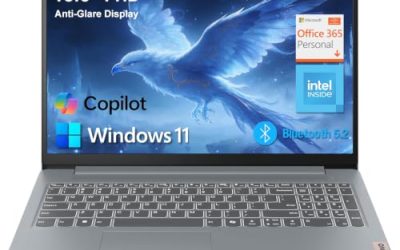
15.6″ Windows 11 Pro Laptop (Intel Pentium, 8GB)
This 15.6-inch Windows 11 Pro laptop lists 8GB of RAM, a 256GB SSD, and an Intel Pentium processor, with Office 365 included. The title also mentions a 6-hour battery, a Mini HDMI port, and a built-in camera and microphone. It is a practical coursework machine for students on a tight setup.
- Strength: 8GB of RAM and a 256GB SSD form a sensible student configuration.
- Strength: Mini HDMI and a built-in camera and microphone cover presentations and remote classes.
- Trade-off: a 6-hour battery claim is modest for a full school day.
Skip it if you spend long days away from an outlet. It fits students who work mostly at a desk or in a library with power nearby, and who want a larger screen for papers and spreadsheets without stepping up to a bulkier machine.
DRKAKO 15.6″ FHD IPS Student Laptop
DRKAKO is built around a Full HD IPS display, 12GB of RAM, a 256GB SSD, and a J4105 quad-core processor. The title adds Office 365, an AI assistant, a 180-degree lay-flat hinge, and WiFi 5 with Bluetooth. It targets students who want more memory than the standard entry-level machine.
- Strength: 12GB of RAM leaves room for a browser, documents, and a call together.
- Strength: a Full HD IPS screen and lay-flat hinge suit group study.
- Trade-off: the J4105 is an older entry-level processor, so expect light-duty speed.
Skip it if you need a fast processor for coding or media work. For essay writing, research, and online lectures, the memory advantage is likely to matter more than the processor name, and the Full HD panel is easier on the eyes at the end of a long night.
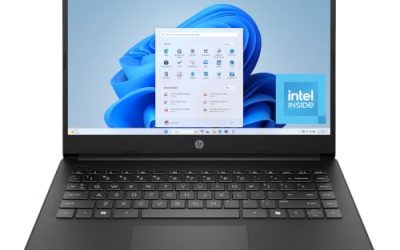
HP 14″ Ultra-Portable Laptop (Intel 4-Core)
This HP is a compact 14-inch student and business machine with Microsoft Office, Copilot AI, an Intel 4-core CPU, and 4GB of RAM. The storage total of 628GB is split between 128GB of UFS and 500GB of external storage. The size and weight suggest an easy carry.
- Strength: a 14-inch body is easy to move between classes.
- Strength: Microsoft Office is included for coursework.
- Trade-off: only 128GB is internal, and 4GB of RAM limits multitasking.
Skip it if you plan to store large files internally or run many tabs. It is best suited to a younger student or a light user who values portability, and who will keep schoolwork in the cloud rather than on the machine.
TRHRO 15.6 Inch Laptop
TRHRO lists 12GB of RAM, a 128GB SSD, and an Intel Pentium Gold 6500Y running up to 3.4GHz. The title claims it outperforms the N4020, features a Full HD IPS screen, and includes USB-C, USB 3.2, WiFi 5, and Bluetooth 5.2. Treat the comparison to an older chip as a claim.
- Strength: 12GB of RAM and a Full HD IPS display are strong for the class.
- Strength: USB-C and USB 3.2 ports add flexibility for accessories.
- Trade-off: 128GB of storage fills quickly without a cloud habit.
Skip it if you need more than 128GB of local storage. Students who move files with flash drives and external disks will like the port mix, and the extra memory gives breathing room for research-heavy weeks.
HP 14″ Ultra-Light Laptop (Celeron N4500)
This ultra-light HP is geared toward student and home use, with a one-year Office 365 subscription, an Intel Celeron N4500, 4GB of RAM, and 64GB of eMMC plus a 64GB SD card. The 12-hour battery claim is the headline feature.
- Strength: the 12-hour battery claim suggests strong endurance on campus.
- Strength: a light 14-inch body is easy to carry all day.
- Trade-off: eMMC storage plus an SD card is slow and cramped.
Skip it if you need lots of local storage or snappy multitasking. It is a natural choice for a student who is rarely at a desk, spending the day moving between lectures, the library, and cafes.
ASUS Vivobook Go 15.6
The Vivobook Go is a slim, portable 15.6-inch laptop for student study. The title lists an Intel Dual Core N4500, 4GB of RAM, a 128GB SSD, Windows 11, and a black finish, with the model number L510KA-ES04.
- Strength: an SSD helps with startup and app launches.
- Strength: the slim, thin design suits a backpack.
- Trade-off: 4GB of RAM and a dual-core chip limit heavy multitasking.
Skip it if you want 8GB or more of memory. It is a sensible pick for a younger student or a light user who prefers a recognizable name and a thin, easy-to-carry body.
Which One Fits Your Situation
You need the most memory for study
The DRKAKO 15.6 inch and the TRHRO 15.6 inch both list 12GB of RAM. DRKAKO pairs it with a 256GB SSD, which makes it the better pick for storage. If your coursework involves large datasets or many open documents, that extra memory headroom will be felt every day.
You walk across campus all day
The HP 14″ Ultra-Light Laptop lists a 12-hour battery claim and a light body, while the HP 14″ Ultra-Portable offers a compact size with Office included.
You want a safe, balanced starter laptop
The 15.6″ Windows 11 Pro Laptop with 8GB of RAM and a 256GB SSD hits the sweet spot for papers and research. It also includes Office 365, a Mini HDMI port for presentations, and a camera and microphone for online classes, so it needs little else to get started.
You want a familiar brand and a slim design
The ASUS Vivobook Go 15.6 combines a thin body with an SSD and Windows 11, as long as 4GB of RAM fits your workload. Keep a short list of open tabs and use cloud documents, and it will serve well for lighter courses.
Common Mistakes
- Choosing 4GB of RAM for a four-year degree and regretting it by sophomore year.
- Counting an SD card or external drive as internal storage.
- Believing battery claims in titles without allowing for real-world use.
- Paying attention to AI assistant labels rather than memory and storage.
- Ignoring ports needed for presentations and accessories, then buying adapters the week of the first project.
Related guides
- How To Apply Thermal Paste How Much And Which Pattern
- How To Choose Power Supply Wattage For A Pc Build
- Cpu Coolers For Small Form Factor Cases
Frequently Asked Questions
How much RAM does a student need?
Eight gigabytes is a comfortable minimum, and 12GB or 16GB gives more room over time. Four gigabytes is workable only for light use.
Is 128GB of storage enough for college?
It can be if you keep files in cloud storage. A 256GB drive is safer for downloaded readings and projects.
Do I need Office included?
Many schools provide free access to office software. A bundled subscription is a bonus, not a reason to choose a weaker laptop.
Is a 15.6-inch laptop too big for campus?
It is heavier than a 14-inch model but offers a larger screen for reading and split windows. Choose by how much you carry each day: a long walk between buildings favors 14 inches, while a desk-centered routine favors 15.6 inches.
Write Your Review
No reviews yet. Be the first to share your experience!