

Key takeaways
- Compare three MSI gaming laptops by graphics, display, memory and storage, and choose the model that fits how you play at home, at school or on the move.
Choosing an MSI gaming laptop means deciding how much graphics power, screen quality and portability you actually need, because MSI builds machines for very different kinds of players. A thin entry-level model can handle everyday games at Full HD, while a larger machine with a stronger graphics card and a sharper, faster display suits demanding titles and creative work beside gaming. The wrong choice is usually not a bad laptop, but a laptop bought for the wrong kind of play.
This guide looks at three MSI gaming laptops that are currently listed on Amazon, each from a different part of the MSI range. The Cyborg 15 suits players who want a lighter, simpler machine for Full HD gaming. The Katana 15 HX sits in the middle, with a stronger graphics card and a sharper display for more demanding games. The Stealth 16 AI+ is the premium choice, pairing a high-end graphics card with an OLED display for players who also care about colour and screen quality.
Quick Picks
As an Amazon Associate we earn from qualifying purchases
| Product | Best for | Key spec from title |
|---|---|---|
| MSI Cyborg 15 B2RWEKG-293US | Everyday Full HD gaming and carrying between rooms | Intel Core 7 240H, NVIDIA GeForce RTX 5050, 15.6-inch Full HD 144Hz display |
| MSI Katana 15 HX | Demanding games at QHD with plenty of memory | Intel Core i7-14650HX, NVIDIA GeForce RTX 5070, 32GB DDR5 RAM, 1TB SSD |
| MSI Stealth 16 AI+ | Premium OLED gaming and creative work | Intel Core Ultra 9 386H, NVIDIA GeForce RTX 5070 Ti, 16-inch 240Hz QHD+ OLED display |
How to Choose
Match the graphics card to the games you play
The graphics card decides how smoothly demanding games run and how high you can set visual detail before frame rates fall. An RTX 5050 is built for Full HD play in popular and less demanding titles, where a steady picture matters more than maximum detail. An RTX 5070 handles a wider range of modern games at QHD, while an RTX 5070 Ti gives extra headroom for higher settings and demanding scenes. Think about the games you return to most often, not the hardest game you might try once. If your library is mainly competitive shooters and older titles, a modest card is enough.
Look closely at the display, not only its size
Screen size tells you little on its own, because resolution, refresh rate and panel type shape what you actually see. A 15.6-inch Full HD display with a 144Hz refresh rate is a practical match for everyday gaming, keeping motion smooth without asking the graphics card to push extra pixels. A 15.6-inch QHD display at 165Hz shows finer detail, which suits story-driven games and sharper text. A 16-inch QHD+ OLED display at 240Hz adds deeper contrast and richer colour, which matters for dark scenes and for photo or video work. Check the resolution and refresh rate together before you compare two laptops.
Weigh memory and storage against how you use the machine
Memory and storage decide how comfortably a laptop handles several programs at once and how many large games it can hold. Sixteen gigabytes of RAM is enough for gaming with a browser and a chat app open, while 32GB gives more room for streaming, editing and heavy multitasking. Storage matters in the same way, because modern games take up a large amount of space and a full drive slows down installing and updating. A 1TB SSD is a sensible starting point, leaving room for a useful library without constant uninstalling. Choose the larger combination if you plan to keep the laptop for several years.
Consider weight, build and everyday practicality
A gaming laptop spends much of its life away from a desk, so its weight, thickness and keyboard layout deserve the same attention as its processor. A thin and light model is easier to carry to class, to a friend’s house or between rooms, and it fits more easily into a backpack. A larger premium model may be heavier, but it can bring a bigger screen, a more comfortable keyboard and stronger cooling. Think about where you will use the laptop, how often you will move it, and whether you will plug in a separate mouse and headset at home. The best machine is the one that fits your routine, not only your games.
The 3 Best Options
MSI Cyborg 15 B2RWEKG-293US

The MSI Cyborg 15 is the most straightforward laptop in this set, and that simplicity is its main strength for players who want to start gaming without a complicated setup. Its Intel Core 7 240H processor and NVIDIA GeForce RTX 5050 graphics are aimed at Full HD play, where popular multiplayer games and older titles run smoothly on a 144Hz display. The translucent black design gives it a distinct look beside plainer laptops, while the 15.6-inch screen keeps the machine easy to carry. With 16GB of RAM and a 1TB SSD, it has room for a working game library and everyday programs beside it.
Specs
- 15.6-inch Full HD panel, 1920 x 1080, 144Hz refresh rate
- Intel Core 7 240H processor
- NVIDIA GeForce RTX 5050 graphics
- 16GB RAM
- 1TB SSD storage
- Windows 11
- Model year 2026
- Translucent Black finish
Best for: Players who want a lighter MSI laptop for everyday Full HD gaming and carrying around the house or to class.
Watch out for: The Full HD display and entry-level graphics card are less suited to demanding games at higher resolutions, so check your favourite titles against this specification first.
MSI Katana 15 HX

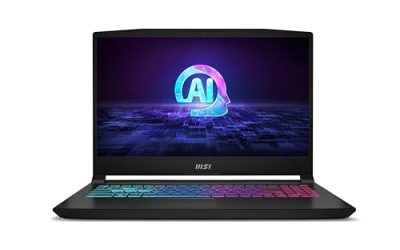
The MSI Katana 15 HX is the balanced choice in this group, pairing a 16-core Intel Core i7-14650HX processor with an NVIDIA GeForce RTX 5070 graphics card and 32GB of DDR5 RAM. That combination is built for QHD gaming, where its 15.6-inch display runs at 165Hz and covers the full DCI-P3 colour range stated in the listing, giving sharper images than a Full HD panel. A 1TB SSD holds a useful collection of large games, and Windows 11 Pro suits players who also use the laptop for study or work. The four-zone RGB keyboard and Wi-Fi 6E round out a machine ready for long sessions at a desk.
Specs
- 15.6-inch QHD display, 165Hz refresh rate, full DCI-P3 coverage
- Intel Core i7-14650HX processor with 16 cores
- NVIDIA GeForce RTX 5070 graphics with 8GB GDDR7
- 32GB DDR5 RAM
- 1TB SSD storage
- Windows 11 Pro
- 4-zone RGB backlit keyboard
- Wi-Fi 6E
- HDMI 2.1 and USB-C ports
Best for: Players who want strong QHD performance, plenty of memory and a sharp, fast display without moving to the largest premium model.
Watch out for: This is a heavier 15.6-inch machine, so it suits a desk setup more than constant travel, and the listing title mentions an accessory hub, so confirm exactly what is included before ordering.
MSI Stealth 16 AI+

The MSI Stealth 16 AI+ is the premium laptop here, built around an Intel Core Ultra 9 386H processor and an NVIDIA GeForce RTX 5070 Ti graphics card with 16GB of GDDR7 memory. Its 16-inch QHD+ OLED display runs at 240Hz, which makes it the clearest choice for players who notice colour, contrast and motion in dark or richly detailed scenes. With 32GB of DDR5 RAM and a 1TB NVMe SSD, it also handles editing, streaming and heavy multitasking beside gaming. Wi-Fi 7 keeps wireless connections current, and the slim charcoal black design is easier to carry than its screen size might suggest.
Specs
- 16-inch QHD+ OLED display, 240Hz refresh rate
- Intel Core Ultra 9 386H processor
- NVIDIA GeForce RTX 5070 Ti graphics with 16GB GDDR7
- 32GB DDR5 RAM
- 1TB NVMe SSD storage
- Wi-Fi 7
- Windows 11 Home
- Charcoal Black, model B3WH-036US
Best for: Players and creators who want the strongest graphics card here and an OLED display for gaming, editing and media.
Watch out for: The OLED panel and high-end graphics card place this model at the top of the range, so it is more laptop than a casual player needs for Full HD games alone.
Which One Fits Your Situation
You mainly play popular games at Full HD
Choose the MSI Cyborg 15 if your games are mainly competitive shooters, sports titles and older favourites, and you play at Full HD. Its RTX 5050 graphics and 144Hz display are matched to that kind of play, and the lighter 15.6-inch body is easy to move around. You also get a 1TB SSD, so you can keep a fair number of games installed without managing storage every week.
You want sharper QHD gaming and room to grow
Choose the MSI Katana 15 HX if you play modern story-driven and open-world games and want them to look sharper than Full HD allows. The RTX 5070 graphics card, 32GB of RAM and 165Hz QHD display give you headroom for higher settings, and Windows 11 Pro suits a laptop that doubles as a study or work machine. It is the middle ground that covers the widest range of games.
You care about screen quality as much as frame rates
Choose the MSI Stealth 16 AI+ if the display matters to you as much as raw speed, whether for dark atmospheric games, films or creative work. The 240Hz QHD+ OLED panel shows deeper blacks and richer colour than the other two displays, and the RTX 5070 Ti graphics card supports that panel in demanding scenes. It is the right pick when you want one machine for gaming and visual work.
You carry your laptop often and travel light
Choose the MSI Cyborg 15 again if portability is your main concern, because it is the lightest and simplest machine in this set. A thinner body and a Full HD display keep the laptop easier to pack and carry, and the specification still covers everyday gaming. If you mostly play at a desk, the Katana 15 HX or Stealth 16 AI+ may suit you better.
Common Mistakes
- Buying the strongest graphics card available when your games run well at Full HD, and ending up with a heavier, more complex laptop than you need.
- Comparing laptops by screen size alone, without checking resolution, refresh rate and panel type, which shape the picture far more.
- Choosing 16GB of RAM and a small drive for a large game library, then having to uninstall games to make room for updates.
- Ignoring weight and thickness, and then finding that a powerful laptop is awkward to carry to class, work or a friend’s house.
- Forgetting to confirm the exact configuration in the listing, since MSI sells the same model name with different processors, graphics cards and memory.
Frequently Asked Questions
Are MSI gaming laptops good for school and work as well as gaming?
Yes, the three laptops here run Windows 11 and handle everyday study and work tasks beside gaming, including writing, browsing and video calls. The Katana 15 HX runs Windows 11 Pro, which suits a machine shared between gaming and work. The main trade-off is size and weight, so a thinner model such as the Cyborg 15 is easier to carry between classes than a larger premium laptop.
What is the difference between the Katana 15 HX and the Cyborg 15?
The Katana 15 HX has a stronger graphics card, more memory and a sharper display than the Cyborg 15, so it suits QHD gaming and heavier multitasking. The Cyborg 15 has an RTX 5050 graphics card, 16GB of RAM and a Full HD 144Hz display, which suits everyday gaming and portability. Choose the Katana for demanding games and the Cyborg for simpler Full HD play.
Is an OLED display worth it for gaming?
An OLED display is worth it if you play dark, colourful or visually detailed games and notice contrast and colour in what you watch. The Stealth 16 AI+ pairs its QHD+ OLED panel with a 240Hz refresh rate, so motion stays smooth while blacks look deeper. If you mainly play bright competitive games at Full HD, a standard display such as the Cyborg 15 panel will serve you well.
How much storage do I need in a gaming laptop?
A 1TB SSD is a sensible amount for most players, and all three laptops in this guide include one. Modern games can take up a large amount of space, so a smaller drive fills quickly and forces frequent uninstalling. If you play many large games at once, check whether the laptop lets you add a second drive later, and keep your most-played titles installed.
More from Amazon
Programs that pair well with the guide above. Offers and eligibility are set by Amazon and may change.
Free shipping on eligible items, Prime Video and more. Eligible new members can start with a free trial.
Start a Prime free trialAd-free music streaming. Eligible new subscribers can start with a free trial.
Try Music Unlimited freeA Prime membership for ages 18-24 with a trial period. Eligibility is set by Amazon.
See Prime for Young AdultsAudiobooks and podcasts to listen to on the go. Eligible new members can start with a free trial.
Try Audible freeAs an Amazon Associate we earn from qualifying purchases.
Write Your Review
No reviews yet. Be the first to share your experience!