

Key takeaways
- Find the best laptops for hacking the ethical way: strong CPUs, upgradeable RAM, Linux support and virtualization power for pen testing labs and CTF practice.
As an Amazon Associate we earn from qualifying purchases.
Choosing a laptop for hacking is about choosing a portable lab. The machine has to run a Linux distribution such as Kali or Parrot, spin up two or three virtual machines at once, and feel responsive while you capture traffic, scan a test network, or work through a capture-the-flag challenge. That workload punishes weak processors, small memory, and slow storage far more than everyday browsing ever will, so the buying decision comes down to cores, memory headroom, and hardware that plays nicely with Linux.
Students working toward a first security certification, analysts building a home lab, and hobbyists who spend weekends on CTF platforms all need the same foundation, even if their budgets differ. This guide explains the specifications that matter for authorized penetration testing and ethical hacking study, and every machine type discussed here is judged on hardware you can confirm from the manufacturer’s own specification sheet. Remember that the techniques in this field are for authorized testing only, on systems you own or have written permission to assess.
How to Choose
Processor Cores and Threads for Virtual Machines
A security lab lives or dies on processor cores. Each virtual machine you run needs its own share of cores, so a machine with eight cores and sixteen threads can comfortably host a Kali attacker box, a vulnerable target, and a Windows client at the same time, while a four-core chip will stutter under the same load. Password-cracking practice, log analysis, and compiling tools also scale with core count, which makes a modern eight-core Ryzen 7 or Core i7 a sensible baseline. Clock speed matters less than core count here, because most lab tools are multithreaded, and a processor that stays cool under sustained load will finish long scans faster than a hotter chip that throttles after ten minutes.
Memory: Why 32 GB Is the Sweet Spot
Memory is the single specification most buyers underestimate when they shop for a hacking laptop. A host operating system takes several gigabytes before you open anything, each virtual machine wants four to eight gigabytes of its own, and a browser full of documentation tabs quietly eats the rest. Sixteen gigabytes works for a single virtual machine and light practice, but 32 GB is the sweet spot because it lets you run a full lab without closing tools to free memory. Check whether the memory is soldered or socketed before you buy, since a laptop with two accessible SO-DIMM slots can be upgraded later, while a machine with soldered memory locks you into whatever you chose on day one.
Storage, Ports, and Expansion
Fast storage changes how a security lab feels day to day. A 1 TB NVMe solid-state drive gives you room for a host system, several virtual machine images, wordlists, and packet captures without deleting labs to make space, and NVMe speeds mean virtual machines boot in seconds rather than minutes. Look for a second drive slot or an empty M.2 bay if you plan to keep disk images, because adding storage later is far cheaper than replacing a drive. Ports matter too: at least two USB-A ports for external wireless adapters, a USB-C port, HDMI for a second screen, and wired Ethernet for lab networking all earn their place on a machine you will use for practice.
Linux Compatibility and Wireless Adapters
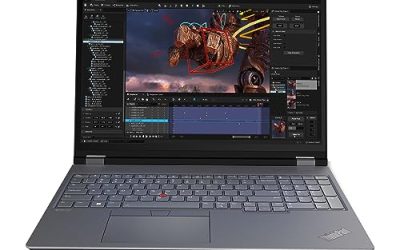
Linux compatibility separates a good hacking laptop from a frustrating one. Most modern Intel and AMD hardware runs Kali and Parrot well, but the wireless card deserves a close look, because some newer cards ship without mature drivers and can leave you without monitor mode or packet injection in a virtual machine. Business laptops from Lenovo and Dell have a strong record of Linux support, and their documentation usually lists the exact wireless chipset so you can check driver support before buying. If the built-in card falls short, a USB wireless adapter with a supported chipset is a useful add-on, and it also lets you keep the internal card connected to your normal network while the adapter handles lab traffic.
Which One Fits Your Situation
You Are Studying for Your First Security Certification
A laptop with an eight-core processor, 16 GB of memory, and a 512 GB NVMe drive covers the first year of certification study without strain. You will run one virtual machine at a time, follow labs, and spend your hours reading and taking notes, so battery life and a keyboard matter as much as speed. Spend the money you save on a second monitor or a USB wireless adapter rather than a graphics card you will rarely use.
You Run a Home Lab With Several Virtual Machines
A home lab builder should prioritize 32 GB of memory, an eight-core processor, and 1 TB of fast storage above everything else. Three virtual machines running at once — an attacker, a target, and a logging server — will use every gigabyte you give them, and the extra memory headroom keeps the whole lab responsive during long scans. A larger screen helps too, since you will juggle terminal windows, a browser, and a notes app at the same time.
You Travel to CTF Events and Client Sites
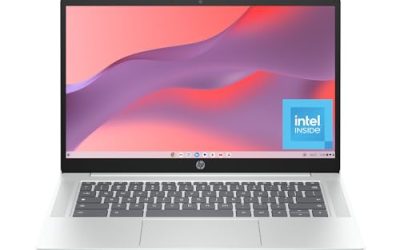
Travel changes the calculation toward weight, battery life, and durability. A 14-inch business laptop with a solid chassis, a backlit keyboard, and a battery that lasts through a full competition day is worth more than a heavier machine with a graphics card you never switch on. Make sure the laptop has enough ports for an external adapter and a second display at the venue, and keep a lightweight Linux live USB in your bag as a backup boot option.
You Want One Machine for Work and Security Study
If one laptop must serve both your day job and your security practice, pick a machine with Windows 11 Pro, 32 GB of memory, and a processor with hardware virtualization support. Windows 11 Pro unlocks Hyper-V and BitLocker, the extra memory lets a Kali virtual machine run beside your work apps, and a professional-looking chassis fits in an office. Keep your lab in virtual machines rather than dual-booting, so your work system stays clean and your practice environment stays separate.
Setting Up Your First Authorized Testing Lab
A useful lab does not need expensive hardware, but it does need structure. Start with a virtualization platform such as VirtualBox or VMware Workstation Player, then create three virtual machines: an attacker running Kali Linux, a deliberately vulnerable target such as Metasploitable or a DVWA image, and a plain Windows or Linux client to observe from the other side. Keep the lab on a host-only or NAT network so your practice traffic never touches your home network or the internet, and take snapshots before every experiment so you can roll a broken machine back in seconds. Document each exercise in a notebook, including what you tried, what worked, and what you would change next time, because that record becomes your study material. A separate external drive for virtual machine backups is also worth having, since a corrupted lab disk can erase weeks of practice in an instant. Over time, add a logging virtual machine to practice reading alerts, and a second vulnerable target with a different operating system to widen the range of techniques you can rehearse safely.
Linux Distributions for Security Learning
Kali Linux is the standard starting point, and for good reason: it ships with hundreds of preinstalled security tools, a large community, and documentation for nearly every common lab setup. Parrot OS is a lighter alternative with a similar toolset and a desktop that feels less cluttered, which suits older hardware or anyone who prefers a calmer workspace. Ubuntu or Fedora with a handful of tools installed by hand teaches you more about how the pieces fit together, and that understanding pays off when a tool breaks in the middle of an exam. Whichever distribution you choose, run it in a virtual machine first, learn the package manager, and keep a separate notes file for the commands you use most often. Keep your tools updated weekly, since security tools change fast and an outdated scanner can miss weaknesses that a current version would catch. The distribution matters far less than the habit of practicing regularly on systems you are allowed to test.
Common Mistakes
- Buying the cheapest laptop with 8 GB of memory and no upgrade path, then discovering it cannot run a host system and two virtual machines at the same time.
- Choosing a machine whose wireless card has no Linux driver support, leaving you without monitor mode or packet injection when you need it most.
- Filling the drive with a single operating system and no room for snapshots, so one failed experiment costs hours of rebuilding.
- Ignoring battery life and weight when the laptop has to travel to CTF events, client sites, or study sessions away from a power outlet.
- Practicing techniques on networks or systems without written permission, which turns a learning exercise into a legal problem.
Frequently Asked Questions
Can you learn ethical hacking on a budget laptop?
Yes, as long as the budget laptop has an eight-core processor, 16 GB of memory, and a solid-state drive. That combination runs one Kali virtual machine and a small vulnerable target comfortably, which covers the early stages of most courses and certifications. Upgrade the memory later if the laptop has accessible slots, and add a USB wireless adapter when you reach the wireless sections of your study plan.
Do you need a dedicated graphics card for penetration testing?
No, a dedicated graphics card is rarely necessary for penetration testing. Most lab work depends on processor cores and memory, not graphics power, and integrated graphics handle terminals, browsers, and documentation without trouble. The one exception is password-cracking practice, where a graphics card speeds up hash cracking considerably, but even there a cloud instance or a desktop can fill the gap.
Is Linux required, or can you learn on Windows?
Linux is the standard environment for security tools, but you do not need to abandon Windows. Windows 11 Pro with a Kali virtual machine gives you the best of both worlds: your familiar desktop for daily work and a full Linux lab one click away. Over time you will spend more hours inside the virtual machine than on the host, which is a way to build Linux confidence.
How much RAM do you need for a virtualized security lab?
Sixteen gigabytes is the minimum for a lab with one attacker and one target virtual machine, while 32 GB is the standard for three or more machines running at once. Each virtual machine needs four to eight gigabytes, and the host system needs its own share on top of that. If your budget forces a choice, take more memory over processor speed, because memory is what keeps a lab responsive.
Building a Practice Lab That Grows With You
A good practice lab starts small and grows as your skills do. Begin with one virtual machine running a security-focused Linux distribution and a second machine acting as a target, both isolated from your main network. Take a snapshot before every new exercise so a mistake costs seconds to undo instead of hours to rebuild. Add one tool at a time and learn what it does before moving on, because a long list of tools you do not understand slows you down. Keep a notebook of commands and findings from each session, and revisit it before starting the next one, so each practice round builds on the last instead of starting over. Review your notes monthly and retire tools you have outgrown, keeping the lab focused on the skills you are building next.
More from Amazon
Programs that pair well with the guide above. Offers and eligibility are set by Amazon and may change.
Free shipping on eligible items, Prime Video and more. Eligible new members can start with a free trial.
Start a Prime free trialAd-free music streaming. Eligible new subscribers can start with a free trial.
Try Music Unlimited freeA Prime membership for ages 18-24 with a trial period. Eligibility is set by Amazon.
See Prime for Young AdultsAudiobooks and podcasts to listen to on the go. Eligible new members can start with a free trial.
Try Audible freeAs an Amazon Associate we earn from qualifying purchases.



Write Your Review
No reviews yet. Be the first to share your experience!