

Key takeaways
- Five small laptops with 13 to 14-inch screens, compared by weight, display, memory and storage, with every spec taken from the Amazon listing.
Buying a small laptop is really a decision about the bag, not the desk. The machine has to fit a crowded tote, a train table and the gap between meetings, and it still has to feel quick when the lid opens. Screen size alone does not settle that, because two laptops with similar displays can differ a lot in weight, thickness and how much work they handle away from a charger.
This guide is for commuters, students moving between classes, frequent flyers and hybrid workers who split the week between home and office. Every pick is a conventional laptop with a screen from 13 to 14 inches, and each one was chosen from its name and specifications on Amazon, with the exact memory and storage configuration noted for every model.
Quick Picks
As an Amazon Associate we earn from qualifying purchases
| Product | Best for | Key spec from title |
|---|---|---|
| Apple 2025 MacBook Air 13-inch Laptop with M4 Chip | macOS users who carry a laptop all day | 13.6-inch Liquid Retina Display |
| Microsoft Surface Laptop (2025) 13-inch | Windows users who want the smallest footprint here | 13-inch Touchscreen Display |
| Dell XPS 13 9345 Laptop | Windows users who want a sharp, bright small screen | 13.4-inch FHD+ Display |
| LG gram 14-inch Lightweight Laptop | Carrying a 14-inch screen without the usual bulk | 14-inch 1920 x 1200 IPS Panel |
| Acer Swift Go 14 SFG14-72-53BP | A high-resolution OLED screen in a 14-inch body | 14-inch OLED 2880 x 1800 Display |
How to Choose
Start With Screen Size and Weight Together
A 13-inch laptop suits tight spaces best, while a 14-inch model gives documents and split-screen work a little more room. Neither number means much on its own, so read it beside the listed weight and thickness. A slightly larger screen that stays light can be easier to live with than a smaller machine that feels dense in a bag. Check the listing dimensions against the sleeve or compartment you already own, because a small laptop that needs a bigger case gives back much of its advantage every single day.
Match the Processor Family to Your Software
Three of the laptops here run on Snapdragon processors and two on Intel, plus one Apple chip, and that choice affects which programs run without fuss. Everyday browsing, documents and video calls suit any of them, but older Windows software, specialist plug-ins and some peripherals still favour Intel or Apple hardware. If your work depends on a particular application, confirm its stated requirements against the processor named in the listing before ordering. Choosing the chip your software expects matters more than chasing the longest processor name in a title.
Treat 16GB of Memory as the Working Baseline
Every laptop in this guide lists 16GB of memory, and that is the sensible floor for a machine bought to last several years. It leaves room for a browser full of tabs, office documents, chat tools and a video call running at once. Storage needs vary more: 256GB fills quickly once photos, offline files and large applications pile up, while 512GB gives most people breathing space. Because memory and storage are fixed at purchase on slim laptops like these, pick the configuration in the listing carefully rather than planning an upgrade later.
Count Ports Before You Count on Adapters
Small laptops shed ports first, and the listings here show the trade clearly. Some models lean on two USB-C ports for charging, data and external displays, which works neatly with a docking setup but means carrying adapters for older drives, projectors and wired accessories. Touchscreens, backlit keyboards and fingerprint or face sign-in also vary by model. List the cables and devices you plug in during a normal week, then match them against the port selection stated in the listing, not against photographs of a different configuration.
The 5 Best Options
Apple 2025 MacBook Air 13-inch Laptop with M4 Chip

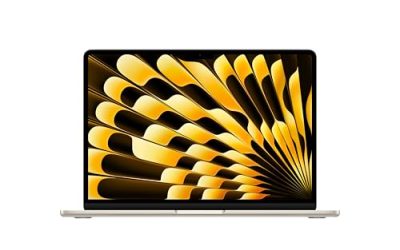
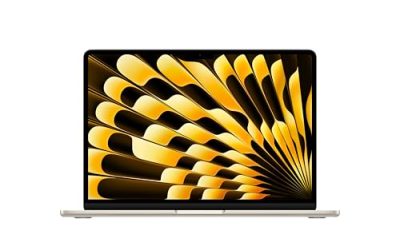
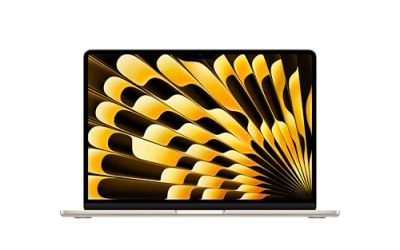
The MacBook Air suits buyers who want the small-laptop question settled in one move: a 13.6-inch screen, a body under half an inch thick at its stated dimensions, and a listed weight that keeps a shoulder bag comfortable through a full day out. The configuration described here pairs the M4 chip with 16GB of unified memory and 256GB of SSD storage in Starlight, which fits writers, students and office workers whose files live largely online. Touch ID handles sign-in, and the 12MP Center Stage camera covers video calls without extra hardware.
Specs
- Display: 13.6-inch Liquid Retina display
- Processor: Apple M4 chip
- Memory: 16GB unified memory
- Storage: 256GB SSD storage
- Camera: 12MP Center Stage camera
- Sign-in: Touch ID
- Dimensions: 8.46 x 11.97 x 0.44 inches, as listed
- Weight: 2.73 pounds, as listed
- Colour: Starlight
- Model number: MW0Y3LL/A
Best for: macOS users who carry one laptop between home, office and campus all week.
Watch out for: The 256GB storage in this configuration is the tightest here, so check your current file use before choosing it.
ASIN: B0DZDCPMGK
Microsoft Surface Laptop (2025) 13-inch

Microsoft built this Surface Laptop around the smallest screen in the guide, a 13-inch PixelSense touchscreen, which makes it the natural pick for cramped desks, lecture seats and tray tables. The Platinum configuration listed here combines a Snapdragon X Plus processor with 16GB of memory and 512GB of SSD storage, and the listing states up to 23 hours of battery life, the longest figure among these five. It runs Windows 11 Home and carries a backlit keyboard, so it works as a straightforward everyday Windows machine that happens to be unusually easy to carry.
Specs
- Display: 13-inch PixelSense touchscreen display, 1920 x 1280
- Processor: Snapdragon X Plus (8 core)
- Memory: 16GB LPDDR5x RAM
- Storage: 512GB SSD storage
- Operating system: Windows 11 Home
- Battery life: Up to 23 hours, as listed
- Graphics: Integrated Adreno graphics
- Wireless: Wi-Fi 7 and Bluetooth 5.4
- Keyboard: Backlit keyboard
Best for: Windows users who want the most compact machine here for travel and shared workspaces.
Watch out for: The Snapdragon processor means checking that any older Windows programs you depend on support it before ordering.
ASIN: B0DZB622B2
Dell XPS 13 9345 Laptop

The XPS 13 9345 is the pick for buyers who look at the screen all day and notice the difference a bright panel makes. Its listing describes a 13.4-inch FHD+ InfinityEdge display with an anti-glare finish, paired with a Snapdragon X Elite processor, 16GB of memory and 512GB of SSD storage in a Graphite finish. A 1080p webcam and a backlit keyboard round out a configuration aimed at desk-and-travel hybrid work, where the laptop spends mornings on calls and afternoons in a bag moving between sites.
Specs
- Display: 13.4-inch FHD+ (1920 x 1200) anti-glare InfinityEdge display, 500 nits, as listed
- Processor: Snapdragon X Elite X1E-80-100, 12 cores up to 3.4 GHz, dual-core boost up to 4.0 GHz
- Memory: 16GB LPDDR5X
- Storage: 512GB SSD
- Graphics: Qualcomm Adreno GPU
- Battery: 3-cell, 55 Wh lithium ion, as listed
- Wireless: Wi-Fi 7 and Bluetooth 5.4
- Ports: Two USB4 40 Gbps USB Type-C ports with DisplayPort and Power Delivery
- Operating system: Windows 11 Home
- Colour: Graphite
Best for: Hybrid workers who want a bright 13.4-inch screen and a premium-feeling compact Windows laptop.
Watch out for: Two USB Type-C ports carry everything here, so plan on adapters or a dock for older accessories.
ASIN: B0FYRW4N42
LG gram 14-inch Lightweight Laptop

The gram line exists for one reason: a bigger screen that still carries like a small one. This 14-inch model, listed as an Intel Evo Edition laptop in Obsidian Black, pairs its 1920 x 1200 IPS panel with an Intel Core Ultra 7 processor, 16GB of memory and 512GB of SSD storage, and it ships with Windows 11 Pro rather than Home. That combination suits professionals who want the extra working room of a 14-inch display for spreadsheets and documents, plus the Pro edition of Windows, without stepping up to a heavier class of machine.
Specs
- Display: 14.0-inch 1920 x 1200 IPS panel, as listed
- Processor: Intel Core Ultra 7, listed as Intel Core U7
- Memory: 16GB LPDDR5X (dual channel, 6400MHz)
- Storage: 512GB SSD
- Graphics: Intel Arc Graphics
- Operating system: Windows 11 Pro
- Edition: Intel Evo Edition
- Colour: Obsidian Black
Best for: Professionals who want a 14-inch screen and Windows 11 Pro in a laptop built around low weight.
Watch out for: This listing does not state a touchscreen, so confirm the panel type if touch input matters to you.
ASIN: B0D56G773K
Acer Swift Go 14 SFG14-72-53BP

The Swift Go 14 stands out in this group for its display specification. The listing states a 14-inch OLED panel at 2880 x 1800 with a 90Hz refresh rate, a step up in resolution from the other Windows picks here, driven by an Intel Core Ultra 5 125H processor with Intel Arc graphics. With 16GB of memory and 512GB of SSD storage, the configuration fits students and home workers who read, write and stream on the same screen all day and want that screen to be the strong point of the machine.
Specs
- Display: 14-inch OLED display, 2880 x 1800, 90Hz
- Processor: Intel Core Ultra 5 processor 125H
- Graphics: Intel Arc graphics
- Memory: 16GB LPDDR5X
- Storage: 512GB SSD
- Edition: Intel Evo Edition, listed as Thin & Light
- Model: SFG14-72-53BP
Best for: Students and home workers who want the sharpest listed display in a 14-inch laptop.
Watch out for: OLED panels and high resolution can draw more power, so weigh the stated display specification against your time away from a charger.
ASIN: B0CNF7KCWS
Which One Fits Your Situation
You Commute With Everything in One Bag
Choose between the MacBook Air and the Surface Laptop, because both keep the footprint close to a notebook and the listed figures support all-day carrying. Pick the MacBook Air if your work already lives in macOS and you value Touch ID sign-in. Pick the Surface Laptop if you need Windows, want a touchscreen, and like the longer battery figure stated in its listing for days spent away from outlets.
You Split the Week Between Two Desks
The Dell XPS 13 9345 fits this pattern well. Its bright 13.4-inch anti-glare display and 1080p webcam handle the call-heavy days, while the compact body travels easily between home and office. Budget desk space for a small dock or adapter set, because its two USB Type-C ports are expected to cover charging, displays and accessories at both ends of the commute.
You Work in Spreadsheets and Long Documents
The LG gram 14 gives you the most comfortable reading setup among the Windows options here, with its 14-inch 1920 x 1200 IPS panel and Windows 11 Pro. The taller aspect ratio shows more rows and more of a page at once than a standard widescreen layout, which adds up over a day of documents. Its Intel processor also keeps older Windows software on familiar ground.
You Watch and Read on the Same Screen
The Acer Swift Go 14 is the one to shortlist when the display does double duty for work and evening viewing. Its listed OLED panel carries the highest resolution in this guide, so text stays crisp during the day and video looks detailed at night. The MacBook Air is the alternative if you prefer the Apple ecosystem and its Liquid Retina display.
Common Mistakes
- Judging size by screen inches alone and ignoring the listed weight, thickness and footprint that decide how a laptop actually carries.
- Buying the 256GB configuration while keeping years of photos and offline files locally, then running out of room within months.
- Assuming a Snapdragon Windows laptop runs every older program, without checking the requirements of the software you rely on.
- Forgetting that slim laptops often charge through USB-C, so a lost or borrowed charger may not match the port you have.
- Comparing photographs of a different colour or configuration instead of the exact variant named in the listing you are ordering.
Frequently Asked Questions
Is a 13-inch or 14-inch laptop better for travel?
Both travel well, and the difference shows up in working room rather than in the bag. A 13-inch model such as the Surface Laptop or MacBook Air fits smaller tables and sleeves more easily. A 14-inch model gives documents and side-by-side windows more space. Decide by the spaces you work in and the sleeve you already own.
Can a small laptop handle everyday office work?
Yes, provided the configuration is sensible. Every laptop here lists 16GB of memory and SSD storage, which covers documents, spreadsheets, browsing, email and video calls comfortably. Heavier work such as large video projects depends more on the processor and graphics in the listing, so match those specifications to the programs you actually run each week.
Does a Snapdragon Windows laptop run all Windows programs?
Not always. Current applications generally run well, and the listings for the Surface Laptop and Dell XPS 13 describe them as Copilot+ PCs built around Snapdragon processors. Older or specialist software can still depend on Intel or AMD hardware. Check the stated system requirements of any essential program before choosing a Snapdragon model.
How much storage should a small laptop have?
For most buyers, 512GB is the comfortable choice, and four of the five laptops here list exactly that. It leaves room for applications, documents and a photo library without constant tidying. The 256GB MacBook Air configuration suits people whose files live mainly in cloud storage, but it fills quickly if you keep large files stored locally.
More from Amazon
Programs that pair well with the guide above. Offers and eligibility are set by Amazon and may change.
Free shipping on eligible items, Prime Video and more. Eligible new members can start with a free trial.
Start a Prime free trialAd-free music streaming. Eligible new subscribers can start with a free trial.
Try Music Unlimited freeA Prime membership for ages 18-24 with a trial period. Eligibility is set by Amazon.
See Prime for Young AdultsAudiobooks and podcasts to listen to on the go. Eligible new members can start with a free trial.
Try Audible freeAs an Amazon Associate we earn from qualifying purchases.
Write Your Review
No reviews yet. Be the first to share your experience!