
Our Short List of 3

- Best for: Pen-led note-taking and creative work on the sharpest screen in this guide.
- 14-inch 2.8K OLED touchscreen, 2880 x 1800
- Brightness 1,100 nits (HDR) as stated in the listing title
- Intel Core Ultra 7 258V processor
- 32GB LPDDR5X-8533 memory

- Best for: Power users who want flagship memory and storage in a 14-inch convertible.
- 14-inch touchscreen, 2880 x 1800
- Intel Core Ultra 7 155H processor
- 32GB LPDDR5 memory
- 2TB SSD storage
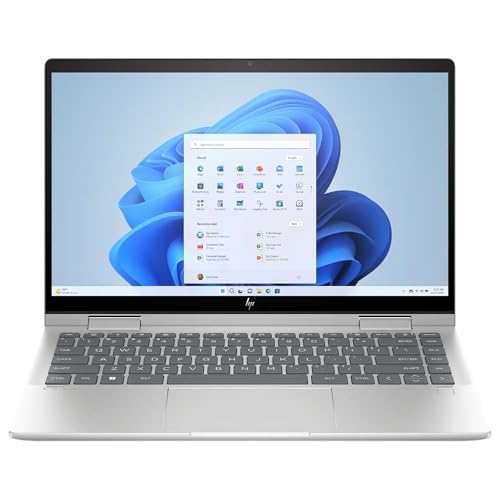
- Best for: A first convertible for everyday home and study tasks.
- 14-inch FHD touchscreen, 1920 x 1080
- Intel Core 5 120U processor (10-core)
- 8GB DDR4 memory
- 512GB SSD storage
All 3 Picks at a Glance
| Product | Specs | Action |
|---|---|---|
| Lenovo Yoga 9i 2-in-1 Aura Edition 14 |
| Check price on Amazon |
| HP Spectre x360 14 (Core Ultra 7 155H, 32GB, 2TB) |
| Check price on Amazon |
| HP Envy x360 2-in-1 14 (Core 5 120U, 8GB, 512GB) |
| Check price on Amazon |
Key takeaways
- Five 360-degree convertible laptops compared on screen, pen support and configuration: Yoga 9i and 7i, Spectre x360, Envy x360 and a Dell Inspiron 2-in-1.
Buying a convertible laptop is really two decisions folded into one hinge. The first is whether you will genuinely flip the screen into tent and tablet modes for notes, sketching, reading and presenting, or whether the touchscreen would sit unused on a normal clamshell. The second is harder: every model name here hides several fixed configurations, and the processor, memory and storage you get are decided entirely by which exact listing you order, never by the badge on the lid.
This guide is for buyers who want that flexibility without giving up a proper keyboard: students who annotate readings, professionals who present from the screen, and home users who read and watch in tablet mode. All five picks are true 360-degree hinge convertibles chosen from their Amazon listing names and stated specifications, covering 14-inch and 16-inch screens, OLED and IPS panels, and configurations from an everyday 8GB machine to a 32GB, 2TB flagship specification.
Quick Picks
As an Amazon Associate we earn from qualifying purchases
| Product | Best for | Key spec from title |
|---|---|---|
| Lenovo Yoga 9i 2-in-1 Aura Edition 14 | Pen-first buyers who want the best screen | 2.8K OLED touchscreen, pen included |
| Lenovo Yoga 7i 2-in-1 16 | A big screen for documents and split-screen work | 16-inch WUXGA touchscreen, 1TB SSD |
| HP Spectre x360 14 | Maximum memory and storage in a 14-inch body | Core Ultra 7 155H, 32GB, 2TB SSD |
| Dell Inspiron 14 7445 2-in-1 | Balanced everyday power with DDR5 memory | Ryzen 5 8640HS, 16GB DDR5 |
| HP Envy x360 2-in-1 14 | The straightforward first convertible | 14-inch FHD touchscreen, Core 5 120U |
How to Choose
Screen size, resolution and panel type
The screen is the part of a convertible you use in every mode, so it deserves the first decision. A 14-inch panel keeps the machine easy to carry and usable as a tablet, while the 16-inch option here suits desk work and side-by-side documents but feels bulky held in two hands. Resolution matters the same way: the 2880 x 1800 OLED panels on the Yoga 9i and Spectre x360 render text and images with far more detail than the 1920 x 1080 Envy screen, and OLED also delivers perfect blacks for video. WUXGA panels on the Yoga 7i and the Dell sit between the two, adding vertical room over standard Full HD.
Pen support: what the listing actually includes
A touchscreen alone does not make a note-taking machine. Of the five listings in this guide, only the Yoga 9i states in its title that a pen is included, which removes a separate purchase and the guesswork about compatibility. The other listings do not state pen inclusion in the specifications recorded for them, so if handwritten notes or drawing are central to your use, treat the stylus as a separate item to confirm on the live listing before ordering. Also think about where the pen lives: a pen bundled in the box still needs a storage habit, or it will be lost within a month.
Processor, memory and storage are fixed at purchase
Convertibles in this class are sold as sealed configurations, so the listing you choose is the machine you live with. Memory is the specification to weight most heavily: 8GB on the Envy x360 suits browsing, documents and streaming, while 16GB on the Yoga 7i and Dell Inspiron keeps many applications and browser tabs comfortable, and the 32GB configurations of the Yoga 9i and Spectre x360 are aimed at heavier multitasking and creative work. Storage follows the same ladder, from 512GB on the Dell and Envy to 1TB on the two Lenovos and 2TB on the Spectre. Buy for the workload you expect in two years, not this month.
Read the exact configuration, not the model name
The biggest buying risk with convertibles is configuration drift. The Yoga 7i 16-inch line, for example, is sold in more than one processor, memory and storage combination under the same model name, and the Dell Inspiron 14 7445 in this guide even has a near-identical duplicate listing under a different code. The HP Spectre x360 pick is a reseller-configured listing with upgraded memory and storage rather than HP’s base retail build, which is fine as long as you know that is what you are ordering. Before paying, match the processor, memory, storage and screen in the listing title against the pick described here, item by item.
The 5 Best Options
Lenovo Yoga 9i 2-in-1 Aura Edition 14
- Best for: Pen-led note-taking and creative work on the sharpest screen in this guide.
- 14-inch 2.8K OLED touchscreen, 2880 x 1800
- Brightness 1,100 nits (HDR) as stated in the listing title
- Intel Core Ultra 7 258V processor
- 32GB LPDDR5X-8533 memory
Pen-led note-taking and creative work on the sharpest screen in this guide.
The OLED panel and flagship configuration make this the premium end of the list; if you never use a stylus, the Yoga 7i below covers similar ground in a larger size.
The Yoga 9i Aura Edition is the pick for buyers who will actually use the pen. Its listing states a 2.8K OLED touchscreen at 2880 x 1800 with 1,100 nits in HDR, and it is the only listing in this guide whose title says a pen is included, which makes it the natural choice for handwritten notes, markup and sketching. Inside, the Core Ultra 7 258V is paired with 32GB of LPDDR5X memory and a 1TB SSD, a combination aimed at demanding multitasking rather than light browsing, and Wi-Fi 7 plus Windows 11 Pro round out a specification that asks for few compromises.
Lenovo Yoga 7i 2-in-1 16 (Core Ultra 7 155U, 16GB, 1TB)
This specific Yoga 7i configuration is the large-screen workhorse of the group. The 16-inch WUXGA touchscreen gives documents, spreadsheets and split-screen research noticeably more room than any 14-inch model here, and the hinge still folds fully for presenting or reading. The Core Ultra 7 155U is paired with 16GB of memory and a generous 1TB SSD, which suits an office workload of large files, many tabs and several applications at once. Choose this exact configuration by name: the same Yoga 7i 16-inch line is also sold in a smaller 8GB, 512GB configuration that is a different product in practice.
Specs
- 16-inch WUXGA (FHD+) touchscreen
- Intel Core Ultra 7 155U processor
- 16GB memory
- 1TB SSD storage
Best for: Desk-based work where screen space matters more than tablet comfort.
Watch out for: A 16-inch convertible is heavy to hold in tablet mode for long stretches, and this listing does not state that a pen is included, so confirm stylus supply on the live listing if you plan to write on it.
ASIN: B0G4M8JNSZ
HP Spectre x360 14 (Core Ultra 7 155H, 32GB, 2TB)
- Best for: Power users who want flagship memory and storage in a 14-inch convertible.
- 14-inch touchscreen, 2880 x 1800
- Intel Core Ultra 7 155H processor
- 32GB LPDDR5 memory
- 2TB SSD storage
Power users who want flagship memory and storage in a 14-inch convertible.
This is a reseller-configured build rather than HP’s base retail configuration, so check that the listing still shows 32GB of memory and the 2TB SSD before ordering, and do not confuse it with leaner Spectre listings.
The Spectre x360 14 listing in this guide is the heavy lifter: a Core Ultra 7 155H with 32GB of LPDDR5 memory and a 2TB SSD, behind a 14-inch touchscreen at the same 2880 x 1800 resolution as the Yoga 9i. That combination suits photo libraries, large project files and demanding multitasking in a body that still folds into tablet and tent modes. Intel Arc graphics and Thunderbolt 4 are stated in the listing, along with Wi-Fi 6E. Be aware that this is a reseller-configured listing with upgraded memory and storage, so the configuration named here is exactly what to verify at ordering.
Dell Inspiron 14 7445 2-in-1 (Ryzen 5 8640HS, 16GB, 512GB)
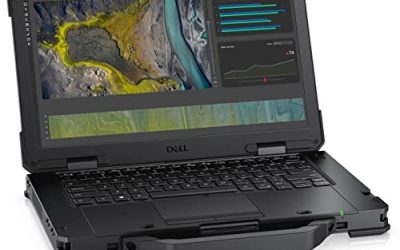
Dell’s Inspiron 14 7445 is the balanced middle of this guide. Its listing states the 360-degree hinge with tablet, tent, stand and laptop modes in so many words, and the specification is sensibly judged: a Ryzen 5 8640HS processor, 16GB of DDR5 memory and a 512GB SSD behind a 14-inch WUXGA touchscreen. That is enough power and memory for study, office work and entertainment without paying for flagship extras, and the taller WUXGA panel shows more of a document than a standard Full HD screen. It is the pick to shortlist when the budget is real but the machine must still last for years.
Specs
- 14-inch WUXGA touchscreen
- AMD Ryzen 5 8640HS processor
- 16GB DDR5 memory
- 512GB SSD storage
- 360-degree hinge with tablet, tent, stand and laptop modes, as listed
Best for: Students and home-office users who want one durable, flexible everyday laptop.
Watch out for: A near-identical listing for this configuration exists under a different code, so order by the ASIN below and confirm the Ryzen 5 8640HS, 16GB and 512GB combination on the page.
ASIN: B0BVZ7P9SW
HP Envy x360 2-in-1 14 (Core 5 120U, 8GB, 512GB)
- Best for: A first convertible for everyday home and study tasks.
- 14-inch FHD touchscreen, 1920 x 1080
- Intel Core 5 120U processor (10-core)
- 8GB DDR4 memory
- 512GB SSD storage
A first convertible for everyday home and study tasks.
The 8GB memory ceiling of this configuration is fixed, so if your workload is already growing, step up to a 16GB pick such as the Dell or the Yoga 7i instead.
The Envy x360 14 is the simplest route into convertible ownership. Its 14-inch Full HD touchscreen at 1920 x 1080, ten-core Core 5 120U processor, 8GB of memory and 512GB SSD cover the everyday mix of browsing, documents, video calls and streaming, and the x360 hinge adds tent mode for watching and tablet mode for reading. Nothing in the specification chases records, which is precisely the point for a first 2-in-1 or a household machine. Just be honest about the 8GB of memory: it is comfortable for one task at a time, not for heavy multitasking or large creative projects.
Which One Fits Your Situation
You take handwritten notes every day
Start with the Yoga 9i Aura Edition. It is the only listing here that states a pen is included, and its high-resolution OLED screen keeps handwriting and fine diagrams crisp. The 32GB of memory also means note applications, reference documents and a browser full of sources can stay open together without the machine slowing down mid-lecture or mid-meeting.
You work at a desk with long documents
Choose the Yoga 7i in the 16-inch, 16GB, 1TB configuration. The larger WUXGA screen is the most comfortable here for spreadsheets and side-by-side reading, and the storage swallows big project archives. You will use tablet mode less at this size, but tent mode still earns its place for presentations and video calls.
You carry one machine everywhere and keep everything on it
The Spectre x360 14 fits the travelling power user. Its 2TB SSD holds a full working library without external drives, 32GB of memory handles demanding multitasking, and the 14-inch body still folds flat for reading on a train or plane. Just verify the reseller configuration matches the specification described here before you order.
You want value and a machine that lasts
The Dell Inspiron 14 7445 is the sensible long-term buy, with 16GB of DDR5 memory and a capable Ryzen processor at the middle of the range. If your needs are lighter and the budget tighter, the Envy x360 14 covers everyday tasks well, provided you accept its 8GB memory limit from day one.
Common Mistakes
- Buying by model name alone, then discovering the delivered configuration has half the memory or storage of the review you read.
- Assuming a pen is in the box: only one listing in this guide states pen inclusion, so check the live listing for the others.
- Choosing a 16-inch convertible for tablet reading, then finding it too heavy to hold comfortably for long sessions.
- Paying for a 32GB flagship configuration when your real workload is browsing and documents that an 8GB or 16GB machine handles easily.
- Ignoring duplicate and reseller listings: near-identical pages exist for the same model, so match the exact specification and ASIN before ordering.
Frequently Asked Questions
Is a convertible laptop as durable as a normal laptop?
The hinge is the extra moving part, and on these 360-degree designs it is engineered for daily flipping between laptop, tent and tablet modes. Treat it like any precision mechanism: open and close it from the centre of the lid, avoid forcing it past its stops, and it should not be the weak point of the machine.
Can I upgrade the memory later on these models?
Plan on the memory stated in the listing being the memory you keep. These convertibles are sold as fixed configurations, and this guide treats the listed figure as final, which is why the sections above push buyers toward 16GB or 32GB configurations if their workload is growing. Check the live listing if upgradeability matters to you.
Do all of these laptops come with a pen?
No. Of the five listings compared here, only the Lenovo Yoga 9i Aura Edition states in its title that a pen is included. The other listings do not state pen inclusion in their recorded specifications, so assume the stylus is a separate purchase for them and confirm compatibility and supply on the live product page before ordering.
Which screen is best for watching video in tablet mode?
The two 2880 x 1800 panels, on the Yoga 9i and the Spectre x360, give the sharpest picture, and the Yoga 9i’s OLED panel adds perfect blacks that suit films in a dim room. The 14-inch size is also far more comfortable to hold or prop in tent mode than the 16-inch Yoga 7i.
More from Amazon
Programs that pair well with the guide above. Offers and eligibility are set by Amazon and may change.
Free shipping on eligible items, Prime Video and more. Eligible new members can start with a free trial.
Start a Prime free trialAd-free music streaming. Eligible new subscribers can start with a free trial.
Try Music Unlimited freeA Prime membership for ages 18-24 with a trial period. Eligibility is set by Amazon.
See Prime for Young AdultsAudiobooks and podcasts to listen to on the go. Eligible new members can start with a free trial.
Try Audible freeAs an Amazon Associate we earn from qualifying purchases.








Write Your Review
No reviews yet. Be the first to share your experience!