

Key takeaways
- Five laptops for 2D and 3D animation compared: OLED displays, strong GPUs, and enough memory for heavy scenes, plus guidance on displays and RAM.
An animation laptop has to do two jobs at once: keep the viewport smooth while you pose, scrub, and play back, and push through final renders without stalling. The wrong machine shows up as choppy playback, colors that shift between screens, and exports that drag on long past the deadline. A good pick balances all three, so your tools stay out of the way while you focus on the work itself.
This guide is for 2D animators, 3D artists, and motion designers who work in tools like Blender, Maya, Toon Boom, and After Effects. Every laptop below was chosen from the names and specifications on its Amazon page, with color accuracy, GPU strength, and memory weighed first, so you can match a machine to the kind of animation you actually make.
Quick Picks
As an Amazon Associate we earn from qualifying purchases
| Product | Best for | Key spec from title |
|---|---|---|
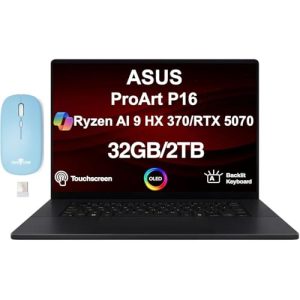
| ASUS ProArt P16 | A creator flagship with a touchscreen OLED | 16-inch 2.8K OLED touchscreen, RTX 5070 |
| Apple MacBook Pro 14 | Color-critical 2D and motion work on macOS | 14.2-inch Liquid Retina XDR, M4 Pro |
| Lenovo Legion Pro 5i | Heavy 3D scenes and GPU rendering | 16-inch OLED, RTX 5070, 32GB RAM |
| Acer Swift X 14 | Portable animation work on the go | 14.5-inch Calman Verified OLED, RTX 4060 |
| Lenovo Yoga Pro 9i | Large scenes that need maximum memory | 16-inch 3.2K Tandem OLED, 64GB RAM |
How to Choose
Match the GPU to the Work You Actually Render
A GPU does two different jobs in animation: it draws the viewport while you work, and it renders final frames when you export. Viewport smoothness depends on the GPU and its video memory, while final renders lean on the same card plus the CPU. An RTX 4060 handles 2D work and lighter 3D scenes comfortably, while an RTX 5070 gives heavier scenes more headroom. Check the video memory figure on the listing, since 8GB is the common figure here, and confirm whether the card runs at full power, because thin laptops sometimes cap it.
Judge the Display by Color, Not by Brightness Claims
Animation lives or dies on color, so look past the brightness number and check the color coverage first. A panel that covers the full DCI-P3 range shows the reds and greens your audience will actually see, while a standard panel can hide shifts that appear later on another screen. OLED panels give deep blacks and vivid color, and a Calman Verified badge means the factory measured the panel against a known standard. A matte finish cuts glare in a bright studio, while a glossy touchscreen suits drawing. Check the resolution too, since a 2.8K or 3.2K panel shows fine line work more clearly than a full HD screen.
Buy Enough RAM and Storage for Scene Files
Animation files grow fast. A single 3D scene with textures, caches, and simulation data can eat tens of gigabytes before you even press render, and running a browser, a reference player, and your animation app at once adds more load. Sixteen gigabytes is the floor for 2D work and light 3D, 32GB is the comfortable middle for most animators, and 64GB suits heavy 3D scenes and particle work. Check whether the memory is soldered, since several laptops here cannot be upgraded later. For storage, a 1TB SSD is the sensible starting point, and a second drive slot or a fast external drive helps once project archives pile up.
Check the Ports, Cooling, and Keyboard Before You Commit
The small details decide whether a laptop survives a production week. A Thunderbolt or USB4 port moves huge scene files to an external drive in minutes, an SD card reader saves a dongle when you ingest camera footage, and an HDMI port drives a second monitor for timelines. Cooling matters just as much, because a thin laptop that throttles under a long render will stretch your export times. Listen for fan noise under load if you record voiceover nearby. Finally, check the keyboard, since animation means hours of shortcuts, and a cramped layout or shallow keys will slow you down every day.
The 5 Best Options
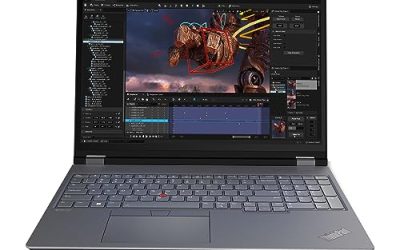
ASUS ProArt P16

The ProArt P16 is the most single-minded creator machine here. Its 16-inch OLED touchscreen pairs a 2.8K panel with a 120Hz refresh rate, so scrubbing a timeline feels fluid and colors stay true while you paint or composite. The Ryzen AI 9 HX 370 and RTX 5070 handle viewport work and GPU renders alike, while 32GB of memory and a 2TB SSD give large scenes room to breathe. A built-in SD card reader and USB4 port speed up ingest from cameras and external drives.
Specs
- 16-inch OLED touchscreen, 2880 x 1800, 120Hz
- AMD Ryzen AI 9 HX 370, 12 cores, up to 5.1 GHz
- NVIDIA GeForce RTX 5070, 8GB GDDR7
- 32GB LPDDR5X memory
- 2TB PCIe SSD
- Windows 11 Pro, Wi-Fi 7, Bluetooth 5.4
- USB4, 2 USB-A, USB-C, HDMI, SD card reader
- 90Wh battery, 4.0 lb
Best for: Animators who want a touchscreen creator laptop with a color-accurate OLED panel and strong GPU rendering in one machine.
Watch out for: The listing bundles a wireless mouse with the laptop, and the memory is soldered, so confirm the exact configuration before ordering.
ASIN: B0GV57SGK9
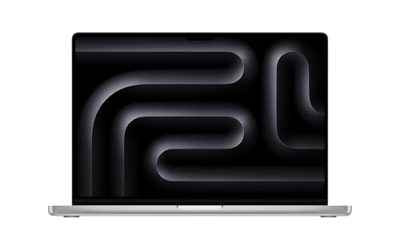
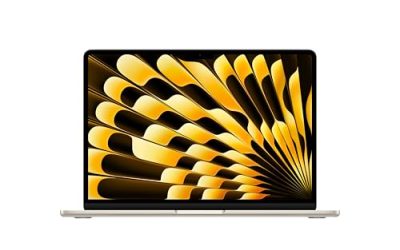
Apple MacBook Pro 14

The 14-inch MacBook Pro is the calmest machine in this set. Its Liquid Retina XDR display reaches 1600 nits at peak brightness with a million-to-one contrast ratio, which makes judging exposure and color in 2D animation and motion graphics straightforward. The M4 Pro chip pairs a 12-core CPU with a 16-core GPU, and 24GB of unified memory keeps large After Effects compositions and Toon Boom scenes responsive. Battery life stretches far past Windows rivals, so long sessions away from a desk stay productive.
Specs
- 14.2-inch Liquid Retina XDR display, 1600 nits peak, 1000 nits sustained
- Apple M4 Pro chip, 12-core CPU, 16-core GPU
- 24GB unified memory
- 512GB SSD storage
- 1,000,000:1 contrast ratio
- macOS, Touch ID fingerprint reader, backlit keyboard
Best for: 2D animators and motion designers who work in macOS apps and need a color-accurate display with long battery life.
Watch out for: Storage is 512GB, which fills fast with animation caches and renders, and the M4 Pro line is being succeeded by newer models, so verify the configuration.
ASIN: B0DLHY2BJ6
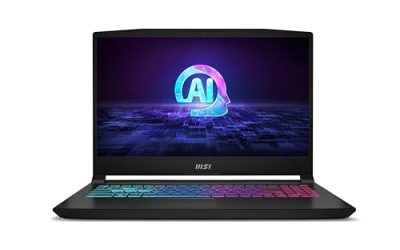
Lenovo Legion Pro 5i

The Legion Pro 5i brings desktop-class muscle to a portable frame. Its 16-inch OLED panel runs at 2560 by 1600 with a 165Hz refresh rate and 500 nits of brightness, so playback stays smooth and colors stay vivid while you block out a scene. The Core Ultra 9 275HX and RTX 5070 chew through 3D viewports and GPU renders, and 32GB of DDR5 memory can grow to 64GB later. Wi-Fi 7, a Thunderbolt port, and an Ethernet jack round out a machine built for heavy files and long renders.
Specs
- 16-inch OLED display, 2560 x 1600, 165Hz, 500 nits, matte finish
- Intel Core Ultra 9 275HX, up to 5.4 GHz
- NVIDIA GeForce RTX 5070, 8GB GDDR7
- 32GB DDR5 memory, 5600 MHz, expandable to 64GB
- 1TB SSD
- Wi-Fi 7, Bluetooth 5.4, 1 Thunderbolt port, HDMI, Ethernet
- RGB backlit keyboard, numeric keypad
- 5.65 lb, Windows 11 Home
Best for: 3D animators who need a strong GPU, a smooth OLED panel, and memory that can grow with heavier scenes.
Watch out for: At 5.65 pounds it is the heaviest laptop here, and the matte OLED trades some punch for glare control in bright rooms.
ASIN: B0G2MK96YG
Acer Swift X 14

The Swift X 14 is the travel pick. At 3.3 pounds with a 14.5-inch OLED panel, it slips into a bag without the shoulder ache of a 16-inch workstation, yet its Calman Verified display covers the full DCI-P3 range for trustworthy color on the road. The Core Ultra 7 155H and RTX 4060 handle 2D animation, storyboarding, and lighter 3D work with ease, while two Thunderbolt 4 ports and a microSD slot keep external drives and cameras connected. It is the easiest machine here to carry to a client or a classroom.
Specs
- 14.5-inch OLED display, 2880 x 1800, 120Hz, Calman Verified
- Intel Core Ultra 7 155H, up to 4.8 GHz
- NVIDIA GeForce RTX 4060, 8GB GDDR6
- 16GB LPDDR5X memory
- 1TB PCIe Gen 4 SSD
- 2 Thunderbolt 4 ports, HDMI 2.1, microSD slot, Wi-Fi 6E
- Fingerprint reader, backlit keyboard
- 3.3 lb, 76Wh battery, Windows 11 Home
Best for: Animators who travel or work between studios and need a light laptop with a trustworthy color-accurate display.
Watch out for: Memory is soldered at 16GB with no upgrade path, so heavy 3D scenes can run short on headroom.
ASIN: B0CZ7C1BCC
Lenovo Yoga Pro 9i

The Yoga Pro 9i is the memory king of this set. Its 64GB of LPDDR5X memory swallows the largest 3D scenes, particle caches, and multi-app workflows without forcing you to close anything, while the RTX 5070 keeps the viewport fluid. The 16-inch 3.2K Tandem OLED touchscreen reaches 1000 nits and covers the full DCI-P3 range, so color grading and look development happen on the laptop itself. With a Core Ultra 9 285H and Wi-Fi 7, it is built for animators whose scenes keep growing.
Specs
- 16-inch 3.2K Tandem OLED touchscreen, 120Hz, 1000 nits
- Intel Core Ultra 9 285H, up to 5.4 GHz
- NVIDIA GeForce RTX 5070, 8GB GDDR7
- 64GB LPDDR5X memory, 8400 MT/s
- 1TB SSD, M.2 2242 PCIe Gen4
- Wi-Fi 7, Bluetooth 5.4, 5MP RGB+IR camera
- Backlit keyboard, Windows 11 Pro
Best for: 3D animators with large scenes who need the most memory and a bright, color-accurate touchscreen in one machine.
Watch out for: Memory is soldered, so the 64GB configuration cannot change later, and a newer generation of this line has been announced, so verify the exact model.
ASIN: B0FT657QK4
Which One Fits Your Situation
2D Animation and Storyboarding on the Go
Pick the Acer Swift X 14. At 3.3 pounds it travels easily, and its Calman Verified OLED panel keeps colors honest when you sketch, board, and block out scenes away from your desk. The RTX 4060 is plenty for 2D timelines and lighter 3D, and two Thunderbolt 4 ports keep drives and displays connected.
Heavy 3D Scenes and GPU Rendering
Pick the Lenovo Legion Pro 5i. Its RTX 5070 and Core Ultra 9 275HX keep complex viewports fluid, and memory that grows from 32GB to 64GB gives heavy scenes room later. The 16-inch OLED panel at 165Hz makes playback smooth while you check motion and timing.
Color-Critical Work in a Mac Workflow
Pick the Apple MacBook Pro 14. Its Liquid Retina XDR display is the most trustworthy panel here for judging color and exposure, and macOS runs the 2D and motion tools many studios standardize on. Long battery life means full workdays away from a charger.
One Machine for Every Kind of Animation
Pick the ASUS ProArt P16. Its touchscreen OLED panel suits direct drawing and color work, the RTX 5070 handles both 2D and 3D, and the SD reader plus USB4 port cover ingest and external storage. It is the closest thing here to a studio in a bag.
Common Mistakes
- Buying on the GPU name alone without checking its video memory and power limit, since a capped card renders far slower than the same chip at full power.
- Picking a laptop with soldered 16GB of memory for heavy 3D work, then discovering the ceiling only when scenes start to crawl.
- Judging a display by brightness alone and skipping color coverage, so finished work shifts hue on the client screen.
- Forgetting the ports you use every day, like an SD reader for camera footage or a second display output for timelines.
- Choosing a glossy screen for a bright studio without checking glare, or ignoring fan noise during long renders when you record nearby.
Frequently Asked Questions
How much RAM do I need for animation?
Sixteen gigabytes covers 2D animation and light 3D work, while 32GB is the comfortable middle for most animators who juggle an animation app, a browser, and reference material at once. Heavy 3D scenes, particle simulations, and multi-app workflows benefit from 64GB. Check whether the memory is soldered before buying, since several laptops in this guide cannot be upgraded later.
Is a gaming laptop good for animation?
Yes, in many cases. Gaming laptops pair strong GPUs with fast, color-capable displays, and the same hardware that drives high frame rates also powers 3D viewports and GPU renders. The Legion Pro 5i in this guide is a gaming laptop that fits animation well. Watch the display quality and fan noise, since some gaming machines favor speed over color accuracy and quiet cooling.
Do I need a touchscreen or a stylus for animation?
Not necessarily. Many animators draw on a separate tablet and use the laptop purely for playback, timing, and rendering, where a standard display works fine. A touchscreen helps when you sketch directly on the machine or scrub timelines by hand, and the ProArt P16 and Yoga Pro 9i offer that option. Choose the input that matches how you already work rather than changing your habits for a feature.
OLED or IPS: which display is better for animation?
OLED wins on contrast and color, with deep blacks and vivid hues that make judging a scene easier, and every Windows laptop in this guide uses an OLED panel. The trade-off is cost and a small risk of image retention during long static sessions. A good IPS panel with wide color coverage still works well, especially if you calibrate it, but for color-critical animation OLED is the safer choice.
More from Amazon
Programs that pair well with the guide above. Offers and eligibility are set by Amazon and may change.
Free shipping on eligible items, Prime Video and more. Eligible new members can start with a free trial.
Start a Prime free trialAd-free music streaming. Eligible new subscribers can start with a free trial.
Try Music Unlimited freeA Prime membership for ages 18-24 with a trial period. Eligibility is set by Amazon.
See Prime for Young AdultsAudiobooks and podcasts to listen to on the go. Eligible new members can start with a free trial.
Try Audible freeAs an Amazon Associate we earn from qualifying purchases.
Write Your Review
No reviews yet. Be the first to share your experience!