

Key takeaways
- Compare the 4 best workstation laptops for CAD and 3D work in November 2026, with pro GPUs, ISV-certified drivers and color-accurate displays.
For most CAD, 3D and video buyers, the Lenovo ThinkPad P16 Gen 2 and the HP ZBook Fury G11 are the safe all-round picks, because both are true ISV-certified mobile workstations with a professional NVIDIA RTX 2000 Ada GPU and 32 GB of RAM or more. The ASUS ProArt StudioBook Pro 16 is the pick for color-critical video work, thanks to its factory-calibrated 3.2K OLED panel, while the MSI CreatorPro M16 HX is the most affordable way into the stronger RTX 3000 Ada GPU.
This guide is for four kinds of buyers: engineers running CAD assemblies, 3D artists building scenes, video editors cutting 4K footage, and students or freelancers buying their first professional machine. Every laptop here was chosen from Amazon listings that name a professional GPU, a 16-inch display and at least 32 GB of RAM, so each one is a real workstation rather than a gaming laptop in disguise.
Quick Picks
As an Amazon Associate we earn from qualifying purchases
| Product | Best for | Key spec from title |
|---|---|---|
| Lenovo ThinkPad P16 Gen 2 | Heaviest all-round workstation use | i7-14700HX, RTX 2000 Ada 8 GB, 64 GB RAM, 2 TB SSD, 16 inch WQUXGA 800-nit display |
| HP ZBook Fury G11 | Balanced workstation with the lightest chassis here | i7-13850HX, RTX 2000 Ada 8 GB, 32 GB RAM, 1 TB SSD, 16 inch WQUXGA |
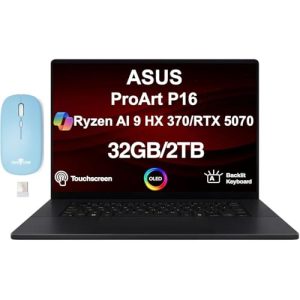
| ASUS ProArt StudioBook Pro 16 OLED | Color-critical video and photo work | i9-13980HX, RTX 3000 Ada 8 GB, 64 GB RAM, 2 TB SSD, 16 inch 3.2K OLED touch |
| MSI CreatorPro M16 HX | Most affordable RTX 3000 Ada workstation | i7-14650HX, RTX 3000 Ada 8 GB, 32 GB RAM, 1 TB SSD, 16 inch FHD+ 144 Hz |
How to Choose
Match the pro GPU tier to the work
The GPU decides what kind of work a workstation laptop can take on, so start there. The RTX 1000 Ada with 6 GB of VRAM suits light CAD, 2D drafting and photo work, but it runs out of headroom on large 3D scenes. The RTX 2000 Ada with 8 GB is the mid-range sweet spot for 3D modelling, assemblies and 4K editing. The RTX 3000 Ada, also with 8 GB, handles larger scenes and rendering faster because its GPU is stronger, not because it carries more memory. Judge the tier by the GPU name and the VRAM together, and check that the listing names a professional RTX Ada GPU rather than a GeForce card.
Pick a CPU built for sustained loads
The CPU in a workstation laptop spends hours at full load, so a desktop-class HX chip matters more than a thin-and-light processor. The i7-14700HX, i7-13850HX, i9-13980HX and i7-14650HX in this roundup all carry 16 to 24 cores and boost past 5 GHz, which keeps large assemblies, renders and exports moving. A thinner chip such as the Ultra 7 155H suits ultrabooks, not this class of machine. Core count helps most with rendering and simulation, while single-core speed helps CAD sketching and modelling. Check the exact chip in the listing, because the same model line can ship with several different processors.
Treat 32 GB of RAM as the floor
Memory is the cheapest way to keep a workstation from stalling, and 32 GB is the floor for professional work. Large CAD assemblies, 4K video timelines and simulation all eat RAM quickly, and a machine that pages to disk slows to a crawl at the worst moment. The 64 GB machines here suit bigger projects, while the 32 GB models leave room to grow: the ZBook Fury and the ThinkPad P16 Gen 2 both take up to 128 GB across four slots. Before buying, check how many slots the exact listing ships with and whether the RAM is soldered, because a sealed machine locks you into the factory amount forever.
Choose the display for the work, not the spec sheet
A workstation display is a tool, not a decoration, so match it to the work. Resolution matters for CAD: a 3840 by 2400 panel keeps fine lines sharp, while a 1920 by 1200 screen shows the same drawing with softer edges. Color gamut matters for video and photo work, and three of the four laptops here cover the full DCI-P3 gamut. Brightness matters in a bright office — the ThinkPad reaches 800 nits, the ProArt OLED 500. OLED brings perfect blacks and deep color, but static toolbars can leave a mark over time, while IPS panels never suffer burn-in. Pick the panel for the job, not the biggest number on the box.
The 4 Best Options
Lenovo ThinkPad P16 Gen 2

The ThinkPad P16 Gen 2 is the heaviest-duty machine in this roundup, built for engineers who keep large CAD assemblies open all day. Its i7-14700HX processor and RTX 2000 Ada GPU sit in a chassis Lenovo rates at 800 nits of display brightness with full DCI-P3 coverage, so models stay readable and color stays honest in a bright office. The 64 GB of RAM and 2 TB SSD give big projects room to breathe without constant file shuffling. ThinkPad keyboards are famously comfortable for long typing sessions, and the P line carries ISV-certified drivers for professional apps.
Specs
- CPU: Intel Core i7-14700HX, 20 cores, up to 5.5 GHz
- GPU: NVIDIA RTX 2000 Ada Generation Laptop GPU, 8 GB GDDR6
- RAM: 64 GB DDR5-4000 MHz
- Storage: 2 TB SSD M.2 2280 PCIe Gen4 Performance
- Display: 16 inch WQUXGA (3840 x 2400), IPS, anti-glare, HDR 400, 100 percent DCI-P3, 800 nits, 60 Hz
- OS: Windows 11 Pro
- Extras: Fingerprint reader, backlit keyboard
Best for: Engineers running large CAD assemblies and 3D models all day.
Watch out for: The Amazon listing states the box is opened to upgrade the RAM and storage, so this is a seller-upgraded unit rather than a factory config — read the warranty terms before buying. Lenovo lists the starting weight at 2.95 kg, while a mirror lists 8 lb, so confirm the weight if portability matters.
HP ZBook Fury G11

The ZBook Fury G11 is the balanced pick for buyers who want a full workstation without the heaviest chassis in the group. HP’s lightest 16-inch workstation here pairs the same RTX 2000 Ada GPU as the ThinkPad with an i7-13850HX processor and 32 GB of fast DDR5 memory, so 3D modelling and 4K editing run smoothly. Its WQUXGA display packs 3840 by 2400 pixels into 16 inches, which keeps fine CAD lines sharp. The four-slot memory design also leaves room to grow to 128 GB later, a rare comfort at this size.
Specs
- CPU: Intel Core i7-13850HX, 20 cores, up to 5.3 GHz, vPro
- GPU: NVIDIA RTX 2000 Ada Generation Laptop GPU, 8 GB GDDR6
- RAM: 32 GB DDR5-5600 MT/s, upgradeable to 128 GB
- Storage: 1 TB PCIe Gen4 NVMe TLC M.2 SSD
- Display: 16 inch WQUXGA (3840 x 2400)
- OS: Windows 11 Pro
- Weight: 5.17 to 5.29 lb
Best for: Buyers who want a full workstation in the lightest 16-inch chassis here.
Watch out for: Amazon’s listing fields mislabel the GPU as “GeForce RTX 2000 Ada” — it is the professional RTX 2000 Ada GPU, not a GeForce card. One retailer also lists this config as discontinued even though the Amazon listing showed live in November 2026, so confirm availability before ordering.
ASUS ProArt StudioBook Pro 16 OLED

The ProArt StudioBook Pro 16 is the color-first pick, and its OLED panel is the reason. The 3.2K touchscreen covers the full DCI-P3 gamut, carries Pantone validation and holds Delta E under 2, so video editors and photographers can trust what they see without an external monitor. Behind the screen sits an i9-13980HX processor, an RTX 3000 Ada GPU with ECC VRAM, 64 GB of RAM and a 2 TB SSD, which is enough for 4K timelines and large photo libraries. A stylus with 4096 pressure levels comes in the box for retouching work.
Specs
- CPU: Intel Core i9-13980HX, 24 cores, up to 5.6 GHz
- GPU: NVIDIA RTX 3000 Ada Generation Laptop GPU, 8 GB ECC GDDR6 VRAM
- RAM: 64 GB DDR5
- Storage: 2 TB M.2 NVMe PCIe 4.0 Performance SSD
- Display: 16 inch OLED 3.2K (3200 x 2000), touch, 120 Hz, 100 percent DCI-P3, Pantone validated, Delta E under 2, 500 nits
- OS: Windows 11 Pro
- Extras: MPP 2.0 stylus with 4096 pressure levels included, MIL-STD 810H
Best for: Video editors and photographers who need a color-accurate OLED screen.
Watch out for: This is a 2023 model with no November 2026 live-stock signal found, so confirm the listing is still active before ordering. Also note the ECC memory is on the GPU’s VRAM only, not the system RAM.
MSI CreatorPro M16 HX

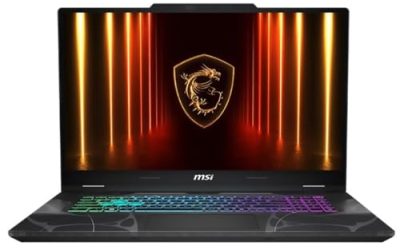
The CreatorPro M16 HX is the cheapest route into an RTX 3000 Ada GPU, and that is its whole appeal. Its i7-14650HX processor and 32 GB of DDR5 memory handle 3D scenes and rendering jobs that would strain an entry-level pro GPU, while the 144 Hz display with full DCI-P3 coverage keeps motion smooth and colors accurate. The trade-off is resolution: this config uses a 1920 by 1200 panel rather than a 4K screen, so fine CAD lines look softer than on the ThinkPad or the ZBook. For buyers who render more than they draft, that trade is easy to accept.
Specs
- CPU: Intel Core i7-14650HX, 16 cores, up to 5.2 GHz
- GPU: NVIDIA RTX 3000 Ada, 8 GB GDDR6
- RAM: 32 GB DDR5-5600 MHz
- Storage: 1 TB SSD
- Display: 16 inch FHD+ (1920 x 1200), IPS-level, 144 Hz, 100 percent DCI-P3, anti-glare
- OS: Windows 11 Pro
- Extras: Wi-Fi 6E, HDMI 2.1, fingerprint reader
Best for: Buyers who want the strongest pro GPU here on the tightest budget.
Watch out for: This config is the FHD+ 144 Hz panel only — the same model line also sells QHD+ 240 Hz and FHD+ 165 Hz versions, so check the exact listing before buying.
Which One Fits Your Situation
Running large CAD assemblies all day
The ThinkPad P16 Gen 2 fits this buyer best. Its i7-14700HX processor, 64 GB of RAM and 2 TB SSD keep big assemblies responsive, while the 800-nit WQUXGA display stays readable in a bright office. The ISV-certified drivers suit professional CAD apps, and the comfortable keyboard helps during long modelling sessions. Just remember the Amazon listing is a seller-upgraded unit, so read the warranty terms before ordering.
Editing color-critical video and photos
The ASUS ProArt StudioBook Pro 16 is the pick here. Its 3.2K OLED panel covers the full DCI-P3 gamut with Pantone validation and Delta E under 2, so grades and retouching stay honest without an external monitor. The i9 processor, RTX 3000 Ada GPU and 64 GB of RAM handle 4K timelines, and the included stylus suits precise retouching. Confirm the listing is still live first, since no November 2026 stock signal was found.
A workstation that still travels between offices
The HP ZBook Fury G11 suits buyers who carry their machine between sites. At 5.17 lb it is the lightest 16-inch workstation here, yet it still packs an RTX 2000 Ada GPU, an i7-13850HX processor and a sharp WQUXGA display. The four-slot memory design also grows to 128 GB, so the machine can keep up as projects get bigger. Check the exact config in the listing, since one retailer lists it as discontinued.
The strongest pro GPU on a tighter budget
The MSI CreatorPro M16 HX is the answer for buyers who render more than they draft. It is the cheapest way into the RTX 3000 Ada GPU, and its i7-14650HX processor with 32 GB of DDR5 memory handles rendering jobs that strain entry-level pro GPUs. The 144 Hz display with full DCI-P3 coverage keeps motion smooth. Accept the lower 1920 by 1200 resolution, and double-check the listing names the FHD+ 144 Hz panel.
Common Mistakes
- Buying a gaming laptop with a GeForce GPU and calling it a workstation — only a professional RTX Ada or RTX A-series GPU with certified drivers counts.
- Judging a GPU by VRAM size alone — the RTX 3000 Ada and the RTX 2000 Ada both carry 8 GB, yet the 3000 is the stronger card.
- Trusting the “GeForce” label in Amazon listing fields — two listings in this roundup mislabel a professional GPU as GeForce, so read the full GPU name.
- Assuming ISV certification covers every app — certification is per application and per driver version, so check your exact app on the vendor’s list.
- Ignoring seller-upgraded or resealed listings — a box opened for a RAM or SSD upgrade can split the warranty between the seller and the manufacturer.
Frequently Asked Questions
What makes a workstation laptop different from a gaming laptop?
A workstation laptop uses a professional GPU, such as the NVIDIA RTX Ada Generation series, with ISV-certified drivers that are tested against CAD, 3D and video apps. A gaming laptop uses a GeForce GPU with drivers tuned for games. The silicon is related, but the drivers, validation and support are built for professional work, which is why crashes and display glitches are rarer in certified apps.
Is 32 GB of RAM enough for CAD and 3D work?
Yes, 32 GB is the floor for professional CAD and 3D work, and it covers most modelling, assemblies and 4K editing comfortably. Move to 64 GB if you open very large assemblies, cut long 4K timelines or run simulations alongside other apps. Also check upgradability: the ZBook Fury and the ThinkPad P16 Gen 2 both accept up to 128 GB, so a 32 GB machine can grow later.
Do I need an RTX 3000 Ada, or is the RTX 2000 Ada enough?
For most 3D modelling and 4K editing, the RTX 2000 Ada with 8 GB is enough. Step up to the RTX 3000 Ada when your scenes get larger, your renders get longer, or you work with color-critical video, since its stronger GPU finishes those jobs faster. The entry-level RTX 1000 Ada with 6 GB suits light CAD and 2D drafting only, and it will feel slow on 3D work.
Can I upgrade the RAM and storage later?
Usually, but check the exact listing first. The ZBook Fury G11 and the ThinkPad P16 Gen 2 both have four RAM slots and accept up to 128 GB, while the CreatorPro M16 HX has two slots. Storage is a standard M.2 SSD, so it can be swapped. Watch out for seller-upgraded units: a box opened for an upgrade may split the warranty between the seller and the manufacturer.
More from Amazon
Programs that pair well with the guide above. Offers and eligibility are set by Amazon and may change.
Free shipping on eligible items, Prime Video and more. Eligible new members can start with a free trial.
Start a Prime free trialAd-free music streaming. Eligible new subscribers can start with a free trial.
Try Music Unlimited freeA Prime membership for ages 18-24 with a trial period. Eligibility is set by Amazon.
See Prime for Young AdultsAudiobooks and podcasts to listen to on the go. Eligible new members can start with a free trial.
Try Audible freeAs an Amazon Associate we earn from qualifying purchases.
Write Your Review
No reviews yet. Be the first to share your experience!