

Key takeaways
- Business buyers rarely want the flashiest laptop. They want a machine that boots quickly, runs the same office suite every morning.
Business buyers rarely want the flashiest laptop. They want a machine that boots quickly, runs the same office suite every morning, joins the company network without a fuss and survives years of meetings. HP covers that territory with a sprawling lineup, and the product titles can be confusing: some are commercial-style 255 G10 models with Windows 11 Pro, others are consumer-grade 14-inch machines marketed with business-sounding words. This guide separates the two so you can pick an HP that actually matches a work setting.
The seven laptops below range from a heavyweight 255 G10 with 32GB of RAM down to a compact 14-inch model with 4GB. They are aimed at small-business owners, remote employees, accountants, consultants and anyone equipping a small team in 2026. Descriptions rely on what each title states. Where titles are truncated or promotional, the text says so and suggests confirming details on the listing, because nobody should buy a work computer based on a headline alone.
Quick Picks
Our top picks


As an Amazon Associate we earn from qualifying purchases at no extra cost to you.
| Product | Best for | Key spec from the title |
|---|---|---|
| HP 17 inch Business Laptop (Ryzen 5) | Spreadsheet and finance desks | 17.3″ FHD, 16GB RAM, 512GB SSD |
| HP Business Laptop (Ryzen 5 7430U) | Large-screen general office work | 17.3″ FHD, Wi-Fi 6, 16GB, 512GB PCIe |
| HP 255 G10 (AMD quad-core) | Standard office rollouts | 15.6″ FHD, W11 Pro, webcam shutter |
| HP 15 (Core i5-1135G7) | Intel-based software compatibility | Win 11 Pro, Iris Xe, 16GB, 512GB |
| HP 255 G10 (Ryzen 7 7730U) | Heavy multitasking and data work | 32GB RAM, 1TB PCIe SSD, HDMI |
| HP 14″ Business Laptop (128GB UFS) | Light travel and email | 14″ LED display, Wi-Fi 6, Intel CPU |
| HP 14″ Business Laptop (Intel N150) | Basic tasks on a tight budget | Quad-core N150, 4GB RAM, 128GB UFS |
How to Choose
Operating system edition: Pro versus Home
Windows 11 Pro adds domain join, BitLocker device encryption management and Group Policy support, which matter if the laptop will sit inside a company network. Windows 11 Home does not support joining a traditional domain. Of the seven laptops here, the 255 G10 pair and the Core i5 model name Windows 11 Pro in their titles, while the 14-inch N150 model names Home. If you plan to manage devices centrally, treat Pro as a requirement. One caution is that consumer-style titles often stack buzzwords like Copilot, Office 365 and cloud storage, none of which changes how well the hardware performs; they describe software offers, not machine quality. Ask what the operating system edition is, and whether the productivity suite is a trial or a full license, before counting either as value.
RAM and storage thresholds for real work
Sixteen gigabytes of RAM and 512GB of SSD storage are a comfortable standard for business users who run a browser with many tabs, a video call app and office software together. Thirty-two gigabytes suits analysts, developers and anyone running virtual machines. Four gigabytes is a warning sign: it can barely hold a modern browser and a document editor at once. Also notice the storage type. UFS storage, listed on two 14-inch models, is a flash format common in tablets and small laptops and is not the same as a full-size PCIe SSD.
Screen size and keyboard layout
Pick between 14, 15.6 and 17.3 inches by workday. Traveling consultants gain from the compact 14-inch frame. Desk-based staff gain from a 15.6-inch panel with a numeric keypad, which several titles here list. The 17.3-inch models give the most room for spreadsheets but are less pleasant on a train. Look for Full HD resolution as the baseline for any business laptop; avoid panels the listing does not describe.
Connectivity, security and what budget models skip
A business laptop should offer HDMI for projectors, Wi-Fi 6 for stable wireless, and a webcam with a physical shutter if privacy matters. The 255 G10 titles mention a webcam shutter or a webcam with HDMI, which fits office use. Cheaper options skip metal construction, upgradeable RAM, and fingerprint readers, so check the listing for those details. Bundled extras such as earphones or an external drive add little value for a professional. Finally, think about lifespan: a laptop that will be used for four or five years benefits from extra memory and a larger SSD now, because both are often soldered or hard to upgrade later. For a team purchase, buying one configuration across the group simplifies imaging, spare parts and support.
The 7 Best Options
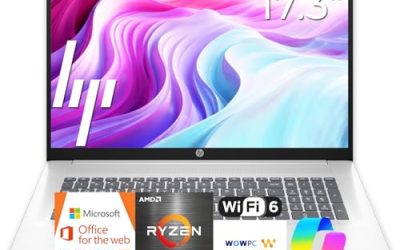
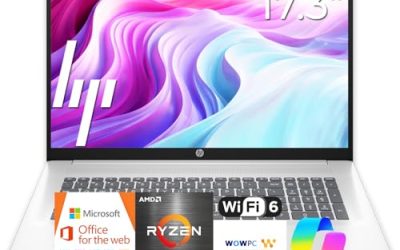
HP 17 inch Business Laptop (Ryzen 5)
This is the most office-ready 17-inch HP in the list. The title promises a Ryzen 5 processor, 16GB of RAM, a 512GB SSD, a 17.3-inch Full HD display, a numeric keypad and long battery life. For anyone who spends the day in Excel or accounting software, the large panel and number pad are the headline benefits.
- Strength: Full HD at 17.3 inches gives plenty of room for side-by-side windows.
- Strength: 16GB of RAM and 512GB of SSD match the usual business baseline.
- Trade-off: The title does not name the operating system edition, so check whether it ships with Home or Pro.
Skip it if you travel often; a 17-inch body is a desk machine more than a briefcase machine.
HP Business Laptop (Ryzen 5 7430U)
This model also uses a 17.3-inch Full HD display and 16GB of RAM, but names a specific processor, the Ryzen 5 7430U, along with Wi-Fi 6 and a 512GB PCIe SSD. The title makes a comparative performance claim about an Intel chip, which is marketing language rather than a spec, so look at the chip name itself instead.
- Strength: A named processor and Wi-Fi 6 make the specs easier to verify.
- Strength: PCIe storage speeds up boot and application loading.
- Trade-off: It overlaps heavily with the other 17-inch HP, so the choice comes down to listing details.
Skip it if you want a smaller body or Windows Pro stated in the title.
HP 255 G10 Business Laptop (AMD Quad-Core)
The 255 G10 line is HP’s practical office series. This version lists an AMD quad-core CPU, 16GB of RAM, a 512GB SSD, Windows 11 Pro, a 15.6-inch Full HD display, a webcam with a shutter and a numeric keypad. It reads like a standard issue laptop for a small company.
- Strength: Windows 11 Pro and a webcam shutter suit workplace requirements.
- Strength: The 15.6-inch size is the most familiar office format.
- Trade-off: The CPU is named only as quad-core, so verify the exact model.
Skip it if you need more than office-grade performance.
HP Windows 11 Pro 15 (Core i5-1135G7)
This 15.6-inch Full HD HP runs an 11th Gen Intel Core i5-1135G7 with Iris Xe graphics, 16GB of RAM, a 512GB SSD and Windows 11 Pro, plus a numeric pad and a note about long battery. The chip is older than the Ryzen parts here, but Intel-based software compatibility and Iris Xe graphics can matter to some offices.
- Strength: Windows 11 Pro with 16GB and 512GB at a familiar size.
- Strength: Iris Xe graphics handle presentations and light photo work.
- Trade-off: An 11th Gen processor is a few generations behind the AMD options.
Skip it if you want the newest architecture or the longest possible battery life.
HP 255 G10 (Ryzen 7 7730U, 32GB)
The performance pick: a 15.6-inch Full HD HP 255 G10 with a Ryzen 7 7730U, 32GB of RAM, a 1TB PCIe SSD, numeric keypad, webcam, Wi-Fi 6, HDMI and Windows 11 Pro in black. It targets users who open large files, keep many applications running and want a machine that stays useful for years.
- Strength: 32GB of RAM and 1TB of storage leave room for growth.
- Strength: Ryzen 7 class processing and Windows 11 Pro in a business-oriented line.
- Trade-off: Higher tier hardware costs more than the other 15.6-inch options.
Skip it if your tasks are email and web apps; the extra capacity would go unused.
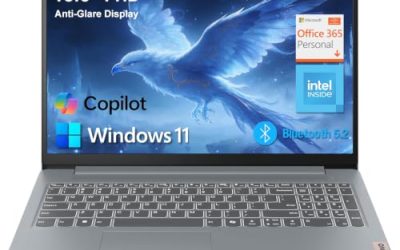
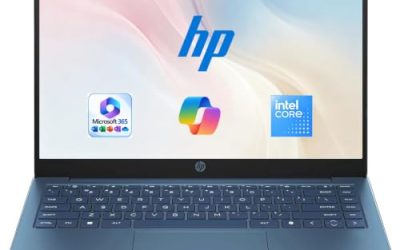
HP 14″ Business Laptop (128GB UFS)
This ultralight-style 14-inch HP lists an Intel CPU, 128GB of UFS storage, an additional 500GB external HDD, Wi-Fi 6, Copilot AI and Microsoft 365 branding. It is positioned as portable and easy to carry. The RAM figure is cut off in the title, so check the listing.
- Strength: A compact 14-inch frame suited to commuting.
- Strength: Wi-Fi 6 and bundled software for quick setup.
- Trade-off: Small internal storage, supplemented by an external drive you must carry.
Skip it if you store large client files on the laptop itself.
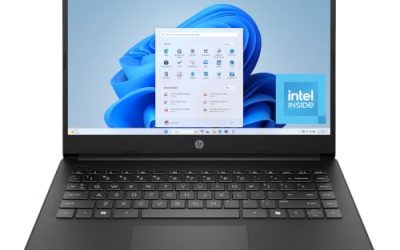
HP 14″ Business Laptop (Intel N150)
The simplest entry: a 14-inch HP with a quad-core Intel N150, 4GB of RAM, 128GB of UFS storage, Windows 11 Home and a one-year Office 365 offer. The title also includes earphones, which are irrelevant to business performance.
- Strength: Very portable and easy to carry between meetings.
- Strength: Includes an office software offer for basic tasks.
- Trade-off: 4GB of RAM will limit multitasking and may feel slow quickly.
Skip it for any role that needs many tabs, large spreadsheets or video calls with screen sharing.
Which One Fits Your Situation
An accountant or bookkeeper
The HP 17 inch Business Laptop (Ryzen 5) offers a large Full HD panel, a numeric keypad and 16GB of RAM, which is a strong match for ledgers and spreadsheets.
A small company equipping staff
The HP 255 G10 with the AMD quad-core CPU is the standard fit: Windows 11 Pro, a webcam shutter, and the familiar 15.6-inch size.
A power user or analyst
Choose the HP 255 G10 with the Ryzen 7 7730U and 32GB of RAM. It has the memory and storage to handle larger datasets.
A frequent traveler with light workloads
The HP 14″ Business Laptop with 128GB UFS keeps the weight down and covers email, documents and video calls, as long as you accept limited internal storage.
Common Mistakes
- Assuming the word business in a title means Windows Pro is included.
- Buying 4GB of RAM for a work machine that will run a browser and video calls together.
- Treating UFS storage as equal to a full-size PCIe SSD.
- Counting bundled extras like earphones as value.
- Skipping a check of the exact processor model when the title names only a core count.
Related guides
- How To Apply Thermal Paste How Much And Which Pattern
- How To Choose Power Supply Wattage For A Pc Build
- Cpu Coolers For Small Form Factor Cases
Frequently Asked Questions
Is Windows 11 Pro necessary for a business laptop?
It is if you need domain join, centralized management or advanced encryption controls. For a solo freelancer, Home is often enough.
How much RAM does a business laptop need?
Sixteen gigabytes is a comfortable target. Eight gigabytes works for light tasks, and four gigabytes is too little for most modern workloads.
Are 255 G10 models good for offices?
The 255 G10 series is positioned toward office use, with practical features such as a numeric keypad and a webcam. Confirm the configuration on the listing before ordering a batch.
Should I choose AMD or Intel?
Both are viable. The Ryzen models here are newer than the 11th Gen Core i5, but Intel may suit software that is validated against it. If your company uses specialized legacy applications, ask the vendor which platform they certify before choosing.

Write Your Review
No reviews yet. Be the first to share your experience!