
Key takeaways
- Find the best laptops for video editing and music production, with guidance on processors, RAM, displays, storage, and audio for your creative work today.
As an Amazon Associate we earn from qualifying purchases.
Introduction
The best laptops for video editing and music production are machines built to handle two of the most demanding creative workloads you can throw at a computer. Video editing chews through processor cores, graphics power, memory, and storage, while music production leans on low-latency audio, fast single-core performance, and enough RAM to hold large sample libraries and dozens of tracks. A laptop that does both well is a serious creative workstation, and choosing the wrong one means stuttering timelines, dropped audio, and long export waits.
This guide explains exactly what to look for in a laptop that edits video and produces music, compares the main categories of machines that creators actually buy, and helps you match a laptop to the way you work, whether you cut 4K footage, record live instruments, mix electronic tracks, or do a bit of everything.
Why One Laptop Must Do Two Demanding Jobs
Video editing and music production stress a laptop in different ways, and a machine that is great at one is not automatically great at the other. Video editing is a parallel workload: rendering, exporting, and playing back high-resolution footage benefits from many processor cores, a capable graphics card, and fast storage. Music production is a real-time workload: your digital audio workstation must process audio with almost no delay, which depends on fast single-core performance, low-latency drivers, and enough memory to keep samples and plugins loaded.
The good news is that modern laptops are powerful enough to cover both, provided you buy with the right priorities. The key is understanding where the two workloads overlap, where they differ, and which specifications matter most for each. A laptop with a strong multi-core processor, plenty of RAM, fast solid-state storage, and a color-accurate display will serve both jobs well. Add good thermal design, quiet fans, and a solid set of ports, and you have a machine that can sit at the center of a creative setup for years.
How to Choose: Video Editing Requirements
Processor
The processor is the heart of a video editing laptop. Look for a modern chip with at least eight cores, from Intel Core Ultra, AMD Ryzen, or Apple silicon families. More cores speed up rendering and exporting, while high clock speeds keep the editing timeline responsive. Apple silicon chips, such as the M4 Pro and M4 Max, are especially strong for video work because their unified memory and dedicated media engines accelerate common codecs. On the Windows side, high-end Intel and AMD mobile processors paired with a dedicated graphics card are the standard choice for serious editing.
Graphics Card
A dedicated graphics card matters more for video editing than for almost any other laptop task. It accelerates effects, color grading, playback of high-resolution footage, and encoding. NVIDIA GeForce RTX graphics cards are the most common choice for Windows editing laptops, and their hardware encoders speed up exports in Premiere Pro, DaVinci Resolve, and other editors. Apple silicon laptops handle graphics differently, with integrated graphics that punch far above their weight thanks to dedicated media engines, so a MacBook Pro can edit 4K and even 8K footage without a separate graphics card.
If you edit mostly 1080p footage with simple cuts, integrated graphics may be enough. If you work with 4K footage, multiple camera angles, effects, or color grading, a dedicated graphics card is worth the investment.
RAM
Memory is one of the most important specifications for video editing, and it is the one buyers most often underestimate. Editing software, preview files, and background tasks consume RAM quickly, and running out of it causes stuttering and crashes. Sixteen gigabytes is the practical minimum for serious video work, and 32GB is the sweet spot for 4K editing, multicam projects, and heavy effects. If you work with 8K footage, complex After Effects compositions, or very long projects, 64GB is worth considering.
On many modern laptops, especially thin and light models, RAM is soldered to the board and cannot be upgraded later. That makes the initial choice critical: buy more memory than you think you need today, because you cannot add it later.
Storage
Video files are enormous, and slow storage is a bottleneck that no processor can fix. A fast NVMe solid-state drive is essential, both for your operating system and editing software and for the footage you are actively working on. One terabyte is a sensible minimum for a video editing laptop, since a single 4K project can consume hundreds of gigabytes. Two terabytes gives you comfortable headroom.
Many creators pair a fast internal drive with external storage for archiving finished projects. Look for Thunderbolt or USB4 ports, which let external drives run at speeds close to internal storage. Avoid laptops with only a small drive and no fast port for expansion, since you will run out of space quickly.
Display
The display is your window into your work, and for video editing it needs to be accurate as well as pleasant. Look for a panel that covers a wide color gamut, ideally 100 percent of DCI-P3, with good factory calibration. Resolution matters: a 4K display lets you see your footage at full detail, while a high-quality 1440p or 1600p panel is a good compromise. Brightness matters too, especially if you work near windows or outdoors; a panel that reaches 500 nits or more stays usable in bright rooms.
High refresh rates are a bonus rather than a necessity for video work, but a smooth 120Hz display makes the whole editing experience feel more responsive. OLED panels offer superb contrast and color, though they cost more and need care to avoid burn-in during long static editing sessions.
How to Choose: Music Production Requirements
Low-Latency Audio
Music production lives or dies on latency, the delay between playing a note and hearing it. High latency makes recording and live playing feel sluggish and unusable. A good production laptop needs fast single-core performance, efficient audio drivers, and a clean system that does not introduce dropouts. On Windows, look for laptops that work well with ASIO drivers and your audio interface. On Mac, Core Audio is famously low-latency out of the box, which is one reason MacBooks are so popular with musicians.
The laptop itself is only part of the latency equation. Your audio interface, your digital audio workstation settings, and your buffer size all play a role. But a laptop with a weak processor or poor thermal design will struggle to maintain low latency when a project grows complex.
RAM and Sample Libraries
Music production can be surprisingly memory-hungry. Large orchestral sample libraries, virtual instruments, and dozens of plugin instances consume RAM fast. Sixteen gigabytes is the minimum for serious production, and 32GB is a safer choice if you use large sample libraries or work on big sessions with many tracks. As with video editing, RAM is often soldered in modern laptops, so buy generously at the start.
Storage for Samples and Projects
Fast storage matters for music too, though for different reasons. Sample libraries stream from disk in real time, and a slow drive causes glitches and loading delays. A fast NVMe drive is essential, and one terabyte is a good starting point. Many producers keep their sample libraries on a fast external drive connected over Thunderbolt or USB4, which keeps the internal drive free for the operating system and current projects.
Quiet Operation and Thermals
Fan noise is a real problem for music production, especially when recording with microphones. A laptop whose fans spin up loudly under load can ruin a quiet vocal or acoustic take. Look for laptops with good thermal design that stay quiet during moderate loads, and check reviews that measure fan noise. Apple silicon MacBooks are famously quiet, often silent during typical production work, because their chips are so efficient. Some Windows laptops also manage noise well, but many gaming-oriented machines prioritize performance over acoustics.
Ports and Connectivity
Music production involves hardware: audio interfaces, MIDI controllers, external drives, and monitors. A laptop with too few ports forces you into dongles and hubs, which add clutter and potential failure points. Look for multiple USB-C or Thunderbolt ports, at least one USB-A port if you use older gear, and a headphone jack. Thunderbolt is especially valuable, since it supports high-speed audio interfaces, external displays, and fast storage through a single connection.
The Best Laptop Categories for Creators
MacBook Pro: The All-Rounder
The MacBook Pro is the default choice for many video editors and music producers, and for good reason. Apple silicon chips deliver outstanding performance per watt, the displays are among the most color-accurate available, the speakers are excellent, and the machines run quietly even under load. Final Cut Pro and Logic Pro are optimized for the hardware, and Premiere Pro, DaVinci Resolve, Ableton Live, and Pro Tools all run well on Mac.
The trade-offs are a higher starting cost, limited upgradeability, and fewer ports than some Windows workstations. If you work in the Apple ecosystem or value a quiet, reliable machine with a superb display, the MacBook Pro is hard to beat.
Windows Creator Laptops
Windows creator laptops from makers like ASUS, Lenovo, Dell, and HP offer more choice and more flexibility. Models in the ASUS ProArt, Lenovo ThinkPad and Legion, Dell XPS, and HP Omen and Spectre families pair powerful Intel or AMD processors with NVIDIA graphics, high-resolution color-accurate displays, and generous port selections. They run the full range of creative software, from Premiere Pro and DaVinci Resolve to Ableton Live, FL Studio, and Cubase.
Windows laptops offer more upgrade options in some models, more choice of screen sizes and price points, and better compatibility with certain plugins and hardware. The trade-offs are more variable build quality across models, louder fans on some machines, and the need to manage drivers and audio settings more carefully.
Gaming Laptops as Editing Machines
Gaming laptops make surprisingly good video editing machines, because the same hardware that runs games well also accelerates video work: fast multi-core processors, powerful NVIDIA graphics, fast storage, and high refresh rate displays. They are often better value than dedicated creator laptops with similar specifications, and they handle rendering and effects work with ease.
For music production, gaming laptops are a mixed bag. Their fans can be loud under load, which is a problem for recording, and their displays are sometimes tuned for speed rather than color accuracy. If video editing is your main job and music is secondary, a gaming laptop is a strong value choice. If recording quiet audio matters, look for models with quiet modes or consider a creator laptop instead.
Thin and Light Ultrabooks
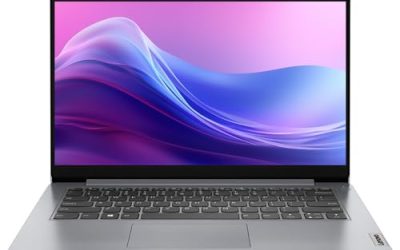
Thin and light laptops are the most portable option, and modern ultrabooks are far more capable than their size suggests. A well-chosen ultrabook with a modern processor, 16GB or 32GB of RAM, and a good display can handle 1080p and light 4K editing, plus music production with moderate track counts. They are ideal for creators who travel, work in cafes, or record on location.
The limits are thermal headroom and upgradeability. A thin laptop cannot sustain maximum performance as long as a thicker workstation, and it will throttle sooner during long renders or exports. For heavy 4K or 8K work, a thicker machine is a better tool.
Comparison Table
| Laptop Category | Video Editing Strengths | Music Production Strengths | Watch Out For |
|---|---|---|---|
| MacBook Pro | Excellent media engines, superb display, quiet | Low-latency Core Audio, silent operation | Higher cost, limited upgrades |
| Windows creator laptop | Powerful CPU and GPU, color-accurate screens | Wide software and hardware choice | Fan noise varies by model |
| Gaming laptop | Great rendering value, strong graphics | Plenty of power for large sessions | Loud fans, display color varies |
| Thin ultrabook | Portable, capable for light 4K work | Portable for mobile recording | Thermal limits, less RAM headroom |
Building a Creator Setup Around Your Laptop
A laptop is the center of your setup, but the accessories around it matter. An external monitor with good color accuracy gives you more room for timelines and mixer windows, and a second display is almost essential for serious video work. A fast external SSD gives you room for projects and sample libraries without filling the internal drive. A good audio interface is the single most important upgrade for music production, since it determines your recording quality and latency. Studio headphones or monitors let you hear your mixes accurately, and a comfortable keyboard, mouse, and laptop stand make long sessions far easier on your body.
Do not neglect ergonomics. Creative work means long hours at a screen, and a poor setup leads to strain and fatigue. A laptop stand that raises the screen to eye level, an external keyboard and mouse, and a chair that supports good posture are investments in your ability to keep creating.
Common Mistakes to Avoid
The most common mistake is buying too little RAM. Sixteen gigabytes may look generous on paper, but video editing and sample libraries consume it quickly, and many laptops cannot be upgraded later. Another mistake is choosing a laptop based on processor speed alone while ignoring the display. A dull or inaccurate screen undermines color grading and makes long editing sessions unpleasant.
Buyers also underestimate storage needs. Video projects and sample libraries grow fast, and a small drive fills up within months. Finally, many creators buy a powerful laptop and then connect it to a cheap audio interface or poor headphones, which limits the quality of everything they produce. Balance your budget across the laptop and the gear around it.
Frequently Asked Questions
How much RAM do I need for video editing and music production?
Sixteen gigabytes is the minimum for serious work in either field, and 32GB is the recommended sweet spot if you do both. Video editing benefits from more RAM when working with 4K footage, multicam projects, and effects, while music production needs it for large sample libraries and many plugin instances. Buy 32GB if your budget allows, especially since RAM is often soldered and cannot be upgraded later.
Is a MacBook or a Windows laptop better for creators?
Both are excellent, and the right choice depends on your software and preferences. MacBook Pro models offer quiet operation, superb displays, and low-latency audio out of the box, and they run Final Cut Pro and Logic Pro natively. Windows laptops offer more hardware choice, more upgrade options, and better value at some price points, and they run the widest range of creative software. Try the software you plan to use on both platforms if you can before deciding.
Do I need a dedicated graphics card for video editing?
It depends on your footage. For 1080p editing with simple cuts, integrated graphics can be enough. For 4K footage, effects, color grading, and multicam work, a dedicated graphics card makes a real difference in playback smoothness and export speed. Apple silicon laptops are an exception, since their integrated graphics and dedicated media engines handle demanding video work without a separate card.
Can one laptop really handle both video editing and music production?
Yes. The requirements overlap more than they differ: both need a fast processor, plenty of RAM, fast storage, and good thermal design. A laptop that meets the video editing standard will usually handle music production well, with the main extra consideration being fan noise during recording. Choose a machine that stays quiet under moderate loads if you record with microphones.
What ports should a creator laptop have?
Look for Thunderbolt or USB4 ports, which handle fast external drives, audio interfaces, and displays. At least one USB-A port is useful for older gear, and a headphone jack matters for monitoring audio. An HDMI port or DisplayPort output helps with external monitors, and an SD card slot is a bonus for photographers and videographers who shoot on cards.
Conclusion
The best laptops for video editing and music production are the ones that respect both workloads: enough processor power and graphics acceleration for smooth timelines and fast exports, enough RAM and fast storage for large projects and sample libraries, a color-accurate display you can trust, and quiet, reliable operation when you are recording.
There is no single perfect laptop for every creator. A MacBook Pro suits editors and musicians who value silence, display quality, and a polished ecosystem. A Windows creator laptop suits those who want choice, flexibility, and strong value. A gaming laptop suits video-heavy creators on a budget, and a thin ultrabook suits creators who work on the move. Start with your heaviest workload, buy more RAM and storage than you think you need, and build a setup around the laptop that supports the way you actually create.
More from Amazon
Programs that pair well with the guide above. Offers and eligibility are set by Amazon and may change.
Free shipping on eligible items, Prime Video and more. Eligible new members can start with a free trial.
Start a Prime free trialAd-free music streaming. Eligible new subscribers can start with a free trial.
Try Music Unlimited freeA Prime membership for ages 18-24 with a trial period. Eligibility is set by Amazon.
See Prime for Young AdultsAudiobooks and podcasts to listen to on the go. Eligible new members can start with a free trial.
Try Audible freeAs an Amazon Associate we earn from qualifying purchases.









Write Your Review
No reviews yet. Be the first to share your experience!