
Our Short List of 3


All 3 Picks at a Glance
| Product | Specs | Action |
|---|---|---|
| 1. HP 15-fc0499nr — Best Overall Touchscreen Laptop Under 500 Dollars | Check price on Amazon | |
 2. Acer Aspire 3 A315-24PT-R90Z — Best Full HD Touchscreen Value | Check price on Amazon | |
| 3. ASUS Vivobook Go 15 E1504FA-AS54 — Best Slim and Durable Everyday Laptop | Check price on Amazon |
Key takeaways
- Find the best pc laptops under 500 dollars for study, work, and streaming. Compare processors, memory, storage, screens, and battery life before you buy.
Finding the best pc laptops under 500 dollars is about balance, not about chasing the fastest machine on the market. At this budget, a good laptop should open quickly, handle a browser full of tabs, run office software without stuttering, play streaming video smoothly, and last through a working day without constant charging. It should also feel comfortable to type on, show text clearly, and offer enough storage for documents, photos, and a reasonable collection of apps.
This guide focuses on practical, everyday Windows laptops with 15.6-inch screens, the size most buyers choose when they want a full keyboard, a roomy display, and a machine that still fits in a backpack. The three picks below share a sensible formula: a modern Ryzen 5 processor, 8 GB of memory, and a 512 GB solid-state drive. That combination is the sweet spot in this price range, because it avoids the two most common budget frustrations, which are a slow hard drive and too little memory. Before the picks, this article explains what to check, what to avoid, and how to match a laptop to the way you actually use it.
How to Choose a PC Laptop Under 500 Dollars
Start with the processor
The processor decides how smoothly a laptop handles everyday multitasking. In this price range, look for a recent AMD Ryzen 5 or Intel Core i5 processor, or a capable Ryzen 3 or Core i3 if the rest of the specification is strong. A quad-core processor with a boost speed above 4 GHz is a good baseline for web browsing, documents, spreadsheets, video calls, and light photo editing. Avoid very old dual-core processors and entry-level Celeron or Pentium chips unless the laptop is only for the lightest tasks, because they can feel slow as soon as several browser tabs and an office app are open at once.
Processor names can be confusing, so check the full model number rather than the brand alone. A Ryzen 5 7520U, for example, is a current quad-core mobile chip designed for thin laptops, with integrated Radeon graphics that handle streaming video and casual games. Newer generations usually bring better efficiency and battery life, so a recent chip with modest clock speeds is often a better choice than an older chip with a higher headline speed.
Insist on 8 GB of memory and a solid-state drive
Memory and storage matter more than many buyers expect. With 8 GB of RAM, Windows 11 can keep a browser, an email client, a word processor, and a video call open at the same time without constant reloading. With only 4 GB, the same workload can feel sluggish, especially when browser tabs multiply. If you plan to keep a laptop for several years, 8 GB is the minimum to aim for, and 16 GB is a welcome bonus when it appears in this price range.
Storage should be a solid-state drive, not a traditional hard drive. A 512 GB SSD gives room for Windows, office software, photos, and files, while also making the laptop start faster and open apps more quickly. A 256 GB SSD can work for a light user who stores most files in the cloud, but it fills up quickly once photos, videos, and large apps accumulate. A 128 GB drive, or a small eMMC module, is too cramped for most Windows users and is best avoided in a main laptop.
Screen quality matters every day
You will look at the screen for hours, so do not treat it as an afterthought. A 15.6-inch display is a good compromise between readability and portability. Full HD resolution, at 1920 by 1080 pixels, shows sharper text and more detail than a 1366 by 768 HD panel, and it makes split-screen work far more comfortable. An IPS panel usually offers wider viewing angles and more consistent colours than a basic TN panel, which matters when you share the screen or work from different angles.
Brightness matters too. A screen rated at 250 nits is usable indoors, while 300 nits or more is more comfortable near a window or in a bright room. A touchscreen is not essential, but it can be useful for scrolling, tapping, and signing documents, and it appears on some models in this price range. If you work with photos or video, look for better colour coverage, but for general use, a bright Full HD IPS screen is the practical target.
Battery life, keyboard, and ports
Battery life claims are measured under controlled conditions, so treat them as a guide rather than a promise. A laptop rated for around ten hours of mixed use will usually last through a school or work day with careful brightness and power settings, while a laptop rated for only five or six hours will need its charger nearby. A 41 watt-hour battery is common in thin 15.6-inch laptops, and fast charging, which can add a useful charge in under an hour, is a real convenience.
The keyboard should have full-size keys, a numeric keypad if you work with numbers, and a trackpad that tracks accurately without jumping. A backlit keyboard is helpful for evening work, though it is not always present at this budget. Check the ports as well: at least two USB-A ports, one USB-C port, an HDMI port for an external monitor or television, and a headphone and microphone combination jack cover most everyday needs. Wi-Fi 6 and Bluetooth 5 are the current standards to look for, because they improve wireless speed and connection stability.
What to avoid at this budget
Avoid laptops with a mechanical hard drive as the only storage, because boot times and app loading will feel slow from the first day. Avoid 4 GB of memory in a main Windows laptop, a very low-resolution screen if you read or write for long periods, and models with no clear warranty or support information. Also be cautious about listings that bundle extra accessories, such as an external drive or earphones, at the expense of the core specification. A good processor, enough memory, a fast SSD, and a decent screen are worth more than a bag full of extras.
Finally, check the operating system. Windows 11 Home is standard on most new laptops in this range, and it supports the full range of desktop software, from office suites to browsers and creative apps. A laptop in S Mode limits you to apps from the Microsoft Store until you switch out of that mode, so confirm which version you are buying if you need traditional desktop software.
Top Picks
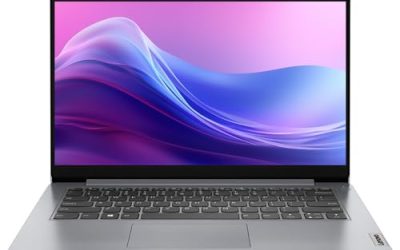
1. HP 15-fc0499nr — Best Overall Touchscreen Laptop Under 500 Dollars
The HP 15-fc0499nr is a straightforward, well-balanced choice for everyday computing, and it is the most versatile pick in this guide. It pairs an AMD Ryzen 5 7520U processor, which boosts up to 4.3 GHz, with 8 GB of LPDDR5 memory and a 512 GB PCIe NVMe SSD. That combination handles web research, documents, spreadsheets, streaming, and video calls without the delays that plague cheaper machines, and the fast SSD means the laptop wakes and opens apps quickly.
The 15.6-inch touchscreen display uses a micro-edge, anti-glare design, with 250 nits of brightness and a 1366 by 768 resolution. The resolution is the main compromise here: text is less sharp than on a Full HD panel, so buyers who read for long hours may prefer a Full HD model. The touchscreen itself is a genuine advantage, though, making scrolling, tapping, and navigation feel natural, especially in tablet-style apps and when signing documents.
HP lists battery life at up to 10.45 hours, supported by a 41 watt-hour battery and fast charging that can reach about half charge in around 45 minutes. The laptop weighs 3.52 pounds, which is light enough to carry between rooms or to class, and it includes Wi-Fi 6, Bluetooth 5.3, one USB-C port, two USB-A ports, HDMI 1.4b, and a headphone and microphone combination jack. The full-size keyboard includes a numeric keypad, and the HP True Vision 720p camera with temporal noise reduction and dual-array microphones is designed for clearer video calls.
This is the best overall pick for a buyer who wants a reliable, easy-to-use laptop for study, home office work, and entertainment, and who values a touchscreen and long battery life over the sharpest possible screen.
2. Acer Aspire 3 A315-24PT-R90Z — Best Full HD Touchscreen Value
The Acer Aspire 3 A315-24PT-R90Z is the pick for buyers who want a sharper screen without giving up touch. It uses the same AMD Ryzen 5 7520U processor as the HP above, with 8 GB of LPDDR5 memory and a 512 GB SSD, so everyday performance is in the same class: smooth browsing, comfortable multitasking, and quick loading from solid-state storage. The difference is the display. This Aspire 3 has a 15.6-inch Full HD IPS touchscreen, which shows crisper text, more detail in photos and video, and wider viewing angles than a basic HD panel.
That screen upgrade makes a real difference for reading, writing, spreadsheets, and streaming. An IPS panel keeps colours and contrast more consistent when you tilt the screen or share it with someone sitting beside you, and Full HD resolution gives you more usable space for side-by-side windows. The thin and light design suits a laptop that moves between a desk, a sofa, and a classroom, and the Steam Blue finish gives it a more distinctive look than the usual silver or black.
Wi-Fi 6 keeps wireless connections fast and stable, and the Aspire 3 is built around the same everyday formula that works well in this price range: a modern quad-core processor, enough memory for multitasking, and fast storage. Buyers should still check the exact configuration before ordering, because Aspire 3 models are sold in many variants with different processors, memory, and screens. The model named here, with Ryzen 5, 8 GB of memory, and a 512 GB SSD, is the configuration this recommendation is based on.
Choose this laptop if screen sharpness is your top priority and you want a Full HD touchscreen in a slim, portable design.
3. ASUS Vivobook Go 15 E1504FA-AS54 — Best Slim and Durable Everyday Laptop
The ASUS Vivobook Go 15 E1504FA-AS54 is the slimmest-feeling pick in this guide, and it is designed for buyers who carry a laptop every day. It also uses an AMD Ryzen 5 7520U processor with 8 GB of memory and a 512 GB SSD, running Windows 11 Home. That familiar combination delivers the same everyday speed as the other picks, with quick startup, smooth browsing, and enough headroom for office work, streaming, and video calls.
Where this Vivobook Go stands out is in its practical design details. ASUS describes military-grade durability testing, a fast-charging battery, and a physical webcam shield, which is a small sliding cover that blocks the camera when it is not in use. Those details matter in daily life: a laptop that survives being carried in a bag, charges quickly between classes or meetings, and gives you a simple way to protect privacy is easier to live with than a slightly faster machine with a fragile build.
The 15.6-inch Full HD display is sharper than a basic HD panel, and the Cool Silver finish and slim profile make the laptop look more expensive than its budget suggests. The ErgoSense keyboard, 180-degree lay-flat hinge, and AI noise-canceling audio are also useful for study and work, because they make long typing sessions more comfortable, screen sharing easier, and video calls clearer in noisy rooms.
This is the best pick for students and commuters who want a light, durable, good-looking laptop with a Full HD screen, fast charging, and thoughtful everyday features.
Comparison Table
| Laptop | Processor | Memory | Storage | Screen | Best For |
|---|---|---|---|---|---|
| HP 15-fc0499nr | AMD Ryzen 5 7520U, up to 4.3 GHz | 8 GB LPDDR5 | 512 GB PCIe NVMe SSD | 15.6-inch HD touchscreen, 250 nits | Best overall touchscreen and battery life |
| Acer Aspire 3 A315-24PT-R90Z | AMD Ryzen 5 7520U | 8 GB LPDDR5 | 512 GB SSD | 15.6-inch Full HD IPS touchscreen | Sharpest screen and best value display |
| ASUS Vivobook Go 15 E1504FA-AS54 | AMD Ryzen 5 7520U | 8 GB | 512 GB SSD | 15.6-inch Full HD | Slim, durable design for daily carrying |
Frequently Asked Questions
Are laptops under 500 dollars good enough for school and work?
Yes, for most school and office work. A laptop with a Ryzen 5 processor, 8 GB of memory, and a 512 GB SSD handles web research, word processing, spreadsheets, presentations, email, and video calls comfortably. It is not a gaming laptop or a workstation for heavy video editing, but for everyday productivity it is more than enough, provided you avoid models with only 4 GB of memory or a slow hard drive.
Is 8 GB of RAM enough in 2026?
For general use, yes. Eight gigabytes supports a browser with many tabs, an office suite, and a video call at the same time. If you edit large photos, run virtual machines, or keep dozens of heavy apps open, 16 GB gives more headroom, but most buyers in this price range will find 8 GB comfortable, especially when paired with a fast SSD.
Should I choose a touchscreen laptop?
A touchscreen is useful, not essential. It makes scrolling, tapping links, and using touch-friendly apps easier, and it can help with signing documents or sketching ideas. If you mainly type and use a mouse, a non-touch Full HD screen may offer better sharpness for the same money. Choose touch if you like direct interaction with the screen; otherwise, prioritise resolution and brightness.
Is a 512 GB SSD better than a 1 TB hard drive?
For everyday speed, yes. A 512 GB SSD starts Windows faster, opens apps more quickly, and responds more snappily than a mechanical hard drive, even a larger one. A hard drive offers more space for the money, but it is slower and more fragile. Most users are better served by a 512 GB SSD plus cloud storage or an external drive for large files.
How long will a laptop under 500 dollars last?
With sensible care, three to five years is a realistic expectation for everyday use. Keeping Windows updated, avoiding overheating, storing the laptop safely, and not filling the SSD completely will help it stay responsive. A model with 8 GB of memory and a modern processor ages better than a cheaper model with outdated parts, because it has more headroom as software becomes more demanding.
Conclusion
The best pc laptops under 500 dollars are not the cheapest laptops you can find, but the ones that get the fundamentals right. A modern Ryzen 5 processor, 8 GB of memory, a 512 GB SSD, and a clear, comfortable screen will serve most students, home workers, and everyday users far better than a flashier machine with a weak processor or too little memory.
If you want the most versatile all-rounder, choose the HP 15-fc0499nr for its touchscreen, long battery life, and balanced specification. If screen sharpness matters most, choose the Acer Aspire 3 A315-24PT-R90Z for its Full HD IPS touchscreen. If you carry your laptop everywhere, choose the ASUS Vivobook Go 15 E1504FA-AS54 for its slim, durable design and fast charging. Check the exact configuration, confirm the screen and memory, and buy the laptop that matches how you work, not just the one with the longest feature list.
Disclosure: As an Amazon Associate, we earn from qualifying purchases.
More from Amazon
Programs that pair well with the guide above. Offers and eligibility are set by Amazon and may change.
Free shipping on eligible items, Prime Video and more. Eligible new members can start with a free trial.
Start a Prime free trialAd-free music streaming. Eligible new subscribers can start with a free trial.
Try Music Unlimited freeA Prime membership for ages 18-24 with a trial period. Eligibility is set by Amazon.
See Prime for Young AdultsAudiobooks and podcasts to listen to on the go. Eligible new members can start with a free trial.
Try Audible freeAs an Amazon Associate we earn from qualifying purchases.









Write Your Review
No reviews yet. Be the first to share your experience!