

Key takeaways
- Media transcoding relies on fixed-function encode and decode engines. Raw shader speed matters little, but codec support such as H.264, H.265, AV1 and VP9 does.
- AI inference is limited first by video memory capacity and memory bandwidth, then by compute.
- Virtual desktops and virtualization depend on licensed vGPU or MIG features and on memory that can be divided between users.
- Rendering and simulation reward shader performance, ECC memory and driver stability.
The best GPU for a server in 2026 depends on the job: the Intel Arc Pro B50 or NVIDIA RTX PRO 2000 Blackwell suit small media and light AI servers, the NVIDIA L4 and RTX PRO 4000 Blackwell SFF Edition suit dense rack and low-profile systems, and the RTX PRO 6000 Blackwell Server Edition suits large-model inference and multi-tenant virtualization. Match the card to three limits before anything else: the video memory your workload needs, the cooling and power your chassis can deliver, and the software licensing your platform requires.
A server GPU differs from a gaming card in ways that matter. Many are passively cooled and rely on chassis fans, many draw power only from the slot, and many carry ECC memory and virtualization features. A card that wins a gaming benchmark can be the wrong tool in a rack, and a card that looks modest on paper can be ideal for transcoding or inference in a home lab. The seven picks below cover the common server tasks, from media transcoding to large language model inference.
Our top picks

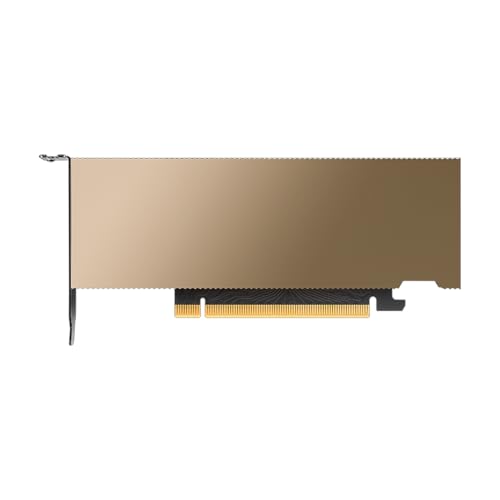


As an Amazon Associate we earn from qualifying purchases at no extra cost to you.
Quick comparison of the seven picks
| Pick | Best for | Memory | Max power | Form factor and cooling |
|---|---|---|---|---|
| Intel Arc Pro B50 | Low-power transcoding and light AI | 16GB GDDR6 | 70W | Low-profile, dual-slot, bus-powered |
| NVIDIA RTX PRO 2000 Blackwell | Compact CUDA workstation-server | 16GB GDDR7 ECC | 70W | Low-profile, dual-slot, active |
| NVIDIA RTX PRO 4000 Blackwell SFF Edition | Small servers needing 24GB | 24GB GDDR7 ECC | 70W | Half-height half-length, dual-slot, active |
| NVIDIA L4 | Rack inference and video | 24GB GDDR6 ECC | 72W | Low-profile, single-slot, passive |
| Intel Arc Pro B60 | Value 24GB inference | 24GB GDDR6 | 120W to 200W by design | Full-size board, varies by partner |
| GeForce RTX 5060 Ti 16GB | Budget home lab and Plex | 16GB GDDR7 | 180W | Consumer dual-fan card, active |
| NVIDIA RTX PRO 6000 Blackwell Server Edition | Large models and virtualization | 96GB GDDR7 ECC | 400W to 600W | Full-height, full-length, dual-slot, passive |
Start with the workload, not the card
Servers use GPUs for four main jobs, and each stresses a different part of the hardware.
- Media transcoding relies on fixed-function encode and decode engines. Raw shader speed matters little, but codec support such as H.264, H.265, AV1 and VP9 does.
- AI inference is limited first by video memory capacity and memory bandwidth, then by compute.
- Virtual desktops and virtualization depend on licensed vGPU or MIG features and on memory that can be divided between users.
- Rendering and simulation reward shader performance, ECC memory and driver stability.
A worked memory calculation for AI inference
A practical rule for quantized language models is roughly half a gigabyte of memory for every billion parameters at 4-bit precision, plus a few gigabytes for the context cache. An 8-billion-parameter model therefore needs about 5GB to 6GB, a 14-billion-parameter model about 9GB to 10GB, a 32-billion-parameter model about 18GB to 22GB, and a 70-billion-parameter model about 38GB to 44GB. This is why 24GB cards are popular for mid-size models, why 16GB cards cap you near 14 billion parameters, and why a 70-billion-parameter model calls for 48GB or more of combined memory.
Best low-power transcoding card: Intel Arc Pro B50
The Arc Pro B50 has 16 Xe2 cores, 16GB of GDDR6 on a 128-bit bus with 224GB/s of bandwidth, a PCIe 5.0 x8 interface and a 70W limit. According to coverage from ServeTheHome and StorageReview, it needs no external power connector and fits a low-profile dual-slot bracket. Its media engine supports H.264, H.265, AV1 and VP9, which covers every common transcode job.
Software support is the point to check. Jellyfin users have reported working hardware transcoding, while Plex support on some Unraid releases lagged behind at launch, so confirm your media server version and kernel before buying. Intel recommends a recent Linux kernel for the Battlemage generation.
- Who it suits: home media servers, small business video workloads and light inference with small models.
- Pros: 70W, no power cable, 16GB capacity, AV1 support, low cost among professional cards.
- Cons: software maturity trails NVIDIA, and 224GB/s of bandwidth limits large-model speed.
Best compact CUDA card: NVIDIA RTX PRO 2000 Blackwell
The RTX PRO 2000 Blackwell has 4,352 CUDA cores, 136 fifth-generation Tensor cores, 16GB of GDDR7 with ECC on a 128-bit bus, and 288GB/s of bandwidth. NVIDIA rates it at 70W with no auxiliary connector, in a half-height, half-length dual-slot form factor with four mini DisplayPort 2.1 outputs.
It gives a small server full CUDA support, which most inference frameworks and containers target first. The trade-off is capacity: 16GB serves 7-billion to 14-billion-parameter models comfortably but not larger ones. Retail units are priced in a professional tier, so compare it against the consumer RTX 5060 Ti 16GB, which is faster but needs more power and a bigger slot.
- Who it suits: small form factor servers, CAD and visualization boxes, and light inference on CUDA.
- Pros: 70W, ECC, compact, broad software support, professional drivers.
- Cons: 16GB cap, premium tier cost, modest raw speed.
Best 24GB compact card: NVIDIA RTX PRO 4000 Blackwell SFF Edition
The RTX PRO 4000 Blackwell SFF Edition carries 8,960 CUDA cores, 280 Tensor cores and 24GB of GDDR7 ECC on a 192-bit bus, with 432GB/s of bandwidth. NVIDIA lists a 70W maximum, PCIe 5.0 x8 and a dual-slot half-height design with two encode engines and two decode engines. It was released in August 2025.
Puget Systems notes that the lower power budget brings real-world speed closer to the RTX PRO 2000 than to the full-size RTX PRO 4000. That is not a flaw so much as a design choice: you are buying 24GB of fast ECC memory in a very small, cool package. For inference where capacity matters more than raw speed, it is among the best compact options available.
- Who it suits: compact servers that need 24GB, edge AI boxes and small workstations.
- Pros: 24GB ECC, 70W, no power cable, modern codecs and CUDA.
- Cons: reduced clocks, high cost per unit of speed, and limited availability.
Best for rack inference and video: NVIDIA L4
The L4 is an Ada Lovelace data center card with 7,424 CUDA cores and 24GB of GDDR6 with ECC at 300GB/s over a 192-bit bus. NVIDIA’s datasheet gives a 72W maximum, a single-slot low-profile passive design, PCIe Gen4 x16, two encode engines, four decode engines and four JPEG decoders. FP8 and INT8 tensor throughput is 485 TFLOPS or TOPS.
It is built for density. A rack server can hold several L4 cards with no extra power cables, and the card fits OEM systems that are certified for it. Because it has no fan, the chassis must supply directed airflow, which is why it belongs in a proper server, not a desktop tower. It also targets virtualization, with vGPU support under NVIDIA’s software licensing.
- Who it suits: rack servers, video streaming platforms, inference at scale and virtual workstations.
- Pros: 72W, single-slot, passive, strong media engines, ECC.
- Cons: needs server airflow, no display outputs, and vGPU licensing adds recurring cost.
Best value 24GB card: Intel Arc Pro B60
The Arc Pro B60 offers 24GB of GDDR6 on a 192-bit bus at 456GB/s, with 20 Xe2 cores, 160 XMX engines and a PCIe 5.0 x8 interface. Power ranges from 120W to 200W because several partners sell their own designs, and some partners combine two GPUs on one board for 48GB.
For inference it stands out as an inexpensive way to reach 24GB, and reports suggest it handles many simultaneous video streams at a lower power draw than a high-end consumer card. The compromise is software: tooling around Intel’s stack is improving but is less universal than CUDA, so check that your framework of choice supports it.
- Who it suits: budget local inference, multi-GPU experiments and transcoding servers.
- Pros: 24GB at a low cost, strong bandwidth for the tier, multiple partner designs.
- Cons: software ecosystem, varying power and cooling by model.
Best budget home lab card: GeForce RTX 5060 Ti 16GB
The RTX 5060 Ti 16GB uses 4,608 CUDA cores, 16GB of GDDR7 and a 180W rating. It is a consumer card, but it is the easiest way to give a home server CUDA and NVENC at a modest cost. It runs 8-billion to 14-billion-parameter models well and handles several Plex or Jellyfin streams.
Two cautions apply. NVIDIA limits simultaneous NVENC encode sessions on GeForce cards, which matters for heavy multi-user transcoding, and the GeForce driver license restricts data center deployment, so a business should review the terms before using consumer cards in commercial servers.
- Who it suits: home labs, Plex and Jellyfin servers, hobby inference.
- Pros: 16GB, strong CUDA support, easy availability, active cooling.
- Cons: encode-session limits, license terms, 180W and a larger physical size.
Best for large models and virtualization: RTX PRO 6000 Blackwell Server Edition
The RTX PRO 6000 Blackwell Server Edition has 24,064 CUDA cores, 752 Tensor cores and 96GB of GDDR7 ECC on a 512-bit bus, delivering 1,597GB/s of bandwidth. NVIDIA and Lenovo list a 400W to 600W range, a passive full-height, full-length dual-slot design and PCIe 5.0 x16. Multi-Instance GPU can divide it into up to four 24GB instances, and NVLink is not supported.
It is the card that lets a single server run a 70-billion-parameter model in 4-bit precision with room for context, or divide one GPU between several teams. It also demands a proper server chassis with high airflow and a power supply that can deliver 600W to the slot.
- Who it suits: enterprise inference, multi-tenant virtualization and large simulations.
- Pros: 96GB, MIG partitioning, very high bandwidth, ECC.
- Cons: premium cost, 600W draw, passive cooling that requires server airflow.
Decision matrix by server type
| Server type | Best match | Key reason |
|---|---|---|
| Home media server with Jellyfin | Arc Pro B50 | 70W, AV1 encode, no power cable |
| Home media server with Plex | RTX 5060 Ti 16GB or RTX PRO 2000 | Mature NVENC support |
| Small office AI assistant | RTX PRO 4000 SFF or Arc Pro B60 | 24GB for mid-size models |
| Rack with many video streams | NVIDIA L4 | Dense, passive, strong media engines |
| Virtual desktops for teams | L4 or RTX PRO 6000 Server | vGPU and MIG options |
| 70B-class models in one box | RTX PRO 6000 Server | 96GB memory |
Memory bandwidth and why it sets inference speed
Generating text with a language model is mostly a memory-reading task, because each new token requires reading most of the model weights once. That makes bandwidth the best predictor of tokens per second for a given model size. The cards in this guide span a wide range, as the table shows.
| Card | Memory | Bus width | Bandwidth | Largest 4-bit model that fits comfortably |
|---|---|---|---|---|
| Arc Pro B50 | 16GB GDDR6 | 128-bit | 224GB/s | about 14 billion parameters |
| RTX PRO 2000 Blackwell | 16GB GDDR7 | 128-bit | 288GB/s | about 14 billion parameters |
| NVIDIA L4 | 24GB GDDR6 | 192-bit | 300GB/s | about 32 billion parameters |
| RTX PRO 4000 Blackwell SFF | 24GB GDDR7 | 192-bit | 432GB/s | about 32 billion parameters |
| Arc Pro B60 | 24GB GDDR6 | 192-bit | 456GB/s | about 32 billion parameters |
| RTX PRO 6000 Blackwell Server | 96GB GDDR7 | 512-bit | 1,597GB/s | 70 billion parameters and beyond |
As a rough estimate, a 4-bit model of 14 billion parameters occupies about 8GB of weights. A card with 288GB/s of bandwidth can read that about 36 times per second at the theoretical limit, so real-world generation speeds fall below that figure but scale in the same direction. The 1,597GB/s card reads the same weights more than five times faster, which is why high-bandwidth cards feel dramatically quicker for the same model.
Common mistakes when choosing a server GPU
- Buying on core count alone. For inference and media work, memory capacity, bandwidth and codec support matter more than shader count.
- Forgetting the chassis. A passive card in an unventilated tower overheats, and an active card with a blower can be too tall for a short rack case.
- Overlooking the driver stack. Linux kernel version, container runtime and hypervisor support decide whether a new card works on day one.
- Ignoring single-slot power limits. Cards that draw power only from the slot are capped near 75W, so they cannot match the speed of a card with an external connector.
- Skipping redundancy planning. A single GPU is a single point of failure, so keep a spare card or a CPU fallback path for services that must stay online.
Cooling, power and electricity realities
Passive cards such as the L4 and the RTX PRO 6000 Server Edition have no fan and rely on the chassis. In a server rated for them, front-to-back airflow handles the heat. In a tower case they can throttle or fail, so do not install them without verified airflow.
Running costs add up in 24/7 use. A card averaging 70W for a full year consumes about 613kWh, because 70W multiplied by 8,760 hours equals 613,200Wh. At an example electricity rate of 0.15 per kWh, that is roughly 92 in annual electricity cost. A card averaging 300W would use about 2,628kWh, or around 394 at the same rate, so the efficiency of a 70W card can matter as much as its purchase cost over several years.
Monitoring and maintenance
Once a GPU is in production, watch temperature, memory errors and utilization. NVIDIA cards expose these through the nvidia-smi tool and data center monitoring exporters, while Intel cards report through their own management utilities. Set alerts for sustained temperatures near the throttle point, because dust build-up in a rack reduces airflow slowly and is easy to miss. Plan a cleaning interval, update drivers on a schedule rather than automatically, and keep a rollback image so that a faulty driver does not take a service offline.
Checklist before you buy
- Confirm physical fit. Check slot width, length and bracket height against the chassis.
- Confirm cooling type. Passive cards need directed airflow, active cards need free intake space.
- Verify software support. Check your media server, hypervisor and AI framework against the card’s drivers.
- Read the license terms. Some features, such as vGPU, need a separate subscription.
- Plan for ECC and monitoring. Professional cards expose telemetry that helps with uptime.
Frequently Asked Questions
Can I use a gaming GPU in a server?
Technically yes, and many home labs do. For business use, check NVIDIA’s GeForce driver license, which restricts data center deployment, and note that consumer cards lack ECC and often limit simultaneous encode sessions.
How much VRAM do I need for a local language model?
Plan on about half a gigabyte per billion parameters at 4-bit precision plus a few gigabytes for context. A 14-billion-parameter model fits in 16GB, a 32-billion-parameter model suits 24GB, and a 70-billion-parameter model needs 48GB or more.
What is the best GPU for Plex transcoding?
For compatibility, NVIDIA cards with NVENC are the safest choice, and the RTX 5060 Ti 16GB or RTX PRO 2000 are good picks. Intel Arc cards are efficient and support AV1, but confirm that your Plex version and kernel support the specific card first.
Do server GPUs need a power cable?
The 70W cards in this guide, namely the Arc Pro B50, RTX PRO 2000, RTX PRO 4000 SFF and L4, draw power only from the slot. Larger cards, including the RTX PRO 6000 Server Edition and the RTX 5060 Ti, need auxiliary power connectors.
What does passive cooling mean?
A passive card has a heatsink but no fan. It depends on airflow from the server chassis fans, so it must be installed in a system designed for that cooling.
Is ECC memory necessary?
ECC detects and corrects memory errors, which matters for long-running production workloads. For a hobby media server it is optional, but for business inference or virtualization it is a valuable safeguard.





Write Your Review
No reviews yet. Be the first to share your experience!