

Key takeaways
- PC case vs open frame compared: airflow, dust, noise, access and safety, plus five real cases and test benches with verified ASINs to choose from.
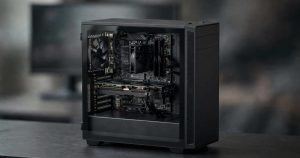
For a PC that gets built once and then runs for years, a closed case is the safer default: it keeps dust, spills, pets and curious fingers away from live hardware, directs airflow along a planned path, and contains fan noise behind panels. An open frame wins when the build itself is the hobby — frequent part swaps, benchmarking, custom water cooling or a system you want on display — because every component stays reachable and nothing traps heat inside a box.
Neither format is universally better, because they solve different problems. A tower case is a protective shell with engineered airflow; an open frame is a mounting platform that trades that protection for total access and unrestricted ambient air. This guide compares the two across cooling, dust, noise, access, safety and hardware support, then closes with five real products: two closed mid-towers and three open frames.
As an Amazon Associate, we earn from qualifying purchases.
Table of Contents
- Quick Verdict: Case vs Open Frame at a Glance
- How Each Design Works
- Head to Head
- The Five Products
- Which One Should You Choose?
- FAQ
- Conclusion
- Product and ASIN Reference
Quick Verdict: Case vs Open Frame at a Glance
| Attribute | Closed PC case | Open frame / test bench |
|---|---|---|
| Form | Enclosed tower with panels and filters | Exposed tray or frame, minimal or no panels |
| Cooling | Directed airflow path, intake and exhaust fans | Unrestricted ambient air, no directed path |
| Dust | Filtered intakes slow dust build-up | Dust settles directly on components |
| Noise | Panels and shrouds muffle fan and coil noise | All component noise escapes freely |
| Access | Side panel removal for every change | Everything reachable at all times |
| Protection | Shields parts from spills, pets and knocks | No barrier between parts and the room |
| Best for | Daily drivers, shared rooms, quiet setups | Testing, overclocking, display builds, water cooling |
How Each Design Works
A closed case is a controlled environment. Intake fans pull air through dust filters, the layout pushes that air across the motherboard and graphics card, and exhaust fans remove it. Panels, a power supply shroud and cable channels keep the interior tidy and protected, and clearances for coolers, graphics cards and radiators are fixed numbers published by the manufacturer.
An open frame removes the environment entirely. The motherboard mounts on a flat tray or minimal frame, sometimes behind a single tempered glass sheet, sometimes with nothing around it at all. There is no airflow path to design and no filter to maintain; components simply sit in room air. Test benches push this furthest, adding quick-release mounting and angled or flat layouts built for swapping hardware several times in a session.
Head to Head
Cooling and airflow
A good closed case cools actively: fans create pressure and a defined path, so air is forced over the parts that need it, including voltage regulators and storage drives that have no cooling of their own. An open frame cools passively by exposure — a graphics card or tower cooler breathes room air directly, which is excellent for the headline components, but secondary parts such as motherboard VRMs and M.2 drives get no directed airflow unless you point a fan at them. For a single GPU and CPU cooler, exposure usually matches a decent case. For multi-drive or passively cooled parts, the directed path of a case is more predictable.
Dust and maintenance
This is the open frame’s clearest weakness. In a closed case, intake filters catch most dust before it reaches the hardware, and a filter rinse every few months keeps the interior clean for years. On an open frame, dust settles on every exposed surface continuously, so plan on blowing the build down with compressed air far more often — especially in homes with pets or carpets. The trade-off is that cleaning an open build takes minutes because nothing needs opening.
Noise
Panels are sound insulation. A closed case with a solid or glass side panel and a PSU shroud noticeably damps fan noise, hard drive vibration and coil whine. An open frame offers zero damping: every fan, pump and inductor is audible at its source level. Builders chasing a quiet room should treat this as a deciding factor, while anyone wearing headphones at a test bench will not care.
Access and upgrades
Nothing beats an open frame for working on hardware. Swapping a graphics card, reseating memory, flipping a DIP switch or connecting a diagnostic cable happens without removing a single panel. On a test bench such as the Bykski below, the layout exists purely for this. A closed case always adds steps — panel off, cables managed around a shroud, limited hand room — and large hands in a compact mid-tower can turn a two-minute job into twenty.
Protection and safety
A closed case is a barrier. It protects components from spilled drinks, dropped objects, pet paws and children’s hands, and it keeps fingers away from spinning fan blades and warm heatsinks. An open frame leaves everything exposed, including powered connectors and moving fans. In a dedicated workshop or office that risk is manageable; in a family living room it is a genuine argument for the closed case.
Radiators and hardware fit
Closed cases publish hard limits: maximum GPU length, cooler height and radiator sizes per mount. Stay inside them and everything fits. Open frames relax most length and height limits because there is no roof or front panel in the way, and showcase frames such as the Core P5 accept radiators up to 480 mm that few towers can house. The limits that remain are structural — tray size, motherboard format and, on benches, power supply length.
Looks and placement
A tempered glass tower is furniture: finished on every side and easy to place on or under a desk. Open frames are a statement and often a project — wall-mounted showcase frames turn the PC into wall art, while flat test benches belong on a workbench, not in a lounge. Measure your space either way: the larger open frames are wider than most full towers once their radiator wings and mounts are counted.
The Five Products
Closed cases
Corsair 4000D Airflow
The 4000D Airflow is the reference point for the modern closed mid-tower: a perforated steel front panel, two included 120 mm AirGuide fans and a tempered glass side panel. The RapidRoute channel with 25 mm of routing depth makes tidy cabling straightforward, and the interior accepts radiators up to 360 mm plus two 3.5-inch and two 2.5-inch drives. It is the budget-tier pick here and the easiest recommendation for a build-once machine.
Specs:
- Type: Closed mid-tower
- Motherboard support: Mini-ITX, Micro-ATX, ATX, E-ATX
- Materials: Steel and plastic, tempered glass side panel
- Included fans: 2 × 120 mm AirGuide
- Radiator support: Up to 360 mm
- Storage: 2 × 3.5-inch and 2 × 2.5-inch drives
- Cable management: RapidRoute channel, 25 mm routing depth
- Dimensions: 18.3 × 9.1 × 17.8 in
- Weight: 17.2 lb
- Tier: Budget
NZXT H5 Flow RGB (2024)
The 2024 H5 Flow RGB wraps the closed-case formula in a compact footprint with a perforated front and top. A single F360 RGB Core fan unit handles front intake, and the chassis supports a 360 mm radiator in front and 240 mm in the roof, so a powerful air or liquid build fits without moving up to a full tower. The tempered glass side panel keeps the display quality glass-case buyers expect, with filters and panels doing the protective work an open frame skips.
Specs:
- Type: Closed compact mid-tower
- Model: CC-H52FB-R1
- Motherboard support: Mini-ITX, Micro-ATX, ATX
- Included fan: F360 RGB Core single-frame unit (front)
- Radiator support: Up to 360 mm front, 240 mm top
- Panels: Perforated front and top, tempered glass side panel
- Dimensions: 16.93 × 8.86 × 18.31 in
- Weight: 16.49 lb
- Tier: Mid-range
Open frames
Thermaltake Core P3 TG Snow
The Core P3 TG is the middle ground of this comparison: an open SPCC steel frame behind a 5 mm tempered glass front panel, so the build is fully displayed and reachable while the glass takes the knocks. It stands vertically, lies flat or wall-mounts, includes a PCIe riser cable for a vertical graphics card, and supports radiators up to 420 mm on its left side. For a permanent open build rather than a workbench tool, this is the mid-range starting point.
Specs:
- Type: Open frame mid tower
- Model: CA-1G4-00M6WN-05
- Motherboard support: Mini-ITX, Micro-ATX, ATX
- Materials: SPCC steel, 5 mm tempered glass front panel
- Radiator support: Up to 420 mm; 3 × 120 mm or 3 × 140 mm fans
- Placement: Wall mount, vertical or horizontal
- Expansion slots: 8
- Front I/O: 2 × USB 3.0, 2 × USB 2.0, HD Audio
- CPU cooler clearance: 180 mm
- Dimensions: 20.2 × 13.1 × 18.5 in
- Weight: 24.9 lb
- Tier: Mid-range
Thermaltake Core P5 TG Titanium Edition
The Core P5 scales the open frame up to full-tower size. Its panoramic design shows both sides of the build, the fully modular frame supports wall-mount, vertical and horizontal placement, and the graphics card can mount horizontally or vertically. Radiator support reaches 480 mm, beyond what most closed towers accept, which makes the P5 a canvas for custom loops. It is a premium, permanent showcase rather than a portable bench.
Specs:
- Type: Open frame full tower
- Model: CA-1E7-00M9WN-00
- Motherboard support: Mini-ITX, Micro-ATX, ATX
- Materials: Steel, tempered glass panels
- Radiator support: Up to 480 mm
- Placement: Wall mount, vertical or horizontal
- GPU mounting: Horizontal or vertical
- Front I/O: 2 × USB 3.0, 2 × USB 2.0, HD Audio
- Dimensions: 23.9 × 13.1 × 22.4 in
- Weight: 35.9 lb
- Tier: Premium
Bykski B-CE-X Professional Open Frame Test Bench
The B-CE-X is a true test bench, built for people who swap hardware constantly. It is machined from 8 mm aluminum, weighs just 1.72 kg as a bare chassis, and can sit flat or tilted at 60 degrees. There are no panels, no filters and no front I/O — just a rigid tray with room for an ATX board, an ATX power supply up to 180 mm long, and up to two 360 mm radiators on separately sold mounts. As a daily-driver home it asks for a tidy, adult workspace; as a bench it is exactly the tool the category promises.
Specs:
- Type: Open frame test bench
- Material: 8 mm CNC-machined aluminum
- Motherboard support: Mini-ITX, Micro-ATX, ATX
- PSU support: ATX, up to 180 mm long
- Radiator support: Up to two 3 × 120 mm radiators, 30 mm thick (mounts sold separately)
- Placement: Flat horizontal or 60-degree angled
- Dimensions: 545 × 340 × 275 mm
- Weight: 1.72 kg (chassis)
- Tier: Premium
Which One Should You Choose?
Choose a closed case if the PC is a daily driver in a shared room, if you value quiet, or if the build will stay untouched for years — the Corsair 4000D Airflow covers that brief at a budget tier, and the NZXT H5 Flow RGB adds a smaller footprint and lighting. Choose an open frame if you swap parts often, run benchmarks, build custom loops or simply want the hardware visible: the Core P3 TG suits a permanent desk or wall display, the Core P5 TG scales that idea up, and the Bykski B-CE-X is the dedicated workbench option. The honest summary is that cases protect a finished computer, while open frames serve an ongoing project.
FAQ
Is an open frame PC safe to run every day?
Yes, electrically it is the same hardware on a tray instead of in a box, and many enthusiasts run open frames for years. The practical cautions are environmental: keep drinks away, keep pets and small children away from spinning fans and exposed connectors, and expect to clean dust more often than with a filtered case.
Which cools better, a closed case or an open frame?
For the CPU and graphics card alone, an open frame usually matches a good airflow case because the coolers breathe room air directly. A closed case cools the whole system more evenly, since its fans push air over VRMs, memory and drives as well. With several hot drives or passively cooled parts, the directed airflow of a case is the more predictable choice.
How much dust does an open frame build collect?
Noticeably more than a filtered case, because dust settles straight onto every exposed board and fan blade instead of being caught at an intake filter. In a typical home, a quick compressed-air clean every few weeks keeps it under control; homes with shedding pets should plan on more frequent cleaning or choose a filtered case.
Can I wall-mount an open frame PC?
Some, yes. Showcase frames such as the Thermaltake Core P3 TG and Core P5 TG are designed for wall mounting alongside vertical and horizontal placement, though mounting hardware is typically sold separately. Pure test benches such as the Bykski B-CE-X are desk tools and are not intended for wall mounting.
Conclusion
The PC case vs open frame decision is really about how you use the machine. A closed tower like the Corsair 4000D Airflow or NZXT H5 Flow RGB protects, quiets and filters a finished build, which is what most desktops need. An open frame — the Core P3 TG, Core P5 TG or the Bykski B-CE-X bench — gives up that protection for instant access, unrestricted air and a build that stays visible and easy to change. Pick the format that matches your habits, and either side of this comparison will serve you well.
More from Amazon
Programs that pair well with the guide above. Offers and eligibility are set by Amazon and may change.
Free shipping on eligible items, Prime Video and more. Eligible new members can start with a free trial.
Start a Prime free trialAd-free music streaming. Eligible new subscribers can start with a free trial.
Try Music Unlimited freeA Prime membership for ages 18-24 with a trial period. Eligibility is set by Amazon.
See Prime for Young AdultsAudiobooks and podcasts to listen to on the go. Eligible new members can start with a free trial.
Try Audible freeAs an Amazon Associate we earn from qualifying purchases.

Write Your Review
No reviews yet. Be the first to share your experience!