

Key takeaways
- Shopping for a Hewlett Packard laptop means choosing between very different product families that share one logo.
Shopping for a Hewlett Packard laptop means choosing between very different product families that share one logo. The same brand sells 14-inch machines with entry-level N150 chips, 17-inch OmniBook models with fresh Intel Core Ultra and AMD Ryzen processors, and 15.6-inch laptops with a Core i7. The decision is less about brand loyalty and more about which HP line matches your screen size, memory, and storage needs.
This guide suits families, remote workers, and students who have settled on HP for its widespread service and familiar keyboards, and who want a clear view of the options in 2026. The seven listings below split into big-screen desk laptops and small, light entry models. Every comment is based only on what each title states, so details missing from a truncated title are flagged for you to confirm in the full listing.
Quick Picks
Our top picks



As an Amazon Associate we earn from qualifying purchases at no extra cost to you.
| Product | Best for | Key spec from the title |
|---|---|---|
| HP 17 inch Business Laptop (Ryzen 5) | Desk work with a number pad | Ryzen 5, 16GB RAM, 512GB SSD, 17.3″ FHD |
| HP OmniBook 3 17.3 (Core Ultra 5) | Big screen with a newer Intel chip | Core Ultra 5 225U, 8GB RAM, 512GB SSD |
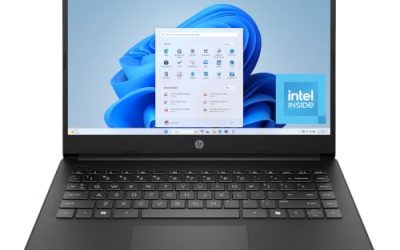
| HP 14 inch Laptop (UFS) | Light browsing and Microsoft 365 | Intel N150, 4GB RAM, 128GB UFS |
| HP 14 Ultra-Light with SD Card | Students needing extra storage | N150, 4GB RAM, 128GB plus 128GB SD card |
| HP 15.6″ Core i7 | Most processing power in this list | Core i7-1255U, 16GB RAM, 1TB PCIe SSD |
| HP 17.3″ Business (Core 5-120U) | Large screen with extra storage space | 10-core Core 5-120U, 12GB RAM, 768GB total |
| HP OmniBook 3 17.3 (Ryzen 3) | Budget big-screen AMD option | Ryzen 3, 8GB RAM, 512GB SSD |
How to Choose
Pick the screen size first
HP sells the same internals in 14-inch, 15.6-inch, and 17.3-inch bodies. A 14-inch model weighs the least and slips into a bag; a 17.3-inch model gives a roomy workspace and often a full number pad but is bulky to carry daily. If the laptop stays on a desk, the 17-inch HP listings in this guide are the more productive choice. For commuting, stay at 14 inches. A 15.6-inch frame is the middle ground, with a standard keyboard and a screen that is easier to share across a table.
Read the processor name carefully
HP titles mix very different chips. An Intel N150 is an entry-level processor for web pages and documents. Core Ultra 5, Core 5, and Core i7 parts are a clear step up for multitasking, while Ryzen 3 and Ryzen 5 cover the AMD side. As a rule, move to a Core or Ryzen chip if you keep many apps open, and accept an N150 only for simple chores. Graphics labeled as Intel or Radeon 610M are integrated, so none of these HP listings are meant for modern 3D games.
Memory and storage thresholds
Treat 8GB of RAM as the minimum for a main computer and 16GB as the comfortable level. Four gigabytes appears on several budget HP listings and feels limiting. For storage, a 512GB SSD is a practical base. Be careful with totals that add an SD card to an internal drive, because a card is slower and removable, not the same as built-in SSD space. Also confirm that the capacity written on the listing is the total you receive, not a trial of cloud space.
What to ignore and where budget models cut corners
Ignore adjectives like ultra-light and long battery when no capacity is given. Budget HP models usually cut RAM, use UFS or eMMC-style storage instead of a full SSD, and settle for an HD rather than FHD panel. Also check the Windows edition, because Home in S mode limits software, and note whether an Office subscription is a one-year trial rather than permanent. Finally, look at ports in the full listing: a USB-C port and an HDMI output make a laptop easier to pair with a monitor.
The 7 Best Options
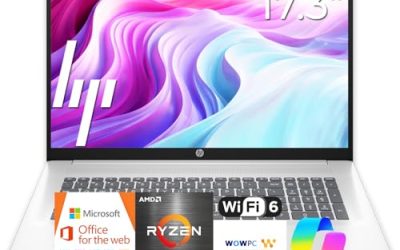
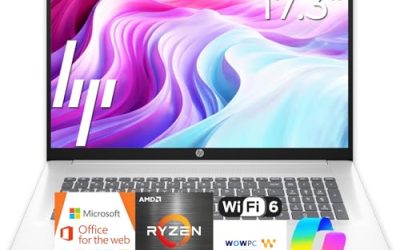
HP 17 inch Business Laptop (Ryzen 5)
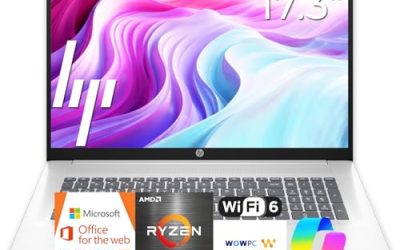
This listing pairs an AMD Ryzen 5 processor with 16GB of RAM, a 512GB SSD, and a 17.3-inch FHD display with a numeric keypad. It suits a home office worker who lives in spreadsheets and wants a large screen and a strong memory base without paying for premium ultraportable features.
- Strength: 16GB of RAM supports heavy multitasking.
- Strength: the 17.3-inch FHD screen and number pad speed up data entry.
- Trade-off: a 17-inch body is hard to carry around all day.
Skip it if you commute daily or need a laptop that fits in a small bag. Anyone who mainly watches video or browses can also spend less on a smaller screen.
HP OmniBook 3 17.3 (Core Ultra 5)
The OmniBook 3 uses an Intel Core Ultra 5 225U with Intel graphics, 8GB of RAM, a 512GB SSD, and Windows 11 Home in Glacier Silver. It targets people who want a current-generation Intel chip on a large FHD display for work and entertainment at home.
- Strength: a Core Ultra chip is a newer-generation processor than the N150 models.
- Strength: 512GB of storage gives plenty of room for files.
- Trade-off: 8GB of RAM is only the minimum for heavy multitasking.
Skip it if you plan to keep dozens of tabs and large spreadsheets open together, or if the listing’s exact RAM upgrade path matters to you; confirm that before buying.
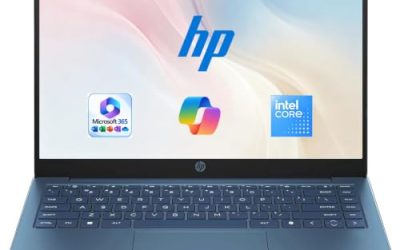
HP 14 inch Laptop (N150, UFS)
This compact HP lists an Intel N150, 4GB of RAM, a 128GB UFS drive, Intel graphics, Windows 11 Home, and a one-year Microsoft 365 Personal subscription. It is meant for someone who wants a portable laptop for email and documents on a modest budget.
- Strength: the included Microsoft 365 subscription covers document needs.
- Strength: the 14-inch format is simple to carry.
- Trade-off: 4GB of RAM and a HD display limit comfort for long sessions.
Skip it if you want a primary computer for multitasking or video calls with many apps open. Treat it as a travel or backup laptop, and read the full listing for the display details.
HP 14 Ultra-Light with SD Card
This 14-inch listing offers an Intel N150, 4GB of RAM, and 128GB of internal storage plus a 128GB SD card, along with a one-year Office 365 subscription. It is pitched at students and home users who want extra file space at a low tier.
- Strength: the bundled SD card adds portable storage for school files.
- Strength: fast charge is mentioned in the listing.
- Trade-off: SD card space is not the same as a built-in SSD, and RAM is limited to 4GB.
Skip it if you need steady storage speed for large files or demanding apps. A removable card also adds one more small item to lose when you move between rooms or classes.
HP 15.6″ Core i7
The most powerful processor here is the Intel Core i7-1255U, listed up to 4.7GHz, with 16GB of RAM, a 1TB PCIe SSD, an FHD display, and a webcam. It suits users who want the highest performance and storage in the group in a standard 15.6-inch frame.
- Strength: 16GB of RAM and a 1TB PCIe SSD are the strongest memory and storage figures in this roundup.
- Strength: the Core i7 should handle multitasking better than the N150 models.
- Trade-off: the Core i7-1255U is an older-generation chip than the Core Ultra models.
Skip it if you prioritize the newest chip generation over raw memory and storage, or if you want the lightest body; this one is a full-size 15.6-inch frame.
HP 17.3″ Business (Core 5-120U)
This listing features a 10-core Intel Core 5-120U, 12GB of RAM, and 768GB of storage made up of a 256GB SSD and a 512GB SD card, plus Windows 11 Pro and Copilot features. It is aimed at office users who value a big display and a Pro operating system.
- Strength: 12GB of RAM sits between the 8GB and 16GB tiers.
- Strength: Windows 11 Pro adds business-oriented management features that Home editions lack.
- Trade-off: only 256GB is a true SSD; the rest is a card.
Skip it if you need all of your storage to be fast, internal drive space. Photo and video editors in particular will notice the split between the SSD and the card.
HP OmniBook 3 17.3 (Ryzen 3)
The second OmniBook 3 lists an AMD Ryzen 3 processor, 8GB of RAM, a 512GB SSD, AMD Radeon 610M graphics, and Windows 11 Home in Mica Silver. It fits buyers who want a large-screen HP at a lower processor tier than the Core Ultra version.
- Strength: 512GB of SSD storage is a solid base.
- Strength: the 17.3-inch FHD display is a comfortable size for documents and video.
- Trade-off: a Ryzen 3 is an entry-level processor for heavier workloads.
Skip it if you plan to run demanding apps or want long-term performance headroom. Shoppers eyeing the Core Ultra version should compare the two listings side by side.
Which One Fits Your Situation
You work from home on big spreadsheets
The HP 17 inch Business Laptop (Ryzen 5) pairs 16GB of RAM with a numeric keypad and a 17.3-inch screen, which is ideal for data-heavy days at a desk.
You need the strongest performance and storage
The HP 15.6″ Core i7 offers the top processor tier, 16GB of RAM, and a 1TB SSD in this group.
You want a newer chip on a large screen
The HP OmniBook 3 17.3 (Core Ultra 5) brings a recent Intel processor, plus 512GB of storage, to a big display.
You carry the laptop to class or the coffee shop
The HP 14 Ultra-Light with SD Card is the small, simple choice, with extra card storage for files, but treat it as a light-use machine for notes, reading, and web research.
Common Mistakes
- Treating all HP laptops as equal when processors range from an N150 to a Core i7.
- Counting an SD card as if it were internal SSD storage.
- Choosing a 17-inch model for travel and then finding it too bulky to carry.
- Overlooking the RAM figure and buying 4GB for a main computer.
- Assuming an included Office subscription is permanent when it is often a one-year term and needs renewal.
Related guides
- How To Apply Thermal Paste How Much And Which Pattern
- How To Choose Power Supply Wattage For A Pc Build
- Cpu Coolers For Small Form Factor Cases
Frequently Asked Questions
Is an OmniBook better than a regular HP laptop?
OmniBook is a newer product line, and the listings here pair it with recent Intel and AMD chips. Compare the processor and RAM on each listing, since the name alone does not guarantee performance.
How much RAM should an HP laptop have?
Choose 8GB at minimum and 16GB if you multitask. Avoid 4GB for a main computer, since modern browsers and video calls use a lot of memory.
Is an N150 processor good enough?
It handles web browsing, streaming, and documents. For video calls with many tabs or large spreadsheets, a Core or Ryzen chip is a better fit.
Should I buy a 14-inch or 17-inch HP?
Buy 14 inches if you carry the laptop often and care about weight. Buy 17 inches if it mostly sits on a desk and you value screen space and a number pad.
Write Your Review
No reviews yet. Be the first to share your experience!