

Key takeaways
- Buying 8 GB of memory in a Windows laptop you want to use for four years.
- Choosing a heavy gaming laptop for campus use and carrying it daily.
- Not checking course software before choosing a Chromebook or Arm-based PC.
- Ignoring warranty and accidental damage coverage.
The best student laptop for most people in 2026 is the Apple MacBook Air with the M5 chip, and the best Windows choice is a light ultrabook like the Acer Swift Go 14 AI or the ASUS Zenbook 14 OLED. If money is tight, a Chromebook Plus such as the Acer Chromebook Plus 514 covers browser-based schoolwork for far less. Prioritize battery life of 10 hours or more, weight under about three pounds, and at least 16 GB of memory on Windows laptops.
This guide compares real laptops for students by battery, weight, memory and software compatibility, adds a major-by-major decision table, and explains how to budget. Information comes from manufacturer specs and published professional reviews, not personal use.
Our top picks




As an Amazon Associate we earn from qualifying purchases at no extra cost to you.
Quick Comparison of the Best Student Laptops
| Pick | Best for | Key specs | Price range |
|---|---|---|---|
| Apple MacBook Air 13 (M5) | Best overall | Apple M5, about 15 to 18 hours of battery in published reviews, fanless, about 2.7 lb | Upper mid-range |
| Acer Swift Go 14 AI | Best Windows all-rounder | 14-inch, Intel Core Ultra, good port selection, long battery in Trusted Reviews coverage | Mid-range |
| ASUS Zenbook 14 OLED | Best OLED value | 14-inch OLED, light body, portable | Mid-range |
| ASUS Zenbook A14 | Best MacBook alternative on Windows | Snapdragon processor, very light, long battery | Mid-range |
| HP OmniBook 5 14 | Best everyday value | 14-inch Windows laptop, balanced specs for classes | Mid-range |
| Acer Chromebook Plus 514 | Best budget pick | Intel Core 3 100U, ChromeOS, browser-based apps | Budget |
| Dell XPS 13 (2026) | Best premium Windows | Thin-and-light, high-quality display | Upper mid-range to premium |
Best Overall: Apple MacBook Air 13 (M5)
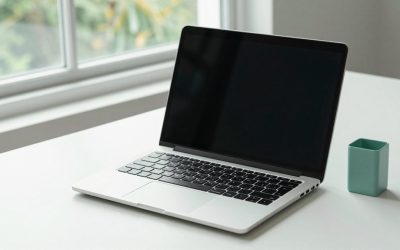
Several 2026 student guides place the M5 MacBook Air first. It offers around 18 hours of rated battery life, a silent fanless body that weighs about 2.7 pounds, 16 GB of memory in the configuration one list names, and a fast SSD. It handles essays, spreadsheets, video calls and light creative work for four years or more. Apple’s education pricing lowers the cost for enrolled students.
Trade-off: macOS cannot run some Windows-only programs, such as certain engineering and finance software, and ports are limited.
Best Windows All-Rounder: Acer Swift Go 14 AI
Trusted Reviews named the 2026 Swift Go 14 AI its best student laptop overall, praising its design, ports and endurance. It suits students who want Windows with enough ports for a mouse, drives and a display. It is thin enough for a daily backpack.
Trade-off: the plastic-heavy build feels less premium than aluminum rivals.
Best OLED Value: ASUS Zenbook 14 OLED
Reviewers label the Zenbook 14 OLED the best Windows all-rounder for portability. The OLED panel gives rich color for design and media courses, and the body is light for carrying between classes. It is a strong match for students who watch a lot of video or work with images.
Trade-off: OLED panels can use more power, so battery life may be shorter than on LCD versions.
Best MacBook Alternative: ASUS Zenbook A14
Some roundups call the Zenbook A14 the best MacBook alternative. It uses a Snapdragon chip and is very light with long battery life. It is great for note-taking and browsing, but Windows on Arm may not run every older program, so check your course software.
Best Everyday Value: HP OmniBook 5 14
Memeburn lists the OmniBook 5 14 as its overall best back-to-school laptop. It balances performance, weight and cost for typical coursework. It is a solid choice for general majors who want Windows without paying premium prices.
Best Budget Pick: Acer Chromebook Plus 514
This ChromeOS laptop starts at a low price with an Intel Core 3 100U processor. It runs web apps, Google Docs and video calls smoothly. It suits students whose schools use Google Workspace or browser-based learning tools.
Trade-off: it cannot run desktop software such as full Microsoft Office desktop apps (web versions work), advanced engineering tools or most games.
Best Premium Windows: Dell XPS 13 (2026)
Memeburn lists the XPS 13 as its best premium Windows pick, and Tom’s Guide calls it the best budget Windows laptop within the XPS family. It is compact, well built and has a high-quality display, which suits students with the budget for something that lasts through grad school.
Which Student Laptop Fits Your Major? Decision Table
| Major or use | Choose | Minimum spec |
|---|---|---|
| Humanities, business, general | MacBook Air M5 or HP OmniBook 5 14 | 16 GB RAM, 256 to 512 GB SSD |
| Engineering, CAD, Windows-only software | Acer Swift Go 14 AI or Dell XPS 13 | 16 to 32 GB RAM, Intel or AMD x86 chip |
| Design, film, photography | Zenbook 14 OLED or MacBook Air | OLED or high-gamut display, 16 GB RAM |
| Computer science | MacBook Air or Windows with 16 GB | 16 GB RAM, fast SSD |
| Tight budget, browser-based work | Acer Chromebook Plus 514 | 8 GB RAM, ChromeOS |
How to Choose a Student Laptop
Battery life
Aim for at least 10 real-world hours so you can last through a day of classes without a charger. Published battery tests are the best guide, since manufacturer claims are optimistic.
Weight and size
A 13 or 14-inch laptop under three pounds is easy to carry. A 15 or 16-inch laptop gives more screen but weighs more.
Memory and storage
16 GB of RAM is the best long-term choice for Windows laptops. 256 GB works if you use cloud storage, while 512 GB is more comfortable.
Software compatibility
Check your department’s required software before you buy. Some engineering and finance tools run only on Windows, and Chromebooks run only web and Android apps.
Keyboard and display
You will type for hours, so look for a comfortable keyboard with good key travel. A bright display of at least 300 nits helps in lecture halls.
Budgeting and Student Discounts
Most manufacturers offer student pricing, and Apple’s education pricing, for example, lowers the cost of MacBooks. Add the cost of a case, a charger for your bag and a protection plan or insurance. Buying near back-to-school sales can reduce costs, but compare configurations because discounted models may have less memory.
Common Mistakes
- Buying 8 GB of memory in a Windows laptop you want to use for four years.
- Choosing a heavy gaming laptop for campus use and carrying it daily.
- Not checking course software before choosing a Chromebook or Arm-based PC.
- Ignoring warranty and accidental damage coverage.
Frequently Asked Questions
What is the best laptop for college students in 2026?
The MacBook Air M5 is the most common top pick, with Windows alternatives like the Acer Swift Go 14 AI and ASUS Zenbook 14 OLED. The right choice depends on your software needs.
How much RAM does a student laptop need?
16 GB is recommended for Windows laptops. Chromebooks can work well with 8 GB because ChromeOS is lightweight.
Is a Chromebook enough for college?
For many majors yes, if your coursework is web-based. If you need specialized desktop software, choose a Windows laptop or a Mac.
Should students buy a MacBook or a Windows laptop?
Choose a MacBook for battery life and simplicity if your program does not require Windows-only software. Choose Windows when your classes need specific programs.
How long should a student laptop last?
A good laptop should last four years, covering a full degree. Memory, SSD size and battery health matter more than processor speed for longevity.

Write Your Review
No reviews yet. Be the first to share your experience!