

Key takeaways
- VRAM: Modern games at high texture settings regularly allocate 10 to 12GB at 1440p. A card with 8GB can hit that wall, producing stutter or forced texture downgrades. 12GB is a workable floor; 16GB gives headroom for the life of the card.
- Memory bandwidth: A 128-bit bus with 28 Gbps GDDR7 (RTX 5060 Ti) moves about 448 GB/s, while 20 Gbps GDDR6 on the same width (RX 9060 XT) moves about 320 GB/s. Large on-chip caches reduce the penalty, which is why both cards hold up well at 1440p even though the gap widens at 4K.
- Upscaling: NVIDIA’s DLSS 4 with transformer-based super resolution, AMD’s FSR 4 on Radeon RX 9000 series cards, and Intel’s XeSS all let you render at a lower internal resolution and output 1440p. FSR 4 is limited to the RX 9000 series, so the RX 7600 XT falls back to older FSR versions.
The best budget 1440p graphics card in 2026 is the Radeon RX 9060 XT 16GB for most buyers, because it pairs 16GB of VRAM with a 160 to 182 watt power draw and the lowest street cost of any 16GB card. If you want better ray tracing, DLSS 4 and NVENC streaming, the GeForce RTX 5060 Ti 16GB is the pick, and Intel’s Arc B580 remains the cheapest way into 1440p when stock is available. Skip 8GB cards for this resolution unless you only play older or esports titles.
“Budget” has shifted in 2026. Memory demand from AI data centers pushed graphics card street prices well above the launch list prices set in 2025, and the gap is widest for cards that use GDDR7. This guide therefore ranks cards by value for 1440p gaming rather than by a price tag that may be out of date by the time you read it. Specifications below follow the manufacturers’ published spec sheets, and price tiers are described in general terms: entry, mid-range and upper mid-range.
Our top picks

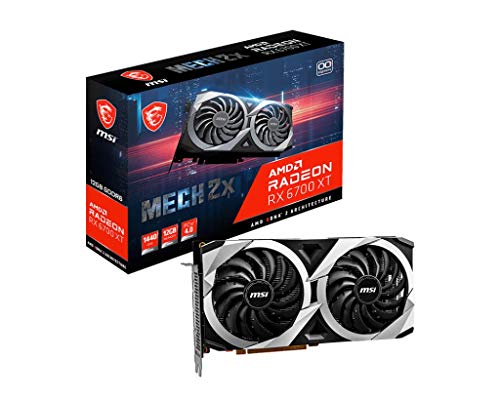


As an Amazon Associate we earn from qualifying purchases at no extra cost to you.
Quick comparison of the budget 1440p picks
| Pick | Best for | VRAM | Memory bus | Board power | Price tier |
|---|---|---|---|---|---|
| Radeon RX 9060 XT 16GB | Best overall value | 16GB GDDR6 | 128-bit | about 160 to 182 W | Mid-range |
| GeForce RTX 5060 Ti 16GB | DLSS 4 and ray tracing | 16GB GDDR7 | 128-bit | 180 W | Mid-range to upper |
| Intel Arc B580 | Lowest entry cost | 12GB GDDR6 | 192-bit | 190 W | Entry |
| Radeon RX 7600 XT 16GB | Cheap 16GB, older design | 16GB GDDR6 | 128-bit | 190 W | Entry to mid |
| GeForce RTX 5060 | Esports at 1440p | 8GB GDDR7 | 128-bit | 145 W | Entry |
| Radeon RX 9070 | Step-up raster value | 16GB GDDR6 | 256-bit | 220 W | Upper mid |
| GeForce RTX 5070 | Fastest in this group | 12GB GDDR7 | 192-bit | 250 W | Upper mid |
What 1440p actually demands from a budget card
A 2560 x 1440 image holds about 3.69 million pixels, which is 78 percent more than 1080p (2.07 million) and 56 percent fewer than 4K (8.29 million). That puts 1440p in a sweet spot where a 128-bit card can still deliver high frame rates if it has enough VRAM and uses upscaling sensibly. Three things decide whether a card suits 1440p: VRAM capacity, memory bandwidth and the quality of its upscaler.
- VRAM: Modern games at high texture settings regularly allocate 10 to 12GB at 1440p. A card with 8GB can hit that wall, producing stutter or forced texture downgrades. 12GB is a workable floor; 16GB gives headroom for the life of the card.
- Memory bandwidth: A 128-bit bus with 28 Gbps GDDR7 (RTX 5060 Ti) moves about 448 GB/s, while 20 Gbps GDDR6 on the same width (RX 9060 XT) moves about 320 GB/s. Large on-chip caches reduce the penalty, which is why both cards hold up well at 1440p even though the gap widens at 4K.
- Upscaling: NVIDIA’s DLSS 4 with transformer-based super resolution, AMD’s FSR 4 on Radeon RX 9000 series cards, and Intel’s XeSS all let you render at a lower internal resolution and output 1440p. FSR 4 is limited to the RX 9000 series, so the RX 7600 XT falls back to older FSR versions.
Worked example: how upscaling changes the load
If a game runs at 60 fps at native 1080p on a given card, the same scene at native 1440p will usually land around 40 to 45 fps, because pixel count rises 78 percent while GPU load rises slightly less than proportionally. A quality-mode upscaler renders at roughly 67 percent per axis, or 44 percent of the output pixels. At 1440p output that is an internal image of about 1.6 million pixels, below native 1080p, so frame rate usually rises beyond the original 60 fps. That is why upscaling support matters as much as raw speed for a budget 1440p build.
Best overall: Radeon RX 9060 XT 16GB
The RX 9060 XT 16GB is built on AMD’s RDNA 4 architecture with 32 compute units, 16GB of GDDR6 on a 128-bit bus and 32MB of Infinity Cache, with board power in the 160 to 182 watt range depending on the partner design. It supports FSR 4, improved hardware ray tracing over the previous generation and a PCI Express 5.0 x16 interface that also works in PCIe 4.0 slots with little loss.
Who it suits: Anyone building a 1440p 100 to 144 Hz rig who wants maximum VRAM per unit of cost. It handles current games at high settings in roughly the 70 to 110 fps range at 1440p depending on the title, and quality-mode FSR 4 pushes demanding games closer to 144 Hz.
Pros: 16GB capacity, low power draw, full x16 link, FSR 4 support, GDDR6 memory that has been less affected by price spikes. Cons: Heavy path-traced games favor NVIDIA, and NVENC video encoding is still a step ahead for streaming. Buy the 16GB model; an 8GB version of the same card exists and is a poor fit for 1440p.
Best for DLSS and creators: GeForce RTX 5060 Ti 16GB
The RTX 5060 Ti 16GB uses NVIDIA’s Blackwell architecture with 4,608 CUDA cores, 16GB of GDDR7 on a 128-bit bus (about 448 GB/s) and a 180 watt board power rating. It supports DLSS 4 including multi frame generation, fifth-generation Tensor cores and an encoder with AV1 support, and it uses a PCIe 5.0 x8 interface.
Who it suits: Buyers who stream, edit video or use CUDA-based applications, and anyone who wants the best-supported upscaling and ray tracing at this performance level. The 180 watt draw means a quality 550 to 650 watt power supply is plenty.
Pros: 16GB capacity, DLSS 4 and frame generation, strong encoder, broad software support. Cons: It usually costs noticeably more than the RX 9060 XT 16GB for similar raster speed. The 8GB variant carries the same name and should be avoided. Because it runs a PCIe x8 link, pairing it with an older PCIe 3.0 motherboard can cost a few percent in some games.
Best entry price: Intel Arc B580
The Arc B580 uses Intel’s Battlemage architecture with 20 Xe cores, 12GB of GDDR6 on a 192-bit bus and a 190 watt board power rating. The wide bus and 12GB capacity were its main selling points against 8GB rivals at launch, and it supports XeSS 2 upscaling and frame generation.
Who it suits: First-time builders and 1440p players with moderate settings targets. In most modern games it handles 1440p at medium to high settings at roughly 50 to 80 fps, which suits a 60 to 75 Hz or adaptive-sync display.
Pros: Low entry cost when available, 12GB on a wide bus, good XeSS support, strong video encoding for the price. Cons: Stock and pricing have been inconsistent in 2026, and some listings come from third-party sellers at inflated costs, so confirm the cost still beats the RX 9060 XT. Arc cards also need Resizable BAR enabled, and CPU overhead in some older DirectX 11 titles can reduce performance on slower processors.
Best cheap 16GB option: Radeon RX 7600 XT 16GB
The RX 7600 XT is an RDNA 3 card with 32 compute units, 16GB of GDDR6 on a 128-bit bus and a 190 watt rating. It is an older design than the RX 9060 XT and lacks FSR 4 support and the newer ray tracing hardware.
Who it suits: Shoppers who find one at a clear discount and mostly play raster-heavy games at 1440p with medium-to-high settings. Its 16GB prevents the VRAM stutter that affects 8GB cards.
Pros: 16GB at a lower tier, simple power requirements. Cons: Older architecture, weaker ray tracing, no FSR 4. If the price gap to the RX 9060 XT is small, buy the newer card. Treat the RX 7600 XT as a clearance-level choice rather than a first recommendation.
Best for esports: GeForce RTX 5060
The RTX 5060 has 3,840 CUDA cores, 8GB of GDDR7 on a 128-bit bus and a 145 watt rating. It carries DLSS 4 support and the same encoder generation as the 5060 Ti.
Who it suits: Players focused on titles such as Counter-Strike 2, Valorant, Rocket League or League of Legends at 1440p, where VRAM use stays low and the goal is a 144 to 240 fps frame rate. Low power draw suits a small case and a basic 450 to 550 watt power supply.
Pros: Low power, quiet in most designs, DLSS 4 support. Cons: Eight gigabytes limits recent single-player titles at 1440p with high textures. If your library includes demanding new releases, spend a little more on a 12GB or 16GB card.
Best step-up value: Radeon RX 9070
The RX 9070 has 56 compute units, 16GB of GDDR6 on a 256-bit bus (about 640 GB/s) and a 220 watt rating. It supports FSR 4 and PCIe 5.0, and in raster performance it sits comfortably above the 5060 Ti class.
Who it suits: Players targeting 1440p at 144 Hz or higher with high or ultra settings, or those who want a card that can also manage entry-level 4K with upscaling. Its 16GB of VRAM and wide bus make it durable across the next few years of releases.
Pros: 16GB on a 256-bit bus, FSR 4, excellent 1440p headroom. Cons: It sits outside a strict budget in 2026, and a 650 to 750 watt power supply is a sensible pairing. Choose it only if the cost gap to the 9060 XT is modest.
Best raw performance in this group: GeForce RTX 5070
The RTX 5070 has 6,144 CUDA cores, 12GB of GDDR7 on a 192-bit bus (about 672 GB/s) and a 250 watt rating. It leads this list in sustained 1440p frame rates and benefits from DLSS 4 multi frame generation.
Who it suits: High-refresh 1440p gamers who rely on DLSS, plus creators who want a fast CUDA card. It typically runs 15 to 25 percent faster than a 5060 Ti in raster comparisons.
Pros: Highest frame rates here, DLSS 4, strong encoder. Cons: Twelve gigabytes is less than the Radeon alternatives at similar cost, so very texture-heavy games may need slightly lower texture settings. It is a performance pick, not a budget pick.
How to choose: a decision matrix
| Your situation | Choose | Why |
|---|---|---|
| Max VRAM per unit of cost, 1440p at 100 to 144 Hz | RX 9060 XT 16GB | 16GB, FSR 4, lowest cost for 16GB |
| Stream, edit video, want DLSS 4 | RTX 5060 Ti 16GB | AV1 encoding, CUDA, frame generation |
| Tightest entry cost, 60 to 75 Hz target | Arc B580 | 12GB on a 192-bit bus at entry level |
| Only esports titles, small case | RTX 5060 | Low power, high fps in light games |
| Want 144 Hz plus ultra settings | RX 9070 or RTX 5070 | Higher raster speed and bandwidth |
| Older PC with PCIe 3.0 board | RX 9060 XT or RX 9070 | Full x16 links lose less than x8 cards |
Settings that make a budget card feel faster
Where you set the sliders matters nearly as much as which card you buy. At 1440p the biggest single saving usually comes from dropping shadows and volumetric effects from ultra to high, which often returns 10 to 20 percent more frame rate with little visible difference. Texture quality is the setting to keep high if you have 12 or 16GB, because it costs speed only when VRAM runs out. Ray tracing is the heaviest option on budget cards; enable it only where the game offers a lighter mode, and prefer upscaling over lowering the output resolution, since a quality-mode upscaler looks far better than a native 1080p image stretched across a 1440p panel.
Frame generation is a separate tool. It raises the displayed frame rate but not responsiveness, so it works best when the base frame rate is already near 60 fps. Use it to move from 60 to 100 fps in a single-player game, and leave it off in competitive shooters where latency matters.
Power supply and platform checklist
- Power supply: A 550 W unit is enough for the 5060, 5060 Ti and 9060 XT with a mid-range CPU. Use 650 W for the Arc B580 and RX 7600 XT, and 650 to 750 W for the RX 9070 and RTX 5070. Confirm which connector your chosen partner model uses, whether 8-pin or 12V-2×6, and that your supply provides the cable.
- CPU pairing: At 1440p the processor matters less than at 1080p, but a six-core chip from the last three generations is the practical minimum for high-refresh gaming. Intel Arc in particular benefits from a modern CPU.
- Case clearance: Many 16GB cards use dual-fan designs between 240 and 300 mm long. Compact two-fan variants fit small cases; check length and slot thickness before ordering.
- Monitor: A 1440p 144 Hz adaptive-sync monitor is the natural match. Enable FreeSync or G-Sync Compatible so frame rate dips do not cause tearing.
Ownership realities: what to watch after you buy
Two points deserve attention. First, VRAM exhaustion is the most common reason a card ages poorly; a 16GB card bought today is less likely to need replacement when texture requirements climb. Second, driver maturity differs: NVIDIA and AMD drivers are consistent, while Intel Arc has improved considerably but still sees the occasional regression in older games. Keep your graphics driver current, and use the vendor’s clean-install option when switching brands.
Thermals are usually uneventful on these 145 to 250 watt cards. Dust the heatsink fins every six months, make sure the case has at least two intake fans, and check that fans spin down at idle. Coil whine varies from sample to sample and is not covered by most warranties, so buy from a retailer with a fair return policy.
New card or used card?
Used cards from the previous generation, such as the Radeon RX 7700 XT or RX 7800 XT, can offer strong 1440p value when new-card prices are inflated. The trade-offs are no warranty transfer on some brands, wear on fans, and the possibility of a card that was run hard for mining or rendering. If you go used, ask for a photo of the card running a benchmark, check the fans spin freely, and prefer sellers who offer a return window. For a first build, a new card with a three-year warranty is the safer route.
Frequently Asked Questions
Is 8GB of VRAM enough for 1440p in 2026?
It works for esports titles and older games, but recent releases at high texture settings can exceed 8GB at 1440p and cause stutter. If you plan to play new single-player games for several years, 12GB is the practical minimum and 16GB is safer.
Should I pick the RX 9060 XT 16GB or the RTX 5060 Ti 16GB?
Choose the RX 9060 XT if value matters most, since it generally costs noticeably less for similar raster speed. Choose the RTX 5060 Ti if you stream, use CUDA software or want DLSS 4 and stronger ray tracing.
Can a budget card reach 144 fps at 1440p?
Yes in esports and many mid-demand games, and in demanding games when you use quality-mode upscaling and a mix of high rather than ultra settings. Expect lower frame rates in the heaviest ray-traced titles.
Do I need PCIe 5.0 for these cards?
No. They run on PCIe 4.0 with minimal loss. The RTX 5060 Ti and other x8 cards are the most sensitive if you use a PCIe 3.0 board, where some games lose a few percent of performance.
Why are graphics card prices so high in 2026?
Industry reports attribute much of the rise to demand for memory from AI hardware, which raised the cost of both GDDR6 and GDDR7. Cards using GDDR6 such as the RX 9060 XT have generally held up better than GDDR7 models, so compare listings across brands before committing.




Write Your Review
No reviews yet. Be the first to share your experience!