

Key takeaways
- Five best Mac laptops compared: M4 MacBook Air 13 and 15 for daily use, and MacBook Pro 14 with M5 or M4 for heavier work, by screen, memory and storage.
The real decision when buying a Mac laptop in late 2026 is not which brand to trust; that part is settled the moment you choose macOS. It is which screen size and chip generation fit your actual day, since Apple’s current line overlaps heavily. The 13-inch Air, 15-inch Air and 14-inch Pro all ship with 16GB of memory in these configurations, so a wrong pick is rarely a slow machine. It is a screen that feels cramped by month two, storage that fills within a year, or Pro power paid for and never used.
This shortlist serves three buyers: students and commuters who carry a laptop everywhere, home and office workers who want a larger screen for days of documents and calls, and creators who need the Pro’s XDR display and bigger storage. Each model was chosen from its Amazon listing name and specifications, with the chip, display, memory and storage taken as listed for that ASIN. All five are new units, not refurbished stock.
Quick Picks
As an Amazon Associate we earn from qualifying purchases.
| Product | Best for | Key spec from title |
|---|---|---|
| Apple MacBook Air 13-inch (M4, 2025) Starlight | Students and daily commuters | M4 chip, 13.6-inch Liquid Retina, 256GB SSD |
| Apple MacBook Air 15-inch (M4, 2025) Sky Blue | Home workers who want a bigger screen | M4 chip, 15.3-inch Liquid Retina, 256GB SSD |
| Apple MacBook Air 15-inch (M4, 2025) Starlight | Air fans who need more storage | M4 chip, 15.3-inch Liquid Retina, 512GB SSD |
| Apple MacBook Pro 14-inch (M5, 2025) Space Black | Creators and heavy multitaskers | M5 chip, 14.2-inch Liquid Retina XDR, 1TB SSD |
| Apple MacBook Pro 14-inch (M4, 2024) Silver | Pro buyers while closeout stock lasts | M4 chip, 14.2-inch Liquid Retina XDR, 1TB SSD |
How to Choose
Screen Size and Display Class
Screen size decides how a Mac laptop feels every single day. The 13.6-inch Air suits bags, lecture halls and tray tables, while the 15.3-inch Air gives documents, spreadsheets and split-screen work noticeably more room without moving to the Pro line. The 14.2-inch Pro sits between them physically but jumps a class in panel quality, because its Liquid Retina XDR display is the one aimed at photo and video work where highlight detail and contrast matter. Pick the size by where the laptop will actually live: carried daily, parked on a home desk, or used as a creator’s main screen.
M4 or M5: Picking the Chip Generation
Four of these five laptops run the Apple M4 chip, and one, the 14-inch MacBook Pro, runs the newer M5 with a 10-core CPU and 10-core GPU as listed. For browsing, office work, calls and light creative tasks, the M4 machines are already well matched to the job, and the Air models share the same chip across both sizes. The M5 Pro makes sense when your work regularly pushes the machine for long stretches, such as large photo libraries, video timelines or big code projects, and when you plan to keep the laptop through several macOS generations.
Storage: 256GB, 512GB or 1TB
Storage is the one specification you cannot change later on a Mac laptop, so it deserves more thought than the chip. In this list the Air models come with 256GB or 512GB, and both Pro models come with 1TB. A 256GB drive works when your files live in cloud storage and your apps are few, but photo libraries, video projects and game installs eat it quickly. The 512GB Air is the safer middle step for a machine kept four or five years, while 1TB suits creators who keep working files on the machine itself rather than on external drives.
Match the ASIN to the Exact Variant
On Amazon, every MacBook colour and storage combination is its own separate listing with its own ASIN, and the differences are easy to miss at a glance. A 15-inch Air in Sky Blue with 256GB is a different listing from the Starlight one with 512GB, even though the product photos look nearly identical. Before ordering, read the listing title word by word, confirm the chip, memory and storage in the details, and check the model number where one is given. Also confirm the unit is sold as new, since similarly named refurbished listings circulate alongside the new ones.
The 5 Best Options
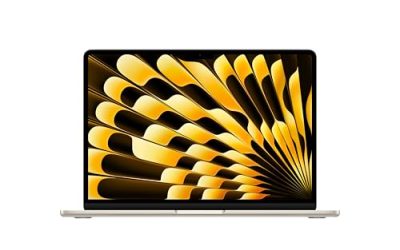
Apple MacBook Air 13-inch (M4, 2025) Starlight

This is the Mac laptop most people should start with. The M4 chip and 16GB of unified memory handle study, office work, streaming and video calls without strain, and the 13.6-inch Liquid Retina display is large enough for documents and split-screen notes while the machine stays easy to carry all day. The 12MP Center Stage camera keeps you framed on calls, and Touch ID makes unlocking and sign-ins quick. Its 256GB SSD is the one real limit, so it fits buyers whose files live mainly in cloud storage rather than on the machine.
Specs
- Chip: Apple M4
- Display: 13.6-inch Liquid Retina
- Memory: 16GB unified memory
- Storage: 256GB SSD
- Camera: 12MP Center Stage camera
- Security: Touch ID
- Model: MW0Y3LL/A
- Colour: Starlight
Best for: Students and commuters who want the lightest full-featured Mac for everyday work.
Watch out for: The 256GB SSD fills quickly with large photo or video libraries, so check your current storage use before choosing this configuration.
ASIN: B0DZDCPMGK
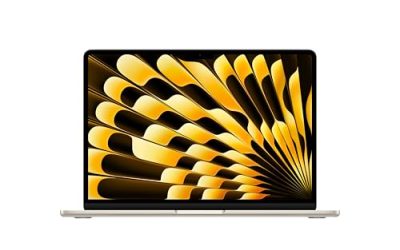
Apple MacBook Air 15-inch (M4, 2025) Sky Blue

Choose this Air when the laptop will spend most of its life on a desk or kitchen table rather than in a backpack. The 15.3-inch Liquid Retina display gives spreadsheets, documents and side-by-side windows the room that the 13-inch model cannot, yet you keep the same M4 chip, 16GB of unified memory, 12MP Center Stage camera and Touch ID as the smaller Air. It is the comfortable middle ground of this list: a big-screen Mac for long workdays that still avoids the Pro’s creator-focused hardware. Storage stays at 256GB, which cloud-based workers will manage fine.
Specs
- Chip: Apple M4
- Display: 15.3-inch Liquid Retina
- Memory: 16GB unified memory
- Storage: 256GB SSD
- Camera: 12MP Center Stage camera
- Security: Touch ID
- Model: MC7A4LL/A
- Colour: Sky Blue
Best for: Home and office workers who want a larger screen for long days of documents and calls.
Watch out for: The freshest reproduction of this listing dates from October, so confirm the live offer on this exact ASIN before ordering.
ASIN: B0DZDBWM5B
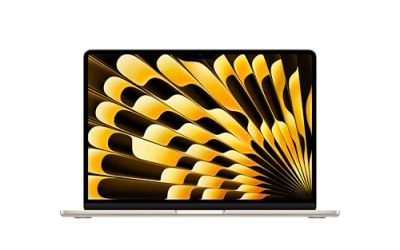
Apple MacBook Air 15-inch (M4, 2025) Starlight, 512GB

This listing is the same 15-inch M4 Air as the Sky Blue model above, with one change that matters every day: the SSD doubles to 512GB. That extra room suits buyers who keep photos, documents and a healthy set of apps on the machine itself instead of relying on cloud storage, and it stretches the useful life of the laptop for people who upgrade rarely. You still get the 15.3-inch Liquid Retina display, 16GB of unified memory, the 12MP Center Stage camera and Touch ID. If screen size and storage are your two priorities, this is the Air to shortlist.
Specs
- Chip: Apple M4
- Display: 15.3-inch Liquid Retina
- Memory: 16GB unified memory
- Storage: 512GB SSD
- Camera: 12MP Center Stage camera
- Security: Touch ID
- Model: MW1K3LL/A
- Colour: Starlight
Best for: Big-screen buyers who keep their files locally and plan to keep the laptop for years.
Watch out for: Availability signals for this ASIN are dated, with the current tracker row stamped March 2026, so confirm a live offer before ordering.
ASIN: B0DZDC2XD2
Apple MacBook Pro 14-inch (M5, 2025) Space Black, 1TB

The M5 MacBook Pro is the step up for buyers whose work is genuinely demanding. Its M5 chip is listed with a 10-core CPU and 10-core GPU, the 14.2-inch Liquid Retina XDR display is the panel aimed at photo and video work, and the 1TB SSD gives large libraries and project files room to live on the machine. With 16GB of unified memory it matches the Air models on memory while moving ahead on chip generation and display class. In Space Black, this is the current-generation Pro configuration to buy when the laptop is your main creative tool.
Specs
- Chip: Apple M5 with 10-core CPU and 10-core GPU
- Display: 14.2-inch Liquid Retina XDR
- Memory: 16GB unified memory
- Storage: 1TB SSD
- Colour: Space Black
Best for: Photographers, video editors and developers who need the newest chip and the XDR display.
Watch out for: Confirm the listing shows the M5 chip and the 1TB configuration, since several Pro generations and storage sizes sit side by side on Amazon.
ASIN: B0FWD623D1
Apple MacBook Pro 14-inch (M4, 2024) Silver, 1TB

Last year’s Pro still earns its place here because it pairs the 14.2-inch Liquid Retina XDR display with a 1TB SSD and the M4 chip, a combination that remains strong for photo work, video projects and heavy multitasking. For buyers who want the Pro screen and generous storage without moving to the newest generation, this Silver 1TB configuration is the one to look at. The catch is supply rather than performance: Apple replaced this line when the M5 launched, so what remains on Amazon is closeout stock, and the window to buy it will not stay open indefinitely.
Specs
- Chip: Apple M4
- Display: 14.2-inch Liquid Retina XDR
- Memory: 16GB unified memory
- Storage: 1TB SSD
- Model: MW2X3LL/A
- Colour: Silver
Best for: Buyers who want the XDR display and 1TB of storage from the previous Pro generation.
Watch out for: The M4 Pro line was discontinued in October 2025, so this is closeout stock that can sell out, and base M4 configurations have already sold out at Amazon; confirm this exact 1TB variant is in stock before ordering.
ASIN: B0DLHNH3B1
Which One Fits Your Situation
You Carry Your Laptop All Day
Pick the 13-inch MacBook Air with the M4 chip. It is the easiest of the five to live with in a bag, the 13.6-inch screen still handles documents and lectures well, and 16GB of memory covers study and office work comfortably. Just keep an eye on the 256GB SSD and lean on cloud storage for photos and large files.
You Work From Home on One Big Screen
Choose one of the 15-inch Air models. The 15.3-inch display makes long days of documents, spreadsheets and video calls far more comfortable than the 13-inch screen. Take the 256GB Sky Blue version if your files live in the cloud, or the 512GB Starlight version if you keep photos, documents and apps stored on the machine itself.
You Edit Photos or Video Seriously
Go with the 14-inch MacBook Pro and its Liquid Retina XDR display, which is the panel in this list built for detailed visual work. The M5 model with 1TB of storage is the current-generation choice for a main creative machine. The M4 1TB model covers similar ground while its closeout stock lasts, provided you confirm the variant is still available.
You Keep a Laptop for Five Years or More
Prioritise storage and chip generation over everything else. The 512GB Air 15 stretches furthest among the Air models, while the M5 MacBook Pro pairs the newest chip in this list with 1TB of storage. Memory is 16GB across all five picks, so the decision comes down to how much local file room your future self will need.
Common Mistakes
- Choosing 256GB of storage while keeping a large photo or video library on the machine, then living with constant offloading to external drives.
- Mixing up Air listings, since each colour and storage pairing is a separate ASIN and the wrong one can arrive with half the storage expected.
- Buying a Pro for the name alone when an Air with the same 16GB of memory would have covered the actual workload.
- Confusing a refurbished listing with a new unit, because similarly named renewed models appear alongside the new configurations on Amazon.
- Waiting too long on the discontinued M4 MacBook Pro, whose remaining Amazon stock is closeout inventory that shrinks rather than replenishes.
Frequently Asked Questions
Is 16GB of Unified Memory Enough for Most People?
For the work these laptops are usually bought for, yes. All five models in this list ship with 16GB of unified memory, which covers browsing, office documents, video calls, streaming and moderate photo editing comfortably. Buyers who routinely run many demanding creative apps at once are the ones who should look at higher-memory Pro configurations instead.
What Is the Difference Between the Two 15-Inch Air Models Here?
Very little beyond storage and colour. Both run the M4 chip with 16GB of unified memory, the same 15.3-inch Liquid Retina display, the 12MP Center Stage camera and Touch ID. The Sky Blue listing carries a 256GB SSD, while the Starlight listing doubles that to 512GB, which is the deciding factor for anyone who stores files locally.
Is the M4 MacBook Pro Still Worth Buying Next to the M5?
It can be, if the exact configuration is still in stock. The M4 model keeps the same 14.2-inch Liquid Retina XDR display class and, in this listing, the same 1TB storage as the M5 pick. The trade-off is that it is a discontinued closeout model, so availability is limited and the base configurations have already sold out.
Does the Colour of a MacBook Change Its Specifications?
No, the colour itself changes nothing about performance, but on Amazon each colour is sold as a separate listing with its own ASIN, and those listings can pair the same colour with different storage amounts. Always confirm the chip, memory and storage in the listing details for the exact ASIN you are about to order.
More from Amazon
Programs that pair well with the guide above. Offers and eligibility are set by Amazon and may change.
Free shipping on eligible items, Prime Video and more. Eligible new members can start with a free trial.
Start a Prime free trialAd-free music streaming. Eligible new subscribers can start with a free trial.
Try Music Unlimited freeA Prime membership for ages 18-24 with a trial period. Eligibility is set by Amazon.
See Prime for Young AdultsAudiobooks and podcasts to listen to on the go. Eligible new members can start with a free trial.
Try Audible freeAs an Amazon Associate we earn from qualifying purchases.

Write Your Review
No reviews yet. Be the first to share your experience!