

Key takeaways
- Four terabytes is the point where a modern game library stops feeling cramped. A handful of large titles can fill a smaller drive on their own.
Four terabytes is the point where a modern game library stops feeling cramped. A handful of large titles can fill a smaller drive on their own, and the temptation is to buy the cheapest 4TB device and move on. The keyword says “hard drives”, but the products that actually show up at this capacity include spinning 3.5 inch drives, SATA solid state drives and one premium NVMe stick. The real decision is therefore how much load-time speed you are willing to trade for capacity per dollar, and which role the drive will play next to the boot disk.
This guide is for PC gamers with a desktop that still has free SATA ports or an open M.2 slot, who want one big secondary drive for the installed library, not a boot drive. Laptop owners and console users should check connector and fitment first. The picks below are judged only on what each title states, such as spindle speed, cache, interface and form factor, so confirm anything else on the listing before ordering in 2026. Whatever you choose, keep important saves backed up elsewhere, because any single drive can fail.
Quick Picks
Our top picks




As an Amazon Associate we earn from qualifying purchases at no extra cost to you.
| Product | Best for | Key spec from the title |
|---|---|---|
| Seagate BarraCuda 4TB | Lowest-cost bulk library | 3.5 inch SATA, 5400 RPM, 256MB cache |
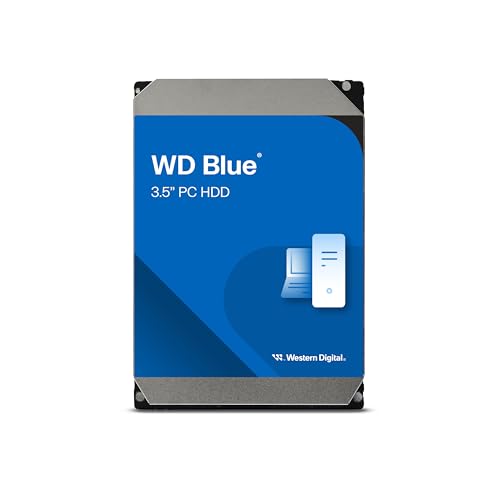
| WD Blue 4TB | Familiar desktop hard drive | 5400 RPM, SATA 6 Gb/s, 128 MB cache |
| Seagate Exos 7E8 4TB (Renewed) | Buyers who accept a renewed enterprise drive | 512n SATA, 128MB cache, 3.5 inch |
| Seagate IronWolf 4TB | NAS-style drive in a desktop | CMR, 5400 RPM, 64MB cache |
| TEAMGROUP T-Force Vulcan Z 4TB | Quiet SATA SSD library | QLC, 2.5 inch, up to 550/470 MB/s |
| fanxiang S101 4TB | Budget SATA SSD | 2.5 inch, read speed up to 500MB/sec |
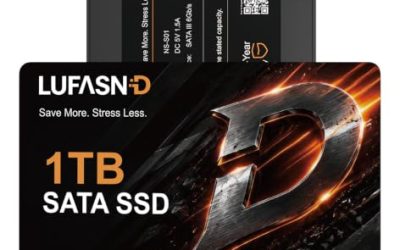
| Lufasnd 4TB SATA SSD | Another low-cost SATA SSD | 2.5 inch, up to 520MB/s read |
| Samsung SSD 990 PRO 4TB | Fastest storage, premium budget | PCIe 4.0 M.2 2280, up to 7,450 MB/s |
How to Choose
Hard drive or SSD for a game library
A 5400 RPM hard drive is fine for storing games you play steadily, but loading screens, texture streaming and patch installs are all slower than on solid state storage. A SATA SSD cuts that wait noticeably, and an NVMe drive cuts it further. If you play a few large titles repeatedly, put them on solid state storage. If you hoard dozens of games, a hard drive keeps cost per terabyte low.
Interface and form factor
The 3.5 inch drives need a SATA data cable, a power connector and a drive bay. The 2.5 inch SATA SSDs need only the cables and fit almost anywhere. The Samsung 990 PRO uses an M.2 2280 slot with PCIe 4.0, so confirm your motherboard has a free slot and supports that generation before buying.
CMR, cache and spindle speed
Among the hard drives, the IronWolf title says CMR, a recording method preferred for steady workloads. Cache figures such as 64MB, 128MB and 256MB matter less for gaming than people expect. Spindle speed matters more, and these 4TB models mostly run at 5400 RPM, so expect modest transfer speeds. Ignore bold marketing on cache and focus on whether the drive suits your usage.
Where cheap SSDs cut corners
Budget 4TB SATA SSDs tend to use QLC memory and a small fast cache. Once that cache fills during a large game install, sustained writes can drop sharply. Titles that say SLC cache hint at this design. Also watch for unfamiliar brands with sparse warranty details, and confirm the warranty period on the listing. A renewed drive can be a bargain, but check the seller’s return terms.
The 8 Best Options
Seagate BarraCuda 4TB
The BarraCuda is a classic desktop hard drive in the 3.5 inch SATA format, with 5400 RPM spin and a 256MB cache listed in the title. It is aimed at everyday desktop storage and fits a secondary game drive where capacity matters more than speed. Most gamers will recognize the line as a safe, widely sold choice for a games folder.
- Strength: large 256MB cache and 4TB capacity at a hard drive price level.
- Strength: standard SATA connection works in nearly any desktop.
- Trade-off: 5400 RPM means slower load times than any SSD in this list.
Skip it if you play fast-streaming open-world games and hate long loading screens, or if your case has no free 3.5 inch bay.
WD Blue 4TB
The Western Digital Blue 4TB, model WD40EZZX, is a 3.5 inch SATA 6 Gb/s hard drive spinning at 5400 RPM with a 128 MB cache. It is the other big name for desktop storage and is aimed at general PC use. It suits a gamer who prefers this brand for a bulk games drive.
- Strength: familiar desktop brand and a standard SATA 6 Gb/s interface.
- Strength: 4TB capacity gives space for a large installed library.
- Trade-off: the 5400 RPM spin and 128 MB cache are modest, so loads feel slower than on flash.
Skip it if you want the shortest load times, or if you are building a small case with no space for another 3.5 inch drive.
Seagate Exos 7E8 4TB (Renewed)
This is an enterprise class 3.5 inch SATA drive with a 128MB cache and 512n sector format, sold renewed. Enterprise drives are built for heavier workloads than typical desktop disks, which some buyers like for a drive that stays powered for long periods.
- Strength: enterprise lineage named in the title, with a 128MB cache.
- Strength: renewed units usually cost less than new ones.
- Trade-off: renewed means prior use, so warranty and return terms deserve a close read.
Skip it if you want a brand-new drive or a quiet system, since enterprise drives can be louder than desktop models. Confirm the seller, the return window and any remaining coverage on the listing before relying on it for a library you care about.
Seagate IronWolf 4TB NAS
The IronWolf is designed for network attached storage, with CMR recording, 5400 RPM, 64MB cache and a SATA 6Gb/s interface, as the title says. Gamers sometimes choose it for a drive that is expected to stay spinning for long sessions or for a shared library.
- Strength: CMR recording named in the title.
- Strength: NAS design suits always-on use.
- Trade-off: the 64MB cache is the smallest among the hard drives here, and it targets RAID rather than gaming.
Skip it if you only need a plain games folder and want to spend less, because a standard desktop drive covers that job. Also check the listing for what the NAS-oriented firmware means for desktop use, since it is tuned for a different workload than gaming.
TEAMGROUP T-Force Vulcan Z 4TB
This 2.5 inch SATA III SSD uses 3D NAND with QLC cells and an SLC cache, with read and write speeds quoted up to 550 and 470 MB/s. It is quiet, has no moving parts and suits a gamer who wants fast loads without moving to NVMe.
- Strength: stated 550 MB/s read speed is far beyond any hard drive here.
- Strength: easy installation in any SATA port.
- Trade-off: QLC memory can slow sustained writes once the cache is full.
Skip it if you routinely install very large games back to back, or if you need top NVMe speeds for the biggest open-world titles. Buyers who want maximum value from a SATA SSD should also look at the warranty period on the listing, since it is not part of the visible title.
fanxiang S101 4TB
fanxiang’s S101 is a 2.5 inch SATA III SSD with 3D NAND and an SLC cache, with a read speed up to 500MB/sec, aimed at laptops and desktops. It is a value-focused way to get SSD loading at 4TB capacity.
- Strength: SSD responsiveness at 4TB capacity, with no moving parts to spin up.
- Strength: works in laptops as well as desktops.
- Trade-off: a lesser-known brand, so check warranty terms on the listing.
Skip it if you want a name with long enthusiast history behind it, or if you want to see detailed endurance figures before buying. Read the listing for the warranty period and support terms, because a less familiar brand makes those details matter more than usual for a drive holding hundreds of gigabytes of installs.
Lufasnd 4TB SATA SSD
Lufasnd’s 4TB SATA SSD is 2.5 inch SATA III with 3D NAND flash and a read speed of up to 520MB/s, compatible with laptops and desktops according to the title. It targets shoppers who want a large SSD on a tight budget.
- Strength: up to 520MB/s read in the title.
- Strength: broad laptop and desktop compatibility, so it can be moved to another machine later.
- Trade-off: write speed and endurance are not stated in the visible text.
Skip it if you need documented endurance numbers before committing, or if you prefer to buy from a long-established storage brand. For a drive that will hold a large game library, read the warranty and return policy on the listing, and keep an up-to-date backup of the files you cannot download again.
Samsung SSD 990 PRO 4TB
The 990 PRO is a PCIe 4.0 M.2 2280 NVMe SSD with reads up to 7,450 MB/s, pitched at gaming and heavy workloads. It is the performance pick, best on a PC with a free M.2 slot.
- Strength: the stated 7,450 MB/s read is far beyond any SATA drive in the title set.
- Strength: the M.2 form factor attaches directly to the board and avoids extra cables.
- Trade-off: it is the premium tier and will be the most expensive of the group.
Skip it if your motherboard lacks a spare M.2 slot, if it does not support PCIe 4.0 speeds, or if you only need to park rarely played titles. In those cases the extra spending buys speed your system cannot use, and a SATA SSD or hard drive is the more sensible match.
Which One Fits Your Situation
Huge library, tight budget
Take the Seagate BarraCuda 4TB. It delivers the most space per unit of spending and works well as an archive of installed titles.
Faster loads without NVMe
Pick the TEAMGROUP T-Force Vulcan Z 4TB for an easy SATA SSD upgrade that needs no special slot.
Premium desktop build
The Samsung 990 PRO 4TB suits a build with a spare M.2 slot where speed matters most.
Always-on shared storage
The Seagate IronWolf 4TB fits a machine that also serves files, thanks to its NAS design and CMR recording.
Common Mistakes
- Buying a hard drive and expecting SSD-like load times.
- Forgetting that an M.2 drive needs a compatible free slot.
- Ignoring renewed-drive warranty and return terms.
- Choosing by cache size alone while ignoring spindle speed or flash type.
- Skipping backups of save files because the drive is large.
Related guides
- How To Apply Thermal Paste How Much And Which Pattern
- How To Choose Power Supply Wattage For A Pc Build
- Cpu Coolers For Small Form Factor Cases
Frequently Asked Questions
Are hard drives still worth buying for games?
Yes for bulk storage and older titles, where load times matter less. For frequently played, streaming-heavy games a solid state drive is a noticeable improvement.
Does a bigger cache speed up gaming?
Not by much. Spindle speed and flash type shape load times more than cache size.
Can a NAS drive be used in a gaming PC?
Yes, it connects over standard SATA. It is designed for always-on use, so it may be overkill for a plain games folder.
Is QLC memory a problem for games?
Games read far more than they write, so QLC is usually fine. Sustained large installs can slow once the cache fills.
More from Amazon
Programs that pair well with the guide above. Offers and eligibility are set by Amazon and may change.
Free shipping on eligible items, Prime Video and more. Eligible new members can start with a free trial.
Start a Prime free trialAd-free music streaming. Eligible new subscribers can start with a free trial.
Try Music Unlimited freeA Prime membership for ages 18-24 with a trial period. Eligibility is set by Amazon.
See Prime for Young AdultsAudiobooks and podcasts to listen to on the go. Eligible new members can start with a free trial.
Try Audible freeAs an Amazon Associate we earn from qualifying purchases.

Write Your Review
No reviews yet. Be the first to share your experience!