
Key takeaways
- Moving on from Windows Phone? Compare Android and iPhone picks that keep Outlook, OneDrive and your Windows PC workflow within easy reach today.
Leaving Windows Phone is not really a hardware decision. Your Lumia stopped receiving support, and the apps you rely on for banking, messaging and sign-in prompts moved on without it. The real question is which new phone keeps your Microsoft account, your photos in OneDrive and your Outlook mail feeling familiar, while giving you a supported system that will still be updated years from now.
This guide is for former Lumia and Windows 10 Mobile owners, and for Windows PC users whose files live in Microsoft services rather than in a single app store account. Every pick below was chosen from its Amazon listing name and specifications, with attention to clean software, update support, carrier freedom and how comfortably each phone sits alongside a Windows computer.
Quick Picks
As an Amazon Associate we earn from qualifying purchases
| Product | Best for | Key spec from title |
|---|---|---|
| Samsung Galaxy S24 FE | Windows PC owners wanting a large screen | 128GB Unlocked Android Smartphone |
| Google Pixel 9a | People who miss the clean Lumia interface | Unlocked Android Smartphone, 128 GB |
| Apple iPhone 16e | Switchers who want the simplest move to iOS | 128GB, eSIM, Unlocked (Renewed) |
| Motorola Moto G Power – 2025 | Battery-first buyers keeping costs sensible | Unlocked, 8/128GB, 50MP Camera |
How to Choose
Start With Your Microsoft Account, Not the Hardware
Your contacts, calendar and files probably follow your Microsoft account, so check how each candidate handles Outlook, OneDrive, Teams and OneNote before comparing cameras. On Android, those apps install directly and sign in with the same credentials you used on Windows Phone, and a launcher can even arrange your home screen into a tile-like grid if you miss that layout. On iPhone, the same Microsoft apps exist, although system defaults for mail and browsing are handled differently. List the three Microsoft services you open daily, then confirm each one works the way you expect on the platform you are leaning toward.
Pick Android for PC Linking, iOS for Simplicity
Android pairs most naturally with a Windows computer. File transfer over a USB cable is straightforward, and Microsoft services sit on Android without feeling like guests, so dragging documents between phone and PC stays painless. Samsung and Google models in this guide are unlocked, which also helps if you travel or change carriers. An iPhone takes the opposite approach: setup is tightly guided, updates arrive for years, and the interface changes little between models, which suits people who found Windows Phone calm and predictable. Neither route restores Windows Phone itself, so choose based on daily habits rather than nostalgia for tiles.
Treat Update Support as a Buying Feature
The painful lesson of Windows Phone was that good hardware becomes frustrating once updates stop. Protect yourself this time by favouring phones whose listings state a current operating system and a recent model year, and by checking how the maker handles security patches before you commit. The Pixel 9a listing, for example, highlights years of OS and security updates, while the Samsung and Motorola listings show current Android versions for US models. A phone that stays patched keeps banking and work sign-ins working, which matters far more than a small difference in screen brightness or an extra camera mode you may rarely open.
Check Carrier, SIM and Storage Details Carefully
Many former Windows Phone owners kept the same handset for years, so small compatibility details can catch you out. Confirm the phone is unlocked for your carrier, as each listing here states, and check whether it uses a physical SIM or eSIM only, because the iPhone 16e listing specifies eSIM. Storage deserves the same attention: the Motorola expands with a microSD card, echoing older Lumia models, while the Samsung, Google and Apple picks rely on internal storage alone. If your photo library lives partly offline, that difference decides whether 128GB feels roomy or restrictive within a year.
The 4 Best Options
Samsung Galaxy S24 FE

For Windows users who lived on a large Lumia screen, this Samsung feels like the natural step up. Its listing describes an unlocked US version with a bright AMOLED display, a high-resolution camera system and Galaxy AI features, running Android with Samsung’s One UI. That combination suits people who keep Outlook, Teams and a browser open all day and want a roomy canvas for documents. Samsung’s close work with Microsoft also means its phones sit comfortably beside a Windows PC for sharing files, photos and clipboard content between devices during a normal working day.
Specs
- Operating system: Android 14, One UI 6.1
- Processor: Exynos 2400e
- Memory: 8GB RAM, 128GB storage
- Display: 6.7 inches, 1080 x 2340, 120Hz, 1900 nits peak
- Rear camera: 50MP main, 12MP ultrawide
- Front camera: 10MP
- Battery: 4700mAh
- Connectivity: Bluetooth, NFC, USB, Wi-Fi
- Features: fingerprint sensor, wireless charging, water resistant
Best for: Windows PC owners who want a large, bright screen and familiar Microsoft apps on Android.
Watch out for: Storage is not expandable on this listing, so pick your capacity carefully at checkout.
ASIN: B0DCLQWJ65
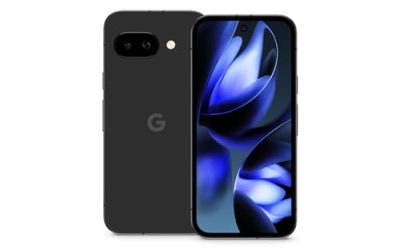
Google Pixel 9a
People who loved Windows Phone for its tidy, uncluttered software often land on a Pixel, and the 9a listing shows why. It runs Android 15 on Google’s own Tensor G4 processor, with a specification table that emphasises long update support, a durable IP68 build and a camera system built around a 48MP main sensor. There is no heavy extra interface layer to learn, so the move from a Lumia home screen feels shorter. For Microsoft loyalists, Outlook, OneDrive and the Office apps install from the Play Store and sign in with your existing account in minutes.
Specs
- Operating system: Android 15
- Processor: Google Tensor G4, 3.1 GHz
- Memory: 8GB RAM, 128GB storage
- Display: 6.3 inches, 1080 x 2400, 60-120 Hz
- Rear camera: 48MP wide, 13MP ultrawide
- Front camera: 13MP
- Protection: IP68 water and dust resistance
- Updates: 7 years of OS and security updates stated on listing
- Connectivity: unlocked for Google Fi, Verizon, T-Mobile, AT&T and other major carriers
Best for: Former Lumia owners who want clean software and the longest stated update window.
Watch out for: There is no microSD slot on this model, so cloud storage carries your older photo archive.
ASIN: B0DVHV7X53
Apple iPhone 16e
Some Windows Phone owners are simply done with Android’s variety and want the most guided switch available. This listing is for an unlocked Renewed unit in White with 128GB and eSIM, powered by the A18 chip and running iOS. The description highlights a 48MP Fusion camera, a 12MP front camera, Face ID and up to 26 hours of video playback, which covers the daily needs of most switchers without extra settings to manage. Microsoft’s Outlook, OneDrive, Word and Teams apps all run on iOS, so your account and files come with you even though the operating system changes completely.
Specs
- Operating system: iOS
- Processor: Apple A18
- Memory: 8GB RAM, 128GB storage
- Display: 6.1 inches, OLED
- Rear camera: 48MP Fusion, optical-quality 2x Telephoto
- Front camera: 12MP
- Battery: 4005mAh, up to 26 hours video playback stated on listing
- Security: Face ID
- SIM: eSIM, unlocked
- Condition: Renewed
Best for: Switchers who value a simple, consistent interface and long software support over customisation.
Watch out for: This is a Renewed listing and eSIM only, so confirm your carrier supports eSIM activation first.
ASIN: B0F4RKW2LS
Motorola Moto G Power – 2025
Motorola’s listing will feel familiar to anyone who kept a mid-range Lumia for years because it prioritised battery life over flash. This unlocked US model in Slate Gray pairs a 5000mAh battery with a 50MP camera system with optical image stabilisation, 5G on a MediaTek Dimensity 6300 chipset and Android 15. The detail many former Windows Phone owners will appreciate most is expandable storage: a dedicated microSD slot lets you carry an existing card of photos and music straight across. It works with all major US carriers named on the listing, including Verizon, AT&T and T-Mobile.
Specs
- Operating system: Android 15
- Processor: MediaTek Dimensity 6300, 2.4 GHz
- Memory: 8GB RAM, 128GB storage, microSD expansion up to 1TB
- Display: 6.8 inches, Full HD+ 2388 x 1080
- Rear camera: 50MP system with OIS
- Battery: 5000mAh
- Cellular: 5G, unlocked for all major US carriers
- Colour: Slate Gray
- In the box: SIM tray ejector, USB cable, user guide, device
Best for: Battery-first buyers who want microSD expansion and broad carrier choice.
Watch out for: The Dimensity 6300 targets everyday tasks, so heavy multitasking is better served by the Samsung or Pixel above.
ASIN: B0DP5FW9QQ
Which One Fits Your Situation
You Live in Outlook, OneDrive and Teams All Day
Choose the Samsung Galaxy S24 FE. Its large AMOLED screen gives documents and calendars room to breathe, and Android lets Microsoft’s apps behave like first-class citizens next to your Windows PC. If you regularly move files between phone and computer, this pairing creates the least friction of the four, and the unlocked US version keeps your carrier options open if work changes your plan or you travel with a second line for a project.
You Miss a Clean Interface and Hate Clutter
Choose the Google Pixel 9a. Its plain Android layout is the closest modern equivalent to the calm Lumia home screen, and the listing’s long update commitment answers the exact problem that ended your Windows Phone years. Setup stays short, icons stay where you left them, and Microsoft’s apps install cleanly on top without a second app store or duplicate gallery, calendar and mail tools competing for your attention every single day.
You Want Family and Friends on the Same System
Choose the iPhone 16e if the people you message most already use iPhones and you want the guided setup Apple provides. Your Microsoft account still follows you through Outlook and OneDrive, so work files are not stranded. Just plan the eSIM activation with your carrier in advance, and remember this particular listing is Renewed, so check the supplied accessories and condition description carefully before you complete the order at home.
Your Lumia Lasted Years and You Want the Same Habit
Choose the Motorola Moto G Power – 2025. The big battery, expandable storage and unlocked carrier support suit someone who keeps a phone until it genuinely wears out rather than replacing it annually. You can move a microSD card of photos across in minutes, keep your Microsoft apps signed in, and avoid learning a heavily customised interface, because Motorola keeps its Android layout close to stock with only a few additions.
Common Mistakes
- Assuming any new phone runs Windows or Windows apps, when every pick here runs Android or iOS and only carries your Microsoft services across.
- Forgetting to export Lumia photos and contacts before switching, instead of relying on OneDrive sync that may have paused months ago.
- Buying a carrier-locked model by habit, when an unlocked listing gives you freedom to change networks or use a local SIM while travelling.
- Ignoring SIM format, especially eSIM-only models, until activation day, when a carrier transfer can delay your new phone by several days.
- Choosing storage by your current usage alone, without allowing for years of photos, offline documents and larger app sizes over the phone’s life.
Frequently Asked Questions
Can I still buy a new phone that runs Windows Phone?
No current model in this guide runs Windows Phone or Windows 10 Mobile, because Microsoft ended support for that platform. The phones listed here run Android or iOS instead. What carries over is your Microsoft account: Outlook mail, OneDrive files, contacts and Office documents all remain reachable through Microsoft’s apps on either system, which is why the switch focuses on services rather than the operating system name.
Will my Outlook email and OneDrive photos move across?
Yes, in most cases they follow your Microsoft account rather than the handset itself. Install Outlook and OneDrive on the new phone, sign in with the same account you used on Windows Phone, and your mail, calendar and synced photos appear. Before switching, open OneDrive on the Lumia and confirm uploads have finished, because anything that never synced cannot transfer automatically and would need a cable copy to a PC first.
Which option works best alongside a Windows PC?
An Android pick usually fits a Windows PC routine most smoothly, because file transfer is simple and Microsoft apps are fully at home on the platform. The Samsung Galaxy S24 FE and Google Pixel 9a are the strongest matches here for sharing documents, photos and sign-ins between phone and computer. An iPhone still works well through Outlook, OneDrive and a browser, although moving local files across tends to involve cloud folders more often.
Should a former Lumia owner choose Android or iPhone?
Choose Android if you want carrier choice, microSD expansion on some models, and a home screen you can arrange into a tile-like layout with Microsoft’s apps pinned prominently. Choose iPhone if you prefer a guided setup, a consistent interface and relatives or colleagues who already use Apple’s messaging. Both paths keep your Microsoft services working, so the deciding factor is daily comfort rather than any difference in access to your files.
More from Amazon
Programs that pair well with the guide above. Offers and eligibility are set by Amazon and may change.
Free shipping on eligible items, Prime Video and more. Eligible new members can start with a free trial.
Start a Prime free trialAd-free music streaming. Eligible new subscribers can start with a free trial.
Try Music Unlimited freeA Prime membership for ages 18-24 with a trial period. Eligibility is set by Amazon.
See Prime for Young AdultsAudiobooks and podcasts to listen to on the go. Eligible new members can start with a free trial.
Try Audible freeAs an Amazon Associate we earn from qualifying purchases.
Write Your Review
No reviews yet. Be the first to share your experience!