

Key takeaways
- Best mini PC for gaming under $800 —
/best-mini-pc-for-gaming-under-800/ - Best graphics card for 1440p gaming under $600 —
/best-graphics-card-for-1440p-gaming-under-600/ - Best gaming PC build under $2,100 —
/best-gaming-pc-build-under-2100/
A mini PC can work for gaming if you pick the graphics first. Under $600, most use integrated graphics, not a separate card — so esports and lighter games at 1080p are realistic, while demanding AAA titles need low settings, upscaling, or an external GPU.
This guide covers five real mini PCs sold on Amazon US in November 2026, in configurations that fit under $600 at the time of research. Prices change often, so treat them as snapshots and check the current price before you buy. We have not bench-tested these units.
Top pick: the Beelink SER7 is the best mini PC for gaming under $600 for most buyers, pairing the strongest common integrated GPU in this price range with enough RAM and storage out of the box.
Quick Picks
| Product | Best for | Key specs | Price note |
|---|---|---|---|
| Beelink SER7 | Best overall | Ryzen 7 7840HS, Radeon 780M, 16GB / 32GB DDR5, 512GB / 1TB SSD | Check current price; 32GB / 1TB seen around $449 on sale |
| Minisforum X1 Lite-255 | Best for a future eGPU | Ryzen 7 255, Radeon 780M, OCuLink, USB4, 16GB / 512GB | Check current price; 16GB / 512GB lists around $590 |
| AOOSTAR GODZ | Best discrete GPU | Ryzen 7 7435HS, RX 6600M 8GB, barebones | Check current price; barebones around $569–$599 |
| GMKtec M6 Ultra | Best compact gaming design | Ryzen 5 7640HS, Radeon 760M, 16GB DDR5, 512GB SSD | Check current price; 16GB / 512GB seen at $499.99 on sale |
| Beelink SER5 Max | Best budget pick | Ryzen 7 6800H, Radeon 680M, 32GB LPDDR5, 1TB SSD | Check current price; $339 on Amazon in November 2026 |
How to Choose a Gaming Mini PC Under $600
Start with the GPU, not the CPU. Four of the five picks use AMD integrated graphics — the Radeon 780M in most cases, and the weaker 760M and 680M in the cheaper models. The AOOSTAR GODZ is the exception, with a discrete Radeon RX 6600M and 8GB of video memory. Avoid Intel N100 / N150 chips or older Ryzen 5000U processors for gaming — they suit office work, not games.
RAM: 16GB minimum, 32GB better. Integrated graphics share system memory, so 16GB in dual-channel mode is the minimum for smooth 1080p gaming. Check whether RAM is socketed (SO-DIMM, upgradeable) or soldered (LPDDR5, fixed for life).
Storage: 512GB workable, 1TB safer. Modern games are large, and 512GB fills up fast. All five picks use NVMe SSDs, and most have a second M.2 slot.
Ports and the upgrade path. OCuLink, offered by the Minisforum X1 Lite-255, is the best upgrade path here: a direct PCIe link to an external GPU enclosure, faster than USB4 or Thunderbolt. USB4 is the next best option. Also check for HDMI 2.1, DisplayPort, and 2.5GbE Ethernet if you play online, and buy from the official seller on Amazon when you can.
1. Beelink SER7 — Best Overall
Best for: Most buyers who want a ready-to-use mini PC for 1080p esports and light gaming, plus everyday work.
The SER7 uses AMD’s Ryzen 7 7840HS, an 8-core, 16-thread processor with Radeon 780M graphics, with 16GB or 32GB of DDR5 memory and a 512GB or 1TB NVMe SSD. It also includes dual USB4, HDMI 2.1, DisplayPort 1.4, and 2.5GbE Ethernet, plus vapor chamber cooling that keeps it quiet under load.
The 780M is the strongest integrated GPU in this price class: roundup reports put Fortnite at roughly 70 to 90 fps and Red Dead Redemption 2 above 50 fps at 1080p medium settings. Esports and older titles run well; newer AAA games need low settings or upscaling.
One honest warning about price: the SER7’s price varies a lot by configuration and sale. Roundup pricing in 2026 showed the 32GB / 1TB configuration around $449 at Amazon, while other listings put it at $649 or more, and the 16GB / 512GB configuration has been seen around $350. Check the exact configuration first.
Specs: Ryzen 7 7840HS, up to 5.1 GHz boost; Radeon 780M; 16GB or 32GB DDR5 SO-DIMM, upgradeable; 512GB or 1TB NVMe SSD, second M.2 slot; dual USB4, HDMI 2.1, DisplayPort 1.4, 2.5GbE; Wi-Fi 6, Bluetooth 5.2; Windows 11 Pro.
Pros: Strongest common integrated GPU in this price class; 32GB of RAM and 1TB of storage in the top configuration; dual USB4 and modern display outputs.
Cons: Price varies widely between configurations and sales; no discrete GPU, so demanding AAA games need low settings; no OCuLink port.
Who it is best for: Buyers who want one box that works on arrival and doubles as a fast everyday desktop.
Check price on Amazon — Beelink SER7
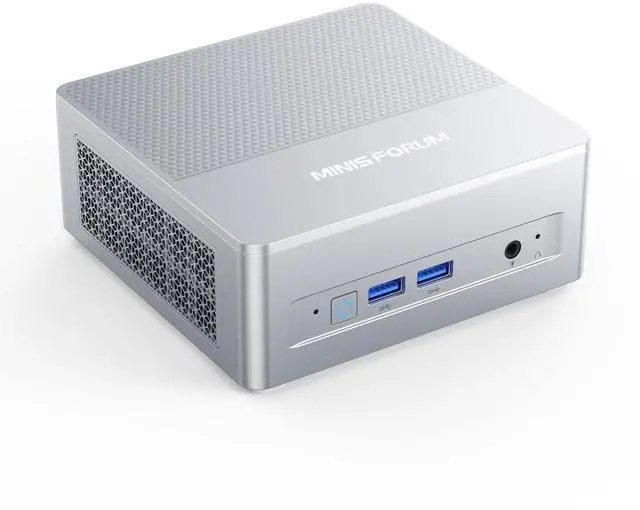
2. Minisforum X1 Lite-255 — Best for a Future eGPU
Best for: Buyers who want integrated graphics now and a desktop graphics card later.
The X1 Lite-255 uses the same core hardware as the SER7 — an AMD Ryzen 7 255 with Radeon 780M graphics — but its selling point is the upgrade path: a native OCuLink port, a direct PCIe 4.0 link to an external GPU enclosure, faster than USB4 or Thunderbolt. It also has USB4, dual 2.5GbE, and a quiet aluminum chassis.
The catch is the configuration. The 16GB / 512GB configuration lists around $590, which just fits under $600. The 32GB / 1TB configuration lists around $639 and has been seen at $779 on Amazon — over budget. A barebone version lists around $449, but then you must buy and install the parts yourself. Our catalog search in November 2026 showed the complete machine at $435.99 through another retailer, so sale prices do dip well under list — check the exact configuration before you buy.
Specs: Ryzen 7 255, up to 4.9 GHz boost; Radeon 780M; 16GB or 32GB DDR5 SO-DIMM, up to 128GB; 512GB or 1TB PCIe 4.0 SSD, two M.2 slots; OCuLink, USB4, HDMI, DisplayPort, 2.5GbE; Wi-Fi 6E, Bluetooth 5.2; Windows 11 Pro.
Pros: OCuLink port for a future external GPU — unique here; same strong 780M graphics as the top pick; upgradeable RAM and dual M.2 storage.
Cons: The 32GB / 1TB configuration costs well over $600; barebone versions need parts added; warranty terms can exclude Amazon purchases.
Who it is best for: Buyers who want a realistic path to stronger gaming later without replacing the whole PC.
Check price on Amazon — Minisforum X1 Lite-255
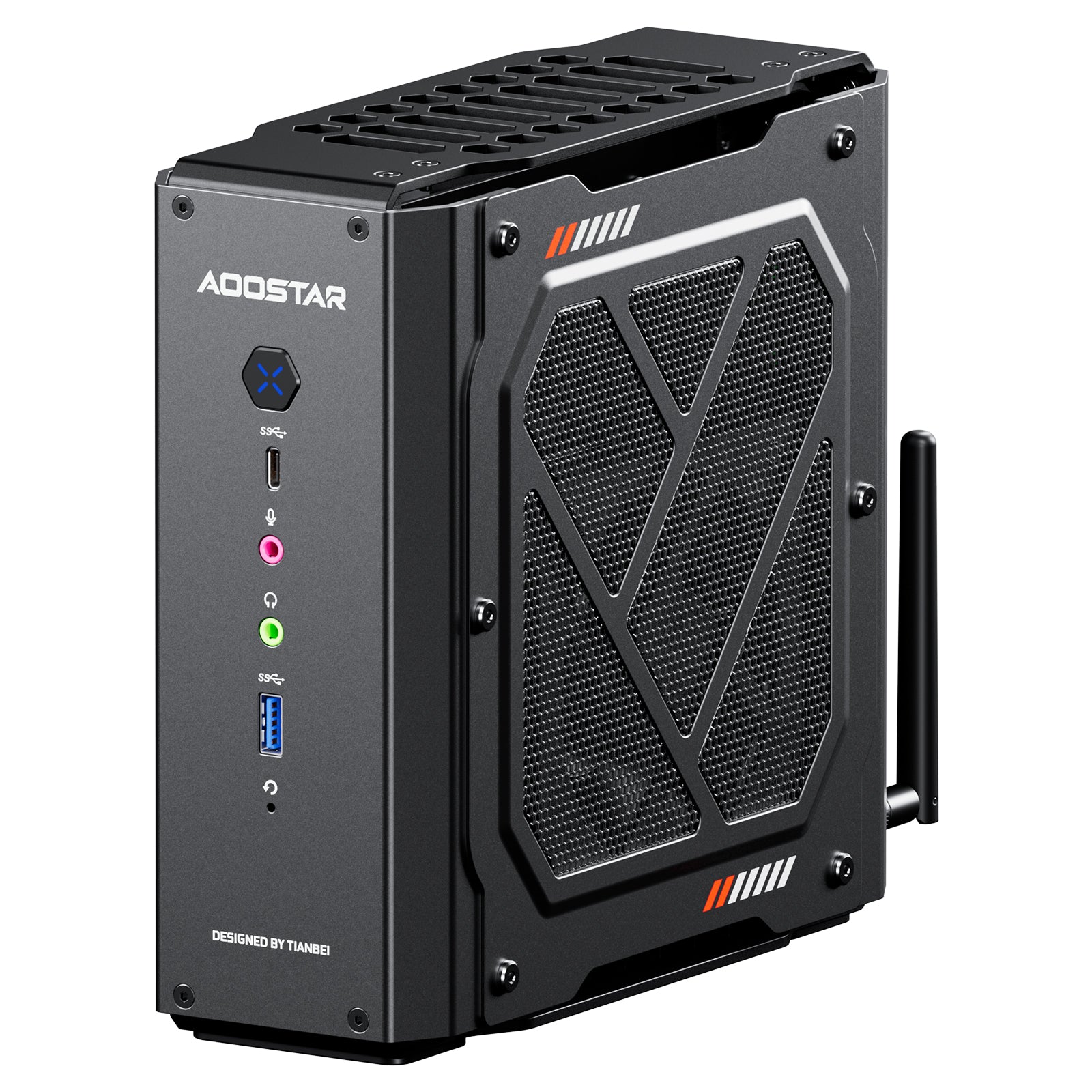
3. AOOSTAR GODZ — Best Discrete GPU
Best for: Gamers who want a discrete graphics card and are comfortable adding RAM and storage.
The GODZ is the only pick here with a discrete GPU: a Radeon RX 6600M with 8GB of video memory, paired with an AMD Ryzen 7 7435HS processor. That is a clear step above integrated graphics for 1080p gaming.
The catch is the configuration. The GODZ is sold as a barebones unit, starting at around $599 before memory and storage, with our catalog search on 17 November 2026 showing a $569 listing. A 32GB / 1TB configuration has been listed around $699. Add those parts to your budget first — the GODZ only fits near $600 in total if you already own RAM and an SSD. If you need a complete machine under $600 with nothing to add, the SER7 or SER5 Max is the safer choice.
Specs: Ryzen 7 7435HS, up to 4.5 GHz boost; Radeon RX 6600M, 8GB GDDR6; barebones — add DDR5, dual slots, up to 64GB; barebones — add M.2 SSD, two PCIe 4.0 slots; HDMI, DisplayPort, USB4, USB 3.2, 2.5GbE; Wi-Fi 6, Bluetooth 5.2; Windows 11 Pro licence included.
Pros: Only discrete GPU here — the strongest gaming hardware in this guide; 8GB of dedicated video memory.
Cons: Barebones — you must buy and install RAM and an SSD; total cost can exceed $600 once parts are added; larger and less plug-and-play than the other picks.
Who it is best for: Buyers comfortable installing memory and storage who want the best 1080p gaming performance under $600.
Check price on Amazon — AOOSTAR GODZ
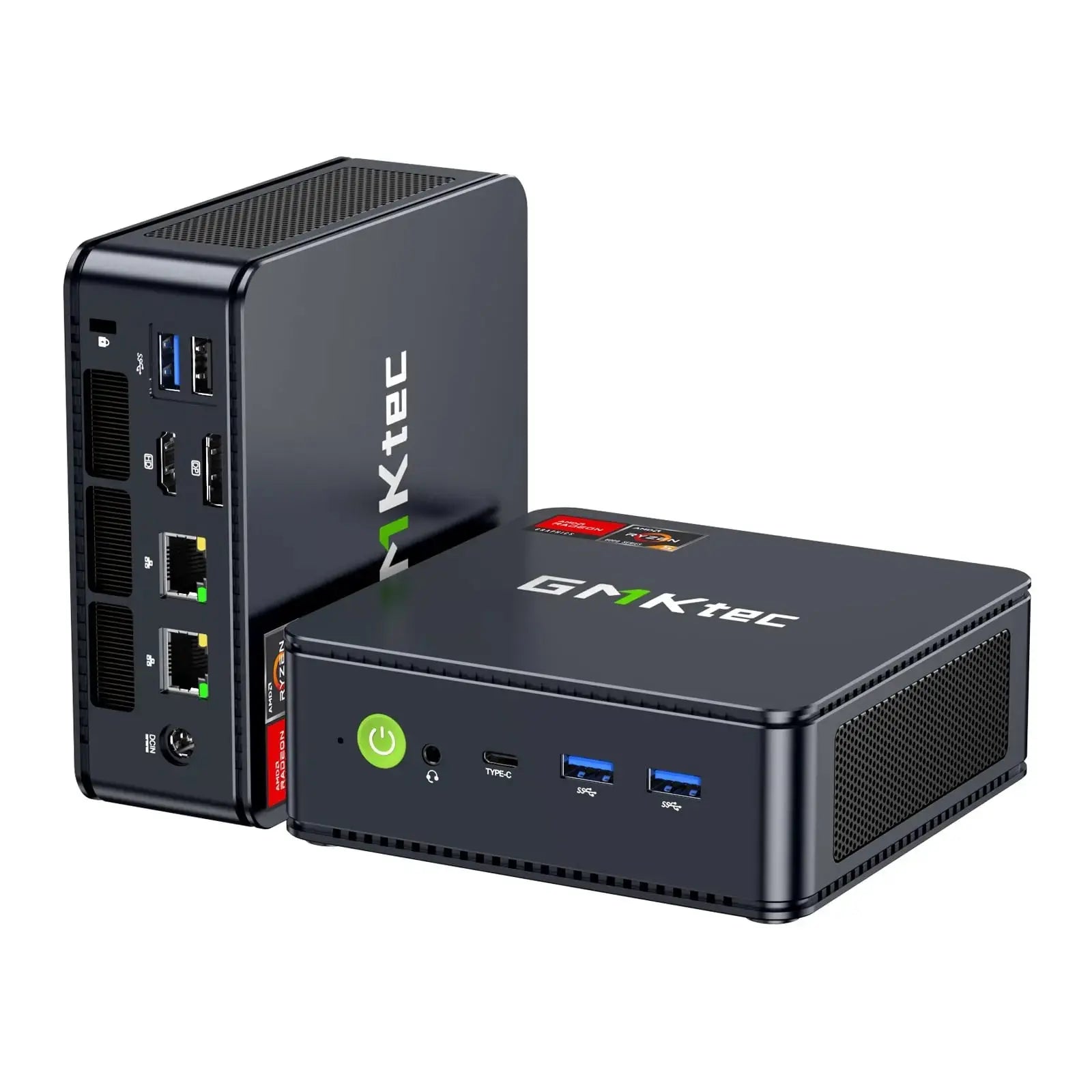
4. GMKtec M6 Ultra — Best Compact Gaming Design
Best for: Buyers who want a small, quiet box with modern ports and a clean desk setup.
The M6 Ultra pairs a Ryzen 5 7640HS processor with Radeon 760M graphics, 16GB of DDR5 memory, and a 512GB SSD. The 760M is a step below the 780M, but it still handles esports titles at 1080p and lighter games comfortably. The M6 Ultra stands out for its design: dual 2.5GbE LAN, USB4, triple 4K display support, and a compact chassis that mounts behind a monitor.
Price depends on the configuration. The 16GB / 512GB configuration has been seen at $499.99 on sale, with a list price around $629.99, while the 32GB / 1TB configuration has been seen at $629.99 to $680 on Amazon in November 2026 — over budget. Buy the 16GB / 512GB configuration for this budget.
Specs: Ryzen 5 7640HS, up to 5.0 GHz boost; Radeon 760M; 16GB DDR5 SO-DIMM, up to 128GB; 512GB PCIe 3.0 SSD, second M.2 slot (PCIe 4.0); USB4, HDMI 2.0, DisplayPort, dual 2.5GbE; Wi-Fi 6, Bluetooth 5.2; Windows 11 Pro.
Pros: Compact and quiet; dual 2.5GbE LAN and USB4; triple 4K display support; RAM upgradeable to 128GB.
Cons: Radeon 760M is weaker than the 780M; the bundled 512GB SSD is PCIe 3.0, slower than the second slot; 32GB / 1TB configurations cost over $600; 1-year warranty is short for a desktop.
Who it is best for: Buyers who want a tidy, modern mini PC for esports and lighter games.
Check price on Amazon — GMKtec M6 Ultra
5. Beelink SER5 Max — Best Budget Pick
Best for: Budget buyers who want the most memory and storage for the money.
The SER5 Max is the cheapest way into serious 1080p esports gaming in this guide. It pairs a Ryzen 7 6800H processor with Radeon 680M graphics, 32GB of LPDDR5 memory, and a 1TB PCIe SSD. Notebookcheck reported it at $339 on Amazon in November 2026, down from a list price near $590.
The trade-off is graphics. The SER5 Max uses Radeon 680M integrated graphics, a step below the 780M: it still handles esports titles at 1080p and lighter games, but has less headroom for newer titles. Note: the 32GB of LPDDR5 memory is soldered, so you cannot upgrade it later. It also has two USB 2.0 ports and no OCuLink or USB4 port, so the upgrade path is weaker than the SER7 or X1 Lite-255.
Specs: Ryzen 7 6800H, up to 4.7 GHz boost; Radeon 680M; 32GB LPDDR5, soldered; 1TB PCIe SSD; dual LAN, USB 3.2, HDMI, DisplayPort, USB-C; Wi-Fi 6, Bluetooth 5.2; Windows 11 Pro.
Pros: Lowest price for a capable gaming mini PC here; 32GB of RAM and 1TB of storage at a value price.
Cons: Radeon 680M is weaker than the 780M; RAM is soldered and cannot be upgraded; two USB 2.0 ports; no OCuLink or USB4 for an external GPU.
Who it is best for: Budget buyers who want 32GB of RAM and 1TB of storage for esports and light 1080p gaming.
Check price on Amazon — Beelink SER5 Max
What to Avoid
Do not buy on CPU name alone. A fast CPU with weak graphics will still struggle in games. Check the GPU first, then RAM, then CPU.
Do not assume a price is for the configuration you want. The same model name can hide different RAM, storage, or processor variants. Always read the configuration line — CPU, RAM, and SSD size — before comparing prices.
Do not buy 8GB of RAM for gaming. It is not enough once Windows, a game, and background apps are running, and integrated graphics use part of it. 16GB is the minimum; 32GB is better, especially with integrated graphics.
Do not expect 1440p or 4K AAA gaming from integrated graphics. The 780M, 760M, and 680M are 1080p chips for esports and lighter games. For higher resolutions or high settings in recent AAA titles, you need a discrete GPU — the AOOSTAR GODZ here — or an external GPU through OCuLink on the Minisforum X1 Lite-255.
FAQ
Can a mini PC under $600 run AAA games?
It can run many AAA games at 1080p on low settings, but not recent demanding titles at high settings. The integrated-graphics models here are best for esports and lighter games at 1080p. For stronger AAA performance, the AOOSTAR GODZ with its discrete RX 6600M is the better choice, or add an external GPU to the Minisforum X1 Lite-255 later.
Is the Radeon 780M good enough for gaming?
For its class, yes. The 780M is the strongest integrated GPU commonly found in mini PCs under $600. It handles esports titles at 1080p on low to medium settings and lighter games comfortably. It is not a replacement for a mid-range discrete card.
How much RAM do I need in a gaming mini PC?
16GB is the minimum. 32GB is better, especially with integrated graphics, because the GPU uses system memory. If the RAM is soldered, buy the amount you will need for the life of the machine.
Do I need an external GPU for a mini PC?
No, not to start. The models here play esports and lighter games on their own. An external GPU helps later for demanding AAA games or 1440p; the Minisforum X1 Lite-255 has a native OCuLink port for that.
Verdict
For most buyers, the Beelink SER7 is the best mini PC for gaming under $600. It has the right graphics, enough RAM and storage, and a compact design that works as both a gaming box and an everyday desktop — just check the exact configuration and current price first, because prices vary widely.
If you want a path to stronger gaming later, choose the Minisforum X1 Lite-255 for its OCuLink port. If you want the strongest 1080p gaming performance now and you are comfortable adding RAM and storage, choose the AOOSTAR GODZ — but add those parts to your budget first. If a small, modern design matters most, the GMKtec M6 Ultra is the tidiest box here, provided you buy the 16GB / 512GB configuration. And if your budget is tight, the Beelink SER5 Max is the cheapest route to 32GB of RAM and 1TB of storage.
Whichever you choose, check the exact configuration and price on Amazon.
As an Amazon Associate, we earn from qualifying purchases.
Suggested internal links for pcreviewer.org
- Best mini PC for gaming under $800 —
/best-mini-pc-for-gaming-under-800/ - Best graphics card for 1440p gaming under $600 —
/best-graphics-card-for-1440p-gaming-under-600/ - Best gaming PC build under $2,100 —
/best-gaming-pc-build-under-2100/
More from Amazon
Programs that pair well with the guide above. Offers and eligibility are set by Amazon and may change.
Free shipping on eligible items, Prime Video and more. Eligible new members can start with a free trial.
Start a Prime free trialAd-free music streaming. Eligible new subscribers can start with a free trial.
Try Music Unlimited freeA Prime membership for ages 18-24 with a trial period. Eligibility is set by Amazon.
See Prime for Young AdultsAudiobooks and podcasts to listen to on the go. Eligible new members can start with a free trial.
Try Audible freeAs an Amazon Associate we earn from qualifying purchases.
Write Your Review
No reviews yet. Be the first to share your experience!