

Key takeaways
- Specs: 12.8 W/mK, wide operating temperature range, soft feel in the 30 to 55 Shore C range quoted by reviewers.
- Who it is for: most owners repadding an RTX or Radeon card, especially those without a full set of accurate thickness measurements.
- Pros: soft, easy to cut, widely stocked in many thicknesses, strong conductivity for the tier.
- Cons: very soft pads can tear if you peel the film roughly, and larger sheets mean leftover material you may never use.
The best thermal pad for a graphics card in 2026 is usually the Thermalright Odyssey or the Gelid GP-Extreme: both are rated around 12 to 13 W/mK, come in the thickness steps that GPU memory and VRM gaps need, and stay soft enough to seat without bending the circuit board. If you want the highest conductivity and accept a firmer pad, Gelid’s GP-Ultimate and Fujipoly’s Ultra Extreme XR-m go higher on paper. The thickness you pick matters more than the headline W/mK number, because a pad that is too thin leaves an air gap and one that is too thick lifts the cooler off the GPU die.
Our top picks

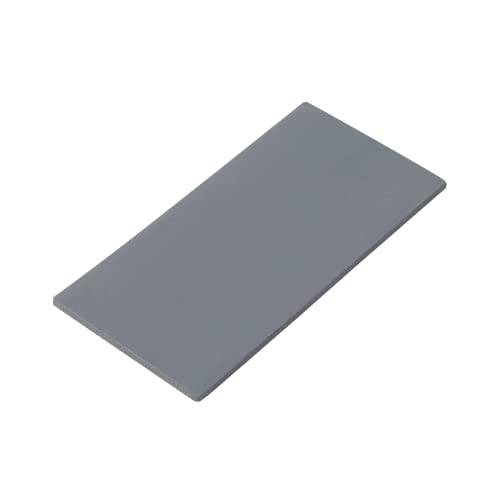
As an Amazon Associate we earn from qualifying purchases at no extra cost to you.
Quick comparison of the best GPU thermal pads
| Pad | Conductivity (maker rating) | Common thickness options | Sheet size | Best for |
|---|---|---|---|---|
| Thermalright Odyssey | 12.8 W/mK | 0.5, 1.0, 1.5, 2.0, 3.0 mm | 85×45 mm or 120×120 mm | Best overall, soft and compressible |
| Gelid GP-Extreme | 12 W/mK | 0.5 to 3.0 mm in steps | 80×40 mm (other sizes sold) | Most widely available all-rounder |
| Gelid GP-Ultimate | 15 W/mK | Several thicknesses | 90×50 mm | Higher conductivity, firmer feel |
| Fujipoly Ultra Extreme XR-m | 17 W/mK | 0.5 mm and up | 100×15 mm strips (0.5 mm listing) | Premium memory modules, small gaps |
| Thermal Grizzly Minus Pad 8 | 8.0 W/mK | 1.0 mm and other sizes | 120×20 mm, two per pack | Easy handling, moderate heat loads |
| Arctic TP-3 | Lower than the group (maker datasheet) | 1.0 mm, stackable to 2.0 mm | 120×20 mm, four per pack | Budget refresh of a stock card |
| PTM7950 phase-change pad | Listed near 8.5 W/mK | About 0.25 mm | 40×80 mm sheets | GPU die interface, not memory gaps |
Specifications above come from manufacturer and retailer listings, and exact figures vary by sheet size and batch. Check the datasheet for the pack you buy, and remember that a quoted W/mK number is measured under laboratory conditions rather than inside your card.
Why replace the thermal pads on a graphics card
A graphics card cooler touches more than the GPU die. Memory chips, power stages and sometimes the backplate all sit on soft pads that carry heat into the heatsink. Factory pads are chosen for cost and manufacturing tolerance, and after several years of heat cycles they can dry out, shrink, leak oil or lose contact. Typical symptoms of failed pads are memory junction temperatures that climb much faster than the core, clock drops in long sessions, and fan noise that has risen without a change in settings. Cards built for cryptocurrency mining or run hard for years are the most frequent candidates.
Replacing pads is not a casual upgrade. It voids the warranty on many cards, it requires opening the cooler, and a mistake with thickness can reduce cooling instead of improving it. If your card is still under warranty and runs within the maker’s limits, leave it alone.
Best overall: Thermalright Odyssey
The Thermalright Odyssey is a silicone pad rated at 12.8 W/mK and sold in 85×45 mm and 120×120 mm sheets with 0.5, 1, 1.5, 2 and 3 mm options. Reviewers often single it out for its compressibility: it squashes under mounting pressure instead of holding the heatsink away from the chip, which makes it forgiving when your measured gap is slightly off.
- Specs: 12.8 W/mK, wide operating temperature range, soft feel in the 30 to 55 Shore C range quoted by reviewers.
- Who it is for: most owners repadding an RTX or Radeon card, especially those without a full set of accurate thickness measurements.
- Pros: soft, easy to cut, widely stocked in many thicknesses, strong conductivity for the tier.
- Cons: very soft pads can tear if you peel the film roughly, and larger sheets mean leftover material you may never use.
Best all-rounder with wide availability: Gelid GP-Extreme
The Gelid GP-Extreme is rated at 12 W/mK with a hardness around 35 on the Shore OO scale and a density of 2.8 g/cm3. It is sold in 80×40 mm sheets and in strip sizes such as 120×20 mm, in thicknesses from 0.5 mm up to about 3 mm. For years it has been a standard recommendation for graphics card repads.
- Specs: 12 W/mK, soft and tacky, multiple thickness steps, electrically insulating.
- Who it is for: first-time repadders and anyone who wants a brand with detailed published specifications.
- Pros: predictable thickness, easy to find, soft enough for uneven memory heights.
- Cons: a few thickness options sell out often, and some sizes arrive as thin strips that need careful cutting.
Best for higher conductivity on paper: Gelid GP-Ultimate
The GP-Ultimate steps up to 15 W/mK and uses a firmer material, with hardness quoted in the 60 to 70 Shore OO range and a density near 3.2 g/cm3. It comes in 90×50 mm sheets. The firmness means it does not conform as easily, so it rewards accurate measurement and even mounting pressure.
- Specs: 15 W/mK, firmer compound, sheet format that covers a full card with leftovers.
- Who it is for: experienced builders chasing the last few degrees on hot memory.
- Pros: higher rated conductivity, durable and clean to handle.
- Cons: less forgiving of gap errors, and a stiffer pad can reduce die contact if it is thicker than the gap requires.
Best premium option for small gaps: Fujipoly Ultra Extreme XR-m
Fujipoly’s Ultra Extreme XR-m is rated at 17 W/mK and appears in listings as thin strips, for example 100×15 mm at 0.5 mm. It is a long-standing choice among enthusiasts who want the highest-rated pad and are willing to treat it as a surgical material, applied to a limited number of chips rather than a whole card.
- Specs: 17 W/mK, very thin options, firm and dense structure.
- Who it is for: overclockers and workstation owners who already know their gap sizes.
- Pros: top-tier conductivity, excellent for thin gaps where a soft pad would barely compress.
- Cons: sold in small quantities so cost per chip is high, and firm material demands exact thickness.
Best for easy handling: Thermal Grizzly Minus Pad 8
The Minus Pad 8 is a ceramic-silicone pad with aluminum oxide filler, rated at 8.0 W/mK, supplied as two 120x20x1.0 mm strips. The rating is lower than the pads above, but it is reliable, consistent and easy to cut and place.
- Specs: 8.0 W/mK, 1.0 mm strips, two per pack.
- Who it is for: repasting a mid-range card where memory runs moderately hot.
- Pros: brand with a strong reputation for consistency, neat packaging, easy to handle.
- Cons: lower conductivity than the 12 W/mK class, and the pack may not cover every size you need.
Best budget refresh: Arctic TP-3
Arctic’s TP-3 comes as four 120x20x1.0 mm strips with a silicone-based filler and no metal particles, so it is non-conductive and safe near components. Two 1.0 mm strips can be stacked to build a 2.0 mm gap. Its thermal rating is lower than the premium group, which makes it a sensible choice when the goal is restoring contact on an older card rather than chasing record temperatures.
- Specs: 1.0 mm strips, stackable, hardness around 80 Shore OO, electrically insulating.
- Who it is for: owners of older or budget cards where pad condition, not conductivity, is the problem.
- Pros: low cost, four pieces per pack, simple to work with.
- Cons: firmer than the soft premium pads, and stacking pads adds contact resistance between layers.
Special case for the GPU die: PTM7950 phase-change pad
PTM7950 is a phase-change material sold as a very thin sheet, typically about 0.25 mm, and commonly listed near 8.5 W/mK. It softens as the chip warms up and fills microscopic gaps between the die and the cold plate. It is a replacement for thermal paste, not for memory pads, and it should never be used to fill a 1 to 2 mm VRAM gap.
- Specs: about 0.25 mm sheet, phase change above roughly 45 degrees Celsius, designed for the die interface.
- Who it is for: people who want a long-lasting alternative to paste that does not pump out over time.
- Pros: resists pump-out, stable over many heat cycles.
- Cons: needs a few heat cycles to settle, sold by several resellers with variable quality, and a thick, wrongly cut piece can cause uneven pressure.
How to choose the correct pad thickness
Thickness is the step that decides whether a repad works. Never guess based on photos of another card, because the same GPU model can use different pad heights between partner designs.
- Remove the cooler and note the original pad thickness. Use calipers to measure an intact pad, or the stack height if the maker used two layers.
- Compare memory chips and VRM parts. Some power components sit lower than the memory, so the same card can need two different thicknesses.
- Choose a pad slightly thicker than the measured gap only if it is compressible. A soft pad can be 5 to 10 percent thicker; a firm pad should match the gap.
- Check die contact after test mounting. Fit the cooler without paste first and look for even contact marks on the die, or use a thin test film, before you commit.
- Cut pads to the chip size. Overhanging material can touch nearby components and lift the cooler at the edges.
A worked example: if your calipers show 1.5 mm on the memory modules and 2.0 mm on the VRM stage, buying a single thickness is a mistake. A pack of 1.5 mm and 2.0 mm covers both, and a 1.0 mm sheet is only useful for stacking tests. Measuring and listing every component before ordering usually costs less than the second round of buying.
Thermal conductivity versus real-world gain
| Pad class | Rated conductivity | Likely memory junction change versus a worn factory pad | Condition |
|---|---|---|---|
| Budget silicone (like Arctic TP-3) | Low, maker datasheet | Several degrees cooler if the old pads were failing | Good thickness match |
| Mid tier (about 8 W/mK) | 8.0 W/mK | Moderate improvement | Good mounting pressure |
| 12 to 13 W/mK class | 12 to 12.8 W/mK | Often the best balance for GDDR6X cards | Correct thickness, soft pad |
| 15 to 17 W/mK class | 15 to 17 W/mK | Small extra gain, only with exact gap control | Firm pad, precise fit |
Real-world gains depend on the pad’s thickness as much as its rating. Thermal resistance rises with thickness, so a 3 mm pad rated at 12 W/mK transfers heat worse than a 1 mm pad rated at 12 W/mK. That is why the correct fit beats a more expensive material in most repairs.
Step-by-step replacement checklist
- Prepare the workspace. Use an anti-static mat, a fine screwdriver set and a container for screws. Photograph each step so you can reverse it.
- Remove the cooler. Unscrew in a cross pattern, release fan connectors, and lift evenly to avoid tearing pads off the card.
- Clean old material. Use isopropyl alcohol and lint-free wipes on the die, memory chips and heatsink. Leave no residue.
- Cut and place new pads. Trim to chip size, peel one liner, press gently, and peel the second liner before mounting.
- Apply new paste or phase-change sheet on the die. A thin, even layer is better than a thick one.
- Reassemble with even pressure. Tighten screws in a cross pattern in small turns, a half turn at a time.
- Verify with a stress test and log. Run a memory-focused load and log temperatures with a monitoring tool to confirm the improvement.
Common mistakes with GPU thermal pads
- Using pads that are too thick. This is the number one cause of worse temperatures after a repad, because the cooler no longer presses on the die.
- Mixing up conductive and non-conductive materials. Metal-filled liquid or putty compounds can short components; stay with insulating silicone pads on memory and VRM.
- Reusing old pads. Once compressed and heat-cycled, they rarely seal again.
- Skipping the backplate. On some cards, the backplate pads cool memory on the rear of the board; ignoring them leaves hot spots.
- Touching the pad surface. Skin oil reduces tack and contact, so handle edges only.
- Not logging before and after. Without a baseline reading you cannot tell whether the repad helped.
Which pad matches your situation
| Situation | Recommended pad | Reason |
|---|---|---|
| First repad on a modern RTX card | Thermalright Odyssey or Gelid GP-Extreme | Soft, forgiving, strong rating |
| Hot GDDR6X memory, exact gap known | Gelid GP-Ultimate | Higher conductivity |
| Very thin gaps on a compact card | Fujipoly Ultra Extreme XR-m | Thin, high-rated strips |
| Older card with dried pads | Arctic TP-3 | Low-cost refresh |
| Moderate temperatures, easy handling wanted | Thermal Grizzly Minus Pad 8 | Consistent and simple |
| Replacing paste on the GPU die | PTM7950 sheet | Resists pump-out |
Where pads go on a typical graphics card
Understanding the layout of a card helps you decide how much material to buy. A modern high-end board carries between eight and twelve memory modules around the GPU, depending on bus width: a 256-bit design usually uses eight chips, while a 384-bit design uses twelve. Each module needs a pad about the size of the chip, roughly 12 to 14 mm on a side. Beyond the memory, the power stage along one edge uses a long strip, and some designs add pads for inductors or a rear-side memory bank under the backplate.
That means a sheet of 85×45 mm is generally enough for one card, but a 120×20 mm strip pack may only cover the memory ring. Count the chips, add the VRM strip and the backplate area, and then add a margin of about 20 percent for cutting waste. If you plan to service several cards, the larger 120×120 mm sheets give a lower cost per card even though they look excessive for a single job.
Ownership realities: what wears first
Silicone pads release oil over time, especially at high temperature. A pad that looks wet or leaves a greasy ring on the board is on its way out, and the oil can creep onto nearby parts. Cheaper pads shrink as they age, which opens a gap that quickly shows up as hotter memory. Premium pads such as the 12 to 17 W/mK group hold their shape longer, but they are not immortal; expect several years of service before contact starts to fade under steady heavy use.
Dust is the second enemy. A heatsink choked with dust raises everything on the card, so cleaning fins every six months matters as much as the pads themselves. Finally, remember that thermal paste on the die dries out too. If you open a card to replace pads, replace the paste or phase-change sheet in the same session, because you will not enjoy repeating the job.
How to verify the result after a repad
Log a baseline before you open the cooler: run a 15-minute memory-heavy load and record the memory junction temperature, GPU hot spot, fan speed and board power. After reassembly, repeat the same load with the same room temperature and fan curve. A successful repad on a card with failing pads often drops memory junction readings by a noticeable margin, while a card with healthy pads may only change by a degree or two. If the hot spot rises or the gap between core and hot spot widens, the new pads are probably too thick and the cooler is not seating fully on the die. In that case reopen the card and recheck your measurements rather than hoping the pads will settle.
Frequently Asked Questions
What thermal pad thickness does my GPU need?
It depends on the exact card, because partner designs of the same GPU often use different pad heights. Measure the original pads with calipers when you remove the cooler, and measure the VRM and memory separately. If you cannot measure, search for a teardown of your specific model.
Is a higher W/mK always better?
No. A higher rating helps only when the pad is the correct thickness and makes full contact. A thick pad with a high rating can transfer heat worse than a thin pad with a lower rating, and a firm high-rated pad can hold the cooler away from the die.
Can I stack two thin pads to fill a gap?
You can, and Arctic even sells strips meant for stacking, but each interface between layers adds resistance. A single pad of the right thickness performs better. Stacking is a fallback when the exact size is unavailable.
Do GPU thermal pads need to be replaced regularly?
Not on a schedule. Replace them when you see rising memory junction temperatures, visible oil or crumbling pads, or after opening the cooler for another reason. Many cards run fine for their whole service life without any pad change.
Are thermal pads electrically conductive?
Quality silicone pads such as the ones in this guide are electrically insulating. Avoid conductive putties and liquid metal around the memory and power stages, since a spill can short components and destroy the board.
Will replacing the pads void my warranty?
On many cards, yes, because opening the cooler breaks a warranty seal or violates the terms. Read the manufacturer’s policy before you start, and consider contacting the seller if your card is new and running hot.




Write Your Review
No reviews yet. Be the first to share your experience!