

Our Short List of 3

- Best for: Photographers selling large exhibition prints who need 17-inch output and the widest colour gamut here.
- Maximum print size 17 x 22 inches
- 11 pigment inks plus Chroma Optimizer
- LUCIA PRO II ink system
- 80 mL ink tanks

- Best for: Photographers printing portfolios and exhibition pieces to sell or display long term.
- Maximum print size A3+ / 13 x 19 inches
- Nine pigment inks plus Chroma Optimizer, a 10-ink system
- Maximum colour print resolution 4800 x 2400 dpi
- Rear manual feed takes stock about 380 gsm / 0.1-0.6 mm thick

- Best for: Photographers who print mainly glossy and luster photos at up to 13 x 19.
- Maximum print size 13 x 19 inches (A3+)
- Eight-colour dye-based ink system
- Maximum colour print resolution 4800 x 2400 dpi
- Borderless printing up to 13 x 19 inches
All 4 Picks at a Glance
| Product | Specs | Action |
|---|---|---|
| Canon imagePROGRAF PRO-1100 |
| Check price on Amazon |
| Canon imagePROGRAF PRO-310 |
| Check price on Amazon |
| Canon PIXMA PRO-200S |
| Check price on Amazon |
 Canon PIXMA TR8620a |
| Check price on Amazon |
Key takeaways
- Compare the best canon photo printers for home and studio, from 17-inch pigment models to a pocket dye-sub printer, with print size and ink system for each.
Buying a Canon photo printer is really a decision about how large you print and how long those prints need to last. A compact dye-sub machine turns phone snapshots into 4 x 6 prints in under a minute, while a wide-format pigment printer produces 17-inch exhibition pieces that hold their colour for decades. The hardware is only part of the commitment: ink, paper and the space the machine occupies on your desk will shape the next few years of printing far more than the box itself.
This guide is for home photographers printing family photos every week, enthusiasts who want wall-size prints without lab trips, photographers selling portfolios and exhibition pieces, and households that need one machine for photos and everyday documents. Every printer below is a Canon model built for photo printing, chosen from the names and specifications on its Amazon product page, with print resolution, maximum print size and ink system stated for each pick.
Quick Picks
As an Amazon Associate we earn from qualifying purchases.
| Product | Best for | Key spec from title |
|---|---|---|
| Canon imagePROGRAF PRO-1100 | Selling large exhibition prints | 17-inch prints, 11 pigment inks plus Chroma Optimizer |
| Canon imagePROGRAF PRO-310 | Portfolios and fine-art prints to sell | 13-inch pigment printer, nine inks plus Chroma Optimizer |
| Canon PIXMA PRO-200S | Glossy and luster prints at 13 x 19 | 13-inch dye printer, eight inks, borderless to 13 x 19 |
| Canon SELPHY CP1500 | Instant 4 x 6 prints anywhere | Dye-sub compact printer, 300 x 300 dpi, up to 4 x 6 |
| Canon PIXMA TR8620a | Photos plus scanning and copying | Five-ink all-in-one, 4800 x 1200 dpi, borderless to 8.5 x 11 |
How to Choose
Dye Ink or Pigment Ink
Dye inks sink into glossy coatings and deliver saturated colour with smooth gradients, which is why they suit portraits, travel shots and family prints on glossy and luster paper. Pigment inks sit on the paper surface instead, resist fading far longer and handle matte fine-art papers beautifully, which is what buyers and galleries expect from work that is sold or exhibited. A dye print kept in an album can last for decades, but a pigment print on matte paper is the safer choice for anything hung on a wall. Match the chemistry to where the print will live, not just to how it looks on the first day.
Maximum Print Size
Decide the largest print you will realistically make before you shop, because size cannot be added later. A letter-size machine handles 4 x 6 snapshots and 8.5 x 11 prints for albums and gifts, which covers most family printing. Step up to 13 x 19, the A3+ class, and you can produce genuine wall art and portfolio pages at home instead of ordering from a lab. Seventeen-inch models go further still but demand serious desk space, heavier paper and a strong stand. Buying one size larger than your current habit is sensible; buying two sizes larger usually means paying for capacity that sits idle.
Ink System and Running Cost
Refillable tank printers carry ink in bottles you pour into built-in reservoirs, so each print costs a fraction of what cartridge models charge, and high-volume printing stays painless. Cartridge printers cost less to buy but more to feed, and a pro pigment machine with ten or eleven separate cartridges is the most expensive to run of all. Count the inks too: six inks beat four for skin tones and gradients, while nine or eleven inks add the grey and red channels that keep black-and-white prints neutral and reds accurate. The ink and paper over the next few years will cost far more than the machine itself.
Dedicated Printer or All-in-One
A dedicated photo printer spends its whole budget on the print engine: more ink colours, better paper handling, nothing else. An all-in-one adds a flatbed scanner and copier, which is genuinely useful for digitising old prints and handling school or office documents, but that hardware budget comes out of the same purchase cost. Touchscreens, SD card slots and Wi-Fi make printing from cameras and phones easier, yet none of them improve a single print. Decide honestly whether you will scan often; if not, a dedicated printer gives you more print quality for the same money.
The 5 Best Options
Canon imagePROGRAF PRO-1100
- Best for: Photographers selling large exhibition prints who need 17-inch output and the widest colour gamut here.
- Maximum print size 17 x 22 inches
- 11 pigment inks plus Chroma Optimizer
- LUCIA PRO II ink system
- 80 mL ink tanks
Photographers selling large exhibition prints who need 17-inch output and the widest colour gamut here.
It is the biggest and heaviest machine here, it needs a strong stand, and its eleven-cartridge ink system is the most expensive to feed.
The PRO-1100 is the largest Canon photo printer in this guide and the one built for photographers whose prints leave the house. Its eleven pigment inks plus Chroma Optimizer cover a broad colour gamut with the gloss and longevity that galleries expect, and the 17-inch width turns a good frame into a genuine exhibition piece. This is a single-purpose machine with no scanner, and at 83 pounds it needs a dedicated, strong stand and help to position safely. For a studio that sells prints, nothing else here matches its combination of size and archival quality.
Watch out for: It is the biggest and heaviest machine here, it needs a strong stand, and its eleven-cartridge ink system is the most expensive to feed.
Canon imagePROGRAF PRO-310
- Best for: Photographers printing portfolios and exhibition pieces to sell or display long term.
- Maximum print size A3+ / 13 x 19 inches
- Nine pigment inks plus Chroma Optimizer, a 10-ink system
- Maximum colour print resolution 4800 x 2400 dpi
- Rear manual feed takes stock about 380 gsm / 0.1-0.6 mm thick
Photographers printing portfolios and exhibition pieces to sell or display long term.
It uses individual cartridges rather than refillable tanks, so each print costs more than on a tank model, and there is no scan or copy function.
The PRO-310 is built for photographers whose prints leave the house: portfolio pieces, gallery work and prints sold to clients. Its ten-ink system pairs nine pigment inks with a Chroma Optimizer coat that evens out gloss and deepens blacks, and pigment prints are the ones rated to hold their colour for decades on matte fine-art papers. The rear manual feed takes genuinely heavy stock, and the colour screen reports ink levels at a glance. This is a single-purpose machine, and that focus is exactly its strength.
Watch out for: It uses individual cartridges rather than refillable tanks, so each print costs more than on a tank model, and there is no scan or copy function.
Canon PIXMA PRO-200S
- Best for: Photographers who print mainly glossy and luster photos at up to 13 x 19.
- Maximum print size 13 x 19 inches (A3+)
- Eight-colour dye-based ink system
- Maximum colour print resolution 4800 x 2400 dpi
- Borderless printing up to 13 x 19 inches
Photographers who print mainly glossy and luster photos at up to 13 x 19.
Dye inks are the glossy specialist, while matte fine-art longevity belongs to a pigment system, and being cartridge-based means high-volume running costs exceed the tank models.
The PRO-200S is the glossy specialist in this line-up. Its dye-based ink system is positioned for the saturated colour and smooth, even sheen that glossy and luster papers show off best, at the full 13-inch A3+ size that turns a good frame into wall art. As a dedicated printer it skips the scanner entirely and puts everything into the print engine. Photographers who mostly print portraits, travel shots and family pictures on glossy stock for albums and frames will find this the most direct route to lab-style results at home.
Watch out for: Dye inks are the glossy specialist, while matte fine-art longevity belongs to a pigment system, and being cartridge-based means high-volume running costs exceed the tank models.
Canon SELPHY CP1500
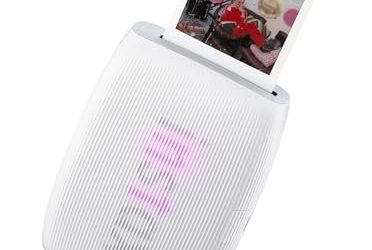
The SELPHY CP1500 is the pocket pick in this guide, a dye-sub printer that turns phone photos into finished 4 x 6 prints wherever you are. Dye sublimation lays down cyan, magenta and yellow film in 256 levels per colour, then seals the print with a protective coat, so the result is dry to the touch, water resistant and rated to last up to 100 years. The 3.5-inch display lets you view, edit and add filter effects before printing, and the optional battery pack turns it into a truly portable machine for parties, weddings and trips.
Specs
- Maximum print size 4 x 6 inches
- Dye-sublimation printing, 300 x 300 dpi
- Prints 4 x 6, 2.1 x 2.1 square and mini label stickers
- Wi-Fi, AirPrint, USB Type-C and SD card slots
- 3.5-inch display for viewing and editing
- Optional NB-CP2LH battery pack, up to 54 prints per charge
- Print longevity rated up to 100 years
Best for: Anyone who wants instant 4 x 6 prints at home, at parties or on the road.
Watch out for: It only prints up to 4 x 6, the battery pack is sold separately, and each print needs a Canon KP-108IN ink and paper set.
Canon PIXMA TR8620a
- Best for: Households that want good photos plus scanning, copying and fax in one machine.
- Maximum print size 8.5 x 14 inches (legal)
- Five individual ink tanks, pigment black plus dye colours
- Maximum print resolution 4800 x 1200 dpi
- Borderless printing up to 8.5 x 11 inches
Households that want good photos plus scanning, copying and fax in one machine.
Photo output tops out at letter size with no 13 x 19 option, and a second listing under a different ASIN sells the same printer bundled with photo paper and ink, so check the box contents before ordering.
The TR8620a is the one machine here that prints photos and handles documents, scanning and copying in the same box. Its five individual ink tanks pair a pigment black for crisp text with dye-based colours for photos, and borderless printing runs to 8.5 x 11 with square formats included. A 20-sheet automatic document feeder handles multi-page scanning, auto duplex printing saves paper, and Wi-Fi, Bluetooth and Alexa support cover printing from phones and voice commands. It is the practical pick for a home desk where photos share space with homework and paperwork.
Watch out for: Photo output tops out at letter size with no 13 x 19 option, and a second listing under a different ASIN sells the same printer bundled with photo paper and ink, so check the box contents before ordering.
Which One Fits Your Situation
Printing Family Photos Every Week at Letter Size
If your printing is a steady stream of 4 x 6 and letter-size family photos, the Canon PIXMA TR8620a fits best. Its five-ink system handles photos and documents in one machine, and the flatbed scanner digitises old prints for the archive. For instant prints at gatherings, add the SELPHY CP1500, which turns phone photos into finished 4 x 6 prints on the spot.
Wanting 13 x 19 Prints for the Wall Without Lab Trips
Choose between the Canon PIXMA PRO-200S and the Canon imagePROGRAF PRO-310 for wall-size work at home. The PRO-200S is the dye-based glossy specialist, tuned for saturated colour on glossy and luster paper, while the PRO-310 uses pigment inks for matte fine-art longevity on heavier stock. Both end the wait and the per-print lab bill, so let the paper you print on most decide between them.
Printing Portfolios and Exhibition Pieces to Sell
The Canon imagePROGRAF PRO-1100 is the clear fit. Its eleven pigment inks plus Chroma Optimizer deliver the longevity and matte fine-art handling that buyers and galleries expect, and 17-inch output turns a portfolio page into an exhibition piece. The PRO-310 covers the same job at 13 inches if desk space is tight.
One Machine That Prints Photos and Handles Documents
The Canon PIXMA TR8620a is the strongest all-rounder here, pairing letter-size photo printing with a flatbed scanner, copier and fax in a single home machine. If your photo needs stop at 4 x 6 and you travel often, the smaller Canon SELPHY CP1500 covers instant prints in a far more portable package.
Common Mistakes
- Buying a 13 x 19 or 17-inch printer for prints you will only ever make at letter size, then paying more for ink, paper and desk space forever.
- Judging a printer by what you pay for it instead of the cost of ink and paper over the years you will own it.
- Feeding thick fine-art paper through a standard tray instead of the rear manual feed, which can crease stock and smear prints.
- Expecting dye-ink prints to match pigment longevity on matte papers, or pigment prints to match dye gloss on glossy papers.
- Ordering a bundle listing by mistake and receiving photo paper and ink you did not want, or ordering the standalone printer and finding no paper in the box.
Frequently Asked Questions
Are Canon tank printers better for photo printing?
Tank printers are better when you print a lot, because bottled ink costs far less per print than cartridges, so the higher purchase cost is recovered through volume. Canon’s photo-first tank models use six dye inks for rich colour and neutral black-and-white prints. If you print only a handful of photos a year, a cartridge model can still be the cheaper overall choice.
What is the difference between dye and pigment ink for photos?
Dye inks sink into glossy coatings and deliver saturated colour with smooth gradients, which suits portraits and family prints on glossy and luster paper. Pigment inks sit on the paper surface, resist fading far longer and handle matte fine-art papers beautifully. Choose dye for glossy keepsakes and pigment for prints that will hang on a wall or be sold.
Do I need 13 x 19 printing, or is letter size enough?
Letter size covers 4 x 6 snapshots and 8.5 x 11 prints for albums and gifts, which is enough for most family printing. Step up to 13 x 19 when you want genuine wall art or portfolio pages at home instead of ordering from a lab. Seventeen-inch models suit photographers who sell prints and have the desk space for a large machine.
Can a Canon all-in-one match a dedicated photo printer?
An all-in-one prints good letter-size photos and adds scanning, copying and fax, which a dedicated printer cannot do. A dedicated photo printer spends its whole budget on the print engine, with more ink colours and better paper handling, so it produces better large prints. Pick the all-in-one for mixed home use and the dedicated machine for serious photo work.
More from Amazon
Programs that pair well with the guide above. Offers and eligibility are set by Amazon and may change.
Free shipping on eligible items, Prime Video and more. Eligible new members can start with a free trial.
Start a Prime free trialAd-free music streaming. Eligible new subscribers can start with a free trial.
Try Music Unlimited freeA Prime membership for ages 18-24 with a trial period. Eligibility is set by Amazon.
See Prime for Young AdultsAudiobooks and podcasts to listen to on the go. Eligible new members can start with a free trial.
Try Audible freeAs an Amazon Associate we earn from qualifying purchases.

Write Your Review
No reviews yet. Be the first to share your experience!