

The best drawing tablet for animation is a pen display with a laminated screen, low parallax, tilt-aware pen and a screen big enough to flip frames comfortably. For most animators that means the Wacom Cintiq Pro 16 or Cintiq Pro 27 at the premium end, and the Huion Kamvas Pro 16 or XPPen Artist Pro 16 (Gen 2) when budget matters. If you animate on the go, an iPad Pro running Procreate Dreams is the portable alternative.
Animation asks more of a tablet than illustration does. You scrub a timeline, draw hundreds of thin frame-by-frame lines, and flip between onion-skin layers many times an hour. Pen latency, shortcut keys and a stable driver matter more than raw screen size, and that is what this guide focuses on.
Quick comparison of the picks
| Pick | Best for | Screen | Resolution | Pen | Price range |
|---|---|---|---|---|---|
| Wacom Cintiq Pro 27 | Studio-grade 2D and rigging | 27 in | 4K (3840 x 2160) | Wacom Pro Pen 3, tilt | Premium |
| Wacom Cintiq Pro 16 | Best overall mid-size | 15.6 in | 4K | Wacom Pro Pen 3, tilt | Upper mid |
| Wacom Cintiq 16 | Entry Wacom for students | 15.6 in | Full HD (1920 x 1080) | Pro Pen 2, tilt | Mid |
| Huion Kamvas Pro 16 (2.5K) | Best value for frame-by-frame | about 15.8 in | 2.5K (2560 x 1600) | PenTech, tilt | Budget to mid |
| XPPen Artist Pro 16 (Gen 2) | Students and freelancers | about 15.9 in | 2.5K | X3 Pro stylus, tilt | Budget to mid |
| iPad Pro 13-inch with Procreate Dreams | Portable animation | 13 in | Retina OLED | Apple Pencil Pro | Premium |
Specifications are taken from each manufacturer’s published spec sheets and can differ slightly between regional versions, so check the exact model listing before buying.
Best overall: Wacom Cintiq Pro 16
The Cintiq Pro 16 is the sweet spot for most working animators. A 4K panel at roughly 15.6 inches gives a very sharp line, which helps when you draw thin clean-up lines and need to judge them without zooming. Wacom’s Pro Pen 3 is tilt-aware and has a customisable grip, and the driver is the most mature in the category, with fewer pressure-curve oddities in Toon Boom Harmony, TVPaint, Clip Studio Paint and Adobe Animate.
The trade-off is cost and screen size. At 15.6 inches the active area is small if you also keep a timeline and tool panels on the same display, so most people pair it with a regular monitor.
Best premium: Wacom Cintiq Pro 27
The Cintiq Pro 27 is the large-format option used in many studios. The big 4K display lets you keep the canvas, timeline and exposure sheet on one surface, and its colour coverage suits compositing and final colour checks. It supports a high refresh rate, which makes fast scribbling and scrubbing feel smoother.
The downside is desk space and weight. It needs a stand or arm, and it is overkill for a student or hobbyist who mostly does rough animation.
Best entry Wacom: Cintiq 16
The standard Cintiq 16 drops the 4K panel and some of the Pro features, but keeps Wacom’s pen feel and driver quality. It is a good first pen display for students working in Krita, OpenToonz or Clip Studio. The Full HD panel looks softer on fine lines, and there are no built-in express keys, so you will want a separate keypad or keyboard shortcuts.
Best value: Huion Kamvas Pro 16
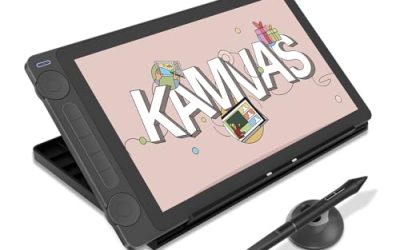
Huion’s Kamvas Pro 16 uses a QLED panel at 2.5K resolution with a laminated, etched glass surface and a battery-free tilt pen. For frame-by-frame work it covers the essentials at a much lower cost than Wacom. Huion’s Kamvas Pro 24 (4K) is the larger sibling for people who want a bigger canvas without moving to Wacom’s top tier.
The main trade-offs are driver polish and long-term support. Huion drivers work well with the major animation programs now, but Linux and some macOS versions occasionally need extra configuration.
Best for students: XPPen Artist Pro 16 (Gen 2)
XPPen’s Artist Pro 16 (Gen 2) offers a 2.5K screen, a tilt-sensitive X3 Pro stylus and a clean, lightly-textured surface. It is a popular pick for students and freelancers who need a dependable second screen for drawing. XPPen also makes the larger Artist Pro 27 (Gen 2) if you want a Cintiq Pro 27 alternative.
Best portable: iPad Pro with Procreate Dreams
If you animate away from a desk, the iPad Pro with the Apple Pencil Pro is the only truly standalone choice on this list. Procreate Dreams is a dedicated frame-by-frame and timeline animation app made for the iPad, and its low pen latency feels excellent. The limits are file-format compatibility with studio pipelines and the lack of Harmony or TVPaint, which are desktop only.
How to choose: a decision matrix
| Your situation | Best choice | Why |
|---|---|---|
| Studio freelancer, daily use | Cintiq Pro 16 or 27 | Best driver stability and pen accuracy |
| Student, tight budget | Kamvas Pro 16 or Artist Pro 16 (Gen 2) | 2.5K screen and tilt pen at a lower cost |
| Small desk | 15.6-inch class | Fits next to a laptop with room for a keyboard |
| Travels often | iPad Pro | No computer or cables needed |
| Rigged or cut-out animation | 24 to 27 inch 4K | Room for timeline and rig controls |
Worked example: screen size versus drawing area
A 15.6-inch 16:9 display has a roughly 13.6 x 7.6 inch active area. A 27-inch 16:9 display has about 23.5 x 13.2 inches. If you draw on a 1920 x 1080 animation canvas shown at 100 percent zoom, the 15.6-inch panel gives you about 140 pixels per inch at Full HD but about 280 at 4K, so the 4K version lets you zoom out and still see fine lines. On the big display you can work at 100 percent and still keep panels visible. That is why the 4K 16-inch class and the 27-inch class both work, but a Full HD 16-inch panel is the compromise.
What to check before you buy
- Parallax and lamination: a fully laminated screen puts the pen tip nearly touching the line, which helps with precise in-betweens.
- Tilt support: most animation brushes use tilt for shading, so skip pens without it.
- Express keys: undo, flip canvas and onion skin toggles on the device save constant keyboard trips.
- Ports: a single USB-C cable for video and power is much tidier than the older three-in-one cables.
- Replaceable nibs and stand: nibs wear down in a few months of daily use, so check that spares are available.
Ownership realities
Screen surfaces and pen nibs are the first things to wear. Textured glass slowly polishes smooth, and a spare set of nibs costs very little compared to the display. Keep drivers updated, and when you switch from one brand to another remove the old driver entirely to avoid pressure conflicts.
Frequently Asked Questions
Do I need a pen display or is a pen tablet enough for animation?
A pen tablet without a screen can work and is much cheaper, but most animators prefer a pen display because they can draw directly on the frame. Hand-eye coordination takes weeks to learn on a screenless tablet, and thin clean-up lines are harder to place.
What screen size is best for animation?
Fifteen to sixteen inches is the most popular size because it fits on a normal desk and travels well. Studio users working on rigged animation or storyboards often prefer 22 to 27 inches.
Is 4K necessary on a drawing tablet?
It is not required, but it makes thin lines noticeably sharper, especially on a 16-inch panel. A 2.5K screen is a good compromise if the budget is tight.
Which software works with these tablets?
All the pen displays here work with Toon Boom Harmony, TVPaint, Clip Studio Paint, Adobe Animate, Krita and OpenToonz when the correct driver is installed. Always check the vendor’s driver page for your operating system.
Can an iPad replace a Cintiq for professional animation?
For personal projects and some freelance work, yes, especially with Procreate Dreams. For studio pipelines that rely on desktop programs and shared project files, a desktop pen display is still safer.
More from Amazon
Programs that pair well with the guide above. Offers and eligibility are set by Amazon and may change.
Free shipping on eligible items, Prime Video and more. Eligible new members can start with a free trial.
Start a Prime free trialAd-free music streaming. Eligible new subscribers can start with a free trial.
Try Music Unlimited freeA Prime membership for ages 18-24 with a trial period. Eligibility is set by Amazon.
See Prime for Young AdultsAudiobooks and podcasts to listen to on the go. Eligible new members can start with a free trial.
Try Audible freeAs an Amazon Associate we earn from qualifying purchases.
Write Your Review
No reviews yet. Be the first to share your experience!