

Our Top Picks
The honest headline first: the best graphics card for video editing under $300 in November 2026 is a used card, and it is not the fastest card here. It is the AMD RX 7600 XT 16GB, used at around $200 to $250 — the only card under $300 with 16GB of VRAM. Video editing runs out of VRAM before it runs out of speed: a 4K timeline with color grades and effects stutters on an 8GB card. Every price here is a November 2026 snapshot — check the current price on Amazon before you buy.
Our video editing PC builds all used the Intel Arc A750 at $179.99, scoring roughly 8,300 to 10,400 overall in PugetBench for Premiere Pro. The A750 returns here as the best new card — but editing is not gaming: VRAM, the encoder, and your software matter more than frame rates.
Our top picks

Best for: DaVinci Resolve editors working in 4K who want VRAM headroom for the least money
Check price on Amazon
Best for: 1080p editors who want a new card with a warranty and the best YouTube encoder under $200
Check price on Amazon
Best for: Editors who want a new card with 10GB and the best AV1 encoder — if they can find it at $290
Check price on Amazon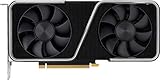
Best for: Editors who want NVIDIA speed and NVENC for the least money and mostly cut 1080p
Check price on AmazonThe Honest Price Ladder
| Budget | What it actually buys in November 2026 |
|---|---|
| $150–$200 | Arc A750 new at $179.99, used RTX 2060 at ~$151 |
| $200–$250 | Used RX 7600 XT 16GB at ~$200–$250, used RX 6650 XT at a $245 median |
| $250–$300 | Used RTX 3060 Ti at a $300 median, used RTX 3060 12GB at the low end |
| $300–$350 | Arc B580 new at $309.99–$371, used RTX 3070 at a $330 median |
| $350–$400 | RX 7700 XT new at $389.99, Arc A770 16GB at ~$349–$399 |
Honest next budgets: $350 (Arc B580), $400 (RX 7700 XT).
Quick Picks
| Card | Best For | VRAM / Encoder | Price Note (Nov 2026) |
|---|---|---|---|
| AMD RX 7600 XT 16GB (used) | Best overall | 16GB GDDR6 / AV1 | ~$200–$250 used |
| Intel Arc A750 8GB (new) | Best new card | 8GB GDDR6 / AV1 | $179.99 new |
| NVIDIA RTX 3060 12GB (used) | Best for Premiere Pro | 12GB GDDR6 / NVENC | ~$300 low end, $316 median |
| Intel Arc B570 10GB (new) | Best new 10GB card | 10GB GDDR6 / AV1 | $289.99 sale; $313.49 tracker |
| NVIDIA RTX 3060 Ti 8GB (used) | Fastest used NVIDIA | 8GB GDDR6 / NVENC | ~$300 median asking |
How to Choose a Video Editing Graphics Card Under $300
VRAM: 8GB is the floor, 12GB is comfortable, 16GB ends the problem
At 1080p, 8GB of VRAM is the floor in 2026. At 4K, 8GB is the floor and the floor is cracked: a 4K timeline with Lumetri color, noise reduction, or Fusion effects can exceed 8GB. Twelve gigabytes is comfortable for 4K; 16GB ends the problem — which is why the slowest GPU here leads the guide.
The encoder matters as much as the GPU
NVIDIA’s NVENC is the most reliable encoder in Premiere Pro — every NVIDIA pick here has it, but Ampere cards encode H.264 and HEVC only, not AV1. Intel Arc and AMD’s RX 7000 cards encode AV1 in hardware — the A750, B570, and RX 7600 XT all have it. The RX 6000 cards do not: they decode AV1 but cannot encode it. An Intel CPU with integrated graphics adds Quick Sync; the Core i5-12400F has none.
Premiere Pro vs DaVinci Resolve, and the free version trap
Premiere Pro favors NVIDIA: CUDA, NVENC, and the most mature GPU effects pipeline. DaVinci Resolve favors raw compute and VRAM — the RX 7600 XT scores around 6,000 to 6,300 overall (Standard) in PugetBench for DaVinci Resolve on strong CPUs. But its GPU Effects scores are only around 30 to 35, against roughly 55 to 58 for the Arc B580. One more trap: in the free version of DaVinci Resolve on Windows, hardware H.264 and HEVC encoding is a Studio feature — the free version encodes on the CPU.
1. AMD RX 7600 XT 16GB — Best Overall
Key specs: 16GB GDDR6, 128-bit bus, 32 compute units, 2,755 MHz boost, 190W, 2x 8-pin, PCIe 4.0 x8, FSR 3, AV1 encode/decode.
The RX 7600 XT is the best graphics card for video editing under $300 because it is the only card here that removes VRAM from the list of things that can go wrong. Used cards usually sell for around $200 to $250 — $50 to $100 under budget — for 16GB of VRAM, AV1 encoding, and 4K timelines in DaVinci Resolve without the stutter that hits every 8GB card here.
Pros: 16GB of VRAM — the most here, for the least money used; AV1 encoding and FSR 3.
Cons: Slowest GPU here; weakest GPU Effects scores in this guide; no CUDA or NVENC — Premiere Pro effects users should buy pick three instead; used only, with no warranty; new listings at $595–$730 are a trap.
Best for: DaVinci Resolve editors working in 4K who want VRAM headroom for the least money.
2. Intel Arc A750 8GB — Best New Card
Key specs: 8GB GDDR6, 256-bit bus, 28 Xe cores, 2,050 MHz boost, 225W, 1x 8-pin + 1x 6-pin, PCIe 4.0 x16, XeSS 2, AV1 encode/decode.
The Arc A750 is the best new card in this guide, and the one this series knows best: it powered every video editing PC build in our earlier batches, which scored roughly 8,300 to 10,400 overall in PugetBench for Premiere Pro, with GPU Effects near 50. The ASRock Challenger SE was $179.99 on Amazon as of November 17, 2026; the Intel Limited Edition was $189. It is the cheapest new card here, and it leaves $120 of headroom for the 32GB of RAM that matters more than any GPU upgrade.
Pros: Cheapest new card here, at $179.99 — $120 under budget; AV1 encoding and the widest memory bus here, 256-bit.
Cons: Needs Resizable BAR; performance suffers badly without it; only 8GB of VRAM — the floor for 4K, not the ceiling; 225W draw is the highest here.
Best for: 1080p editors who want a new card with a warranty and the best YouTube encoder under $200.
3. NVIDIA RTX 3060 12GB — Best for Premiere Pro

Key specs: 12GB GDDR6, 192-bit bus, 3,584 CUDA cores, 1,777 MHz boost, 170W, 1x 8-pin, PCIe 4.0 x16, NVENC, DLSS.
The RTX 3060 12GB is the safest card in this guide for Premiere Pro, and the cheapest way into 12GB plus NVENC plus CUDA. Used cards sold for a $316 median on eBay in November 2026, and a separate October tracking put used cards at around $300 — it fits only at the low end, so offer $300 and walk away above it. At that price you get the reference Premiere Pro combination: CUDA, NVENC, mature drivers, and 12GB that keeps 4K timelines comfortable.
Pros: NVENC and CUDA — the reference combination for Premiere Pro; 12GB of VRAM, the comfortable amount for 4K timelines; only 170W.
Cons: Used median is $316 — $16 over budget; it fits only at the low end; no AV1 encoding, unlike the Intel and AMD picks; popular mining card; new cards cost $388 and up — the $299.99 ASUS catalog listing is a store page price, not a buyable Amazon price.
Best for: Premiere Pro editors who want NVIDIA’s encoder and CUDA for the least money.
4. Intel Arc B570 10GB — Best New 10GB Card
Key specs: 10GB GDDR6, 160-bit bus, 18 Xe2 cores, 2,500 MHz boost, 150W, 1x 8-pin, PCIe 4.0 x8, XeSS 2, AV1 encode/decode.
The Arc B570 is the best new 10GB card that has ever sold under $300 — but read the price carefully, because it is a sale price, not a street price. Newegg listed the ASRock Challenger at $289.99 on October 7, 2026, and a late-October survey put the cheapest in-stock B570 at $290. By November 17, a tracker put the same card at $313.49, and one November survey found no new B570 in stock at Amazon at all. At $289.99 it fits by $10.01; at $313.49 it misses by $13.49. PugetBench runs with an i5-12400F put B570 systems around 5,700 to 8,700 overall in Premiere Pro.
Pros: 10GB of VRAM new, with the newest media engine here; AV1 encoding and the lowest power draw of any 10GB card, 150W; single 8-pin connector.
Cons: Fits only at the October sale price — $313.49 on the November 17 tracker; at that price the used 7600 XT gives 6GB more VRAM for less money; needs Resizable BAR; weaker than AMD and NVIDIA in older software; about 13 percent slower than the B580.
Best for: Editors who want a new card with 10GB and the best AV1 encoder — if they can find it at $290.
5. NVIDIA RTX 3060 Ti 8GB — Fastest Used NVIDIA
Key specs: 8GB GDDR6, 256-bit bus, 4,864 CUDA cores, 1,665 MHz boost, 200W, 1x 8-pin, PCIe 4.0 x16, NVENC, DLSS.
The used RTX 3060 Ti is the fastest NVIDIA card that fits, and the cheapest way into DLSS and NVENC at full speed. Its median asking price on US eBay was $300 in early November 2026 across 101 listings — it fits exactly. One November ranking named it the best price-to-performance card in the market, and at 1440p gaming it runs about 12 percent faster than the RTX 3060. For editing, that speed shows up in GPU-accelerated effects and timeline responsiveness.
Pros: Fastest NVIDIA card that fits, with DLSS and NVENC; $300 median asking fits exactly, with the best dollars-per-performance in the market.
Cons: Only 8GB of VRAM — the floor for 4K, and the reason it sits fifth; no AV1 encoding; used only, with no warranty; popular mining card.
Best for: Editors who want NVIDIA speed and NVENC for the least money and mostly cut 1080p.
What to Avoid
Paying a used price above a faster new card. A used RTX 4060 asks a $400 median — the same money as a new RX 7700 XT at $389.99 that beats it by roughly 44 percent at 1080p. A used RX 6700 XT asks a $425 median — $35 more than the faster new 7700 XT.
“New” cards far below the real market. Meta Catalog shows an RX 6700 XT at $52.82 and an RX 9070 XT at $10 — the same trap prices this series has seen on laptops. The Acer B580 at $287.99 comes from a drop-shipper, below the verified $309.99 to $371 range. And the ASUS RTX 3060 12GB at $299.99 is a store page price, not a buyable price; the real new price is $388.
Cards with no AV1 encoding when you upload to YouTube. The RX 6650 XT at a $245 median is RDNA 2 — it decodes AV1 and cannot encode it. The RTX 3050 6GB, around $253 new, is worse: 6GB, no AV1, and slower than the A750 that costs $70 less.
4GB cards and mining-worn cards with no return policy. The RX 6500 XT still appears under $300, but 4GB is not enough for modern editing at any resolution. The RTX 3060, 3060 Ti, and RX 6650 XT were all popular mining cards — buy only from a seller with a return window, and test it hard.
Ignoring the rest of the system. A $200 card plus a $70 RAM upgrade beats a $270 card on 16GB of RAM.
Still Doesn’t Fit
- Intel Arc B580 12GB, $309.99–$371 new — misses by $9.99 at best. The best all-rounder for editing: 12GB, AV1, GPU Effects around 55 to 58 in Premiere Pro. Honest budget: $350.
- Used RTX 3070 8GB, $330 median asking — misses by $30. Faster than the 3060 Ti with the same NVENC, but still only 8GB. Honest budget: $350.
- Intel Arc A770 16GB, ~$349–$399 new — misses by $49 and up. 16GB with AV1; Tom’s Hardware’s late-October tracker put it near $399. Honest budget: $400.
- AMD RX 7700 XT 12GB, $389.99 new — misses by $89.99. Fastest raster card under $400, with 12GB and AV1. Honest budget: $400.
- RTX 4060 new, $407.22–$437 — misses by $107.22 at best. The cheapest new NVIDIA card with AV1 encoding. Honest budget: $450.
FAQ
What is the best graphics card for video editing under $300 in 2026?
A used AMD RX 7600 XT 16GB, at around $200 to $250 — the only card under $300 with 16GB of VRAM, plus AV1 encoding. Premiere Pro editors should buy the used RTX 3060 12GB instead.
Is 8GB of VRAM enough for video editing?
For 1080p, yes — 8GB is the floor. For 4K timelines with color grades and effects, 8GB stutters and 12GB is comfortable; 16GB is where the problem goes away.
Is a used graphics card worth it for video editing?
Yes — three of the five picks here are used, including the top pick. A used RX 7600 XT at around $200 to $250 is the cheapest 16GB card you can buy.
Should I buy the Arc B580 instead?
If your budget can stretch to $350, yes — it is the best all-rounder for editing, with 12GB and AV1. At $309.99 to $371 it misses $300 by $10 to $71, so it is the honest next step up.
Do I need AV1 encoding?
Only if you upload to YouTube, where AV1 gives better quality per bit than H.264. The Intel Arc and RX 7000 cards encode AV1 in hardware.
Verdict
The best graphics card for video editing under $300 in November 2026 is the used AMD RX 7600 XT 16GB, at around $200 to $250 — the only card here with 16GB of VRAM, plus AV1 encoding. Buy it used, from a seller with a return window, and spend the $50 to $100 you save on RAM.
If you want a new card with a warranty, buy the Intel Arc A750 at $179.99. If you edit in Premiere Pro, buy the used RTX 3060 12GB at the low end, around $300. And if your budget can stretch to $350, buy the Arc B580 instead.
As an Amazon Associate, we earn from qualifying purchases.
Suggested Internal Links
- Best graphics card for 1080p gaming under $400
- Best graphics card for 1440p gaming under $300
- Best graphics card for 1080p gaming under $200
More from Amazon
Programs that pair well with the guide above. Offers and eligibility are set by Amazon and may change.
Free shipping on eligible items, Prime Video and more. Eligible new members can start with a free trial.
Start a Prime free trialAd-free music streaming. Eligible new subscribers can start with a free trial.
Try Music Unlimited freeA Prime membership for ages 18-24 with a trial period. Eligibility is set by Amazon.
See Prime for Young AdultsAudiobooks and podcasts to listen to on the go. Eligible new members can start with a free trial.
Try Audible freeAs an Amazon Associate we earn from qualifying purchases.
Write Your Review
No reviews yet. Be the first to share your experience!