

Every price rung in this series has ended the same way: a new, factory-built workstation with a real professional GPU does not fit. At $1,200 the ThinkStation P3 Tower Gen 2 fit — with integrated graphics only. At $1,600 the P3 Ultra SFF Gen 2 was the first new ISV machine with a pro GPU, but the exact GPU in that base configuration still needed verifying.
At $1,800 the story finally changes. Lenovo sells a ThinkStation P3 Tiny Gen 2 with an NVIDIA RTX A1000, 32 GB of DDR5 and a 1 TB Gen5 SSD for $1,785.05 — a new, ISV-certified machine with a real pro GPU, $15 under the ceiling. It is a 1-litre mini with a 50 W card and no ECC — but it is the first price in this series where the honest answer to “can I buy a new workstation with a pro GPU?” is yes. Every price below is a November 2026 snapshot — check the current price on Amazon before buying, because renewed stock turns over weekly.
Quick Picks
| Workstation | CPU | RAM | GPU | Price checked Nov 2026 |
|---|---|---|---|---|
| Dell Precision 7820 | 2× Xeon Gold 6136 (24C/48T) | 64 GB ECC | Quadro P4000 8 GB | ~$1,499 renewed |
| Lenovo ThinkStation P3 Tiny Gen 2 | Core Ultra 7 265 vPro (20C) | 32 GB DDR5 | RTX A1000 8 GB | $1,785.05 new |
| HP Z4 G4 | Xeon W-2135 (6C) | 128 GB DDR4 | Quadro P1000 4 GB | $1,430.73 renewed |
| Dell Precision 5820 | Xeon W-2145 (8C) | 64 GB ECC | Quadro P4000 8 GB | ~$690 renewed |
| MSI PRO DP180 | Core i5 | 16 GB DDR5 | GeForce RTX 5060 8 GB | $1,799.99 new |
How to Choose a Workstation PC Under $1,800
CPU core counts: threads are not speed
Most CAD work — AutoCAD, SOLIDWORKS, Revit — is single-threaded for modelling, and a used Xeon is about half as fast per core as a new desktop chip. PassMark single-thread scores: a Core Ultra 7 265K scores 4,928, a Xeon W-2245 scores 2,726, and the Xeon W-2133 scores 2,261. For modelling, the Ultra 7 in the Tiny feels faster; for rendering and VMs, the dual Xeon’s 48 threads win.
Workstation vs gaming parts
A workstation is not a gaming PC with a different badge. The differences are ISV certification (Autodesk, Dassault and Adobe test specific driver and hardware combinations), ECC memory, and drivers written for stability over frame rates. The Tiny, the 7820, the Z4 G4 and the 5820 are all ISV-certified. The MSI PRO DP180 is not — a business desktop with a GeForce card, included only as the honest consumer-parts option.
ECC vs non-ECC RAM
On the used DDR4 towers, 64 GB of registered ECC comes with the machine. On anything new, ECC DDR5 costs about $29 per GB in November 2026 — roughly $940 for 32 GB — which is why no new ECC workstation fits under $1,800.
GPU, storage, upgradeability, warranty
For CAD, an 8 GB professional card — the Quadro P4000 or the RTX A1000 — is the floor for comfortable work with medium assemblies. The P4000 is a 2017 Pascal card with no RT cores; the A1000 is a modern Ampere card with RT cores and far better video encode. On storage, the Tiny’s 1 TB PCIe Gen5 SSD is the fastest in this guide; check renewed listings, because some cheap units still boot from SATA SSDs or spinning disks. On upgradeability, watch the single-CPU dual-socket trap: on the Precision 7820, half the memory slots and several PCIe slots hang off the second socket, so a one-CPU 7820 is half a machine. On warranty, renewed Amazon listings typically carry a 90-day return window — power the machine on and run a memory test in the first week. New machines carry the manufacturer’s warranty: three years on the Lenovo Tiny.
1. Dell Precision 7820 — Best Overall
Specs: 2× Intel Xeon Gold 6136 (24 cores / 48 threads, 3.0 GHz base); 64 GB DDR4-2666 Registered ECC (12 slots, up to 768 GB); 512 GB NVMe SSD; NVIDIA Quadro P4000 8 GB GDDR5; 950 W power supply; Windows 11 Pro. Price checked November 2026: ~$1,499 (renewed; dual-socket renewed listings run about $1,290–$1,600).
The 7820 is the first dual-socket Dell in this series to take the top spot. Two Xeon Gold 6136 chips give you 24 cores and 48 threads for rendering, simulation and virtual machines, 64 GB of ECC memory comes standard, and the Quadro P4000 is a genuine professional card with certified drivers and 8 GB of VRAM.
The honest caveats: this is 2017 silicon, so a single Xeon Gold 6136 core is roughly half as fast as a new Core Ultra core, and CAD modelling will feel slower than on the Tiny.
Pros: 24 cores / 48 threads; 64 GB ECC standard; 768 GB RAM ceiling; 950 W supply; Windows 11 supported.
Cons: 2017 silicon, slow per core; Pascal GPU with no RT cores; price varies by configuration; renewed 90-day window only.
Best for: Rendering, simulation and virtual machines — any workload that uses all 48 threads.
2. Lenovo ThinkStation P3 Tiny Gen 2 — Best New
Specs: Intel Core Ultra 7 265 vPro (20 cores, up to 5.2 GHz); 32 GB DDR5-5600 (SODIMM, 2 slots, up to 128 GB); 1 TB SSD M.2 PCIe Gen5; NVIDIA RTX A1000 8 GB GDDR6; 300 W power supply; Windows 11 Pro; 3-year warranty. Price checked November 2026: $1,785.05 at Lenovo.com (list $3,839).
This is the pick the whole series has been waiting for. The same Tiny that topped our under-$1,300 guide with integrated graphics returns here with the option it lacked: an RTX A1000 with 8 GB of GDDR6, certified drivers, RT cores and hardware encode. The Ultra 7 265 vPro is the fastest single-thread CPU in this guide by a wide margin, the Gen5 SSD is the fastest storage, and the whole machine is new — three-year warranty, Windows 11 Pro, no previous owner. At $1,785.05 it is the first new ISV-certified workstation with a pro GPU in this series without an asterisk on the configuration.
The honest caveats: this is a 1-litre mini. The A1000 is a 50 W single-slot card, there is no room for a bigger GPU, the 300 W supply is the ceiling, and the two SODIMM slots cap memory at 128 GB.
Pros: Only new ISV machine with a pro GPU under $1,800; fastest single-thread CPU here; Gen5 SSD; 3-year warranty.
Cons: 1-litre chassis, no GPU upgrade path; 50 W card only; non-ECC RAM; 128 GB memory ceiling; $15 under the budget.
Best for: CAD drafting and modelling on a new machine with a warranty — buyers who will not buy refurbished.
3. HP Z4 G4 — Best Single-Socket
Specs: Intel Xeon W-2135 (6 cores, 3.7 GHz); 128 GB DDR4 RAM; 1 TB NVMe SSD; NVIDIA Quadro P1000 4 GB GDDR5; Windows 11 Pro. Price checked November 2026: $1,430.73 (renewed).
The Z4 G4 is the single-socket specialist: one Xeon W chip, eight memory slots and two x16 PCIe slots wired straight to the CPU. This configuration’s story is the memory — 128 GB of RAM in a machine that costs $1,430 is something no new workstation can touch, and it is the pick for anyone whose work is limited by RAM rather than cores: large assemblies, big datasets, dozens of browser tabs next to a CAD session.
The honest caveats: the GPU is the weak point. The Quadro P1000 has only 4 GB of VRAM, half the P4000 and the A1000, and it will struggle with large assemblies and 4K timelines.
Pros: 128 GB of RAM for $1,430; single-socket simplicity; two x16 slots; Windows 11 supported through 26H2.
Cons: Quadro P1000 with only 4 GB VRAM; 6 cores; power supply varies by listing; renewed 90-day window only.
Best for: Memory-hungry work — large assemblies, datasets and VMs where RAM matters more than GPU.
4. Dell Precision 5820 — Best Value
Specs: Intel Xeon W-2145 (8 cores / 16 threads, 3.7 GHz); 64 GB DDR4 ECC; 512 GB NVMe SSD; NVIDIA Quadro P4000 8 GB GDDR5; Windows 11 Pro. Price checked November 2026: ~$690 (renewed; single-socket Xeon W listings run about $590–$690).
The 5820 is the value pick, and the value is startling: a single-socket Xeon W tower with 64 GB of ECC memory and an 8 GB Quadro P4000 for roughly $690 — less than half the budget, leaving $1,100 for a monitor, a second SSD or a GPU upgrade.
The honest caveats: eight cores is the middle of this guide, not the top, and the W-2145’s single-thread speed is about half a new Core Ultra chip. Renewed stock turns over weekly, so the exact configuration at $690 will change — and check that the listing actually includes the P4000 and not the weaker P400, a one-letter trap that costs you 6 GB of VRAM.
Pros: 64 GB ECC and a P4000 for ~$690; most owner feedback in this class; 512 GB RAM ceiling; Windows 11 supported.
Cons: 8 cores, slow per core; 2017 chassis; P400 vs P4000 listing trap; renewed 90-day window only.
Best for: Buyers who want a real workstation for the least money — and $1,100 left over for everything else.
5. MSI PRO DP180 — Best Consumer-Parts Option
Specs: Intel Core i5; 16 GB DDR5 RAM; 1 TB SSD; NVIDIA GeForce RTX 5060 8 GB GDDR7; Windows 11. Price checked November 2026: $1,799.99.
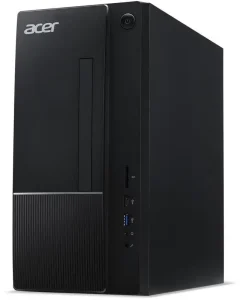
The DP180 is the honest consumer-parts pick: a business desktop with a GeForce RTX 5060, the fastest raw GPU in this guide, for exactly $1,799.99. For video editing, GPU rendering and anything that rewards raw CUDA cores over certified drivers, the 5060 outruns the Quadro P4000 and the RTX A1000 —
The honest caveats: this is not a workstation. There is no ECC memory, no ISV certification, and the GeForce driver is written for games, not for SOLIDWORKS or Revit. Sixteen gigabytes of RAM is the least here, and DDR5 prices are roughly five times their 2024 level. And $1,799.99 is exactly the ceiling: no room for a monitor, a keyboard or a second drive.
Pros: Fastest raw GPU here; new, fixed price, no renewed lottery; current-generation card.
Cons: No ECC, no ISV certification; GeForce drivers, not workstation drivers; only 16 GB RAM; exactly at the ceiling.
Best for: Video editing and GPU rendering where raw speed beats certification — and buyers who refuse refurbished.
What to Avoid
Xeon E5 machines with no Windows 11 path. The Xeon E5 v3/v4 family — Precision T5810/T7810/T7910, HP Z440/Z640/Z840, ThinkStation P510/P910 — is absent from Microsoft’s supported processor list. SOLIDWORKS 2026 and 2027 do not support Windows 10, so a machine that cannot run Windows 11 is a dead end for current CAD.
Single-CPU listings of dual-socket machines. A Precision 7820 or ThinkStation P920 sold with one CPU installed is half a machine: half the memory slots and several PCIe slots hang off the second socket. If the listing price looks too good for a dual-socket tower, check the CPU count first.
The P400 vs P4000 trap. One letter, 6 GB of VRAM. The Quadro P400 is a 2 GB entry card; the P4000 is an 8 GB professional card. Renewed listings blur the two, and the difference is the difference between a usable CAD machine and a slideshow.
Barebones that are not bargains. A ThinkStation P520 barebone chassis with a CPU starts around $168, and a Precision 5820 barebone around $125 — but by the time you add ECC RAM, an NVMe drive, a GPU and a Windows 11 Pro licence, the all-in cost passes the price of a complete renewed machine.
FAQs
Can I buy a new workstation with a pro GPU under $1,800?
Yes — for the first time in this series. The ThinkStation P3 Tiny Gen 2 with an RTX A1000, 32 GB of DDR5 and a 1 TB Gen5 SSD is $1,785.05 at Lenovo.com. It is a 1-litre mini with a 50 W card and no ECC, so it is a real answer with real limits, not a no-compromise machine.
Is a refurbished dual-Xeon tower still worth it in 2026?
For threaded work, yes: two Xeon Gold 6136 chips give you 48 threads and 64 GB of ECC for about $1,499, which no new machine matches. For single-threaded CAD modelling, no — a new Core Ultra chip is roughly twice as fast per core.
Does ECC memory matter for CAD?
For drafting and modelling, it is a nice-to-have. For long renders and simulations, where a flipped bit costs hours of work, it matters — and under $1,800, ECC only fits on the used DDR4 towers.
What should I check first on a renewed listing?
Four things: both CPUs installed (on dual-socket machines), the exact GPU model (P400 vs P4000), the power supply wattage, and the return window. Renewed listings usually give you 90 days — power the machine on and run a memory test in the first week.
Verdict
The Dell Precision 7820 is the best workstation PC under $1,800. At about $1,499 renewed, two Xeon Gold 6136 chips, 64 GB of ECC memory and a Quadro P4000 give you the most complete professional machine in this guide — provided your work uses all 48 threads.
If you will not buy refurbished, buy the Lenovo ThinkStation P3 Tiny Gen 2 with the RTX A1000 instead: $1,785.05, new, with a three-year warranty and the fastest single-thread CPU here.
If memory is your bottleneck, the HP Z4 G4 at $1,430.73 puts 128 GB of RAM on your desk. If money is the constraint, the Dell Precision 5820 at about $690 is a real workstation with ECC and a P4000 for less than half the budget. And if raw GPU speed beats certification, the MSI PRO DP180’s RTX 5060 at $1,799.99 is the fastest card here — a gaming GPU in a business desktop, not a workstation.
As an Amazon Associate, we earn from qualifying purchases.
Suggested internal links
More from Amazon
Programs that pair well with the guide above. Offers and eligibility are set by Amazon and may change.
Free shipping on eligible items, Prime Video and more. Eligible new members can start with a free trial.
Start a Prime free trialAd-free music streaming. Eligible new subscribers can start with a free trial.
Try Music Unlimited freeA Prime membership for ages 18-24 with a trial period. Eligibility is set by Amazon.
See Prime for Young AdultsAudiobooks and podcasts to listen to on the go. Eligible new members can start with a free trial.
Try Audible freeAs an Amazon Associate we earn from qualifying purchases.
Write Your Review
No reviews yet. Be the first to share your experience!