

Key takeaways
- Buying an entry desktop with 8 GB of memory and a hard drive that slows over time.
- Forgetting that a mini PC or Mac mini needs a monitor.
- Picking a gaming tower for a home with no gamers, paying for power that goes unused.
- Skipping backups; use an external drive or cloud service for family photos.
The best home computer for most families in 2026 is a compact desktop such as the Apple Mac mini (M4), and the best Windows tower is the Dell Tower Plus or XPS Desktop for people who want power and upgrades. If you want everything in one piece, choose an all-in-one like the iMac 24-inch. If you want to spend the least, a mini PC from Beelink or Geekom with a monitor you already own does web, email, schoolwork and streaming well.
This guide matches real home computers to household needs, lists the specs that matter for 2026, and shows how to budget the whole setup including monitor and accessories. Information comes from manufacturer spec sheets and published professional reviews, not personal use.
Our top picks




As an Amazon Associate we earn from qualifying purchases at no extra cost to you.
Quick Comparison of the Best Home Computers
| Pick | Best for | Key specs | Price range |
|---|---|---|---|
| Apple Mac mini (M4) | Best overall compact desktop | Apple M4 chip, small silent body, Thunderbolt 4 ports; bring your own monitor | Mid-range |
| Apple iMac 24-inch (M4) | Best all-in-one | 4.5K Retina display, speakers and camera built in | Upper mid-range |
| Dell Tower Plus | Best Windows tower | Configurable, up to RTX-class graphics, room for upgrades | Mid to upper range |
| Dell XPS Desktop | Best all-round Windows desktop | Quiet tower, modern Intel processors, upgrade bays | Mid to upper range |
| Acer Aspire TC series | Best budget tower | Basic tower, Intel or AMD entry processors, simple upgrades | Budget |
| Beelink SER or Geekom A8 mini PC | Best budget mini PC | Ryzen mobile chips, 16 GB RAM options, small footprint | Budget to mid-range |
Best Overall: Apple Mac mini (M4)
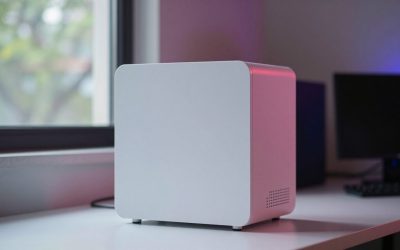
TechRadar called the Mac mini M4 the best Mac overall for performance, quiet operation and value in a tiny desktop. It sits on a shelf or behind a monitor, runs silently under everyday loads and uses very little power. It suits households that already own a monitor, keyboard and mouse, and want a long-lived machine for school, work and media.
Trade-off: memory and storage are fixed at purchase, and macOS cannot run all Windows software.
Best All-in-One: Apple iMac 24-inch (M4)
Choose the iMac if you want a single clean unit with a 4.5K screen, good speakers and a camera. It is a good fit for shared family spaces and small desks. Tom’s Guide rates it the best all-in-one overall.
Trade-off: screen size is fixed and repairs are more involved.
Best Windows Tower: Dell Tower Plus
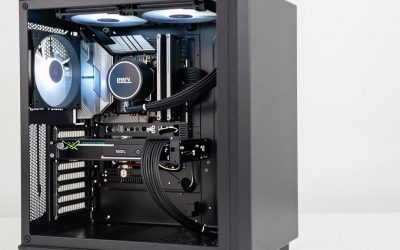
TechRadar named the Dell Tower Plus its best Windows desktop. It can be configured from home-office basics to powerful content-creation and gaming builds, and its benchmarks showed it ahead of the Mac mini M4 in multi-core and graphics tests in the configuration it reviewed. It is the pick when you want room to add storage or a graphics card.
Trade-off: a larger case and higher power draw than a mini PC.
Best All-Round Windows Desktop: Dell XPS Desktop
The XPS Desktop line is a polished mid-tower with quiet cooling and good expansion. Technobezz ranked the XPS desktop as a top overall home desktop. It suits families who want one machine for homework, streaming and light creative work.
Best Budget Tower: Acer Aspire TC Series
Technobezz lists the Acer Aspire TC-1785 as the value pick among tower desktops. It handles everyday browsing, schoolwork and office software. Look at the exact configuration, since memory and storage vary.
Trade-off: entry processors and integrated graphics, with limited long-term performance.
Best Budget Mini PC: Beelink SER or Geekom A8
Roundups repeatedly list Beelink SER-series and Geekom A8 models as value mini PCs. They use AMD Ryzen mobile processors, offer 16 GB or more memory in many configurations, and take little desk space. They are a strong fit for a home office, a kids’ homework desk or a living-room media machine.
Trade-off: they include no monitor, and support quality varies by brand, so check the warranty.
Which Home Computer Fits You? Decision Table
| Household need | Best choice | Minimum spec |
|---|---|---|
| Web, email, homework | Mini PC or Acer Aspire | Quad-core CPU, 8 to 16 GB RAM, 256 GB SSD |
| Family shared desk | iMac 24-inch | 16 GB memory, 256 GB or 512 GB SSD |
| Work from home, multi-monitor | Mac mini M4 or Dell XPS | 16 GB RAM, 512 GB SSD |
| Photo and video editing | Dell Tower Plus or Mac mini M4 Pro | 32 GB RAM, 1 TB SSD |
| Casual gaming | Dell Tower Plus with dedicated GPU | Mid-range graphics card |
Budgeting the Full Setup
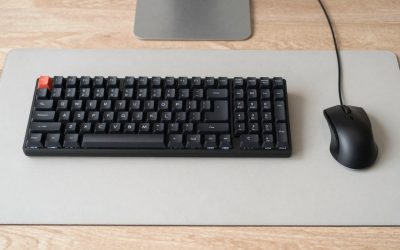
A computer is only part of the cost. Add a monitor, a keyboard and mouse, and sometimes a webcam or speakers. As a rule, allow 30 to 40 percent on top of the computer price if you do not already own peripherals. A Mac mini or mini PC does not include any, while an all-in-one includes the screen and webcam, so the totals can end up close.
How to Choose a Home Computer
Processor
For web and office use, a modern quad-core is enough. For editing and multitasking, choose 8 or more cores. Apple M-series chips and recent Intel Core Ultra or AMD Ryzen chips all handle everyday use comfortably.
Memory
16 GB is the practical standard in 2026. Eight gigabytes is only for very light use. On computers with fixed memory, always choose more at purchase.
Storage
Use an SSD. 512 GB is a comfortable minimum for family use, and external drives or cloud storage can handle photos.
Ports and connectivity
Look for Wi-Fi 6E or newer, Bluetooth, several USB ports and HDMI or DisplayPort. A front USB port helps on towers.
Operating system
Windows offers the broadest software and gaming support. macOS offers a simple, secure experience with long software support. Check any must-have apps first.
Common Mistakes
- Buying an entry desktop with 8 GB of memory and a hard drive that slows over time.
- Forgetting that a mini PC or Mac mini needs a monitor.
- Picking a gaming tower for a home with no gamers, paying for power that goes unused.
- Skipping backups; use an external drive or cloud service for family photos.
Frequently Asked Questions
What is the best home computer in 2026?
For most households, the Apple Mac mini M4 is a top pick for compact power and value. Windows buyers often choose a Dell XPS Desktop or Tower Plus for upgradeability.
Is a desktop better than a laptop for home use?
A desktop typically gives more performance and comfort per dollar of spend and is easier to upgrade. A laptop is better if you need to move around the house or travel.
How much RAM does a home computer need?
16 GB is a good target. It handles many browser tabs, video calls and office apps at once without slowing down.
Are mini PCs good for home use?
Yes. Modern mini PCs handle everyday tasks easily, take little space and use little power. They need a separate monitor and peripherals.
How long will a home computer last?
A good desktop usually lasts five to eight years for everyday tasks. Choose enough memory and a fast SSD to extend its useful life.
Write Your Review
No reviews yet. Be the first to share your experience!