

The best LGA 775 CPU for most people in 2026 is the Core 2 Quad Q9650: four Penryn cores at 3.0 GHz with 12 MB of cache, strong bus-overclocking headroom and no BIOS tricks needed on any board that supports 45 nm chips. If you are comfortable with a sticker mod and a patched BIOS, a Xeon E5450 or X5460 gives the same or better speed for even less money. Everything else on this list is a cheaper or cooler-running compromise for specific situations.
LGA 775 is a platform that ended production more than a decade ago, so every purchase is a used-market purchase. That changes how you should shop. The question is not “which chip is fastest on paper” but “which chip works on the board I already own, does not overload its power delivery, and is worth the upgrade over what is already in the socket.” This guide ranks seven realistic options with concrete specs, explains the compatibility traps that catch buyers, and ends with a decision matrix and an FAQ.
Our top picks


As an Amazon Associate we earn from qualifying purchases at no extra cost to you.
Quick comparison of the best LGA 775 CPUs
| Pick | Best for | Cores / threads | Clock | Cache | FSB | TDP |
|---|---|---|---|---|---|---|
| Core 2 Quad Q9650 | Best overall | 4 / 4 | 3.0 GHz | 12 MB L2 | 1333 MT/s | 95 W |
| Xeon E5450 (771 to 775 mod) | Best value, modded | 4 / 4 | 3.0 GHz | 12 MB L2 | 1333 MT/s | 80 W |
| Xeon X5460 (771 to 775 mod) | Best for overclocking, modded | 4 / 4 | 3.16 GHz | 12 MB L2 | 1333 MT/s | 120 W |
| Core 2 Quad Q9550 | Best no-mod alternative | 4 / 4 | 2.83 GHz | 12 MB L2 | 1333 MT/s | 95 W |
| Core 2 Quad Q9400 | Best budget quad-core | 4 / 4 | 2.66 GHz | 6 MB L2 | 1333 MT/s | 95 W |
| Core 2 Duo E8600 | Best dual-core for older games | 2 / 2 | 3.33 GHz | 6 MB L2 | 1333 MT/s | 65 W |
| Core 2 Duo E8400 | Best budget dual-core | 2 / 2 | 3.0 GHz | 6 MB L2 | 1333 MT/s | 65 W |
Specifications above follow Intel’s published processor data. Used-market pricing for all seven is low, and the cheapest of them usually costs less than a decent case fan.
Before you buy: check board support first
The single biggest mistake with LGA 775 upgrades is buying a chip the motherboard cannot run. The socket stayed the same for years, but the processors changed a lot. Early boards built around the 915 and 945 chipsets were designed for Pentium 4 and Pentium D chips and often cannot handle 45 nm Penryn parts, even though the pins line up.
- Chipset: P35, P45, X38, X48, G41 and G43 boards generally support Penryn processors. Older 945, 965 and 975 boards depend on the exact revision and BIOS version.
- BIOS version: Many boards need a BIOS update before a 45 nm chip boots. If the board only runs a Pentium 4 today, update the BIOS first, using the old chip, then swap the CPU.
- Front-side bus: Most chips here are rated for a 1333 MT/s bus. A board limited to 1066 MT/s will still run them, but the chip will be clocked down or run slower.
- Power delivery: A 95 W quad-core is a heavy load for a cheap two-phase micro-ATX board. Boards with fewer VRM phases may throttle or overheat under sustained load.
- Memory: Boards are either DDR2 or DDR3, never both. Plan to keep your existing RAM, because it is cheaper than changing platforms.
Find your exact motherboard model, then check the manufacturer’s CPU support list for the model and the minimum BIOS version. That one page answers most compatibility questions.
Best overall: Core 2 Quad Q9650
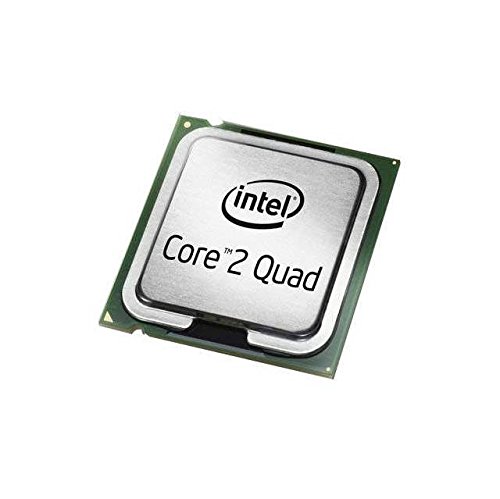
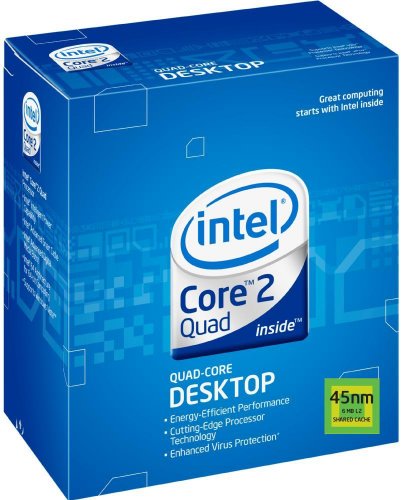
The Q9650 is the fastest mainstream quad-core officially sold for the socket outside the Extreme line. It runs four Penryn cores at 3.0 GHz, carries 12 MB of L2 cache split into two 6 MB blocks and has a 95 W TDP. Its multiplier is fixed, so tuning happens through the front-side bus, and on a board with a good power stage a modest bus overclock is realistic with a decent tower cooler.
Who it is for: Anyone upgrading an existing P35, P45, X38 or X48 board who wants a drop-in swap, a stable system and no firmware editing. It suits a retro-leaning daily machine for browsing, office work, media playback and older 3D games.
Pros: Native support with a BIOS update, strong four-core performance for the platform, large cache, and good tuning headroom. Cons: Higher power draw than the dual-core options, the highest used-market price of the unmodified mainstream chips, and it runs warm without a proper cooler. Counterfeit and remarked chips exist, so buy from sellers who show the chip’s markings and offer returns.
Best value with a mod: Xeon E5450
The Xeon E5450 is a server chip built for LGA 771, but it shares the same Penryn core design as the Core 2 Quad Q9650. Intel rates it at four cores, 3.0 GHz, 12 MB of cache and an 80 W TDP. With two small adhesive stickers over the CPU’s contacts, or a socket pin mod, it will sit in an LGA 775 socket. The result is Q9650-class performance at a lower power rating and a lower price.
The catch is the board. The chip only works if the BIOS contains the right microcode for it. Many P45 and X48 boards, including several Gigabyte and ASUS models, can run it with a modded BIOS file. Many G41 boards cannot, and a failed flash can leave the board unbootable. Treat this as a project, not a plug-and-play upgrade.
Who it is for: Tinkerers who already have a compatible P45-class board, a way to recover from a bad flash and a willingness to read forum guides carefully. Pros: Low power, low cost, Q9650-like speed. Cons: The mod voids any remaining warranty, BIOS modification carries risk, and the chip has a fixed multiplier, so overclocking depends on the front-side bus.
Best for overclocking with a mod: Xeon X5460
The X5460 is the faster sibling of the E5450. It runs at 3.16 GHz with 12 MB of cache and carries a 120 W TDP. Because the multiplier is higher, a given bus speed produces a higher clock than the E5450 would. Users often report big improvements over older dual-cores when it is paired with a good P45 board.
The same mod caveats apply, and heat is the second concern. A 120 W chip in a cheap board with a thin VRM heatsink will throttle or fail early, so this is a chip for boards with solid power stages and a good tower cooler.
Who it is for: Experienced builders with an upper-tier P45 or X48 board. Pros: Highest clock of the practical modded options, bargain pricing. Cons: Highest heat output on this list, the same BIOS risks as the E5450, and not suitable for cheap boards.
Best no-mod alternative: Core 2 Quad Q9550
The Q9550 is the Q9650’s slightly slower relative: four cores at 2.83 GHz with 12 MB of cache and a 95 W TDP. In everyday use the difference from the Q9650 is small, and it is often a little easier to find at a low price. It overclocks well on boards with reasonable power circuits, so many owners push it close to Q9650 speed.
It also exists in a lower-power S variant, the Q9550S, with a 65 W TDP. That version fits small-form-factor builds and quiet systems where heat is a constraint.
Who it is for: Buyers who want the Q9650 experience for less money. Pros: Native support, large cache, strong value. Cons: Slightly lower stock speed than the Q9650 and the same warm running.
Best budget quad-core: Core 2 Quad Q9400
The Q9400 uses Penryn cores at 2.66 GHz with 6 MB of L2 cache, shared as two 3 MB blocks, and a 95 W TDP. It has half the cache of the Q9550 and Q9650, which hurts in some games and applications, but it is still a real quad-core that decisively beats any dual-core in multitasking and video encoding.
Who it is for: Budget upgrades from a Pentium Dual-Core or a low-end Core 2 Duo, especially on boards with modest power delivery where a lower clock helps keep heat down. Pros: Cheap and common, native support, good multitasking. Cons: Smaller cache, the same 95 W TDP as faster models, and weaker single-thread speed than the E8000 series.
Best dual-core for older games: Core 2 Duo E8600
Not every old game benefits from extra cores. Titles from the mid-2000s often depend on one or two fast threads, and the E8600 is the fastest standard dual-core for the socket. It runs two cores at 3.33 GHz with 6 MB of shared cache and a 65 W TDP. It stays cooler than any quad-core, runs happily on weaker boards and overclocks well.
Who it is for: Windows XP-era gaming machines, compact builds and boards with weak VRMs. Pros: Highest clock of the dual-cores, low power, easy cooling. Cons: Two cores limit modern tasks, and it costs more than the E8400 for a small step in speed.
Best budget dual-core: Core 2 Duo E8400
The E8400 is the common-sense cheap option. It runs two Wolfdale cores at 3.0 GHz with 6 MB of cache and a 65 W TDP, and it is among the most widely available LGA 775 chips on the used market. If your board is currently running an older Pentium 4 or a Pentium D, an E8400 is a large jump in speed and a large drop in heat.
Who it is for: Basic office machines, family PCs, retro gaming rigs and spare-parts builds. Pros: Very cheap, cool, native support on most P35 and later boards. Cons: Two cores only, and it will feel slow in a modern web browser with many tabs.
Decision matrix: which chip fits your situation?
| Your situation | Best choice | Why |
|---|---|---|
| P45 or X48 board, want the fastest safe option | Q9650 | Native support, large cache, no BIOS editing |
| P45 board, comfortable with a BIOS mod | Xeon E5450 | Same speed as a Q9650 with an 80 W TDP |
| Strong power-stage board, enjoy overclocking | Xeon X5460 | Higher base clock and strong tuning |
| Mid-range board, tight budget | Q9550 or Q9400 | Quad-core at lower cost |
| Small case, weak VRM, retro gaming | E8600 or E8400 | Cooler running, high clock per core |
| G41 or G43 board | Q9400 or an E8000-series chip | Avoids the modding and power risks |
A worked example: is a quad-core upgrade worth it?
Suppose you have a P45 board with an E8400. The E8400 gives two cores at 3.0 GHz, so its combined core speed is roughly 6.0 GHz of raw clock. A Q9650 gives four cores at 3.0 GHz, so about 12.0 GHz across the cores. Clock times core count is only a rough guide, because it ignores cache and memory limits, but it explains why video encoding, file compression and background multitasking improve so much on a quad-core. Single-threaded tasks stay almost unchanged, because the per-core speed is identical.
That arithmetic also shows when to skip the upgrade. If your workload is one old game that uses a single thread, an E8600’s 3.33 GHz core can match or beat a Q9400’s 2.66 GHz core. Match the chip to the work rather than assuming more cores always help.
Cooling, power and memory realities
Cooling
The original boxed Intel coolers were designed for the dual-core era. A 95 W quad-core needs a better heatsink. A mid-size tower cooler with a 92 mm or 120 mm fan is more than enough, but check the mounting. LGA 775 uses a four-hole pattern, and many modern coolers still include LGA 775 brackets. Some newer designs no longer do, so confirm before you buy.
Power supply
A worn power supply can damage the whole system. Quad-core chips and a graphics card both draw heavily from the 12 V rail, and units from the Pentium 4 era were built around the 3.3 V and 5 V rails instead. A modern power supply with a 24-pin and a 4-pin or 8-pin CPU connector is a safer foundation, and that CPU connector is essential for the quad-core chips.
Memory
Boards with DDR2 are limited by chipset memory density. Many older chipsets cannot read high-density 4 GB DDR2 modules, and some DDR3 boards struggle with 4 GB modules built from high-density chips. Fill the board with matched pairs to keep dual-channel mode, and confirm the supported module size in the manual.
Common mistakes to avoid
- Buying a chip before checking the CPU support list for the exact board revision.
- Skipping the BIOS update, then wondering why a new Penryn chip gives a black screen.
- Pairing a 120 W Xeon with a cheap micro-ATX board with a tiny VRM heatsink.
- Using stickers or a pin mod without cleaning the contacts, which can cause a short or a failed boot.
- Ignoring the power supply and connecting a quad-core to a very old unit.
- Expecting a CPU swap to fix a slow system when the real bottleneck is a hard drive. An SSD often does more for responsiveness than any CPU change here.
Is it still worth upgrading an LGA 775 system in 2026?
For a working daily computer, the honest answer is rarely. A newer entry-level platform delivers far more speed per watt, and operating system and browser support for these machines is shrinking. For retro gaming, a hobby project, a media server or a spare machine, a CPU swap is one of the cheapest and most satisfying upgrades available. Pair it with an SSD, a reasonable amount of memory and a clean install, and the system feels much more responsive than its age suggests.
Think in terms of total cost. If a used Q9650 and a tower cooler together cost less than a single month of a streaming subscription, the experiment is low risk. If you are about to spend more than that on a power supply, memory and storage as well, compare the total against a small used office PC from a newer generation, which will usually be faster, quieter and supported for longer.
How to choose with numbers
- Write down the board model and the BIOS version. Check the manufacturer’s CPU support list.
- Count the VRM phases or read a review of the board. Four or more phases comfortably handle a 95 W quad-core. A two-phase board is better matched to a 65 W dual-core.
- Work out your cooling budget. A 95 W chip needs a tower cooler. A 65 W chip works with a modest heatsink.
- Decide on risk. If you want a plug-and-play upgrade, stick to the Core 2 chips. If you are comfortable flashing a custom BIOS, consider the Xeon route.
- Buy from a seller with returns and clear photos of the chip’s markings.
Frequently Asked Questions
What is the fastest CPU for LGA 775?
The fastest officially released chip is the Core 2 Extreme QX9770, which runs at 3.2 GHz on a 1600 MT/s bus. It is rare and expensive, and a modded Xeon X5482 offers similar performance for far less money. For most buyers, the Q9650 is the practical top choice.
Can I use a Xeon on an LGA 775 motherboard?
Yes, some LGA 771 Xeons run on LGA 775 boards after a pin or sticker mod, but the board’s BIOS needs the correct microcode. P45 and X48 boards are the most common matches, while many G41 boards do not work. Read a guide for your exact board before you buy.
Is a Core 2 Quad better than a Core 2 Duo for gaming?
It depends on the game. Late-2000s and newer titles use more than two threads and benefit from a quad-core. Many older games rely on one or two fast cores, where a high-clocked E8600 competes well. Pick based on the games you actually play.
Do I need a new power supply for a quad-core upgrade?
Not always, but check it. A quad-core needs a working CPU power connector and a stable 12 V rail, and a failing power supply can damage other parts. If the unit is old and unbranded, replacing it is cheap insurance.
Can an LGA 775 PC run Windows 10 or Windows 11?
Windows 11 is not supported on these processors, and Windows 10 is past its standard support period. Many owners install a lightweight Linux distribution instead, which runs well on four cores with an SSD and enough memory.




Write Your Review
No reviews yet. Be the first to share your experience!