

Our Top Picks

A 2TB NVMe SSD is the sweet spot for most desktop PCs in 2026: room for Windows, a large game library, and a photo or video project, without the premium that 4TB drives still carry. The catch is the price in the keyword. For most of 2026, the drives in this guide sold well under $200. Then a NAND flash shortage pushed SSD prices sharply higher, and by November 2026 several of them were listed well above $200 on Amazon US.
The five drives below are the right ones to watch. Prices move daily, and sale prices still dip toward $200, so treat every price note here as a snapshot from our November 2026 research and check the current price on Amazon before you buy. We have not bench-tested these drives; speeds and endurance figures are the manufacturers’ rated specifications.
Top pick: the Samsung 990 Pro 2TB is the best 2TB NVMe SSD under $200 for most buyers, when you can find it at or near the target price — fastest rated speeds here, a DRAM cache, TLC flash, and 1,200 TBW endurance. If it is out of reach, the WD Black SN850X 2TB is the closest alternative for gaming and PS5, and the Crucial P3 Plus 2TB is the budget pick most likely to land nearest $200.
Our top picks

Best for: Most buyers who want the fastest, most proven 2TB Gen4 drive and will wait for a sale to hit their budget
Check price on AmazonBest for: Gaming and PS5
Check price on Amazon
Best for: Budget builds and game-library storage, where the lowest price per gigabyte matters more than flagship speed
Check price on AmazonBest for: Laptops and small-form-factor PCs, where power use and heat matter as much as speed
Check price on AmazonBest for: Buyers who want flagship-level headline speeds at a mid-range price, especially in a laptop or PS5
Check price on AmazonQuick Picks
| Product | Best for | Key specs | Price note |
|---|---|---|---|
| Samsung 990 Pro 2TB | Best overall | Gen4, 7,450 / 6,900 MB/s, TLC, DRAM, 1,200 TBW | Check price; ~$149–$170 earlier in 2026 |
| WD Black SN850X 2TB | Best for gaming and PS5 | Gen4, 7,300 / 6,600 MB/s, TLC, DRAM, 1,200 TBW | Check price; ~$139–$155 earlier in 2026 |
| Crucial P3 Plus 2TB | Best budget pick | Gen4, 5,000 / 4,200 MB/s, QLC, DRAM-less, 440 TBW | Check price; ~$79–$120 earlier in 2026 |
| SK hynix Platinum P41 2TB | Best efficiency | Gen4, 7,000 / 6,500 MB/s, TLC, DRAM, 1,200 TBW | Check price; ~$169–$189 earlier in 2026 |
| Lexar NM790 2TB | Best value, laptops and PS5 | Gen4, 7,400 / 6,500 MB/s, TLC, HMB, 1,500 TBW | Check price; ~$130–$135 earlier in 2026 |
How to Choose a 2TB NVMe SSD Under $200
Gen3 vs Gen4: buy Gen4. Gen3 tops out around 3,500 MB/s; Gen4 reaches roughly 7,000 MB/s or more. At 2TB, Gen4 cost only a little more for most of 2026, and every mainstream gaming motherboard from the last few years has a Gen4 M.2 slot. Gen5 costs far more, runs hotter, and adds nothing to game loading times.
Speed is not the whole story. The headline number is the maximum sequential read speed under ideal conditions. For gaming, load times barely change between a 5,000 MB/s drive and a 7,400 MB/s drive. Sustained write speed matters more — how fast the drive stays when copying a 100GB game folder — and that depends on the DRAM cache, flash type, and cache size.
DRAM cache and flash type. A DRAM cache keeps performance consistent during long writes; DRAM-less drives use Host Memory Buffer (HMB), borrowing a little system RAM. The 990 Pro, SN850X, and P41 have DRAM; the P3 Plus and NM790 do not. TLC flash is faster at sustained writes and wears more slowly than QLC, which is why every flagship here except the P3 Plus uses TLC.
Endurance (TBW). TBW is the manufacturer’s endurance rating. The 990 Pro, SN850X, and P41 are rated at 1,200 TBW at 2TB, and the NM790 at 1,500 TBW; the P3 Plus is rated at 440 TBW.
Heatsink and PS5. Most desktop motherboards include an M.2 heatsink, so buy the bare drive. For a PS5, Sony requires at least 5,500 MB/s reads and a heatsink that fits the expansion slot (110 mm long, 25 mm wide, 11.25 mm tall with the heatsink). The SN850X with heatsink is sold specifically for PS5 use; the 990 Pro and NM790 have heatsink versions too.
Form factor: M.2 2280. Every drive here is M.2 2280 — 22 mm wide, 80 mm long — the standard size for desktops, most laptops, and the PS5. If your laptop takes the shorter M.2 2230 size, as in a Steam Deck, these drives will not fit.
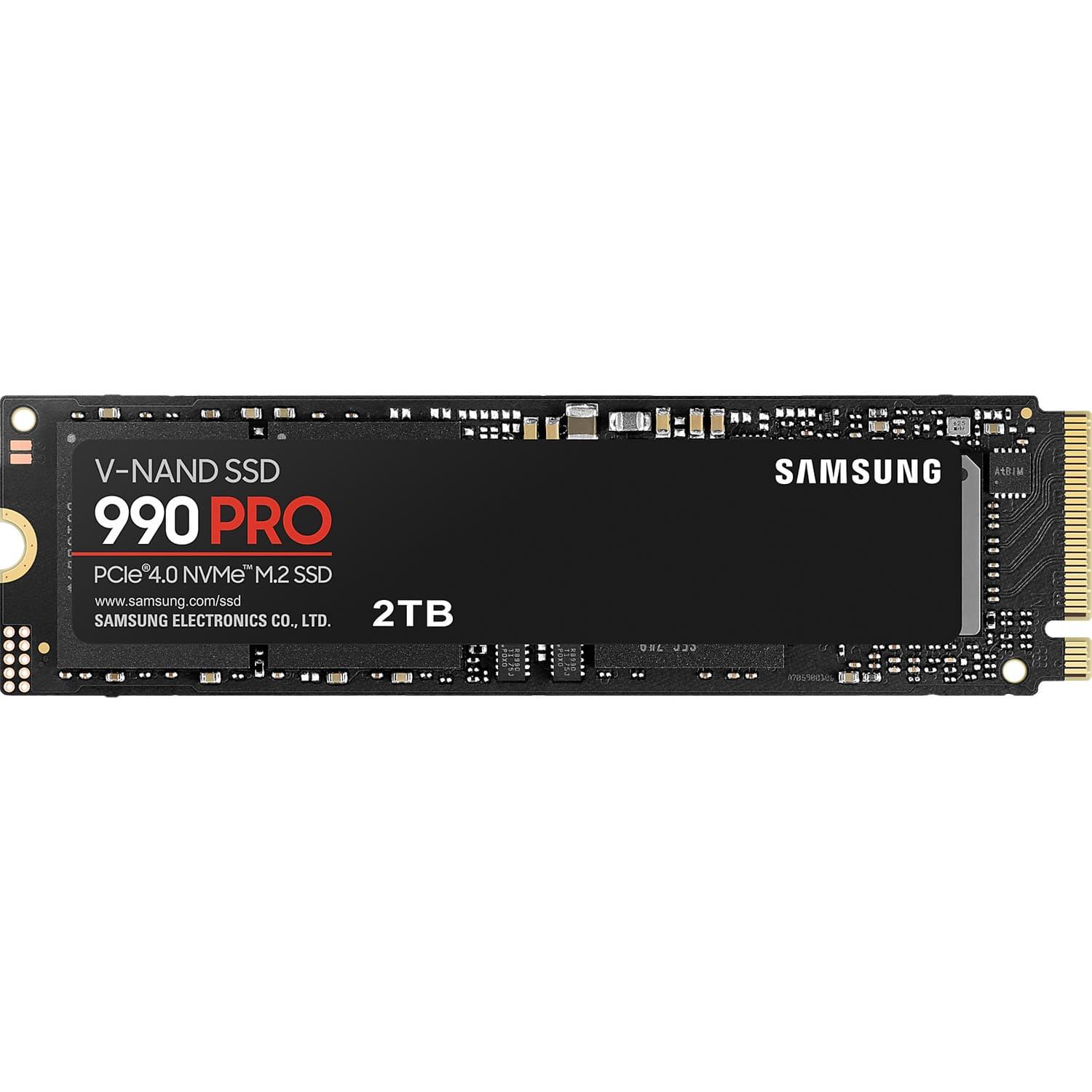
1. Samsung 990 Pro 2TB — Best Overall
Best for: Most buyers who want the fastest, most proven 2TB Gen4 drive and will wait for a sale to hit their budget.
The 990 Pro 2TB is the benchmark the rest of this guide is measured against. Samsung rates it at up to 7,450 MB/s sequential reads and 6,900 MB/s writes, the fastest figures here. It uses Samsung’s in-house controller and 176-layer V-NAND TLC flash, a 2GB LPDDR4 DRAM cache on the 2TB model, a 1,200 TBW endurance rating, and a five-year limited warranty. A heatsink version is available.
Specs: 2TB, M.2 2280, PCIe Gen4 x4, NVMe 2.0; up to 7,450 MB/s read, 6,900 MB/s write; TLC NAND; DRAM cache; 1,200 TBW; five-year limited warranty; heatsink version available.
Pros: Fastest rated speeds here; DRAM cache and TLC flash; strong 1,200 TBW endurance; efficient, well-managed thermals; heatsink version fits the PS5.
Cons: Usually the most expensive drive here when prices spike; the premium over the SN850X buys little in gaming alone; prices swung widely during the 2026 NAND shortage.
Check price on Amazon — Samsung 990 Pro 2TB
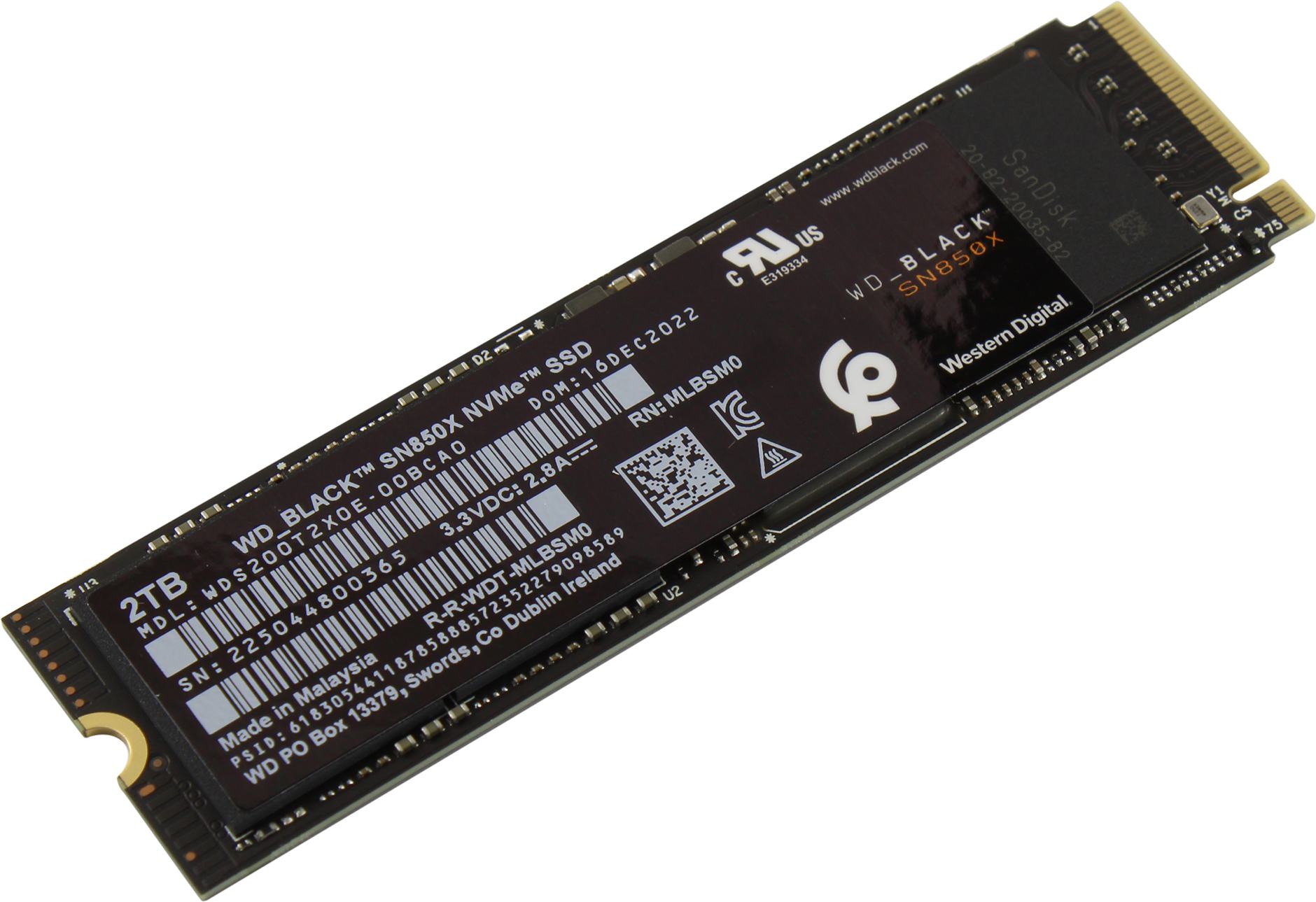
2. WD Black SN850X 2TB — Best for Gaming and PS5
Best for: Gamers and PS5 owners who want a drive tuned for game loading and officially listed for console use.
The SN850X 2TB is the gaming counterpart to the 990 Pro, and the gap between them in real games is small. Western Digital rates it at up to 7,300 MB/s reads and 6,600 MB/s writes, with a DRAM cache, TLC flash, a 1,200 TBW endurance rating, and a five-year limited warranty. Its Game Mode 2.0 firmware is designed to keep load times consistent, and the heatsink version (model WDS200T2XHE for the 2TB) is listed by WD for PlayStation 5 use.
Specs: 2TB, M.2 2280, PCIe Gen4 x4; up to 7,300 MB/s read, 6,600 MB/s write; TLC NAND; DRAM cache; 1,200 TBW; five-year limited warranty; heatsink version available and listed for PS5.
Pros: Near-flagship speeds for gaming; DRAM cache and TLC flash; heatsink version is PS5-ready out of the box; often cheaper than the 990 Pro.
Cons: Slightly slower on paper than the 990 Pro; the heatsink version costs more and is the one PS5 owners need; prices rose sharply in late 2026.
Check price on Amazon — WD Black SN850X 2TB
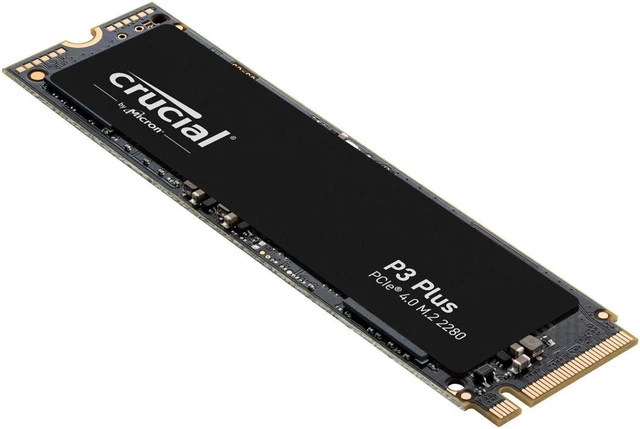
3. Crucial P3 Plus 2TB — Best Budget Pick
Best for: Budget builds and game-library storage, where the lowest price per gigabyte matters more than flagship speed.
The P3 Plus 2TB is the cheapest reputable way to get 2TB of Gen4 storage, and the drive here most likely to be found nearest $200 when prices are high. Crucial rates it at up to 5,000 MB/s reads and 4,200 MB/s writes on the 2TB model. It uses QLC flash and has no DRAM cache, relying on HMB instead, and carries a 440 TBW endurance rating with a five-year limited warranty. At 5,000 MB/s it is still far faster than any SATA SSD, and game loading times are close to the flagship drives. Where it falls behind is sustained writes: copying a very large folder or a long video export slows down sooner than on a TLC drive with DRAM. For a secondary drive holding games, or a primary drive in a budget PC that mostly reads data, those trade-offs are reasonable. For a video-editing workstation, they are not.
Specs: 2TB, M.2 2280, PCIe Gen4 x4; up to 5,000 MB/s read, 4,200 MB/s write; QLC NAND; DRAM-less with HMB; 440 TBW; five-year limited warranty; no heatsink included.
Pros: Lowest price per gigabyte in this guide; genuine Gen4 speeds for everyday use and gaming; a good secondary drive for a game library; Micron/Crucial support and warranty.
Cons: QLC flash and no DRAM cache, so sustained writes slow down sooner; 440 TBW is the lowest endurance here; no heatsink, so PS5 owners must add one; not the pick for heavy video work.
Check price on Amazon — Crucial P3 Plus 2TB
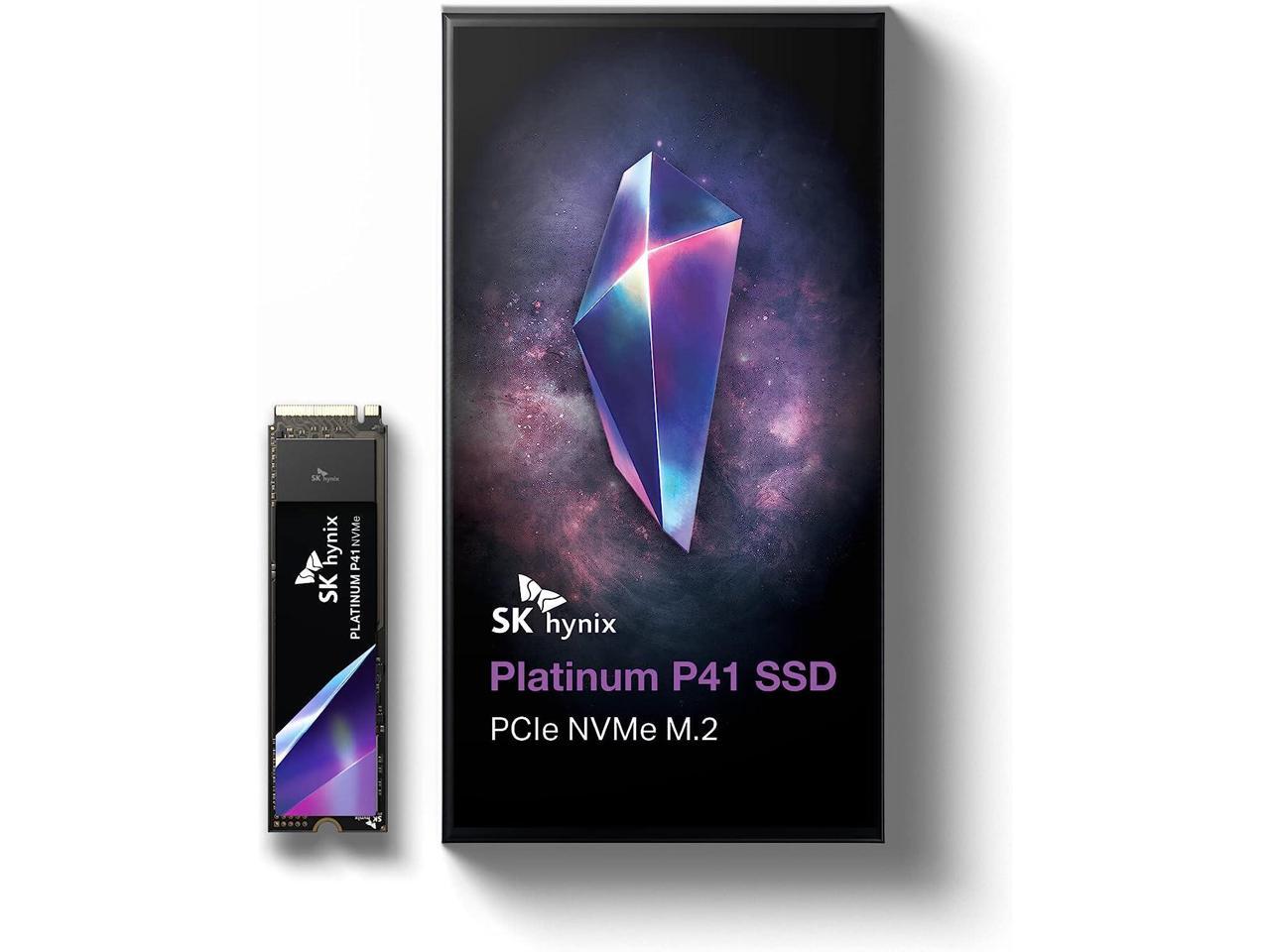
4. SK hynix Platinum P41 2TB — Best Efficiency
Best for: Laptops and small-form-factor PCs, where power use and heat matter as much as speed.
The P41 2TB is the quiet achiever of this group. SK hynix rates it at up to 7,000 MB/s reads and 6,500 MB/s writes, with its in-house Aries controller, 176-layer TLC NAND, a DRAM cache, a 1,200 TBW endurance rating, and a five-year limited warranty. What sets the P41 apart is efficiency: independent reviews have consistently found it among the most power-efficient Gen4 drives, which means less heat in a cramped case and longer battery life in a laptop.
Specs: 2TB, M.2 2280, single-sided, PCIe Gen4 x4; up to 7,000 MB/s read, 6,500 MB/s write; TLC NAND; DRAM cache; 1,200 TBW; five-year limited warranty; no heatsink included.
Pros: Near-flagship speeds; excellent power efficiency; strong sustained writes; single-sided design fits more laptops; 1,200 TBW endurance.
Cons: Harder to find than Samsung or WD drives; no heatsink version; warranty handling varies by seller.
Check price on Amazon — SK hynix Platinum P41 2TB
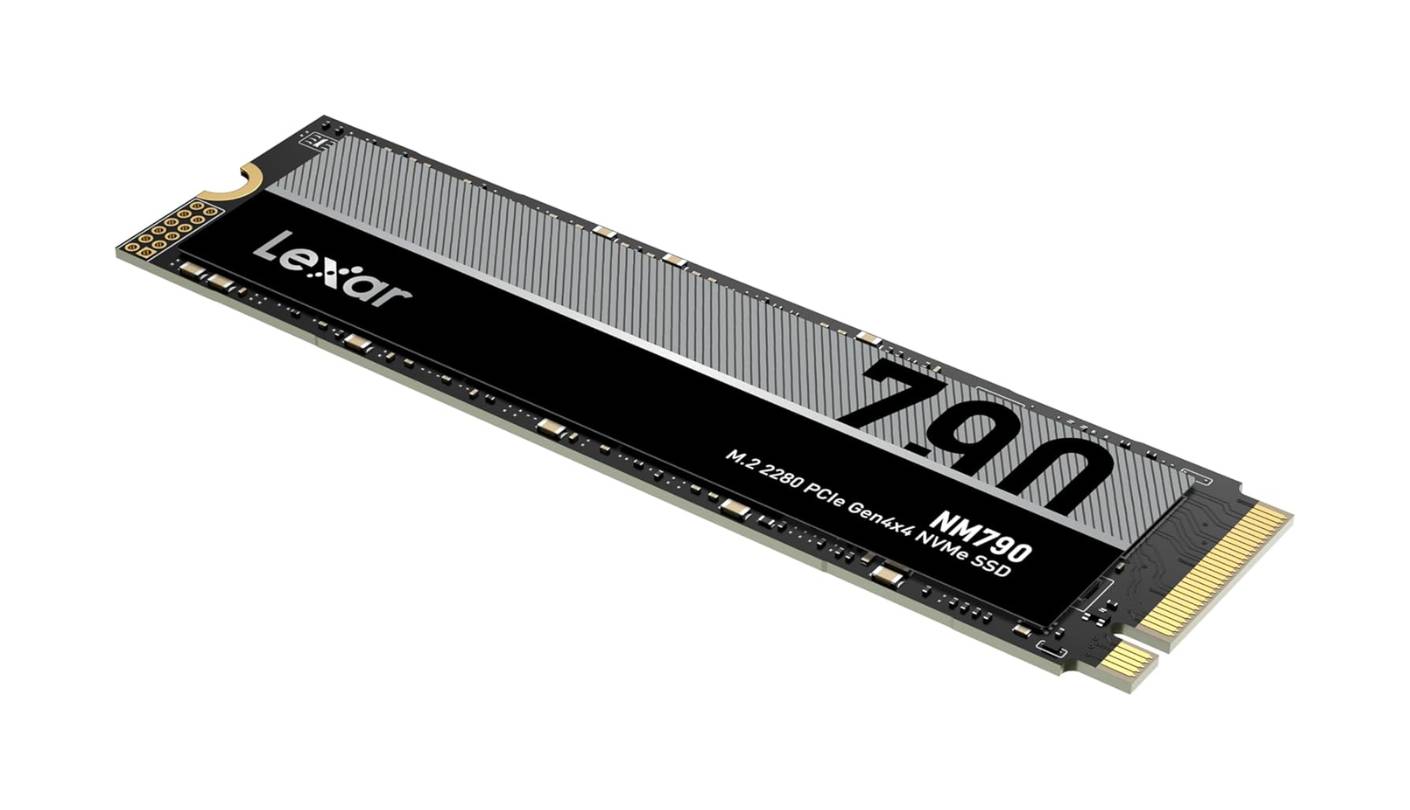
5. Lexar NM790 2TB — Best Value for Laptops and PS5
Best for: Buyers who want flagship-level headline speeds at a mid-range price, especially in a laptop or PS5.
The NM790 2TB looks, on paper, like it should cost more than it does. Lexar rates it at up to 7,400 MB/s reads and 6,500 MB/s writes — second only to the 990 Pro here — with 232-layer TLC NAND, a 1,500 TBW endurance rating, and a five-year limited warranty. It is a single-sided M.2 2280 drive, and a heatsink version is available for PS5 use. The catch is the DRAM-less design: instead of a cache chip, the NM790 uses Host Memory Buffer 3.0, borrowing a small slice of system RAM, plus a dynamic SLC cache. In a PC or laptop that works well, and Lexar claims up to 40% lower power use than DRAM-equipped Gen4 drives. In a PS5, though, the console does not support HMB, so sustained performance may be less consistent than on a DRAM drive such as the SN850X.
Specs: 2TB, M.2 2280, single-sided, PCIe Gen4 x4; up to 7,400 MB/s read, 6,500 MB/s write; TLC NAND; DRAM-less with HMB 3.0; 1,500 TBW; five-year limited warranty; heatsink version available.
Pros: Flagship-level headline speeds at a value price; highest TBW rating in this guide; single-sided and power-efficient, good for laptops; heatsink version available.
Cons: DRAM-less, so sustained writes depend on HMB and SLC cache; the PS5 does not support HMB, which can affect consistency there; a less familiar brand than Samsung or WD.
Check price on Amazon — Lexar NM790 2TB
What to Avoid
Do not buy from a brand you cannot verify. No-name drives come with inflated speed claims, no warranty support, and flash of unknown origin. At 2TB, the gap between a reputable drive and a suspicious one is small — stick to Samsung, WD, Crucial, SK hynix, Lexar, Kingston, or Sabrent, and buy from the brand’s store or an authorized seller.
Do not pay Gen5 prices for gaming. A Gen5 2TB drive costs roughly twice as much as Gen4 and needs a Gen5 slot and serious cooling. Games do not load faster on Gen5.
Do not buy the wrong size. A 2TB M.2 2280 drive will not fit a laptop that only takes M.2 2230, and a double-sided drive may not fit a thin laptop that expects a single-sided one. The P41 and NM790 are single-sided.
Do not assume the $200 price is there today. SSD prices in late 2026 are volatile: the same drive can be $150 one week and $350 the next. If the drive you want is over budget today, set a price alert and check again in a few days, rather than buying an unknown brand just to hit the number.
FAQ
Is 2TB enough for gaming in 2026?
Yes, for most players. Windows takes roughly 30–40GB and a modern AAA game can take 100GB or more, but 2TB still holds Windows plus a dozen or more large games.
Is Gen4 worth it over Gen3?
Yes. Gen4 drives are roughly twice as fast on paper, cost only a little more at 2TB, and work in any Gen4 slot. A Gen3 drive only makes sense if your motherboard has no Gen4 slot at all.
Do I need a heatsink?
In a desktop, usually not — most modern motherboards include one. In a PS5, yes: Sony requires a heatsink that fits the console’s size limits. In a laptop, check whether the machine already cools the slot.
Which 2TB SSD is best for PS5?
The WD Black SN850X 2TB with heatsink is the simplest choice, because WD lists that exact version for PS5 use. The 990 Pro and NM790 heatsink versions also meet Sony’s 5,500 MB/s minimum, but check the exact model’s compatibility first.
Why are 2TB SSD prices so high in late 2026?
A global NAND flash shortage pushed SSD prices up sharply through 2026, with some 2TB drives tripling from their 2025 prices. That is why this guide focuses on the right drives to watch and tells you to check the live price.
Verdict
The best 2TB NVMe SSD under $200 is the Samsung 990 Pro 2TB — when you can buy it at or near $200. It is the fastest drive in this guide, with a DRAM cache, TLC flash, and a 1,200 TBW endurance rating that will outlast the PC you put it in.
If the 990 Pro is over budget on the day you shop, buy the WD Black SN850X 2TB instead, especially for gaming or a PS5: it gives up almost nothing in real use, and its heatsink version is the easiest PS5 install here. On the tightest budget, the Crucial P3 Plus 2TB is the right compromise — genuine Gen4 speeds for the lowest price, though its QLC flash and DRAM-less design make it a better game-library drive than a heavy-workload primary drive. For a laptop, look at the SK hynix Platinum P41 2TB for efficiency or the Lexar NM790 2TB for headline speed per dollar. Whichever you choose, check the model, capacity, and current price on Amazon before you buy. In this market, the right drive at the wrong price is the wrong purchase.
As an Amazon Associate, we earn from qualifying purchases.
Suggested internal links for pcreviewer.org (editor: verify these slugs exist on the site before publishing):
– /best-prebuilt-gaming-pc-under-1000/
– /best-mini-pc-for-gaming-under-800/
– /best-graphics-card-under-600/
More from Amazon
Programs that pair well with the guide above. Offers and eligibility are set by Amazon and may change.
Free shipping on eligible items, Prime Video and more. Eligible new members can start with a free trial.
Start a Prime free trialAd-free music streaming. Eligible new subscribers can start with a free trial.
Try Music Unlimited freeA Prime membership for ages 18-24 with a trial period. Eligibility is set by Amazon.
See Prime for Young AdultsAudiobooks and podcasts to listen to on the go. Eligible new members can start with a free trial.
Try Audible freeAs an Amazon Associate we earn from qualifying purchases.
Write Your Review
No reviews yet. Be the first to share your experience!